Google AI Edge Gallery


Is this your AI tool? Claim it today.
Verify ownership, manage your profile, and unlock growth features.
Google AI Edge Gallery revolutionizes mobile AI by enabling real on-device function calling with a compact 270M parameter model, delivering fast, offline voice command execution on both iOS and Android. Perfect for privacy-focused users and developers, it transforms natural language into instant phone actions without any cloud dependency.

Description
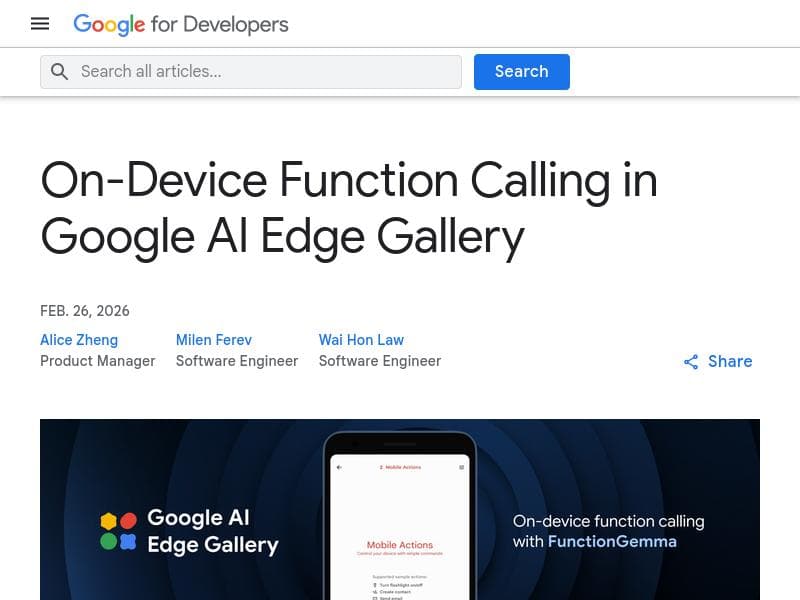
Google AI Edge Gallery just landed on iOS, bringing real on-device function calling to iPhone for the first time. Powered by a compact 270M FunctionGemma model, Mobile Actions turns natural voice commands into actual phone actions like creating calendar events, opening maps or toggling flashlight instantly — all fully offline.
Detailed Description
Google AI Edge Gallery is a cutting-edge AI tool designed to bring real on-device function calling capabilities to mobile devices, now available on iOS for the first time. At its core, this tool leverages a compact yet powerful 270 million parameter FunctionGemma model to enable Mobile Actions, which translates natural voice commands into actual phone operations such as creating calendar events, opening maps, or toggling the flashlight. What sets Google AI Edge Gallery apart is its ability to perform these tasks entirely offline, eliminating the need for cloud connectivity and ensuring user privacy, faster response times, and reduced latency. The key features of Google AI Edge Gallery revolve around its optimized on-device function calling model. The 270M parameter FunctionGemma model is specifically designed to run efficiently on mobile hardware, enabling fast and responsive AI agents that operate fully offline. This allows users to execute complex tasks like managing calendar events or controlling device hardware without relying on internet access. The tool supports a wide range of mobile actions, facilitating seamless interaction between the digital and physical worlds. Available on both Android and iOS platforms via the Google AI Edge Gallery app, it empowers developers and users alike to build and utilize agentic applications that respond instantly to voice commands. Google AI Edge Gallery is ideal for mobile users who prioritize privacy and speed, such as professionals managing busy schedules, developers creating intelligent mobile assistants, and tech enthusiasts seeking advanced on-device AI capabilities. Its offline operation makes it particularly useful in environments with limited or no internet connectivity, such as remote locations or secure facilities. Use cases include hands-free calendar management, quick access to navigation, hardware control like flashlight toggling, and other personalized mobile automation tasks that enhance productivity and convenience. In terms of pricing, Google AI Edge Gallery is offered for free, making it accessible to a broad audience without financial barriers. This free availability encourages experimentation and adoption by developers and end-users interested in leveraging on-device AI function calling. Compared to alternative AI assistants that rely heavily on cloud processing, Google AI Edge Gallery stands out by providing a fully offline experience with low latency and enhanced privacy. While many voice assistants require constant internet connectivity to interpret commands and perform actions, this tool’s compact model runs directly on the device, reducing dependency on external servers and improving responsiveness. However, this on-device approach may limit the complexity of tasks compared to cloud-based AI systems with access to vast computational resources and data. Notable limitations include the scope of supported functions, which currently focus on mobile device actions such as calendar management and hardware control. Users seeking broader AI capabilities involving extensive internet-based data or third-party service integrations may find the tool’s offline model restrictive. Additionally, as a relatively new offering on iOS, the ecosystem and developer community around Google AI Edge Gallery are still growing, which may impact the availability of pre-built applications and integrations. Nevertheless, its innovative approach to offline AI function calling positions it as a valuable tool for privacy-conscious users and developers aiming to build efficient, agentic mobile applications.
Tool Features
- 270M parameter model optimized for on-device function calling
- Enables fast, offline mobile agents with low latency
- Supports complex tasks like calendar management and device hardware control
- Operates entirely offline without cloud dependency
- Available on Google AI Edge Gallery app for Android and iOS
- Facilitates building agentic applications interacting with physical and digital worlds
Description
Google AI Edge Gallery revolutionizes mobile AI by enabling real on-device function calling with a compact 270M parameter model, delivering fast, offline voice command execution on both iOS and Android. Perfect for privacy-focused users and developers, it transforms natural language into instant phone actions without any cloud dependency.
Google AI Edge Gallery just landed on iOS, bringing real on-device function calling to iPhone for the first time. Powered by a compact 270M FunctionGemma model, Mobile Actions turns natural voice commands into actual phone actions like creating calendar events, opening maps or toggling flashlight instantly — all fully offline.
Detailed Description
Google AI Edge Gallery is a cutting-edge AI tool designed to bring real on-device function calling capabilities to mobile devices, now available on iOS for the first time. At its core, this tool leverages a compact yet powerful 270 million parameter FunctionGemma model to enable Mobile Actions, which translates natural voice commands into actual phone operations such as creating calendar events, opening maps, or toggling the flashlight. What sets Google AI Edge Gallery apart is its ability to perform these tasks entirely offline, eliminating the need for cloud connectivity and ensuring user privacy, faster response times, and reduced latency. The key features of Google AI Edge Gallery revolve around its optimized on-device function calling model. The 270M parameter FunctionGemma model is specifically designed to run efficiently on mobile hardware, enabling fast and responsive AI agents that operate fully offline. This allows users to execute complex tasks like managing calendar events or controlling device hardware without relying on internet access. The tool supports a wide range of mobile actions, facilitating seamless interaction between the digital and physical worlds. Available on both Android and iOS platforms via the Google AI Edge Gallery app, it empowers developers and users alike to build and utilize agentic applications that respond instantly to voice commands. Google AI Edge Gallery is ideal for mobile users who prioritize privacy and speed, such as professionals managing busy schedules, developers creating intelligent mobile assistants, and tech enthusiasts seeking advanced on-device AI capabilities. Its offline operation makes it particularly useful in environments with limited or no internet connectivity, such as remote locations or secure facilities. Use cases include hands-free calendar management, quick access to navigation, hardware control like flashlight toggling, and other personalized mobile automation tasks that enhance productivity and convenience. In terms of pricing, Google AI Edge Gallery is offered for free, making it accessible to a broad audience without financial barriers. This free availability encourages experimentation and adoption by developers and end-users interested in leveraging on-device AI function calling. Compared to alternative AI assistants that rely heavily on cloud processing, Google AI Edge Gallery stands out by providing a fully offline experience with low latency and enhanced privacy. While many voice assistants require constant internet connectivity to interpret commands and perform actions, this tool’s compact model runs directly on the device, reducing dependency on external servers and improving responsiveness. However, this on-device approach may limit the complexity of tasks compared to cloud-based AI systems with access to vast computational resources and data. Notable limitations include the scope of supported functions, which currently focus on mobile device actions such as calendar management and hardware control. Users seeking broader AI capabilities involving extensive internet-based data or third-party service integrations may find the tool’s offline model restrictive. Additionally, as a relatively new offering on iOS, the ecosystem and developer community around Google AI Edge Gallery are still growing, which may impact the availability of pre-built applications and integrations. Nevertheless, its innovative approach to offline AI function calling positions it as a valuable tool for privacy-conscious users and developers aiming to build efficient, agentic mobile applications.
Frequently Asked Questions
What is Google AI Edge Gallery?
Google AI Edge Gallery is an AI tool that enables real on-device function calling on mobile devices, allowing users to execute phone actions like calendar management and hardware control through natural voice commands, all operating fully offline.
How much does Google AI Edge Gallery cost?
Google AI Edge Gallery is available for free, with no cost to download or use the app on supported Android and iOS devices.
Who is Google AI Edge Gallery best for?
It is best suited for mobile users who value privacy and fast response times, developers building intelligent mobile assistants, and anyone needing offline voice-controlled automation for tasks such as calendar management and device hardware control.
What are the main features of Google AI Edge Gallery?
Key features include a 270 million parameter FunctionGemma model optimized for on-device function calling, fast offline mobile agents with low latency, support for complex tasks like calendar and hardware control, and full offline operation without cloud dependency.
Does Google AI Edge Gallery offer a free trial?
Yes, since the tool is free to use, there is no separate free trial required; users can download and use the app at no cost.
What integrations does Google AI Edge Gallery support?
Google AI Edge Gallery primarily integrates with native mobile device functions such as calendar apps, maps, and hardware controls like the flashlight, enabling voice commands to directly trigger these actions offline.
How does Google AI Edge Gallery work?
It uses a compact 270M parameter FunctionGemma AI model running entirely on the device to interpret natural voice commands and convert them into executable phone actions instantly, without needing internet connectivity or cloud processing.
Socials
Use ToolReviews
No reviews yet. Be the first to share your experience.















































