🚀 Zaprep: Your Socials on Steroids. Start free — automate 1,000 DMs/month & turn engagement into leads. with 1,000 automated DMs/month.
Google Ads MCP Server
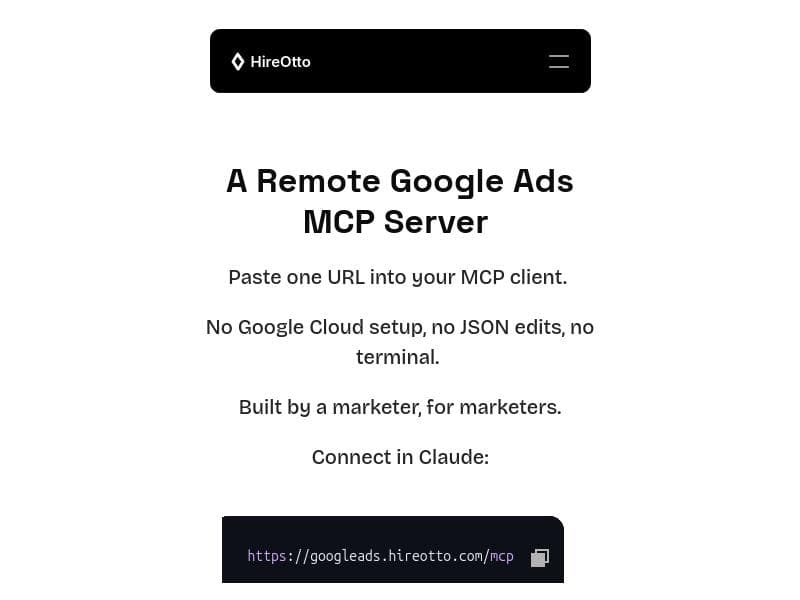


Google Ads MCP Server empowers marketers to launch and manage Google Ads campaigns directly from their MCP clients without any complex setup or coding. Designed by marketers for marketers, it offers a hosted, remote solution that eliminates the need for Google Cloud configuration, JSON edits, or terminal commands, making ad management simpler and more accessible.

Description
Launch and manage Google Ads straight from your MCP client (e.g., Claude) with a hosted, remote MCP server. No Google Cloud setup, no JSON edits, no terminal. Built by a marketer, for marketers.
Detailed Description
Google Ads MCP Server is a specialized tool designed to streamline the process of launching and managing Google Ads campaigns directly from your MCP (Model-Client-Platform) client, such as Claude. Its core purpose is to eliminate the technical barriers typically associated with Google Ads management, such as complex Google Cloud setup, manual JSON configuration, and command-line terminal usage. By offering a hosted, remote MCP server, this tool enables marketers to focus on campaign strategy and execution without getting bogged down by infrastructure and technical overhead. Developed by a marketer with marketers in mind, it prioritizes ease of use, accessibility, and efficiency. One of the standout features of Google Ads MCP Server is its seamless integration with MCP clients, allowing users to launch and manage Google Ads campaigns remotely. This means you can control your ad campaigns from within your familiar MCP environment without switching platforms or dealing with cumbersome setups. The hosted remote MCP server architecture removes the need for users to configure Google Cloud environments or edit JSON files manually, which are common pain points for many marketers and developers. Additionally, the tool requires no terminal commands, making it accessible even to those without technical backgrounds. The tool’s design philosophy centers around simplifying the ad management workflow. Users can create, update, and monitor Google Ads campaigns with minimal friction, leveraging the power of MCP clients to automate and optimize advertising efforts. This is particularly beneficial for marketing teams and agencies that manage multiple campaigns and clients, as it reduces the time and effort spent on technical setup and maintenance. Google Ads MCP Server is ideal for digital marketers, advertising agencies, and business owners who want to harness the power of Google Ads without the complexity of traditional setup processes. It is especially useful for those who already use MCP clients like Claude and want to extend their capabilities to include direct ad management. Use cases include launching new campaigns quickly, adjusting bids and budgets on the fly, and monitoring campaign performance remotely, all within a unified interface. In terms of pricing, Google Ads MCP Server is offered for free, making it an accessible option for marketers at all levels. This no-cost entry point encourages experimentation and adoption without financial risk, which is a significant advantage over other paid ad management platforms that often require subscriptions or usage fees. Compared to alternatives, Google Ads MCP Server stands out by eliminating the need for Google Cloud setup and JSON file manipulation, which are common hurdles in other Google Ads API integrations. Many other tools require a steep technical learning curve or rely on complex backend configurations. By contrast, this tool’s hosted remote server and user-friendly design reduce setup time and technical barriers, enabling faster campaign deployment and management. However, some limitations to consider include the dependency on MCP clients for operation, which means users must be familiar with or willing to adopt such clients. Additionally, while the tool simplifies many aspects of Google Ads management, it may not offer the full breadth of advanced features found in Google’s native Ads interface or more comprehensive third-party platforms. Users with highly specialized or large-scale campaign needs might find it less suitable as a standalone solution. Overall, Google Ads MCP Server is a powerful, marketer-centric tool that democratizes Google Ads management by removing technical complexities and providing a straightforward, hosted solution. Its free pricing and ease of use make it an excellent choice for marketers seeking to optimize their advertising workflows through MCP clients.
Tool Features
- Launch Google Ads from MCP client
- Manage Google Ads remotely
- No Google Cloud setup required
- No JSON edits needed
- No terminal usage required
- Hosted remote MCP server
- Designed by marketers for marketers
Description
Google Ads MCP Server empowers marketers to launch and manage Google Ads campaigns directly from their MCP clients without any complex setup or coding. Designed by marketers for marketers, it offers a hosted, remote solution that eliminates the need for Google Cloud configuration, JSON edits, or terminal commands, making ad management simpler and more accessible.
Launch and manage Google Ads straight from your MCP client (e.g., Claude) with a hosted, remote MCP server. No Google Cloud setup, no JSON edits, no terminal. Built by a marketer, for marketers.
Detailed Description
Google Ads MCP Server is a specialized tool designed to streamline the process of launching and managing Google Ads campaigns directly from your MCP (Model-Client-Platform) client, such as Claude. Its core purpose is to eliminate the technical barriers typically associated with Google Ads management, such as complex Google Cloud setup, manual JSON configuration, and command-line terminal usage. By offering a hosted, remote MCP server, this tool enables marketers to focus on campaign strategy and execution without getting bogged down by infrastructure and technical overhead. Developed by a marketer with marketers in mind, it prioritizes ease of use, accessibility, and efficiency. One of the standout features of Google Ads MCP Server is its seamless integration with MCP clients, allowing users to launch and manage Google Ads campaigns remotely. This means you can control your ad campaigns from within your familiar MCP environment without switching platforms or dealing with cumbersome setups. The hosted remote MCP server architecture removes the need for users to configure Google Cloud environments or edit JSON files manually, which are common pain points for many marketers and developers. Additionally, the tool requires no terminal commands, making it accessible even to those without technical backgrounds. The tool’s design philosophy centers around simplifying the ad management workflow. Users can create, update, and monitor Google Ads campaigns with minimal friction, leveraging the power of MCP clients to automate and optimize advertising efforts. This is particularly beneficial for marketing teams and agencies that manage multiple campaigns and clients, as it reduces the time and effort spent on technical setup and maintenance. Google Ads MCP Server is ideal for digital marketers, advertising agencies, and business owners who want to harness the power of Google Ads without the complexity of traditional setup processes. It is especially useful for those who already use MCP clients like Claude and want to extend their capabilities to include direct ad management. Use cases include launching new campaigns quickly, adjusting bids and budgets on the fly, and monitoring campaign performance remotely, all within a unified interface. In terms of pricing, Google Ads MCP Server is offered for free, making it an accessible option for marketers at all levels. This no-cost entry point encourages experimentation and adoption without financial risk, which is a significant advantage over other paid ad management platforms that often require subscriptions or usage fees. Compared to alternatives, Google Ads MCP Server stands out by eliminating the need for Google Cloud setup and JSON file manipulation, which are common hurdles in other Google Ads API integrations. Many other tools require a steep technical learning curve or rely on complex backend configurations. By contrast, this tool’s hosted remote server and user-friendly design reduce setup time and technical barriers, enabling faster campaign deployment and management. However, some limitations to consider include the dependency on MCP clients for operation, which means users must be familiar with or willing to adopt such clients. Additionally, while the tool simplifies many aspects of Google Ads management, it may not offer the full breadth of advanced features found in Google’s native Ads interface or more comprehensive third-party platforms. Users with highly specialized or large-scale campaign needs might find it less suitable as a standalone solution. Overall, Google Ads MCP Server is a powerful, marketer-centric tool that democratizes Google Ads management by removing technical complexities and providing a straightforward, hosted solution. Its free pricing and ease of use make it an excellent choice for marketers seeking to optimize their advertising workflows through MCP clients.
Frequently Asked Questions
What is Google Ads MCP Server?
Google Ads MCP Server is a hosted, remote server that enables users to launch and manage Google Ads campaigns directly from their MCP clients, such as Claude, without requiring Google Cloud setup, JSON edits, or terminal usage.
How much does Google Ads MCP Server cost?
Google Ads MCP Server is available for free, allowing marketers to use its features without any subscription or usage fees.
Who is Google Ads MCP Server best for?
It is best suited for digital marketers, advertising agencies, and business owners who want to manage Google Ads campaigns efficiently through MCP clients without dealing with technical complexities.
What are the main features of Google Ads MCP Server?
Key features include launching and managing Google Ads from MCP clients, remote campaign management, no requirement for Google Cloud setup, no JSON file editing, no terminal commands, and a hosted remote MCP server designed specifically by marketers for marketers.
Does Google Ads MCP Server offer a free trial?
Yes, the tool is completely free to use, so there is no need for a separate trial period.
What integrations does Google Ads MCP Server support?
It integrates primarily with MCP clients such as Claude, enabling direct Google Ads management through these platforms.
How does Google Ads MCP Server work?
The tool works by providing a hosted remote MCP server that connects with your MCP client, allowing you to launch and manage Google Ads campaigns without manual Google Cloud setup, JSON edits, or terminal commands, streamlining the entire advertising workflow.
Socials
Use ToolReviews
No reviews yet. Be the first to share your experience.
Sponsored Tools











































Recommended Tools
Stay updated on latest Ai tools
Get the latest insights, Join our newsletter
Read and trusted by 50,000+ readers
Join the biggest AI Community
Our community and staff are here to help!
Your feedback will help Alice AI improve in future versions.








Submit your Tool


PoweredByAI.app is an AI Tools Directory helping individuals, businesses, and creators discover the best AI tools for writing, coding, design, productivity, and more.
© 2026 , Product of011BQ. All rights reserved.