Featured in:Best AI Writing Tools
Get featured →🚀 Zaprep: Your Socials on Steroids. Start free — automate 1,000 DMs/month & turn engagement into leads. with 1,000 automated DMs/month.


Is this your AI tool? Claim it today.
Verify ownership, manage your profile, and unlock growth features.
✦
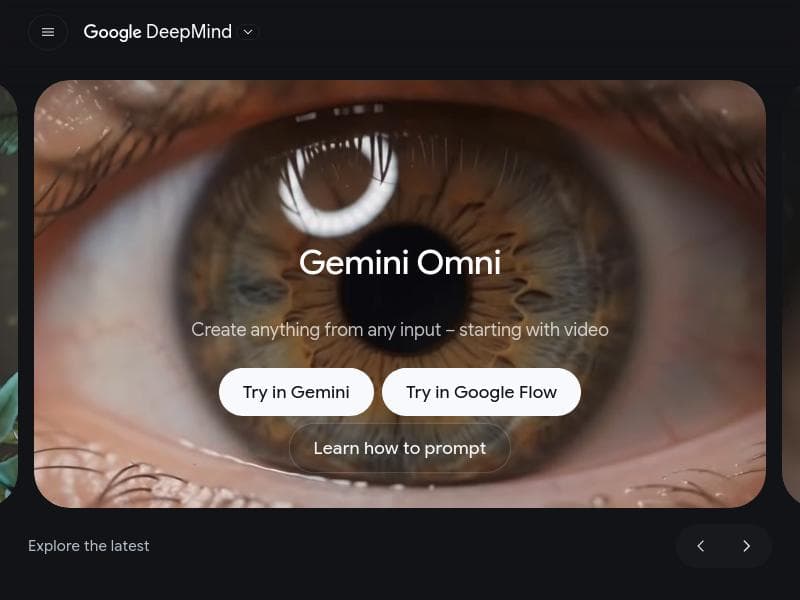
Gemini Omni transforms video creation by enabling users to produce and edit videos as easily as having a conversation, using AI to blend photos, styles, and clips into seamless multimodal media. Ideal for content creators, marketers, and educators, it offers powerful yet intuitive tools that simplify complex video editing tasks.

Description
Gemini Omni Flash (gemini-omni-flash-preview) just rolled out to developers via the Gemini API and Google AI Studio, natively supporting high-quality video generation and conversational editing from a combination of text, image and video inputs. This model is priced competitively at $0.10 per second of video output, which is the same as Veo 3.1 Fast.
Detailed Description
Gemini Omni is an advanced AI-powered video creation and editing platform developed by Google that revolutionizes the way users generate and modify video content. Its core purpose is to simplify video production by enabling users to create and edit videos as effortlessly as having a conversation. This tool leverages cutting-edge artificial intelligence to transform photos, reference styles, and video clips into dynamic multimodal media, making video generation accessible to creators of all skill levels. By integrating AI-driven editing capabilities, Gemini Omni eliminates the traditional complexities of video editing software, allowing users to focus on creativity rather than technical details. One of the standout features of Gemini Omni is its ability to create multimodal media by combining various input types such as photos, reference styles, and clips. This allows users to produce rich, diverse video content that can be customized extensively. The AI-powered editing tools enable seamless modifications to videos, including trimming, rearranging, and enhancing footage with minimal manual effort. Additionally, Gemini Omni offers a gallery remix feature, which intelligently reimagines existing media collections into fresh video compositions. Users can also explore a variety of video templates designed to streamline the creative process, providing a quick starting point for different styles and formats. Gemini Omni is ideally suited for a broad spectrum of users, including content creators, marketers, social media managers, educators, and businesses looking to produce engaging video content without investing heavily in traditional video editing expertise. For social media influencers and marketers, Gemini Omni offers a fast and intuitive way to generate promotional videos, product showcases, and storytelling content that can capture audience attention. Educators and trainers can utilize the tool to create instructional videos by combining images, clips, and styles that enhance learning experiences. Small businesses and startups benefit from the platform’s ease of use and AI assistance to produce professional-quality videos that elevate their brand presence. Regarding pricing and plans, Gemini Omni is part of Google’s Gemini suite, and while specific pricing details are not publicly disclosed on the overview page, it is expected to follow Google’s typical model of offering tiered plans that may include free trials or limited free usage alongside subscription-based premium features. Users interested in Gemini Omni should check Google’s official Gemini website or contact sales representatives for the most current pricing and plan options. When compared to alternative video editing and generation tools, Gemini Omni stands out due to its conversational interface and deep integration of AI for multimodal media creation. Unlike traditional video editors that require manual timeline adjustments and technical know-how, Gemini Omni’s AI-driven approach reduces the learning curve significantly. Its ability to remix galleries and utilize reference styles for video generation offers a unique creative flexibility not commonly found in other platforms. However, some competitors may offer more specialized features in niche areas such as advanced color grading or 3D animation, which Gemini Omni may not prioritize. Notable limitations of Gemini Omni include the potential dependency on internet connectivity and cloud processing, as it is a web-based tool integrated within Google’s ecosystem. Users should consider data privacy and storage policies when uploading sensitive media. Additionally, while the AI capabilities are powerful, creative professionals seeking granular control over every editing detail might find the tool less customizable than traditional professional-grade software. Lastly, as a relatively new product, the range of templates and supported integrations may expand over time, so early adopters should stay updated on feature releases and improvements. In summary, Gemini Omni is a groundbreaking AI video creation and editing platform that democratizes video production by making it conversational, intuitive, and multimodal. Its rich feature set, including AI editing, gallery remixing, and template usage, makes it an excellent choice for a wide range of users aiming to create compelling video content quickly and efficiently.
Tool Features
- Create multimodal media from photos, reference styles, and clips
- Use AI to edit videos
- Remix your gallery
- Try out video templates
Description
✦
Gemini Omni transforms video creation by enabling users to produce and edit videos as easily as having a conversation, using AI to blend photos, styles, and clips into seamless multimodal media. Ideal for content creators, marketers, and educators, it offers powerful yet intuitive tools that simplify complex video editing tasks.
Gemini Omni Flash (gemini-omni-flash-preview) just rolled out to developers via the Gemini API and Google AI Studio, natively supporting high-quality video generation and conversational editing from a combination of text, image and video inputs. This model is priced competitively at $0.10 per second of video output, which is the same as Veo 3.1 Fast.
Detailed Description
Gemini Omni is an advanced AI-powered video creation and editing platform developed by Google that revolutionizes the way users generate and modify video content. Its core purpose is to simplify video production by enabling users to create and edit videos as effortlessly as having a conversation. This tool leverages cutting-edge artificial intelligence to transform photos, reference styles, and video clips into dynamic multimodal media, making video generation accessible to creators of all skill levels. By integrating AI-driven editing capabilities, Gemini Omni eliminates the traditional complexities of video editing software, allowing users to focus on creativity rather than technical details. One of the standout features of Gemini Omni is its ability to create multimodal media by combining various input types such as photos, reference styles, and clips. This allows users to produce rich, diverse video content that can be customized extensively. The AI-powered editing tools enable seamless modifications to videos, including trimming, rearranging, and enhancing footage with minimal manual effort. Additionally, Gemini Omni offers a gallery remix feature, which intelligently reimagines existing media collections into fresh video compositions. Users can also explore a variety of video templates designed to streamline the creative process, providing a quick starting point for different styles and formats. Gemini Omni is ideally suited for a broad spectrum of users, including content creators, marketers, social media managers, educators, and businesses looking to produce engaging video content without investing heavily in traditional video editing expertise. For social media influencers and marketers, Gemini Omni offers a fast and intuitive way to generate promotional videos, product showcases, and storytelling content that can capture audience attention. Educators and trainers can utilize the tool to create instructional videos by combining images, clips, and styles that enhance learning experiences. Small businesses and startups benefit from the platform’s ease of use and AI assistance to produce professional-quality videos that elevate their brand presence. Regarding pricing and plans, Gemini Omni is part of Google’s Gemini suite, and while specific pricing details are not publicly disclosed on the overview page, it is expected to follow Google’s typical model of offering tiered plans that may include free trials or limited free usage alongside subscription-based premium features. Users interested in Gemini Omni should check Google’s official Gemini website or contact sales representatives for the most current pricing and plan options. When compared to alternative video editing and generation tools, Gemini Omni stands out due to its conversational interface and deep integration of AI for multimodal media creation. Unlike traditional video editors that require manual timeline adjustments and technical know-how, Gemini Omni’s AI-driven approach reduces the learning curve significantly. Its ability to remix galleries and utilize reference styles for video generation offers a unique creative flexibility not commonly found in other platforms. However, some competitors may offer more specialized features in niche areas such as advanced color grading or 3D animation, which Gemini Omni may not prioritize. Notable limitations of Gemini Omni include the potential dependency on internet connectivity and cloud processing, as it is a web-based tool integrated within Google’s ecosystem. Users should consider data privacy and storage policies when uploading sensitive media. Additionally, while the AI capabilities are powerful, creative professionals seeking granular control over every editing detail might find the tool less customizable than traditional professional-grade software. Lastly, as a relatively new product, the range of templates and supported integrations may expand over time, so early adopters should stay updated on feature releases and improvements. In summary, Gemini Omni is a groundbreaking AI video creation and editing platform that democratizes video production by making it conversational, intuitive, and multimodal. Its rich feature set, including AI editing, gallery remixing, and template usage, makes it an excellent choice for a wide range of users aiming to create compelling video content quickly and efficiently.
Frequently Asked Questions
What is Gemini Omni?
Gemini Omni is an AI-powered video creation and editing platform developed by Google that allows users to create and edit videos effortlessly by using photos, reference styles, and clips. It leverages artificial intelligence to simplify video production, enabling multimodal media creation and seamless editing through an intuitive conversational interface.
How much does Gemini Omni cost?
Specific pricing details for Gemini Omni are not publicly listed on the official overview page. It is expected that Google offers tiered subscription plans, potentially including free trials or limited free usage. For the most accurate and up-to-date pricing information, users should visit the official Gemini website or contact Google sales.
Who is Gemini Omni best for?
Gemini Omni is best suited for content creators, social media marketers, educators, small businesses, and anyone looking to produce professional-quality videos without extensive video editing experience. Its AI-driven tools make it ideal for users who want to quickly generate engaging video content using photos, clips, and templates.
What are the main features of Gemini Omni?
The main features of Gemini Omni include creating multimodal media from photos, reference styles, and clips; AI-powered video editing that simplifies complex tasks; gallery remixing to reimagine existing media collections; and a variety of video templates that help users start projects quickly and maintain creative consistency.
Does Gemini Omni offer a free trial?
While the official overview does not explicitly mention a free trial, Google typically offers free trials or limited free tiers for its AI-powered tools. Interested users should check the Gemini website or sign up to see if a free trial or demo is available.
What integrations does Gemini Omni support?
The overview does not specify particular third-party integrations. However, as a Google product, Gemini Omni is likely to integrate well within the Google ecosystem and support common media formats. Users should monitor official announcements for updates on supported integrations.
How does Gemini Omni work?
Gemini Omni works by allowing users to input photos, reference styles, and video clips, which the AI then processes to create or edit videos. Users can interact with the platform conversationally to direct edits, remix galleries, or apply templates, enabling seamless and intuitive video generation without traditional manual editing.
Socials
Use ToolReviews
0 reviews
No reviews yet. Be the first to share your experience.
Sponsored Tools











































Recommended Tools
Stay updated on latest Ai tools
Get the latest insights, Join our newsletter
Read and trusted by 50,000+ readers
Join the biggest AI Community
Our community and staff are here to help!
Your feedback will help Alice AI improve in future versions.








Submit your Tool


PoweredByAI.app is an AI Tools Directory helping individuals, businesses, and creators discover the best AI tools for writing, coding, design, productivity, and more.
© 2026 , Product of011BQ. All rights reserved.