Featured in:Best AI Writing Tools
Get featured →🚀 Zaprep: Your Socials on Steroids. Start free — automate 1,000 DMs/month & turn engagement into leads. with 1,000 automated DMs/month.
Gemini AI Photo


✦
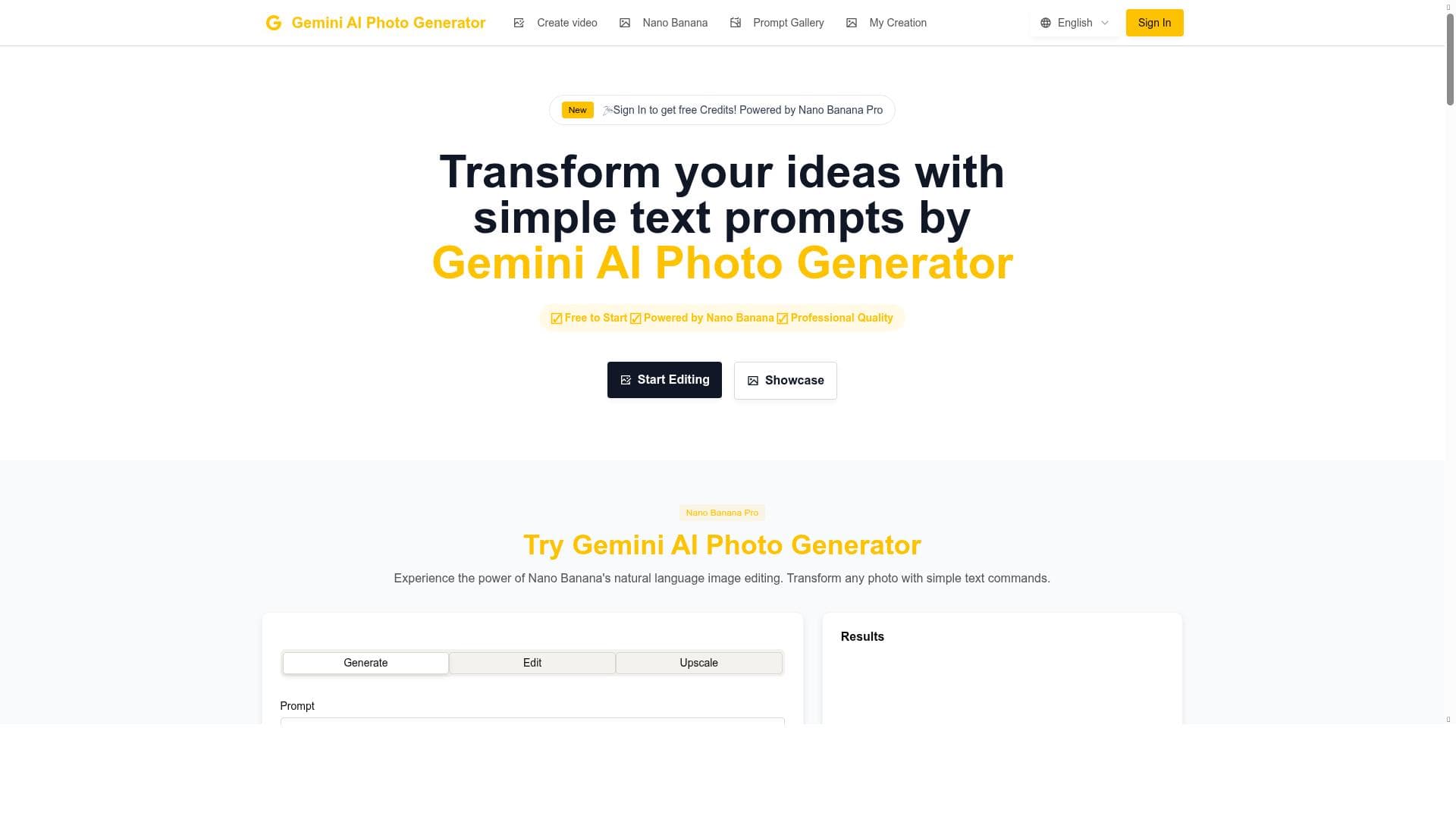
Gemini AI Photo is a versatile AI-powered photo editor and generator that combines precision enhancement, creative effects, and automated complex editing in one free-to-start platform. Powered by Nano Banana AI technology, it’s ideal for photographers, designers, and content creators seeking fast, high-quality image transformations without the complexity of traditional software.

Description
Gemini AI Photo is a free AI photo editor and generator powered by Nano Banana. It allows users to transform images with AI-powered precision editing. Generate, edit, and upscale images using Nano Banana AI technology.
Detailed Description
Gemini AI Photo is an advanced AI-powered photo editing and generation tool designed to empower users with precise and creative image transformation capabilities. At its core, Gemini AI Photo leverages the cutting-edge Nano Banana AI technology to provide a seamless experience for generating, editing, and upscaling images. This tool is tailored to meet the needs of photographers, designers, content creators, and casual users who want to enhance their images with professional-grade AI assistance without the steep learning curve of traditional photo editing software. One of the standout features of Gemini AI Photo is its AI-powered photo enhancement capabilities. The tool intelligently analyzes images to improve quality by adjusting brightness, contrast, sharpness, and color balance automatically. This ensures that even photos taken in less-than-ideal conditions can be transformed into visually stunning images. Beyond basic enhancement, Gemini AI Photo offers creative effects application, allowing users to apply artistic filters and stylistic changes that can dramatically alter the mood and aesthetic of their photos. Whether you want to add a vintage look, simulate a painting, or create surreal visual effects, the AI handles complex transformations with ease. Another significant capability is the automation of complex editing tasks. Gemini AI Photo simplifies traditionally time-consuming processes such as background removal, object replacement, and detailed retouching. The AI understands the context of the image and executes these tasks with precision, saving users hours of manual work. Additionally, the tool includes an image upscaling feature that increases resolution without sacrificing quality, making it ideal for printing or high-definition displays. Gemini AI Photo is best suited for a wide range of users. Professional photographers and graphic designers will appreciate the tool’s ability to speed up workflows and enhance creative possibilities. Social media influencers and marketers can quickly generate eye-catching visuals to boost engagement. Hobbyists and casual users benefit from the intuitive interface and automated features that require no prior editing experience. Use cases span from enhancing personal photos and creating marketing materials to producing digital art and preparing images for e-commerce platforms. In terms of pricing, Gemini AI Photo operates on a freemium model. Users can access a robust set of features for free, which is ideal for casual use and initial exploration. For more advanced capabilities, higher resolution exports, and priority processing, premium plans are available. This flexible pricing structure makes the tool accessible to individuals and businesses of all sizes. When compared to alternatives, Gemini AI Photo stands out due to its integration of Nano Banana AI technology, which delivers highly accurate and context-aware editing. Unlike many AI photo editors that focus solely on filters or basic enhancements, Gemini AI Photo combines generation, editing, and upscaling in one platform. This all-in-one approach reduces the need for multiple tools and streamlines the creative process. However, while the tool excels in automation and ease of use, it may not yet offer the depth of manual control that some professional-grade software provides, which could be a consideration for expert users seeking granular adjustments. Notable limitations include the reliance on AI algorithms that may occasionally misinterpret complex image elements, leading to imperfect edits that require manual correction. Additionally, as a web-based tool, performance can depend on internet speed and server load. Users should also be aware of privacy considerations when uploading sensitive images to any cloud-based AI service. Overall, Gemini AI Photo is a powerful, user-friendly solution for those looking to harness AI for photo editing and generation, balancing advanced technology with accessibility and affordability.
Tool Features
- AI-powered photo enhancement
- Creative effects application
- Automated complex editing tasks
Description
✦
Gemini AI Photo is a versatile AI-powered photo editor and generator that combines precision enhancement, creative effects, and automated complex editing in one free-to-start platform. Powered by Nano Banana AI technology, it’s ideal for photographers, designers, and content creators seeking fast, high-quality image transformations without the complexity of traditional software.
Gemini AI Photo is a free AI photo editor and generator powered by Nano Banana. It allows users to transform images with AI-powered precision editing. Generate, edit, and upscale images using Nano Banana AI technology.
Detailed Description
Gemini AI Photo is an advanced AI-powered photo editing and generation tool designed to empower users with precise and creative image transformation capabilities. At its core, Gemini AI Photo leverages the cutting-edge Nano Banana AI technology to provide a seamless experience for generating, editing, and upscaling images. This tool is tailored to meet the needs of photographers, designers, content creators, and casual users who want to enhance their images with professional-grade AI assistance without the steep learning curve of traditional photo editing software. One of the standout features of Gemini AI Photo is its AI-powered photo enhancement capabilities. The tool intelligently analyzes images to improve quality by adjusting brightness, contrast, sharpness, and color balance automatically. This ensures that even photos taken in less-than-ideal conditions can be transformed into visually stunning images. Beyond basic enhancement, Gemini AI Photo offers creative effects application, allowing users to apply artistic filters and stylistic changes that can dramatically alter the mood and aesthetic of their photos. Whether you want to add a vintage look, simulate a painting, or create surreal visual effects, the AI handles complex transformations with ease. Another significant capability is the automation of complex editing tasks. Gemini AI Photo simplifies traditionally time-consuming processes such as background removal, object replacement, and detailed retouching. The AI understands the context of the image and executes these tasks with precision, saving users hours of manual work. Additionally, the tool includes an image upscaling feature that increases resolution without sacrificing quality, making it ideal for printing or high-definition displays. Gemini AI Photo is best suited for a wide range of users. Professional photographers and graphic designers will appreciate the tool’s ability to speed up workflows and enhance creative possibilities. Social media influencers and marketers can quickly generate eye-catching visuals to boost engagement. Hobbyists and casual users benefit from the intuitive interface and automated features that require no prior editing experience. Use cases span from enhancing personal photos and creating marketing materials to producing digital art and preparing images for e-commerce platforms. In terms of pricing, Gemini AI Photo operates on a freemium model. Users can access a robust set of features for free, which is ideal for casual use and initial exploration. For more advanced capabilities, higher resolution exports, and priority processing, premium plans are available. This flexible pricing structure makes the tool accessible to individuals and businesses of all sizes. When compared to alternatives, Gemini AI Photo stands out due to its integration of Nano Banana AI technology, which delivers highly accurate and context-aware editing. Unlike many AI photo editors that focus solely on filters or basic enhancements, Gemini AI Photo combines generation, editing, and upscaling in one platform. This all-in-one approach reduces the need for multiple tools and streamlines the creative process. However, while the tool excels in automation and ease of use, it may not yet offer the depth of manual control that some professional-grade software provides, which could be a consideration for expert users seeking granular adjustments. Notable limitations include the reliance on AI algorithms that may occasionally misinterpret complex image elements, leading to imperfect edits that require manual correction. Additionally, as a web-based tool, performance can depend on internet speed and server load. Users should also be aware of privacy considerations when uploading sensitive images to any cloud-based AI service. Overall, Gemini AI Photo is a powerful, user-friendly solution for those looking to harness AI for photo editing and generation, balancing advanced technology with accessibility and affordability.
Frequently Asked Questions
What is Gemini AI Photo?
Gemini AI Photo is a free AI-powered photo editor and generator that enables users to transform, enhance, and upscale images using advanced Nano Banana AI technology. It offers precision editing, creative effects, and automation of complex photo editing tasks.
How much does Gemini AI Photo cost?
Gemini AI Photo operates on a freemium pricing model, offering a free tier with essential features and premium plans that unlock advanced capabilities, higher resolution exports, and faster processing.
Who is Gemini AI Photo best for?
The tool is best suited for photographers, graphic designers, social media influencers, marketers, and casual users who want to enhance and creatively transform images quickly and easily with AI assistance.
What are the main features of Gemini AI Photo?
Key features include AI-powered photo enhancement, creative effects application, automated complex editing tasks such as background removal and object replacement, and image upscaling to improve resolution without quality loss.
Does Gemini AI Photo offer a free trial?
Yes, Gemini AI Photo offers a free tier that allows users to access many of its core features without cost, effectively serving as a free trial with optional upgrades for premium features.
What integrations does Gemini AI Photo support?
Currently, Gemini AI Photo is primarily a standalone web-based tool. Specific third-party integrations are not detailed, but users can upload and download images to and from their devices or other platforms manually.
How does Gemini AI Photo work?
Gemini AI Photo uses Nano Banana AI technology to analyze images and apply enhancements, effects, and edits automatically or with minimal user input. It processes images via its cloud-based platform, enabling generation, editing, and upscaling with AI precision.
Reviews
0 reviews
No reviews yet. Be the first to share your experience.
Sponsored Tools







































Recommended Tools
Stay updated on latest Ai tools
Get the latest insights, Join our newsletter
Read and trusted by 50,000+ readers
Join the biggest AI Community
Our community and staff are here to help!
Your feedback will help Alice AI improve in future versions.







Submit your Tool


PoweredByAI.app is an AI Tools Directory helping individuals, businesses, and creators discover the best AI tools for writing, coding, design, productivity, and more.
© 2026 , Product of011BQ. All rights reserved.