Free Online TikTok Transcript Generator
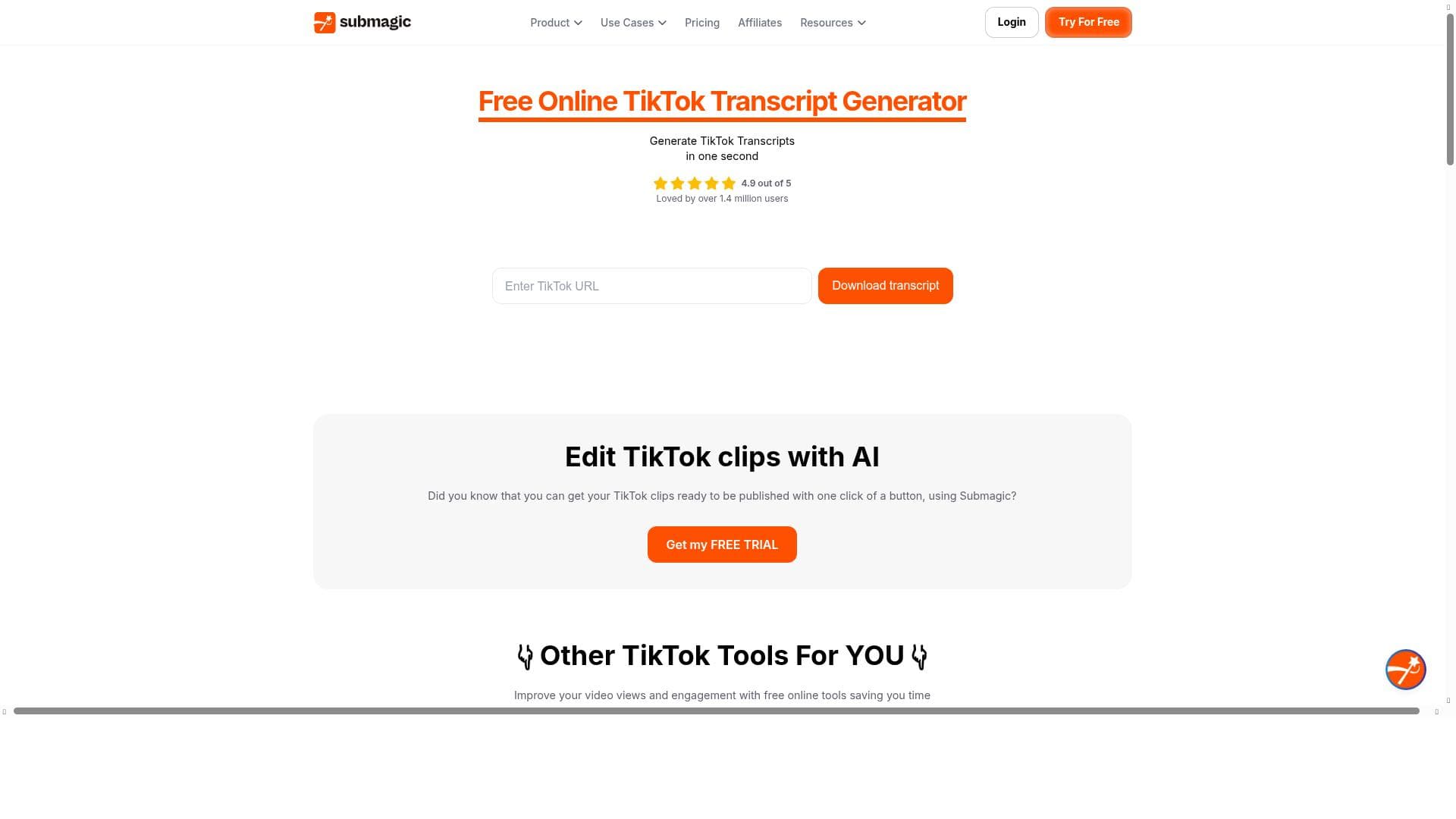


Submagic's Free Online TikTok Transcript Generator offers lightning-fast, highly accurate transcription of TikTok videos directly from URLs, supporting multiple languages and enabling easy downloads. Ideal for creators, marketers, and educators, this free tool transforms TikTok audio into accessible, repurposable text in seconds without any hassle.

Description
Submagic's Free Online TikTok Transcript Generator is a multi language support tool that generates the tiktok video transcript in second with great accuracy and speed. You can download the transcript of any video simply by just putting your tiktok video url in the tool.
Detailed Description
The Free Online TikTok Transcript Generator by Submagic is a specialized AI-powered tool designed to convert TikTok video audio into accurate, downloadable text transcripts within seconds. Its core purpose is to facilitate easy access to video content in text form, enhancing accessibility, content repurposing, and searchability. Users simply input a TikTok video URL, and the tool swiftly processes the audio to produce a transcript in multiple supported languages. This capability is especially valuable for creators, marketers, educators, and accessibility advocates who need quick, reliable transcriptions without manual effort. Key features of the Free Online TikTok Transcript Generator include its high accuracy in transcribing TikTok videos, which often feature fast-paced speech and diverse accents. The tool leverages advanced speech recognition technology optimized for TikTok’s unique audio environment. It supports multiple languages, making it versatile for global users. The interface is user-friendly and web-based, requiring no downloads or installations, which means users can generate transcripts instantly from any device with internet access. Additionally, transcripts can be downloaded for offline use, enabling content creators to repurpose video dialogue into blogs, subtitles, or social media captions, and improving accessibility for hearing-impaired audiences. This tool is best suited for TikTok content creators who want to expand their reach by providing text versions of their videos, marketers aiming to analyze or reuse video content, educators using TikTok videos as teaching aids, and accessibility professionals ensuring content complies with accessibility standards. It also benefits researchers and social media analysts who require accurate transcriptions for data analysis. The tool’s speed and ease of use make it ideal for users needing quick turnaround times without sacrificing transcription quality. Pricing for the Free Online TikTok Transcript Generator is straightforward: it is completely free to use. There are no subscription plans or hidden fees, making it accessible to anyone with a TikTok video URL. This free model lowers the barrier to entry for individuals and small businesses who might otherwise avoid transcription services due to cost. Compared to alternative transcription tools, Submagic’s TikTok Transcript Generator stands out for its focus on TikTok videos specifically, ensuring better optimization and accuracy for this platform’s audio characteristics. Many generic transcription services may struggle with TikTok’s informal speech patterns and background sounds. Additionally, the tool’s multi-language support and instant online access provide advantages over desktop software or paid services that require manual uploads and longer processing times. However, there are some limitations to consider. The tool depends on the quality of the TikTok video’s audio; poor audio quality or heavy background noise can reduce transcription accuracy. It also requires a valid TikTok video URL, so it cannot transcribe videos from other platforms or offline files. While it supports multiple languages, the range may not cover every dialect or less common language. Users seeking advanced editing features or integration with other platforms may find the tool’s functionality basic, as it focuses primarily on fast, accurate transcription and download. Overall, Submagic’s Free Online TikTok Transcript Generator is a powerful, accessible solution for anyone needing quick, reliable transcripts of TikTok videos. Its free pricing, multi-language support, and platform-specific optimization make it a valuable resource for content creators, marketers, educators, and accessibility professionals looking to enhance their TikTok content’s reach and usability.
Tool Features
- Accurate transcript generation for TikTok videos
- Fast and easy to use online tool
- Supports accessibility and content repurposing
Description
Submagic's Free Online TikTok Transcript Generator offers lightning-fast, highly accurate transcription of TikTok videos directly from URLs, supporting multiple languages and enabling easy downloads. Ideal for creators, marketers, and educators, this free tool transforms TikTok audio into accessible, repurposable text in seconds without any hassle.
Submagic's Free Online TikTok Transcript Generator is a multi language support tool that generates the tiktok video transcript in second with great accuracy and speed. You can download the transcript of any video simply by just putting your tiktok video url in the tool.
Detailed Description
The Free Online TikTok Transcript Generator by Submagic is a specialized AI-powered tool designed to convert TikTok video audio into accurate, downloadable text transcripts within seconds. Its core purpose is to facilitate easy access to video content in text form, enhancing accessibility, content repurposing, and searchability. Users simply input a TikTok video URL, and the tool swiftly processes the audio to produce a transcript in multiple supported languages. This capability is especially valuable for creators, marketers, educators, and accessibility advocates who need quick, reliable transcriptions without manual effort. Key features of the Free Online TikTok Transcript Generator include its high accuracy in transcribing TikTok videos, which often feature fast-paced speech and diverse accents. The tool leverages advanced speech recognition technology optimized for TikTok’s unique audio environment. It supports multiple languages, making it versatile for global users. The interface is user-friendly and web-based, requiring no downloads or installations, which means users can generate transcripts instantly from any device with internet access. Additionally, transcripts can be downloaded for offline use, enabling content creators to repurpose video dialogue into blogs, subtitles, or social media captions, and improving accessibility for hearing-impaired audiences. This tool is best suited for TikTok content creators who want to expand their reach by providing text versions of their videos, marketers aiming to analyze or reuse video content, educators using TikTok videos as teaching aids, and accessibility professionals ensuring content complies with accessibility standards. It also benefits researchers and social media analysts who require accurate transcriptions for data analysis. The tool’s speed and ease of use make it ideal for users needing quick turnaround times without sacrificing transcription quality. Pricing for the Free Online TikTok Transcript Generator is straightforward: it is completely free to use. There are no subscription plans or hidden fees, making it accessible to anyone with a TikTok video URL. This free model lowers the barrier to entry for individuals and small businesses who might otherwise avoid transcription services due to cost. Compared to alternative transcription tools, Submagic’s TikTok Transcript Generator stands out for its focus on TikTok videos specifically, ensuring better optimization and accuracy for this platform’s audio characteristics. Many generic transcription services may struggle with TikTok’s informal speech patterns and background sounds. Additionally, the tool’s multi-language support and instant online access provide advantages over desktop software or paid services that require manual uploads and longer processing times. However, there are some limitations to consider. The tool depends on the quality of the TikTok video’s audio; poor audio quality or heavy background noise can reduce transcription accuracy. It also requires a valid TikTok video URL, so it cannot transcribe videos from other platforms or offline files. While it supports multiple languages, the range may not cover every dialect or less common language. Users seeking advanced editing features or integration with other platforms may find the tool’s functionality basic, as it focuses primarily on fast, accurate transcription and download. Overall, Submagic’s Free Online TikTok Transcript Generator is a powerful, accessible solution for anyone needing quick, reliable transcripts of TikTok videos. Its free pricing, multi-language support, and platform-specific optimization make it a valuable resource for content creators, marketers, educators, and accessibility professionals looking to enhance their TikTok content’s reach and usability.
Frequently Asked Questions
What is Free Online TikTok Transcript Generator?
It is a free web-based tool by Submagic that generates accurate text transcripts from TikTok videos by simply entering the video URL, supporting multiple languages and enabling quick downloads.
How much does Free Online TikTok Transcript Generator cost?
The tool is completely free to use with no subscription fees or hidden charges.
Who is Free Online TikTok Transcript Generator best for?
It is best suited for TikTok content creators, marketers, educators, accessibility professionals, and researchers who need fast, accurate transcripts of TikTok videos for repurposing, analysis, or accessibility.
What are the main features of Free Online TikTok Transcript Generator?
Key features include highly accurate transcription optimized for TikTok videos, multi-language support, fast processing, easy online access without downloads, and the ability to download transcripts for offline use.
Does Free Online TikTok Transcript Generator offer a free trial?
The tool itself is free to use, so there is no need for a trial period.
What integrations does Free Online TikTok Transcript Generator support?
Currently, the tool operates as a standalone online service and does not offer direct integrations with other platforms or software.
How does Free Online TikTok Transcript Generator work?
Users input a TikTok video URL into the tool, which then uses AI-powered speech recognition to transcribe the audio into text within seconds, allowing users to download the transcript immediately.
Socials
Use ToolReviews
No reviews yet. Be the first to share your experience.




















































