Featured in:Best AI Audio Tools
Get featured →🚀 Zaprep: Your Socials on Steroids. Start free — automate 1,000 DMs/month & turn engagement into leads. with 1,000 automated DMs/month.

Fineshare Sora Watermark Remover


✦
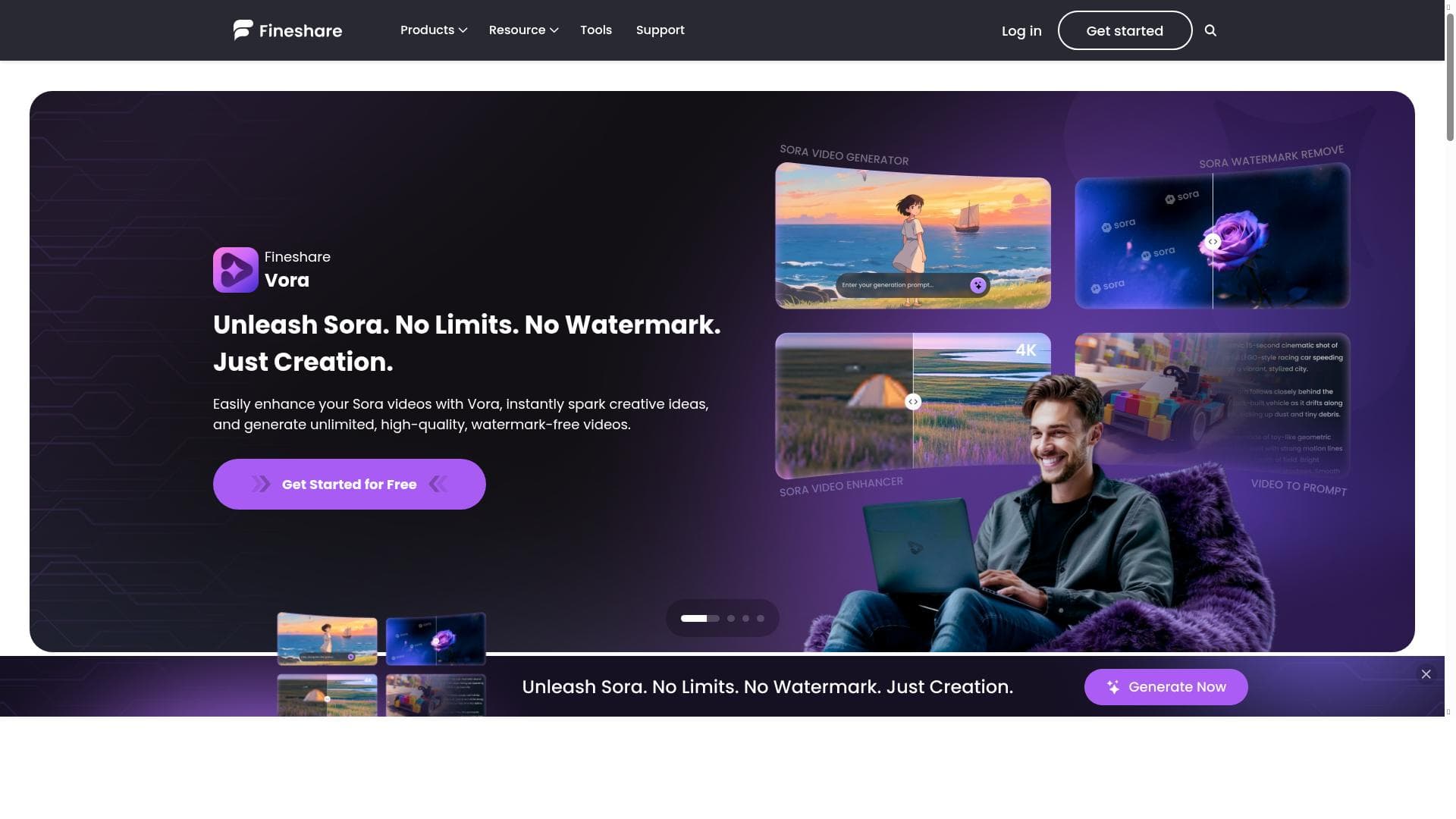
Fineshare Sora Watermark Remover leverages AI to automatically detect and erase Sora-specific watermarks from videos while preserving original quality, delivering flawless results in just minutes. Ideal for content creators and marketers seeking quick, high-quality watermark removal without technical hassle.

Description
Fineshare AI Sora Watermark Remover intelligently detects and erases text overlays and semi-transparent logos from your videos while preserving every detail — from resolution and frame rate to color and sharpness. Get flawless, high-quality results in just one click.🚀 ⭐ Key Features: Automatic Al Detection: Identify Sora watermarks—text overlays or logos—regardless of their position, size, or transparency. Preserve Video Quality: Maintain original resolution, frame rate, color space, and sharp details after removal. Fast Online Processing: Remove watermarks from Sora videos quickly, typically in 1-2 minutes. 👉Try Now: https://www.fineshare.com/ai-video/sora-watermark-remover
Detailed Description
Fineshare Sora Watermark Remover is an advanced AI-powered tool designed specifically to detect and remove watermarks from videos, particularly those watermarks associated with the Sora platform. Its core purpose is to intelligently identify text overlays and semi-transparent logos embedded within video content and erase them seamlessly without compromising the original video's quality. This means that users can expect to maintain the video's resolution, frame rate, color fidelity, and sharpness after the watermark removal process, resulting in a flawless and professional-looking output. The tool is optimized for ease of use, enabling users to achieve high-quality results with just a single click, making it accessible even for those without technical expertise in video editing or watermark removal. One of the standout features of Fineshare Sora Watermark Remover is its automatic AI detection capability. The AI model is trained to recognize Sora watermarks regardless of their position, size, or transparency level within the video frame. This ensures that even challenging watermarks, such as semi-transparent logos or text overlays placed in unusual locations, are accurately identified and removed. Additionally, the tool preserves the original video quality by maintaining the resolution, frame rate, and color space, which is critical for users who need to keep their videos looking as crisp and vibrant as the original. The processing speed is another key advantage; watermark removal typically takes only 1-2 minutes, thanks to fast online processing powered by AI algorithms. Fineshare Sora Watermark Remover is ideal for content creators, video editors, marketers, educators, and anyone who frequently works with Sora videos and requires watermark-free content for presentations, social media, or commercial use. For example, YouTubers who want to repurpose Sora videos without distracting watermarks, educators preparing clean video materials for lessons, or marketers creating polished promotional videos can all benefit from this tool. Its user-friendly interface and quick processing make it suitable for both professionals and casual users who need efficient watermark removal without investing in complex software. Regarding pricing, Fineshare Sora Watermark Remover follows a freemium model. Users can access basic features for free, allowing them to try the tool and remove watermarks on a limited basis. For more extensive use or access to premium features, paid plans are available, offering enhanced capabilities and higher processing limits. This pricing structure makes it accessible for individuals and small businesses while providing scalability for larger or more frequent users. When compared to alternative watermark removal tools, Fineshare Sora Watermark Remover stands out due to its specialized focus on Sora watermarks and its ability to preserve video quality meticulously. Many generic watermark removers may degrade video quality or struggle with semi-transparent overlays, but Fineshare’s AI-driven approach ensures minimal loss in visual fidelity. Additionally, its fast online processing and one-click operation provide a smoother user experience than some competitors that require manual adjustments or longer processing times. However, users should consider that the tool is optimized specifically for Sora watermarks, so its effectiveness on other types of watermarks or logos may vary. Also, as an online tool, processing speed and performance can depend on internet connection quality. While the freemium model is convenient, heavy users may find the need to upgrade to paid plans to unlock full potential. Overall, Fineshare Sora Watermark Remover offers a powerful, user-friendly solution for removing Sora watermarks efficiently while maintaining video integrity, making it a valuable asset for anyone needing clean, watermark-free video content.
Tool Features
- AI Voice Changer - Transform your voice into any voice you like.
- AI Voice Cloning - Create a voice in 1 minute that fits your ideas.
- AI Sound Effect Generator - Convert text and video to sound effect.
- Text to Speech - Convert text into natural-sounding voices.
- Speech to Text - Turn your spoken words into text.
- AI Voice Design - Create Personalized AI Voices from Text.
- AI Voice Enhancer - Clear your sound and boost quality instantly.
Description
✦
Fineshare Sora Watermark Remover leverages AI to automatically detect and erase Sora-specific watermarks from videos while preserving original quality, delivering flawless results in just minutes. Ideal for content creators and marketers seeking quick, high-quality watermark removal without technical hassle.
Fineshare AI Sora Watermark Remover intelligently detects and erases text overlays and semi-transparent logos from your videos while preserving every detail — from resolution and frame rate to color and sharpness. Get flawless, high-quality results in just one click.🚀 ⭐ Key Features: Automatic Al Detection: Identify Sora watermarks—text overlays or logos—regardless of their position, size, or transparency. Preserve Video Quality: Maintain original resolution, frame rate, color space, and sharp details after removal. Fast Online Processing: Remove watermarks from Sora videos quickly, typically in 1-2 minutes. 👉Try Now: https://www.fineshare.com/ai-video/sora-watermark-remover
Detailed Description
Fineshare Sora Watermark Remover is an advanced AI-powered tool designed specifically to detect and remove watermarks from videos, particularly those watermarks associated with the Sora platform. Its core purpose is to intelligently identify text overlays and semi-transparent logos embedded within video content and erase them seamlessly without compromising the original video's quality. This means that users can expect to maintain the video's resolution, frame rate, color fidelity, and sharpness after the watermark removal process, resulting in a flawless and professional-looking output. The tool is optimized for ease of use, enabling users to achieve high-quality results with just a single click, making it accessible even for those without technical expertise in video editing or watermark removal. One of the standout features of Fineshare Sora Watermark Remover is its automatic AI detection capability. The AI model is trained to recognize Sora watermarks regardless of their position, size, or transparency level within the video frame. This ensures that even challenging watermarks, such as semi-transparent logos or text overlays placed in unusual locations, are accurately identified and removed. Additionally, the tool preserves the original video quality by maintaining the resolution, frame rate, and color space, which is critical for users who need to keep their videos looking as crisp and vibrant as the original. The processing speed is another key advantage; watermark removal typically takes only 1-2 minutes, thanks to fast online processing powered by AI algorithms. Fineshare Sora Watermark Remover is ideal for content creators, video editors, marketers, educators, and anyone who frequently works with Sora videos and requires watermark-free content for presentations, social media, or commercial use. For example, YouTubers who want to repurpose Sora videos without distracting watermarks, educators preparing clean video materials for lessons, or marketers creating polished promotional videos can all benefit from this tool. Its user-friendly interface and quick processing make it suitable for both professionals and casual users who need efficient watermark removal without investing in complex software. Regarding pricing, Fineshare Sora Watermark Remover follows a freemium model. Users can access basic features for free, allowing them to try the tool and remove watermarks on a limited basis. For more extensive use or access to premium features, paid plans are available, offering enhanced capabilities and higher processing limits. This pricing structure makes it accessible for individuals and small businesses while providing scalability for larger or more frequent users. When compared to alternative watermark removal tools, Fineshare Sora Watermark Remover stands out due to its specialized focus on Sora watermarks and its ability to preserve video quality meticulously. Many generic watermark removers may degrade video quality or struggle with semi-transparent overlays, but Fineshare’s AI-driven approach ensures minimal loss in visual fidelity. Additionally, its fast online processing and one-click operation provide a smoother user experience than some competitors that require manual adjustments or longer processing times. However, users should consider that the tool is optimized specifically for Sora watermarks, so its effectiveness on other types of watermarks or logos may vary. Also, as an online tool, processing speed and performance can depend on internet connection quality. While the freemium model is convenient, heavy users may find the need to upgrade to paid plans to unlock full potential. Overall, Fineshare Sora Watermark Remover offers a powerful, user-friendly solution for removing Sora watermarks efficiently while maintaining video integrity, making it a valuable asset for anyone needing clean, watermark-free video content.
Frequently Asked Questions
What is Fineshare Sora Watermark Remover?
Fineshare Sora Watermark Remover is an AI-powered tool designed to automatically detect and remove text overlays and semi-transparent logos, specifically Sora watermarks, from videos while preserving the original video quality.
How much does Fineshare Sora Watermark Remover cost?
Fineshare Sora Watermark Remover offers a freemium pricing model, allowing users to access basic watermark removal features for free with options to upgrade to paid plans for extended use and premium features.
Who is Fineshare Sora Watermark Remover best for?
This tool is best suited for content creators, video editors, marketers, educators, and anyone who needs to remove Sora watermarks from videos quickly and maintain high video quality.
What are the main features of Fineshare Sora Watermark Remover?
Key features include automatic AI detection of Sora watermarks regardless of size or transparency, preservation of original video resolution, frame rate, and color, and fast online processing that typically completes in 1-2 minutes.
Does Fineshare Sora Watermark Remover offer a free trial?
Yes, the tool provides free access to basic features under its freemium model, allowing users to try watermark removal before opting for paid plans.
What integrations does Fineshare Sora Watermark Remover support?
Fineshare Sora Watermark Remover is primarily a standalone online tool accessible via its website and does not currently list specific third-party integrations.
How does Fineshare Sora Watermark Remover work?
The tool uses AI algorithms to automatically detect Sora watermarks in videos, then intelligently removes them while preserving video details such as resolution, frame rate, and color, delivering clean, watermark-free videos quickly.
Socials
Use ToolReviews
0 reviews
No reviews yet. Be the first to share your experience.
Sponsored Tools







































Recommended Tools
Stay updated on latest Ai tools
Get the latest insights, Join our newsletter
Read and trusted by 50,000+ readers
Join the biggest AI Community
Our community and staff are here to help!
Your feedback will help Alice AI improve in future versions.







Submit your Tool


PoweredByAI.app is an AI Tools Directory helping individuals, businesses, and creators discover the best AI tools for writing, coding, design, productivity, and more.
© 2026 , Product of011BQ. All rights reserved.