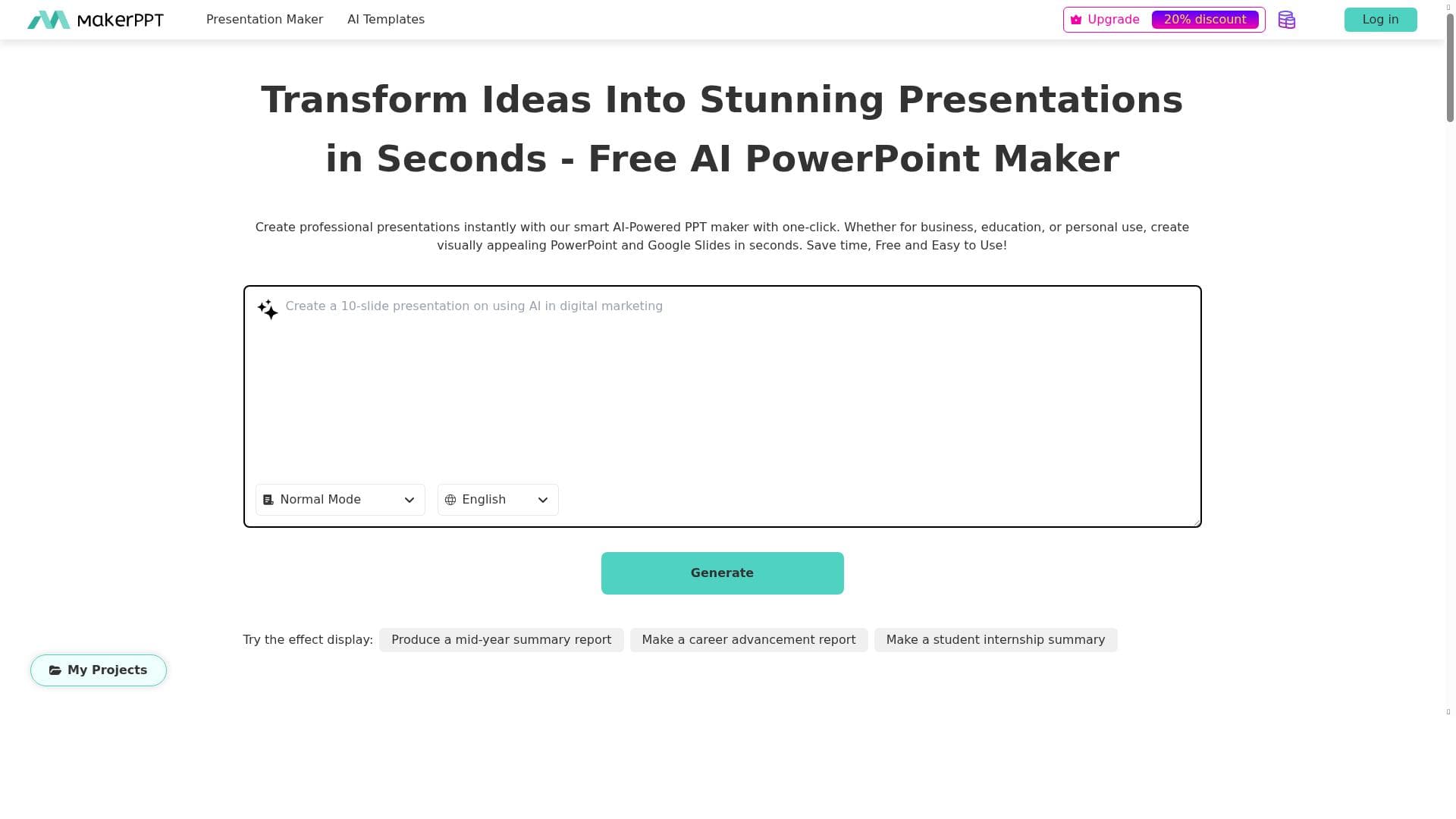


Essie is an AI-powered presentation platform that automates slide creation, design, and formatting, enabling users to craft professional presentations in minutes. Ideal for professionals, educators, and teams, it combines intelligent templates, real-time collaboration, and data-driven automation to streamline the entire presentation process.

Description
MakerPPT is a next-generation AI-powered platform designed to revolutionize how you create presentations. By harnessing cutting-edge artificial intelligence, MakerPPT empowers professionals, educators, and teams to transform ideas into polished slides in minutes. Whether you need a business proposal, academic report, or marketing pitch, our intelligent tools automate design, layout, and formatting—saving you hours of manual work. With an extensive library of customizable templates and smart features like one-click visual enhancements, real-time collaboration, and data-to-slide automation, MakerPPT makes professional presentations accessible to everyone. Our platform continuously evolves to incorporate the latest AI advancements, ensuring you always have the most efficient and innovative tools at your fingertips. Say goodbye to tedious slide editing and hello to effortless, impactful storytelling with MakerPPT.
Detailed Description
Essie, powered by MakerPPT, is an advanced AI-driven platform designed to transform the way presentations are created, making the process faster, easier, and more professional. At its core, Essie leverages cutting-edge artificial intelligence to automate the traditionally time-consuming tasks involved in presentation design, such as slide layout, formatting, and visual enhancements. This allows users to convert raw ideas, data, and content into polished, visually appealing PowerPoint presentations within minutes rather than hours. Whether you are preparing a business proposal, an academic report, or a marketing pitch, Essie streamlines the entire workflow, enabling users to focus more on content and storytelling rather than manual slide editing. The platform boasts a rich set of features that cater to a wide range of presentation needs. Essie offers an extensive library of customizable templates that cover various industries and presentation styles, ensuring users can find a design that fits their specific context. Its AI-powered design suggestions intelligently analyze slide content and recommend improvements to enhance visual appeal and clarity. Automation tools further accelerate slide generation by converting raw data into well-structured slides, eliminating the need for tedious manual formatting. Additionally, Essie supports one-click visual enhancements, allowing users to instantly improve the look and feel of their presentations with minimal effort. Real-time collaboration features enable teams to work together seamlessly, making it ideal for group projects or corporate environments where multiple stakeholders contribute to a presentation. Essie is particularly well-suited for professionals, educators, and teams who regularly create presentations but want to save time and improve quality. Business executives can quickly generate compelling proposals and reports, educators can prepare engaging lectures and academic presentations, and marketing teams can craft persuasive pitches with ease. Its intuitive interface and AI-driven assistance make it accessible even to users with limited design experience, democratizing professional presentation creation. The platform’s versatility also makes it a valuable tool for freelancers, consultants, and anyone who needs to communicate ideas effectively through slides. In terms of pricing, Essie operates on a freemium model, allowing users to access core features at no cost while offering premium plans that unlock additional templates, advanced automation capabilities, and enhanced collaboration tools. This flexible pricing structure makes it easy for individuals and organizations to try the platform risk-free and scale up as their needs grow. The continuous integration of the latest AI advancements ensures that users benefit from ongoing improvements and innovative features without disruption. Compared to traditional presentation software and other AI-powered tools, Essie stands out due to its comprehensive automation and intelligent design assistance. While many platforms offer templates or basic AI features, Essie combines multiple smart functionalities—such as data-to-slide automation, real-time collaboration, and one-click enhancements—into a single cohesive experience. This holistic approach reduces the learning curve and increases productivity significantly. However, users should consider that, as with any AI tool, some customization may still be necessary to perfectly tailor presentations to unique branding or stylistic preferences. Additionally, while the freemium plan is generous, advanced features require a subscription, which may be a consideration for budget-conscious users. Overall, Essie by MakerPPT is a powerful, user-friendly AI presentation tool that redefines how presentations are created. Its focus on automation, design intelligence, and collaboration makes it an indispensable asset for anyone looking to produce professional-quality slides quickly and efficiently.
Tool Features
- Professional PowerPoint presentation creation
- Variety of templates available
- Design suggestions to enhance slides
- Automation tools to speed up slide generation
Description
Essie is an AI-powered presentation platform that automates slide creation, design, and formatting, enabling users to craft professional presentations in minutes. Ideal for professionals, educators, and teams, it combines intelligent templates, real-time collaboration, and data-driven automation to streamline the entire presentation process.
MakerPPT is a next-generation AI-powered platform designed to revolutionize how you create presentations. By harnessing cutting-edge artificial intelligence, MakerPPT empowers professionals, educators, and teams to transform ideas into polished slides in minutes. Whether you need a business proposal, academic report, or marketing pitch, our intelligent tools automate design, layout, and formatting—saving you hours of manual work. With an extensive library of customizable templates and smart features like one-click visual enhancements, real-time collaboration, and data-to-slide automation, MakerPPT makes professional presentations accessible to everyone. Our platform continuously evolves to incorporate the latest AI advancements, ensuring you always have the most efficient and innovative tools at your fingertips. Say goodbye to tedious slide editing and hello to effortless, impactful storytelling with MakerPPT.
Detailed Description
Essie, powered by MakerPPT, is an advanced AI-driven platform designed to transform the way presentations are created, making the process faster, easier, and more professional. At its core, Essie leverages cutting-edge artificial intelligence to automate the traditionally time-consuming tasks involved in presentation design, such as slide layout, formatting, and visual enhancements. This allows users to convert raw ideas, data, and content into polished, visually appealing PowerPoint presentations within minutes rather than hours. Whether you are preparing a business proposal, an academic report, or a marketing pitch, Essie streamlines the entire workflow, enabling users to focus more on content and storytelling rather than manual slide editing. The platform boasts a rich set of features that cater to a wide range of presentation needs. Essie offers an extensive library of customizable templates that cover various industries and presentation styles, ensuring users can find a design that fits their specific context. Its AI-powered design suggestions intelligently analyze slide content and recommend improvements to enhance visual appeal and clarity. Automation tools further accelerate slide generation by converting raw data into well-structured slides, eliminating the need for tedious manual formatting. Additionally, Essie supports one-click visual enhancements, allowing users to instantly improve the look and feel of their presentations with minimal effort. Real-time collaboration features enable teams to work together seamlessly, making it ideal for group projects or corporate environments where multiple stakeholders contribute to a presentation. Essie is particularly well-suited for professionals, educators, and teams who regularly create presentations but want to save time and improve quality. Business executives can quickly generate compelling proposals and reports, educators can prepare engaging lectures and academic presentations, and marketing teams can craft persuasive pitches with ease. Its intuitive interface and AI-driven assistance make it accessible even to users with limited design experience, democratizing professional presentation creation. The platform’s versatility also makes it a valuable tool for freelancers, consultants, and anyone who needs to communicate ideas effectively through slides. In terms of pricing, Essie operates on a freemium model, allowing users to access core features at no cost while offering premium plans that unlock additional templates, advanced automation capabilities, and enhanced collaboration tools. This flexible pricing structure makes it easy for individuals and organizations to try the platform risk-free and scale up as their needs grow. The continuous integration of the latest AI advancements ensures that users benefit from ongoing improvements and innovative features without disruption. Compared to traditional presentation software and other AI-powered tools, Essie stands out due to its comprehensive automation and intelligent design assistance. While many platforms offer templates or basic AI features, Essie combines multiple smart functionalities—such as data-to-slide automation, real-time collaboration, and one-click enhancements—into a single cohesive experience. This holistic approach reduces the learning curve and increases productivity significantly. However, users should consider that, as with any AI tool, some customization may still be necessary to perfectly tailor presentations to unique branding or stylistic preferences. Additionally, while the freemium plan is generous, advanced features require a subscription, which may be a consideration for budget-conscious users. Overall, Essie by MakerPPT is a powerful, user-friendly AI presentation tool that redefines how presentations are created. Its focus on automation, design intelligence, and collaboration makes it an indispensable asset for anyone looking to produce professional-quality slides quickly and efficiently.
Frequently Asked Questions
What is Essie?
Essie is an AI-powered presentation creation platform developed by MakerPPT that automates the design, layout, and formatting of slides, helping users create professional presentations quickly and easily.
How much does Essie cost?
Essie offers a freemium pricing model, allowing users to access basic features for free, with premium plans available that provide additional templates, advanced automation tools, and enhanced collaboration capabilities.
Who is Essie best for?
Essie is ideal for professionals, educators, marketing teams, and anyone who needs to create polished presentations efficiently, especially those who want to save time on design and formatting.
What are the main features of Essie?
Key features include professional PowerPoint presentation creation, a wide variety of customizable templates, AI-driven design suggestions, automation tools for rapid slide generation, one-click visual enhancements, and real-time collaboration.
Does Essie offer a free trial?
Yes, Essie operates on a freemium model, allowing users to try core features for free without a time limit, with optional upgrades to access premium functionalities.
What integrations does Essie support?
While specific integrations are not detailed, Essie supports data-to-slide automation and real-time collaboration, suggesting compatibility with common data formats and collaborative workflows.
How does Essie work?
Essie uses advanced AI algorithms to analyze your content and automatically generate well-designed slides by applying intelligent layouts, formatting, and visual enhancements, significantly reducing manual effort.
Reviews
No reviews yet. Be the first to share your experience.















































