Design in Figma using Cursor Agent + MCP


Is this your AI tool? Claim it today.
Verify ownership, manage your profile, and unlock growth features.
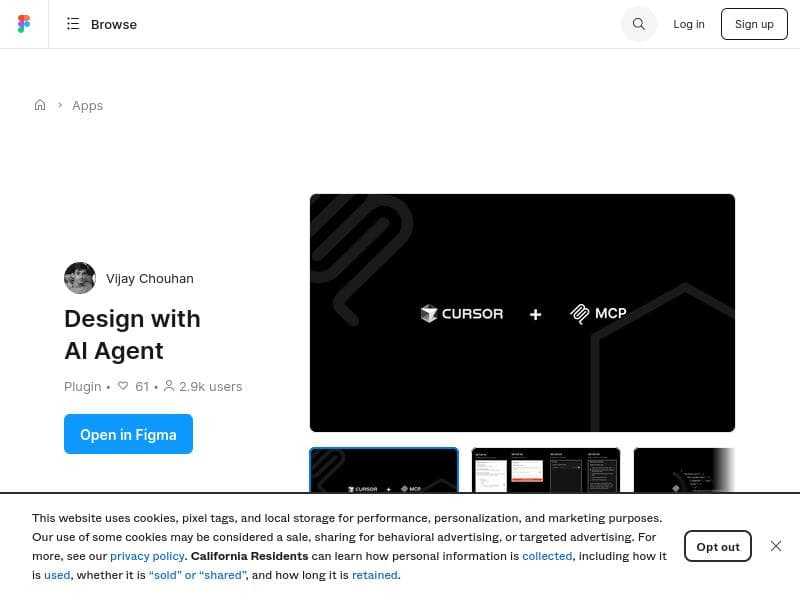
Design with AI Agent uniquely bridges Cursor's AI capabilities with Figma, enabling conversational AI to programmatically understand and modify designs. Ideal for UX/UI designers and product teams, it automates complex design workflows, making design iteration faster and more intelligent.

Description
Connect your AI assistant to Figma through MCP. Create designs, update layers, and manage components directly from Cursor. Real-time bidirectional sync between your code and Figma designs.
Detailed Description
Design with AI Agent is an innovative Figma plugin that seamlessly integrates Cursor's advanced AI capabilities with Figma's design environment through the Model Context Protocol (MCP). Its core purpose is to enable AI-driven design workflows that are otherwise unavailable within Figma's native toolset. By acting as an AI integration layer, it allows conversational AI to programmatically understand, interpret, and modify design elements, thereby automating and enhancing the design process. This unique bridge between Cursor AI and Figma transforms traditional manual design workflows into intelligent, automated sequences, significantly boosting productivity and creativity for designers. The plugin's key features revolve around its ability to connect Cursor's AI with Figma via MCP, a protocol that facilitates communication between AI models and design contexts. This connection empowers the AI to comprehend the structure and components of Figma designs, enabling it to make informed modifications or generate new design elements based on conversational input. Unlike conventional design tools that require manual adjustments, Design with AI Agent allows users to interact with their designs through natural language commands, making design iteration faster and more intuitive. It supports complex workflows by enabling AI to automate repetitive tasks, suggest design improvements, and even create new layouts or components programmatically. Design with AI Agent is particularly well-suited for UX/UI designers, product teams, and creative professionals who want to leverage AI to streamline their design processes. It is ideal for those who seek to reduce the time spent on routine design tasks and focus more on strategic and creative aspects. Specific use cases include automating style adjustments across multiple components, generating design variations based on user prompts, and integrating AI-driven feedback loops into the design iteration cycle. Additionally, teams that rely heavily on Figma for collaboration can benefit from the plugin’s ability to enhance design consistency and speed up project delivery. Regarding pricing and plans, Design with AI Agent is available as a Figma community plugin, which typically means it can be accessed for free or with optional premium features depending on the developer’s model. As of now, there is no explicit pricing information publicly listed, suggesting that users can start using the plugin without upfront costs. Users interested in advanced capabilities or enterprise-level support may need to contact the creator or monitor updates for potential premium offerings. When compared to alternatives, Design with AI Agent stands out due to its unique integration of Cursor AI with Figma via MCP, a protocol not commonly employed by other plugins. While many AI design tools focus on generating assets or templates, this plugin emphasizes conversational AI interaction and programmatic design modification, offering a more dynamic and customizable workflow. This makes it distinct from simpler AI-powered design assistants or template generators, as it provides a deeper level of control and automation within the Figma environment. However, there are some considerations and limitations to keep in mind. Since the plugin relies on conversational AI and programmatic design changes, users may face a learning curve in effectively communicating design intents to the AI. Additionally, the plugin’s performance and capabilities depend on the robustness of Cursor’s AI and the MCP implementation, which may evolve over time. Users should also be aware that this tool complements rather than replaces Figma’s native features, so a solid understanding of Figma remains essential. Lastly, as with any AI integration, there may be occasional inaccuracies or unexpected outputs that require manual review and adjustment. Overall, Design with AI Agent represents a forward-thinking approach to AI-assisted design, offering powerful automation and conversational interaction within Figma. It is a valuable tool for designers looking to harness AI to accelerate workflows, enhance creativity, and bring a new level of intelligence to their design projects.
Tool Features
- Bridges Cursor's AI capabilities with Figma via Model Context Protocol (MCP)
- Enables AI-driven design workflows not available natively in Figma
- Allows conversational AI to understand and modify designs programmatically
- Acts as an AI integration layer enhancing Figma's design tools
- Facilitates automated and intelligent design processes
Description
Design with AI Agent uniquely bridges Cursor's AI capabilities with Figma, enabling conversational AI to programmatically understand and modify designs. Ideal for UX/UI designers and product teams, it automates complex design workflows, making design iteration faster and more intelligent.
Connect your AI assistant to Figma through MCP. Create designs, update layers, and manage components directly from Cursor. Real-time bidirectional sync between your code and Figma designs.
Detailed Description
Design with AI Agent is an innovative Figma plugin that seamlessly integrates Cursor's advanced AI capabilities with Figma's design environment through the Model Context Protocol (MCP). Its core purpose is to enable AI-driven design workflows that are otherwise unavailable within Figma's native toolset. By acting as an AI integration layer, it allows conversational AI to programmatically understand, interpret, and modify design elements, thereby automating and enhancing the design process. This unique bridge between Cursor AI and Figma transforms traditional manual design workflows into intelligent, automated sequences, significantly boosting productivity and creativity for designers. The plugin's key features revolve around its ability to connect Cursor's AI with Figma via MCP, a protocol that facilitates communication between AI models and design contexts. This connection empowers the AI to comprehend the structure and components of Figma designs, enabling it to make informed modifications or generate new design elements based on conversational input. Unlike conventional design tools that require manual adjustments, Design with AI Agent allows users to interact with their designs through natural language commands, making design iteration faster and more intuitive. It supports complex workflows by enabling AI to automate repetitive tasks, suggest design improvements, and even create new layouts or components programmatically. Design with AI Agent is particularly well-suited for UX/UI designers, product teams, and creative professionals who want to leverage AI to streamline their design processes. It is ideal for those who seek to reduce the time spent on routine design tasks and focus more on strategic and creative aspects. Specific use cases include automating style adjustments across multiple components, generating design variations based on user prompts, and integrating AI-driven feedback loops into the design iteration cycle. Additionally, teams that rely heavily on Figma for collaboration can benefit from the plugin’s ability to enhance design consistency and speed up project delivery. Regarding pricing and plans, Design with AI Agent is available as a Figma community plugin, which typically means it can be accessed for free or with optional premium features depending on the developer’s model. As of now, there is no explicit pricing information publicly listed, suggesting that users can start using the plugin without upfront costs. Users interested in advanced capabilities or enterprise-level support may need to contact the creator or monitor updates for potential premium offerings. When compared to alternatives, Design with AI Agent stands out due to its unique integration of Cursor AI with Figma via MCP, a protocol not commonly employed by other plugins. While many AI design tools focus on generating assets or templates, this plugin emphasizes conversational AI interaction and programmatic design modification, offering a more dynamic and customizable workflow. This makes it distinct from simpler AI-powered design assistants or template generators, as it provides a deeper level of control and automation within the Figma environment. However, there are some considerations and limitations to keep in mind. Since the plugin relies on conversational AI and programmatic design changes, users may face a learning curve in effectively communicating design intents to the AI. Additionally, the plugin’s performance and capabilities depend on the robustness of Cursor’s AI and the MCP implementation, which may evolve over time. Users should also be aware that this tool complements rather than replaces Figma’s native features, so a solid understanding of Figma remains essential. Lastly, as with any AI integration, there may be occasional inaccuracies or unexpected outputs that require manual review and adjustment. Overall, Design with AI Agent represents a forward-thinking approach to AI-assisted design, offering powerful automation and conversational interaction within Figma. It is a valuable tool for designers looking to harness AI to accelerate workflows, enhance creativity, and bring a new level of intelligence to their design projects.
Frequently Asked Questions
What is Design with AI Agent?
Design with AI Agent is a Figma plugin that integrates Cursor's AI capabilities with Figma through the Model Context Protocol (MCP), enabling AI-driven design workflows that allow conversational AI to understand and modify designs programmatically.
How much does Design with AI Agent cost?
Design with AI Agent is available as a Figma community plugin and can be accessed for free. There is no publicly listed pricing information, so users can start using it without upfront costs. Premium features or enterprise plans may be introduced in the future.
Who is Design with AI Agent best for?
This plugin is best suited for UX/UI designers, product teams, and creative professionals who want to leverage AI to automate and enhance their design workflows within Figma, especially those looking to reduce manual tasks and speed up design iteration.
What are the main features of Design with AI Agent?
Key features include bridging Cursor's AI with Figma via the Model Context Protocol, enabling AI-driven workflows not available natively in Figma, allowing conversational AI to understand and modify designs programmatically, and facilitating automated, intelligent design processes.
Does Design with AI Agent offer a free trial?
As a Figma community plugin, Design with AI Agent is accessible without a paid subscription, effectively offering free use. There is no separate free trial since the plugin itself is free to install and use.
What integrations does Design with AI Agent support?
Design with AI Agent primarily integrates Cursor's AI capabilities with Figma through the Model Context Protocol (MCP), acting as an AI integration layer within the Figma design environment.
How does Design with AI Agent work?
The plugin works by connecting Cursor's conversational AI to Figma via MCP, allowing the AI to programmatically access, understand, and modify design elements based on user input. This enables automated design workflows and intelligent design modifications within Figma.
Socials
Use ToolReviews
No reviews yet. Be the first to share your experience.




















































