

Is this your AI tool? Claim it today.
Verify ownership, manage your profile, and unlock growth features.
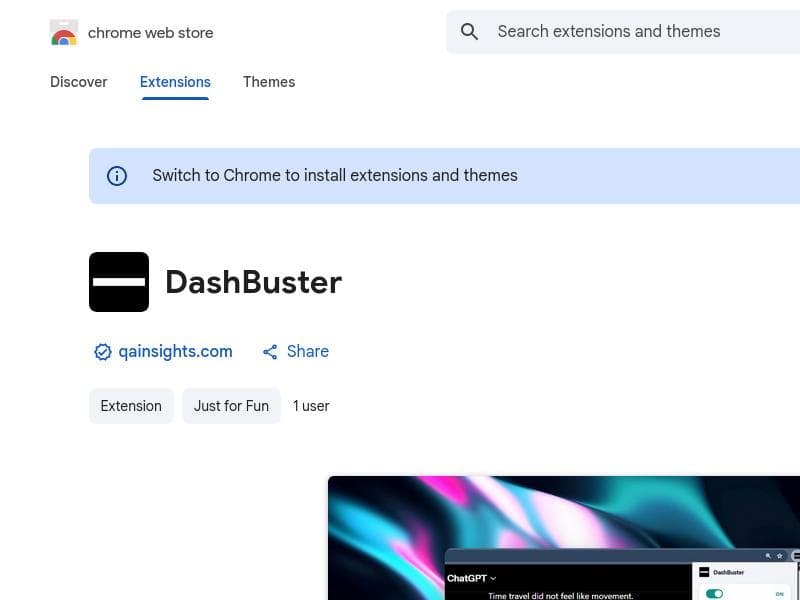
DashBuster is a unique Chrome extension that lets you replace em dashes on any website with a character of your choice, helping you tame overused punctuation and customize your reading experience. Perfect for writers, editors, and punctuation enthusiasts, it also reveals which sites overuse em dashes the most, offering valuable insights alongside seamless functionality.

Description
Replace em dashes on any website. Pick your replacement character and see which sites overuse them the most. Tired of writers who think a 2-em-dash sentence like this makes them sound smarter? DashBuster silently replaces every em dash on any website with the character of your choice. One toggle. Zero tolerance.
Detailed Description
DashBuster is a specialized browser extension designed to enhance your web reading experience by replacing em dashes on any website with a character of your choice. Its core purpose is to give users control over how em dashes appear while browsing, addressing the common annoyance of excessive or stylistically questionable em dash usage in online writing. Whether you find em dashes distracting, overused, or simply prefer a different punctuation style, DashBuster offers a seamless, one-toggle solution that silently modifies the text without altering the website itself. At its heart, DashBuster focuses on three key capabilities. First, it replaces every em dash encountered on any webpage with a replacement character selected by the user. This customization allows you to tailor the reading experience to your preferences, whether you want a simpler dash, a different punctuation mark, or even a space. Second, the extension provides analytics that reveal which websites overuse em dashes the most, giving users insight into writing styles across the web. This feature is particularly useful for editors, writers, or anyone interested in punctuation trends. Third, the tool operates quietly and efficiently in the background with a single toggle switch, ensuring zero tolerance for unwanted em dashes without disrupting your browsing flow. DashBuster is ideal for a niche but passionate audience. Writers, editors, and content creators who are sensitive to punctuation style will find it invaluable for quickly assessing and modifying how em dashes appear in online content. Readers who find em dashes visually distracting or stylistically jarring can customize their browsing experience to be cleaner and more readable. Additionally, educators and linguists interested in punctuation usage trends can leverage the site analytics feature to study em dash prevalence across different domains. Its simplicity and focus make it a perfect tool for anyone who wants to impose their own punctuation preferences on web text without complex settings or manual editing. The extension is completely free to use, with no pricing tiers or subscription plans. This accessibility ensures that anyone can install DashBuster from the Chrome Web Store and immediately benefit from its functionality without financial commitment. The free model also encourages widespread adoption among users who want a lightweight, no-cost solution to punctuation customization. Compared to alternatives, DashBuster stands out for its singular focus on em dashes and user-driven replacement. While other text modification tools or browser extensions may offer broader text editing or readability enhancements, few provide the specific ability to replace em dashes site-wide with a custom character. Its analytics feature further differentiates it by offering insight into punctuation usage patterns, a feature not commonly found in similar extensions. This specialization makes DashBuster a unique tool in the productivity and writing aid space. However, there are some limitations to consider. DashBuster currently supports only em dash replacement and does not extend to other punctuation marks or stylistic elements. Its functionality is limited to websites viewed in the Chrome browser, so users of other browsers will not benefit. Additionally, while the analytics feature is insightful, it may not provide exhaustive data or detailed reports for professional linguistic research. Users should also be aware that replacing punctuation characters might occasionally affect the intended tone or meaning of text, so discretion is advised when applying replacements broadly. In summary, DashBuster is a focused, user-friendly extension that empowers users to control em dash usage on the web. Its customization options, insightful analytics, and zero-tolerance toggle make it an excellent tool for anyone frustrated by excessive em dashes or interested in punctuation trends. Free and easy to install, it offers a unique solution that fills a niche gap in text customization tools.
Tool Features
- Replace em dashes on any website
- Pick your replacement character
- See which sites overuse em dashes the most
Description
DashBuster is a unique Chrome extension that lets you replace em dashes on any website with a character of your choice, helping you tame overused punctuation and customize your reading experience. Perfect for writers, editors, and punctuation enthusiasts, it also reveals which sites overuse em dashes the most, offering valuable insights alongside seamless functionality.
Replace em dashes on any website. Pick your replacement character and see which sites overuse them the most. Tired of writers who think a 2-em-dash sentence like this makes them sound smarter? DashBuster silently replaces every em dash on any website with the character of your choice. One toggle. Zero tolerance.
Detailed Description
DashBuster is a specialized browser extension designed to enhance your web reading experience by replacing em dashes on any website with a character of your choice. Its core purpose is to give users control over how em dashes appear while browsing, addressing the common annoyance of excessive or stylistically questionable em dash usage in online writing. Whether you find em dashes distracting, overused, or simply prefer a different punctuation style, DashBuster offers a seamless, one-toggle solution that silently modifies the text without altering the website itself. At its heart, DashBuster focuses on three key capabilities. First, it replaces every em dash encountered on any webpage with a replacement character selected by the user. This customization allows you to tailor the reading experience to your preferences, whether you want a simpler dash, a different punctuation mark, or even a space. Second, the extension provides analytics that reveal which websites overuse em dashes the most, giving users insight into writing styles across the web. This feature is particularly useful for editors, writers, or anyone interested in punctuation trends. Third, the tool operates quietly and efficiently in the background with a single toggle switch, ensuring zero tolerance for unwanted em dashes without disrupting your browsing flow. DashBuster is ideal for a niche but passionate audience. Writers, editors, and content creators who are sensitive to punctuation style will find it invaluable for quickly assessing and modifying how em dashes appear in online content. Readers who find em dashes visually distracting or stylistically jarring can customize their browsing experience to be cleaner and more readable. Additionally, educators and linguists interested in punctuation usage trends can leverage the site analytics feature to study em dash prevalence across different domains. Its simplicity and focus make it a perfect tool for anyone who wants to impose their own punctuation preferences on web text without complex settings or manual editing. The extension is completely free to use, with no pricing tiers or subscription plans. This accessibility ensures that anyone can install DashBuster from the Chrome Web Store and immediately benefit from its functionality without financial commitment. The free model also encourages widespread adoption among users who want a lightweight, no-cost solution to punctuation customization. Compared to alternatives, DashBuster stands out for its singular focus on em dashes and user-driven replacement. While other text modification tools or browser extensions may offer broader text editing or readability enhancements, few provide the specific ability to replace em dashes site-wide with a custom character. Its analytics feature further differentiates it by offering insight into punctuation usage patterns, a feature not commonly found in similar extensions. This specialization makes DashBuster a unique tool in the productivity and writing aid space. However, there are some limitations to consider. DashBuster currently supports only em dash replacement and does not extend to other punctuation marks or stylistic elements. Its functionality is limited to websites viewed in the Chrome browser, so users of other browsers will not benefit. Additionally, while the analytics feature is insightful, it may not provide exhaustive data or detailed reports for professional linguistic research. Users should also be aware that replacing punctuation characters might occasionally affect the intended tone or meaning of text, so discretion is advised when applying replacements broadly. In summary, DashBuster is a focused, user-friendly extension that empowers users to control em dash usage on the web. Its customization options, insightful analytics, and zero-tolerance toggle make it an excellent tool for anyone frustrated by excessive em dashes or interested in punctuation trends. Free and easy to install, it offers a unique solution that fills a niche gap in text customization tools.
Frequently Asked Questions
What is DashBuster?
DashBuster is a Chrome browser extension that replaces every em dash on any website with a character you select, allowing you to customize how em dashes appear while browsing.
How much does DashBuster cost?
DashBuster is completely free to use with no subscription or payment required.
Who is DashBuster best for?
DashBuster is ideal for writers, editors, readers sensitive to punctuation styles, educators, and anyone who wants to control or analyze em dash usage on websites.
What are the main features of DashBuster?
Its main features include replacing em dashes on any website with a user-chosen character, providing analytics to see which sites overuse em dashes, and a simple toggle to enable or disable the replacement.
Does DashBuster offer a free trial?
DashBuster is free to use and does not require a trial since there are no paid plans.
What integrations does DashBuster support?
DashBuster operates as a standalone Chrome extension and does not currently support integrations with other tools or platforms.
How does DashBuster work?
Once installed, DashBuster silently scans webpages for em dashes and replaces them with your chosen character in real time, controlled by a simple toggle switch.
Socials
Use ToolReviews
No reviews yet. Be the first to share your experience.




















































