Featured in:Best AI Audio Tools
Get featured →🚀 Zaprep: Your Socials on Steroids. Start free — automate 1,000 DMs/month & turn engagement into leads. with 1,000 automated DMs/month.


✦
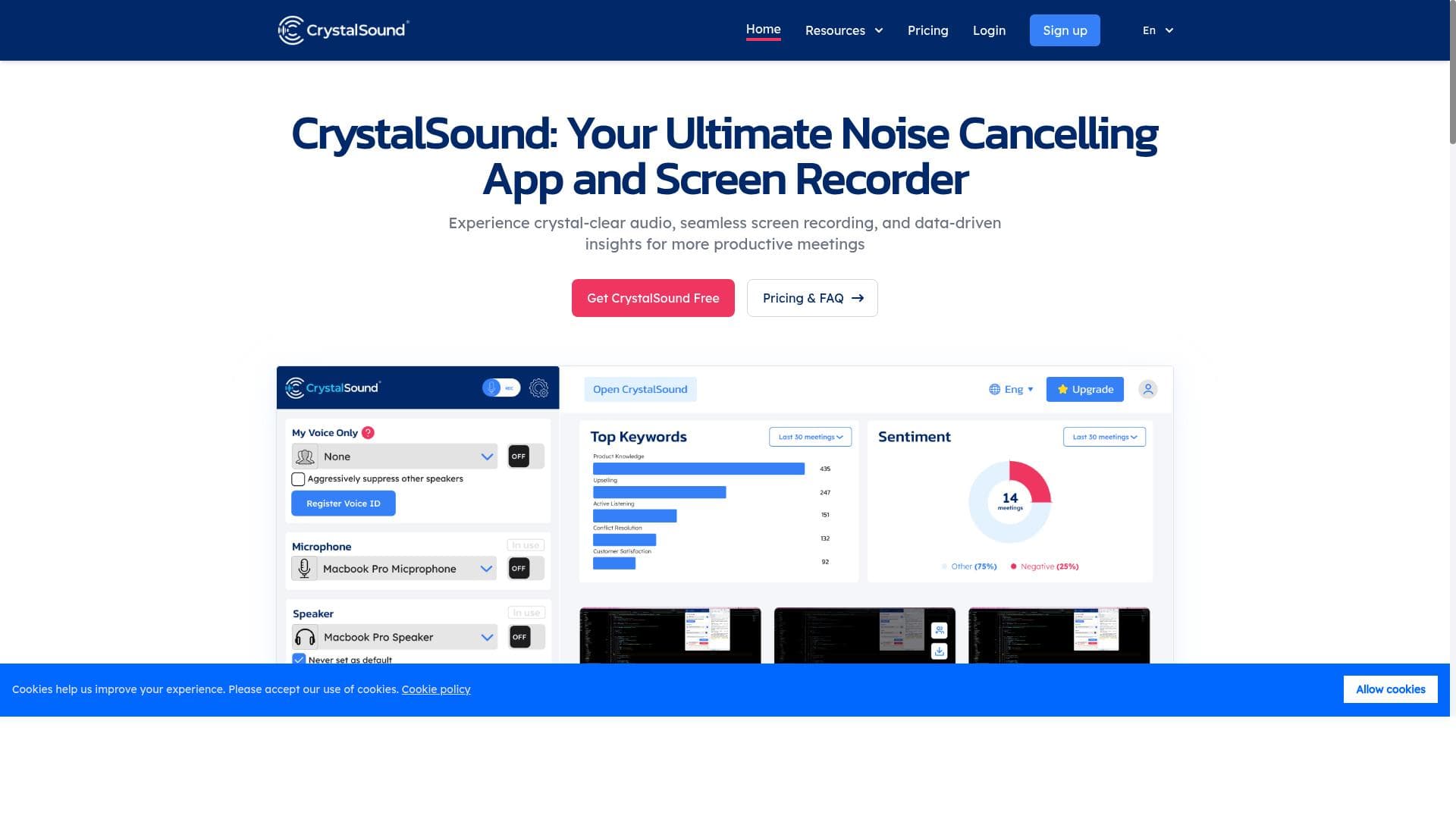
CrystalSound delivers crystal clear voice quality by combining advanced noise cancellation, screen recording, and meeting transcription in one easy-to-use platform. Perfect for remote workers, content creators, and educators, it transforms noisy calls into professional-grade audio experiences with both free and premium options.
Description
Do you struggle with noisy calls and poor voice quality? Do you want to sound like a studio recording or have fun with voice changing? No More Noise, Just Your Crystal Clear Voice.
Detailed Description
CrystalSound is an advanced audio enhancement tool designed to transform your voice communication experience by eliminating background noise and improving overall voice clarity. Its core purpose is to provide users with crystal clear audio during calls, recordings, and meetings, making it ideal for professionals, content creators, and anyone who frequently engages in voice communication. Whether you're struggling with noisy environments, poor microphone quality, or simply want to add a professional studio-like polish to your voice, CrystalSound offers a comprehensive solution that elevates audio quality effortlessly. At the heart of CrystalSound are its powerful noise cancellation capabilities. This feature intelligently detects and removes unwanted background sounds such as keyboard clicks, traffic noise, or chatter, allowing your voice to come through clean and uninterrupted. This is particularly valuable during remote meetings, online classes, or podcast recordings where ambient noise can be distracting. In addition to noise cancellation, CrystalSound includes a screen recording feature that enables users to capture both video and high-quality audio simultaneously. This is perfect for creating tutorials, presentations, or recording meetings for later review. Another standout feature is the automatic meeting minutes generator, which transcribes and summarizes conversations, helping users stay organized and focused without the need for manual note-taking. CrystalSound is best suited for a wide range of users who rely heavily on voice communication. Remote workers and virtual teams can benefit from clearer calls and improved collaboration. Podcasters and content creators will appreciate the studio-quality sound without investing in expensive equipment. Educators conducting online classes can ensure their instructions are heard clearly, while gamers and streamers can enhance their audio presence with voice changing options for added fun and engagement. The tool’s versatility makes it a valuable asset for anyone looking to improve audio quality and productivity. The pricing model for CrystalSound follows a freemium approach, offering basic noise cancellation and essential features for free, which is ideal for casual users or those wanting to test the tool’s capabilities. Premium plans unlock advanced functionalities such as enhanced noise filtering, extended screen recording durations, and access to meeting minutes with more detailed transcription options. This tiered pricing allows users to select a plan that fits their needs and budget, making professional-grade audio enhancement accessible to a broad audience. Compared to alternatives, CrystalSound stands out by combining multiple audio-related features into a single platform. While many tools focus solely on noise cancellation or screen recording, CrystalSound integrates these with meeting transcription and voice modulation, providing a more holistic solution. Its user-friendly interface and real-time processing capabilities also offer an edge over competitors that may require complex setups or lack live noise suppression. However, some specialized audio editing software may provide more granular control over sound manipulation, which advanced users might prefer. Despite its many strengths, CrystalSound has some limitations to consider. The quality of noise cancellation and voice enhancement can depend on the hardware used, such as microphone quality and system specifications. Additionally, while the freemium plan offers valuable features, users requiring extensive meeting transcription or longer recordings may find the premium plans necessary, which could be a consideration for budget-conscious users. Integration options may also be somewhat limited compared to larger enterprise-focused platforms, potentially requiring manual workflows for some users. Nonetheless, CrystalSound remains a robust and accessible tool for improving voice communication across various scenarios.
Tool Features
- Noise cancellation
- Screen recording
- Meeting minutes
Description
✦
CrystalSound delivers crystal clear voice quality by combining advanced noise cancellation, screen recording, and meeting transcription in one easy-to-use platform. Perfect for remote workers, content creators, and educators, it transforms noisy calls into professional-grade audio experiences with both free and premium options.
Do you struggle with noisy calls and poor voice quality? Do you want to sound like a studio recording or have fun with voice changing? No More Noise, Just Your Crystal Clear Voice.
Detailed Description
CrystalSound is an advanced audio enhancement tool designed to transform your voice communication experience by eliminating background noise and improving overall voice clarity. Its core purpose is to provide users with crystal clear audio during calls, recordings, and meetings, making it ideal for professionals, content creators, and anyone who frequently engages in voice communication. Whether you're struggling with noisy environments, poor microphone quality, or simply want to add a professional studio-like polish to your voice, CrystalSound offers a comprehensive solution that elevates audio quality effortlessly. At the heart of CrystalSound are its powerful noise cancellation capabilities. This feature intelligently detects and removes unwanted background sounds such as keyboard clicks, traffic noise, or chatter, allowing your voice to come through clean and uninterrupted. This is particularly valuable during remote meetings, online classes, or podcast recordings where ambient noise can be distracting. In addition to noise cancellation, CrystalSound includes a screen recording feature that enables users to capture both video and high-quality audio simultaneously. This is perfect for creating tutorials, presentations, or recording meetings for later review. Another standout feature is the automatic meeting minutes generator, which transcribes and summarizes conversations, helping users stay organized and focused without the need for manual note-taking. CrystalSound is best suited for a wide range of users who rely heavily on voice communication. Remote workers and virtual teams can benefit from clearer calls and improved collaboration. Podcasters and content creators will appreciate the studio-quality sound without investing in expensive equipment. Educators conducting online classes can ensure their instructions are heard clearly, while gamers and streamers can enhance their audio presence with voice changing options for added fun and engagement. The tool’s versatility makes it a valuable asset for anyone looking to improve audio quality and productivity. The pricing model for CrystalSound follows a freemium approach, offering basic noise cancellation and essential features for free, which is ideal for casual users or those wanting to test the tool’s capabilities. Premium plans unlock advanced functionalities such as enhanced noise filtering, extended screen recording durations, and access to meeting minutes with more detailed transcription options. This tiered pricing allows users to select a plan that fits their needs and budget, making professional-grade audio enhancement accessible to a broad audience. Compared to alternatives, CrystalSound stands out by combining multiple audio-related features into a single platform. While many tools focus solely on noise cancellation or screen recording, CrystalSound integrates these with meeting transcription and voice modulation, providing a more holistic solution. Its user-friendly interface and real-time processing capabilities also offer an edge over competitors that may require complex setups or lack live noise suppression. However, some specialized audio editing software may provide more granular control over sound manipulation, which advanced users might prefer. Despite its many strengths, CrystalSound has some limitations to consider. The quality of noise cancellation and voice enhancement can depend on the hardware used, such as microphone quality and system specifications. Additionally, while the freemium plan offers valuable features, users requiring extensive meeting transcription or longer recordings may find the premium plans necessary, which could be a consideration for budget-conscious users. Integration options may also be somewhat limited compared to larger enterprise-focused platforms, potentially requiring manual workflows for some users. Nonetheless, CrystalSound remains a robust and accessible tool for improving voice communication across various scenarios.
Frequently Asked Questions
What is CrystalSound?
CrystalSound is an AI-powered audio enhancement tool that improves voice clarity by removing background noise, enabling screen recording, and generating meeting minutes to enhance communication quality and productivity.
How much does CrystalSound cost?
CrystalSound offers a freemium pricing model with basic noise cancellation and essential features available for free. Premium plans unlock advanced noise filtering, longer screen recordings, and detailed meeting transcription options.
Who is CrystalSound best for?
CrystalSound is ideal for remote workers, podcasters, educators, gamers, and anyone who frequently participates in voice calls or recordings and wants to improve audio quality and productivity.
What are the main features of CrystalSound?
The main features include advanced noise cancellation to eliminate background sounds, screen recording with high-quality audio capture, and automatic meeting minutes generation with transcription and summaries.
Does CrystalSound offer a free trial?
Yes, CrystalSound provides a freemium version that allows users to access basic features for free, effectively serving as a trial to experience the tool's core capabilities.
What integrations does CrystalSound support?
While CrystalSound primarily functions as a standalone tool, it supports exporting recordings and transcripts for use with other productivity and communication platforms, though specific integrations may be limited.
How does CrystalSound work?
CrystalSound uses AI algorithms to detect and cancel background noise in real-time during calls or recordings, captures screen and audio simultaneously, and processes meeting audio to generate accurate transcriptions and summaries.
Socials
Use ToolReviews
0 reviews
No reviews yet. Be the first to share your experience.
Sponsored Tools







































Recommended Tools
Stay updated on latest Ai tools
Get the latest insights, Join our newsletter
Read and trusted by 50,000+ readers
Join the biggest AI Community
Our community and staff are here to help!
Your feedback will help Alice AI improve in future versions.







Submit your Tool


PoweredByAI.app is an AI Tools Directory helping individuals, businesses, and creators discover the best AI tools for writing, coding, design, productivity, and more.
© 2026 , Product of011BQ. All rights reserved.