🚀 Zaprep: Your Socials on Steroids. Start free — automate 1,000 DMs/month & turn engagement into leads. with 1,000 automated DMs/month.


Is this your AI tool? Claim it today.
Verify ownership, manage your profile, and unlock growth features.
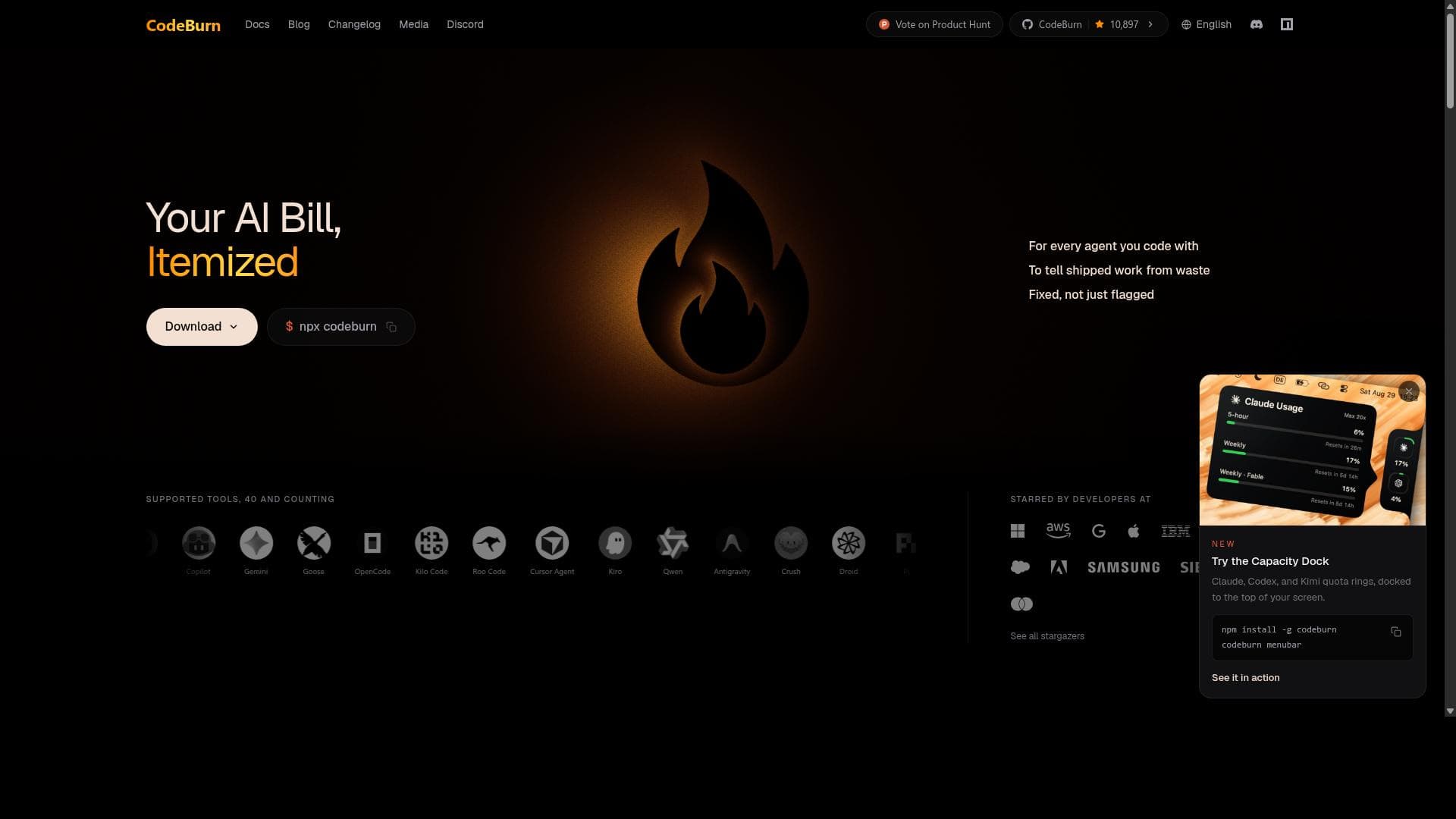
CodeBurn is a free, open-source, and 100% local tool that tracks AI coding token usage and costs across over 40 AI coding assistants like Claude Code, Cursor, and Codex. Ideal for developers and teams seeking detailed, privacy-first insights into their AI spend, CodeBurn offers versatile interfaces including a menu bar app, CLI, and web dashboard for comprehensive, granular tracking.

Description
CodeBurn is a free, open-source tracker for AI coding costs. It reads the session files your tools already write - Claude Code, Cursor, Codex, Copilot, 40 in all, and shows every token and dollar by the task, model, project, and pull request that used it. The Optimize tab finds waste like cache bloat or retry tax, applies the fix, and tracks what it actually saved. Everything runs on your machine: no account, no uploads. MIT-licensed and genuinely free, used by 150k+ developers across the world.
Detailed Description
CodeBurn is a powerful, free, and open-source tool designed to help developers and teams track AI coding token usage and associated costs across a wide array of AI coding assistants and tools. Its core purpose is to provide a transparent, privacy-first, and local-first solution for monitoring the consumption of AI tokens and the expenses incurred while leveraging AI models for coding tasks. Unlike cloud-based or centralized tracking services, CodeBurn operates entirely on the user's local machine, ensuring that sensitive usage data remains private and secure without requiring any signup or data sharing. This makes it an ideal alternative to existing services like ccusage, which may rely on cloud infrastructure and user accounts. CodeBurn supports over 40 different AI coding tools and agents, including popular models such as Claude Code, Cursor, Codex, Copilot, Gemini, Grok, and many others, making it highly versatile and comprehensive in its coverage. One of CodeBurn's standout features is its detailed breakdown of token usage and spending. Users can analyze costs by specific AI models, projects, and even individual tasks, enabling granular insight into how AI resources are being consumed. This level of detail helps developers optimize their workflows, budget AI usage more effectively, and identify which projects or tasks are driving the highest costs. The tool provides multiple interfaces to suit different user preferences and workflows: a convenient menu bar app for quick access and overview, a command-line interface (CLI) for developers who prefer terminal-based tools, and a web dashboard that offers a rich visual representation of usage data. This multi-interface approach ensures that users can interact with CodeBurn in the way that best fits their working style. CodeBurn is compatible with major operating systems including macOS, Linux, and Windows, making it accessible to a broad range of users. Its open-source nature encourages community contributions and transparency, allowing users to audit the codebase and customize the tool if needed. Because it runs 100% locally, users do not have to worry about data privacy or vendor lock-in, which is a significant advantage for organizations with strict security requirements or individuals concerned about data sovereignty. The tool is particularly well-suited for developers, AI researchers, and teams who heavily rely on AI coding assistants and want to keep a close eye on their token consumption and costs. It is also valuable for project managers and financial controllers who need to allocate AI usage budgets accurately across multiple projects or teams. By providing detailed analytics, CodeBurn helps users make informed decisions about which AI models to use and how to optimize their AI-assisted coding processes to reduce unnecessary expenses. CodeBurn is completely free to use, with no hidden fees or premium plans. Its open-source license means that anyone can download, use, and modify the software without cost. This pricing model makes it accessible to individual developers, startups, and large enterprises alike. Compared to alternatives like ccusage, which may require cloud accounts or paid subscriptions, CodeBurn’s local-first and open-source approach offers a unique value proposition focused on privacy and cost transparency. While CodeBurn excels in privacy and comprehensive tracking, users should note that its local-first architecture means that usage data is stored locally and not synced across devices unless users implement their own synchronization solutions. Additionally, because it supports a wide range of AI tools, initial setup and configuration might require some technical familiarity, especially for integrating less common AI agents. However, the availability of a CLI and detailed documentation helps mitigate these challenges. In summary, CodeBurn is an essential tool for anyone looking to gain detailed insights into AI coding token usage and costs while maintaining full control over their data. Its extensive support for multiple AI coding tools, detailed analytics, and privacy-first design make it a standout choice for developers and teams aiming to optimize their AI-assisted coding workflows without compromising on security or transparency.
Tool Features
- Tracks AI coding token usage and cost across 40 tools
- Works with Claude Code, Cursor, Codex, Copilot, Gemini and more
- Breaks spend down by model, project, and task
- 100% local, no signup, open source
- Menu bar app, CLI, and web dashboard
Description
CodeBurn is a free, open-source, and 100% local tool that tracks AI coding token usage and costs across over 40 AI coding assistants like Claude Code, Cursor, and Codex. Ideal for developers and teams seeking detailed, privacy-first insights into their AI spend, CodeBurn offers versatile interfaces including a menu bar app, CLI, and web dashboard for comprehensive, granular tracking.
CodeBurn is a free, open-source tracker for AI coding costs. It reads the session files your tools already write - Claude Code, Cursor, Codex, Copilot, 40 in all, and shows every token and dollar by the task, model, project, and pull request that used it. The Optimize tab finds waste like cache bloat or retry tax, applies the fix, and tracks what it actually saved. Everything runs on your machine: no account, no uploads. MIT-licensed and genuinely free, used by 150k+ developers across the world.
Detailed Description
CodeBurn is a powerful, free, and open-source tool designed to help developers and teams track AI coding token usage and associated costs across a wide array of AI coding assistants and tools. Its core purpose is to provide a transparent, privacy-first, and local-first solution for monitoring the consumption of AI tokens and the expenses incurred while leveraging AI models for coding tasks. Unlike cloud-based or centralized tracking services, CodeBurn operates entirely on the user's local machine, ensuring that sensitive usage data remains private and secure without requiring any signup or data sharing. This makes it an ideal alternative to existing services like ccusage, which may rely on cloud infrastructure and user accounts. CodeBurn supports over 40 different AI coding tools and agents, including popular models such as Claude Code, Cursor, Codex, Copilot, Gemini, Grok, and many others, making it highly versatile and comprehensive in its coverage. One of CodeBurn's standout features is its detailed breakdown of token usage and spending. Users can analyze costs by specific AI models, projects, and even individual tasks, enabling granular insight into how AI resources are being consumed. This level of detail helps developers optimize their workflows, budget AI usage more effectively, and identify which projects or tasks are driving the highest costs. The tool provides multiple interfaces to suit different user preferences and workflows: a convenient menu bar app for quick access and overview, a command-line interface (CLI) for developers who prefer terminal-based tools, and a web dashboard that offers a rich visual representation of usage data. This multi-interface approach ensures that users can interact with CodeBurn in the way that best fits their working style. CodeBurn is compatible with major operating systems including macOS, Linux, and Windows, making it accessible to a broad range of users. Its open-source nature encourages community contributions and transparency, allowing users to audit the codebase and customize the tool if needed. Because it runs 100% locally, users do not have to worry about data privacy or vendor lock-in, which is a significant advantage for organizations with strict security requirements or individuals concerned about data sovereignty. The tool is particularly well-suited for developers, AI researchers, and teams who heavily rely on AI coding assistants and want to keep a close eye on their token consumption and costs. It is also valuable for project managers and financial controllers who need to allocate AI usage budgets accurately across multiple projects or teams. By providing detailed analytics, CodeBurn helps users make informed decisions about which AI models to use and how to optimize their AI-assisted coding processes to reduce unnecessary expenses. CodeBurn is completely free to use, with no hidden fees or premium plans. Its open-source license means that anyone can download, use, and modify the software without cost. This pricing model makes it accessible to individual developers, startups, and large enterprises alike. Compared to alternatives like ccusage, which may require cloud accounts or paid subscriptions, CodeBurn’s local-first and open-source approach offers a unique value proposition focused on privacy and cost transparency. While CodeBurn excels in privacy and comprehensive tracking, users should note that its local-first architecture means that usage data is stored locally and not synced across devices unless users implement their own synchronization solutions. Additionally, because it supports a wide range of AI tools, initial setup and configuration might require some technical familiarity, especially for integrating less common AI agents. However, the availability of a CLI and detailed documentation helps mitigate these challenges. In summary, CodeBurn is an essential tool for anyone looking to gain detailed insights into AI coding token usage and costs while maintaining full control over their data. Its extensive support for multiple AI coding tools, detailed analytics, and privacy-first design make it a standout choice for developers and teams aiming to optimize their AI-assisted coding workflows without compromising on security or transparency.
Frequently Asked Questions
What is CodeBurn?
CodeBurn is a free, open-source, local-first tool designed to track AI coding token usage and costs across more than 40 AI coding tools and agents. It provides detailed breakdowns of spending by model, project, and task, all while ensuring user privacy by operating entirely on the local machine without requiring any signup.
How much does CodeBurn cost?
CodeBurn is completely free to use. It is open-source software with no subscription fees or premium plans, making it accessible to individual developers, startups, and enterprises alike.
Who is CodeBurn best for?
CodeBurn is ideal for developers, AI researchers, and teams who rely on AI coding assistants and want to monitor their token usage and costs closely. It is also useful for project managers and financial controllers who need to allocate AI usage budgets across projects or teams while maintaining data privacy.
What are the main features of CodeBurn?
Key features include tracking AI coding token usage and costs across 40+ tools such as Claude Code, Cursor, Codex, Copilot, and Gemini; detailed spend breakdowns by model, project, and task; a 100% local and privacy-first design with no signup required; and multiple user interfaces including a menu bar app, command-line interface (CLI), and web dashboard.
Does CodeBurn offer a free trial?
Since CodeBurn is completely free and open-source, there is no need for a free trial. Users can download and use the tool immediately without any cost or signup.
What integrations does CodeBurn support?
CodeBurn supports integration with over 40 AI coding tools and agents, including popular models like Claude Code, Cursor, Codex, Copilot, Gemini, Grok, and more, providing broad compatibility for tracking token usage across diverse AI coding environments.
How does CodeBurn work?
CodeBurn runs entirely on the user's local machine, collecting token usage data from supported AI coding tools and agents. It then aggregates and breaks down this data by model, project, and task, presenting it through a menu bar app, CLI, or web dashboard. This local-first approach ensures privacy and security while giving users detailed insights into their AI token consumption and costs.
Socials
Use ToolReviews
No reviews yet. Be the first to share your experience.
Sponsored Tools











































Recommended Tools
Stay updated on latest Ai tools
Get the latest insights, Join our newsletter
Read and trusted by 50,000+ readers
Join the biggest AI Community
Our community and staff are here to help!
Your feedback will help Alice AI improve in future versions.








Submit your Tool


PoweredByAI.app is an AI Tools Directory helping individuals, businesses, and creators discover the best AI tools for writing, coding, design, productivity, and more.
© 2026 , Product of011BQ. All rights reserved.