Featured in:Best AI Writing Tools
Get featured →🚀 Zaprep: Your Socials on Steroids. Start free — automate 1,000 DMs/month & turn engagement into leads. with 1,000 automated DMs/month.


Is this your AI tool? Claim it today.
Verify ownership, manage your profile, and unlock growth features.
✦
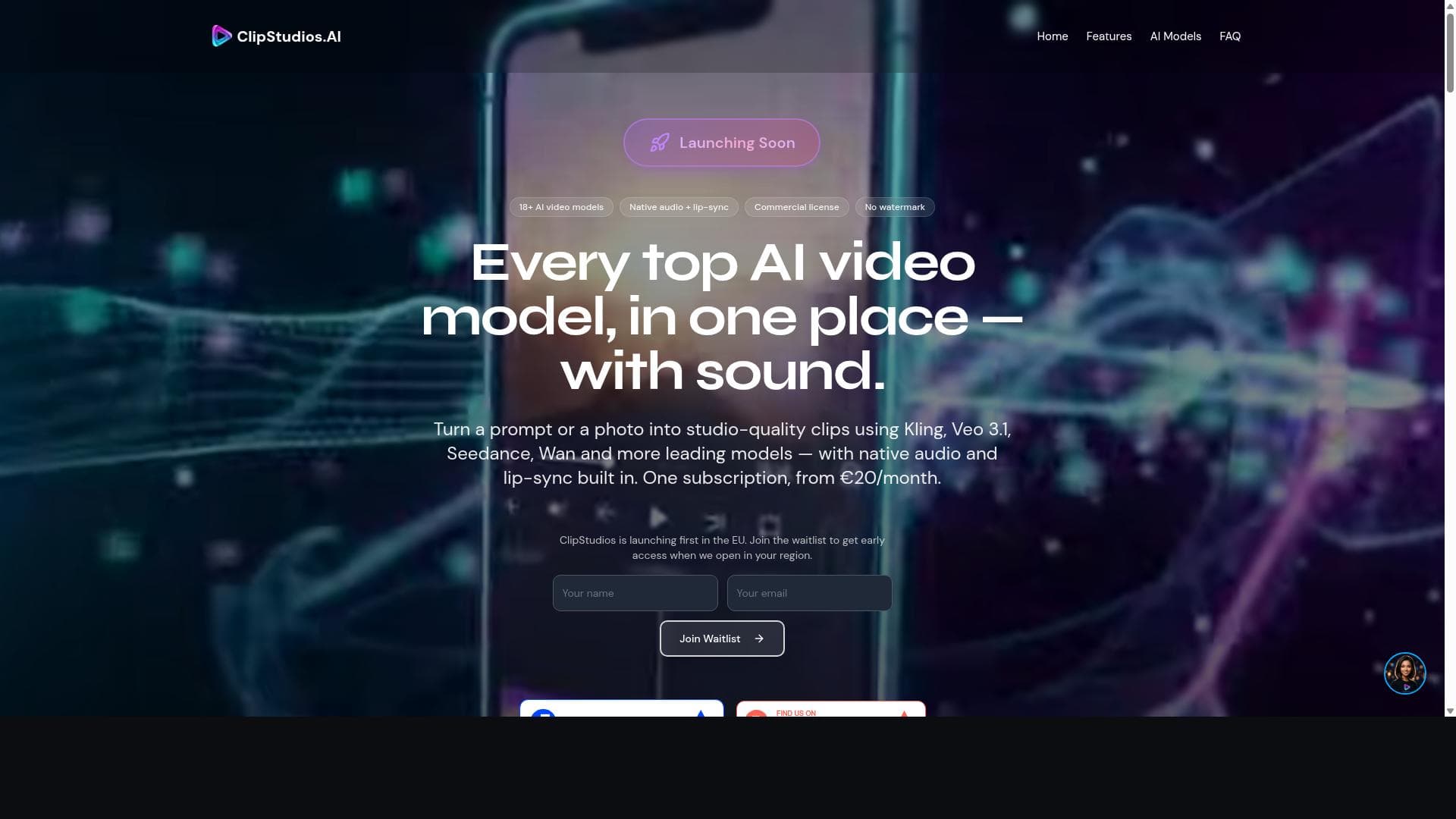
ClipStudios is a versatile AI video generation platform that combines multiple top AI models to create professional videos from text or images, featuring scriptwriting, lip sync, and 4K upscaling. Ideal for creators and businesses seeking a comprehensive, easy-to-use video production tool with scalable pricing and advanced capabilities.

Description
ClipStudios.AI brings 15+ AI video models — Kling 2.6/3.0, Veo 3.1, Runway, Seedance, Wan — into one credit-based subscription. Write a prompt, pick a model, get a video. Every video is C2PA-signed at creation (official C2PA Contributor Member). Edits made in ClipStudios preserve that signature; third-party tools may not yet — verifiable provenance on GDPR-native EU infrastructure. Also includes Script Studio, Voice Studio, Video Tools. Free tier available. Paid plans from €20/month.
Detailed Description
ClipStudios is a comprehensive AI-powered video generation platform designed to empower users to create professional-quality videos effortlessly from text or images. Leveraging multiple cutting-edge AI video models such as Kling 2.6, Veo 3.1, Seedance 1.5 Pro, and Wan 2.6, ClipStudios consolidates the best of AI video technology into a single, accessible web-based platform. Its core purpose is to democratize video creation by enabling users without extensive video editing skills or resources to produce engaging, high-resolution videos quickly and efficiently. The platform offers a rich suite of features that cover the entire video production workflow. Users can generate videos directly from text prompts or images, allowing for versatile content creation approaches. The text-to-video and image-to-video generation capabilities are powered by multiple AI models, providing users with a variety of styles and outputs to suit different creative needs. Additionally, ClipStudios includes video-to-video style transfer, which enables users to transform existing videos into new artistic styles or formats, enhancing creative flexibility. One standout feature is the lip sync video creation tool, which synchronizes spoken audio with animated characters or avatars, making it ideal for creating realistic dialogue scenes or presentations. The platform also integrates AI scriptwriting grounded in Google Search, helping users generate relevant and coherent scripts that can be directly used for video narration or dialogue. Complementing this is the text-to-speech voice generation feature, which produces natural-sounding voiceovers in multiple languages, further streamlining the video production process. ClipStudios supports 4K upscaling, ensuring that videos are output in ultra-high definition, suitable for professional presentations, marketing campaigns, or social media content. The platform also fosters a community environment where users can showcase their videos, gain inspiration, and engage with other creators. This tool is best suited for content creators, marketers, educators, and businesses looking to produce high-quality video content without the need for expensive equipment or advanced editing skills. Use cases range from promotional videos, social media content, educational tutorials, to creative storytelling and animated presentations. Its multi-model approach and extensive feature set make it particularly valuable for users who want to experiment with different AI video generation techniques within one platform. ClipStudios offers a tiered pricing structure to accommodate different user needs. The Free plan provides 12 one-time credits with access to the Veo 3.1 Lite model at 720p resolution, including a ClipStudios watermark, and requires no credit card. The Starter plan costs €20 per month and includes 100 monthly credits, access to the full model catalog, commercial licensing, removal of watermarks, and 4K upscaling. The Plus plan at €45 per month offers 250 monthly credits, adds Global Dubbing voice and 1080p lip-sync capabilities. The Pro plan for €75 per month includes 500 monthly credits, the Expressive V3 voice, and the Nova assistant for enhanced productivity. The Studio plan, priced at €125 per month, is designed for high-volume users with 1,000 monthly credits and priority generation queues for batch processing and heavy production workloads. Compared to alternatives, ClipStudios stands out due to its integration of multiple top AI video models in one platform, offering users a wide range of creative options without switching tools. Its combination of scriptwriting, voice generation, lip sync, and 4K upscaling within a single interface provides a comprehensive solution that many competitors lack. However, users should consider that the platform operates on a credit system, which may require monitoring usage for cost efficiency. Additionally, while the Free plan offers a good introduction, advanced features and higher resolution outputs are gated behind paid tiers. In summary, ClipStudios is a powerful, versatile AI video generation platform that caters to a broad spectrum of users seeking professional video content creation with minimal technical barriers. Its multi-model support, extensive feature set, and scalable pricing make it a compelling choice for individuals and businesses aiming to harness AI for video production. Potential users should evaluate their video production volume and feature needs to select the most suitable plan, keeping in mind the credit-based usage model and the benefits of 4K video output and advanced voice and lip-sync options.
Tool Features
- Text-to-video generation
- Image-to-video generation
- Video-to-video style transfer
- Lip sync video creation
- AI scriptwriting with Google Search grounding
- AI image generation
- Text-to-speech voice generation
- 4K upscaling
Description
✦
ClipStudios is a versatile AI video generation platform that combines multiple top AI models to create professional videos from text or images, featuring scriptwriting, lip sync, and 4K upscaling. Ideal for creators and businesses seeking a comprehensive, easy-to-use video production tool with scalable pricing and advanced capabilities.
ClipStudios.AI brings 15+ AI video models — Kling 2.6/3.0, Veo 3.1, Runway, Seedance, Wan — into one credit-based subscription. Write a prompt, pick a model, get a video. Every video is C2PA-signed at creation (official C2PA Contributor Member). Edits made in ClipStudios preserve that signature; third-party tools may not yet — verifiable provenance on GDPR-native EU infrastructure. Also includes Script Studio, Voice Studio, Video Tools. Free tier available. Paid plans from €20/month.
Detailed Description
ClipStudios is a comprehensive AI-powered video generation platform designed to empower users to create professional-quality videos effortlessly from text or images. Leveraging multiple cutting-edge AI video models such as Kling 2.6, Veo 3.1, Seedance 1.5 Pro, and Wan 2.6, ClipStudios consolidates the best of AI video technology into a single, accessible web-based platform. Its core purpose is to democratize video creation by enabling users without extensive video editing skills or resources to produce engaging, high-resolution videos quickly and efficiently. The platform offers a rich suite of features that cover the entire video production workflow. Users can generate videos directly from text prompts or images, allowing for versatile content creation approaches. The text-to-video and image-to-video generation capabilities are powered by multiple AI models, providing users with a variety of styles and outputs to suit different creative needs. Additionally, ClipStudios includes video-to-video style transfer, which enables users to transform existing videos into new artistic styles or formats, enhancing creative flexibility. One standout feature is the lip sync video creation tool, which synchronizes spoken audio with animated characters or avatars, making it ideal for creating realistic dialogue scenes or presentations. The platform also integrates AI scriptwriting grounded in Google Search, helping users generate relevant and coherent scripts that can be directly used for video narration or dialogue. Complementing this is the text-to-speech voice generation feature, which produces natural-sounding voiceovers in multiple languages, further streamlining the video production process. ClipStudios supports 4K upscaling, ensuring that videos are output in ultra-high definition, suitable for professional presentations, marketing campaigns, or social media content. The platform also fosters a community environment where users can showcase their videos, gain inspiration, and engage with other creators. This tool is best suited for content creators, marketers, educators, and businesses looking to produce high-quality video content without the need for expensive equipment or advanced editing skills. Use cases range from promotional videos, social media content, educational tutorials, to creative storytelling and animated presentations. Its multi-model approach and extensive feature set make it particularly valuable for users who want to experiment with different AI video generation techniques within one platform. ClipStudios offers a tiered pricing structure to accommodate different user needs. The Free plan provides 12 one-time credits with access to the Veo 3.1 Lite model at 720p resolution, including a ClipStudios watermark, and requires no credit card. The Starter plan costs €20 per month and includes 100 monthly credits, access to the full model catalog, commercial licensing, removal of watermarks, and 4K upscaling. The Plus plan at €45 per month offers 250 monthly credits, adds Global Dubbing voice and 1080p lip-sync capabilities. The Pro plan for €75 per month includes 500 monthly credits, the Expressive V3 voice, and the Nova assistant for enhanced productivity. The Studio plan, priced at €125 per month, is designed for high-volume users with 1,000 monthly credits and priority generation queues for batch processing and heavy production workloads. Compared to alternatives, ClipStudios stands out due to its integration of multiple top AI video models in one platform, offering users a wide range of creative options without switching tools. Its combination of scriptwriting, voice generation, lip sync, and 4K upscaling within a single interface provides a comprehensive solution that many competitors lack. However, users should consider that the platform operates on a credit system, which may require monitoring usage for cost efficiency. Additionally, while the Free plan offers a good introduction, advanced features and higher resolution outputs are gated behind paid tiers. In summary, ClipStudios is a powerful, versatile AI video generation platform that caters to a broad spectrum of users seeking professional video content creation with minimal technical barriers. Its multi-model support, extensive feature set, and scalable pricing make it a compelling choice for individuals and businesses aiming to harness AI for video production. Potential users should evaluate their video production volume and feature needs to select the most suitable plan, keeping in mind the credit-based usage model and the benefits of 4K video output and advanced voice and lip-sync options.
Frequently Asked Questions
What is ClipStudios?
ClipStudios is an AI-powered video generation platform that enables users to create professional-quality videos from text or images using multiple advanced AI video models. It offers features such as text-to-video and image-to-video generation, lip sync creation, AI scriptwriting, text-to-speech voice generation, and 4K upscaling.
How much does ClipStudios cost?
ClipStudios offers several pricing plans: a Free plan with 12 one-time credits and watermark, Starter at €20/month with 100 credits and full features, Plus at €45/month with 250 credits and additional voice options, Pro at €75/month with 500 credits and advanced voice and assistant features, and Studio at €125/month for 1,000 credits and priority processing.
Who is ClipStudios best for?
ClipStudios is best suited for content creators, marketers, educators, and businesses who want to produce high-quality videos without extensive video editing skills. It is ideal for creating promotional content, social media videos, educational materials, and creative storytelling.
What are the main features of ClipStudios?
Key features include text-to-video and image-to-video generation, video-to-video style transfer, lip sync video creation, AI scriptwriting grounded in Google Search, AI image generation, text-to-speech voice generation, and 4K video upscaling.
Does ClipStudios offer a free trial?
Yes, ClipStudios offers a Free plan that includes 12 one-time credits to try the platform with access to the Veo 3.1 Lite model at 720p resolution, including a watermark, and requires no credit card.
What integrations does ClipStudios support?
While ClipStudios primarily operates as a standalone web platform, it integrates AI models such as Kling, Veo, Seedance, and Wan for video generation. It also incorporates Google Search grounding for AI scriptwriting and supports multiple languages for voice generation.
How does ClipStudios work?
Users input text or images into ClipStudios, select from various AI video models, and generate videos automatically. The platform also allows scriptwriting with AI assistance, voiceover creation with text-to-speech, and lip sync animation. Videos can be upscaled to 4K and shared within the community showcase.
Socials
Use ToolReviews
0 reviews
No reviews yet. Be the first to share your experience.
Sponsored Tools











































Recommended Tools
Stay updated on latest Ai tools
Get the latest insights, Join our newsletter
Read and trusted by 50,000+ readers
Join the biggest AI Community
Our community and staff are here to help!
Your feedback will help Alice AI improve in future versions.








Submit your Tool


PoweredByAI.app is an AI Tools Directory helping individuals, businesses, and creators discover the best AI tools for writing, coding, design, productivity, and more.
© 2026 , Product of011BQ. All rights reserved.