🚀 Zaprep: Your Socials on Steroids. Start free — automate 1,000 DMs/month & turn engagement into leads. with 1,000 automated DMs/month.


Is this your AI tool? Claim it today.
Verify ownership, manage your profile, and unlock growth features.
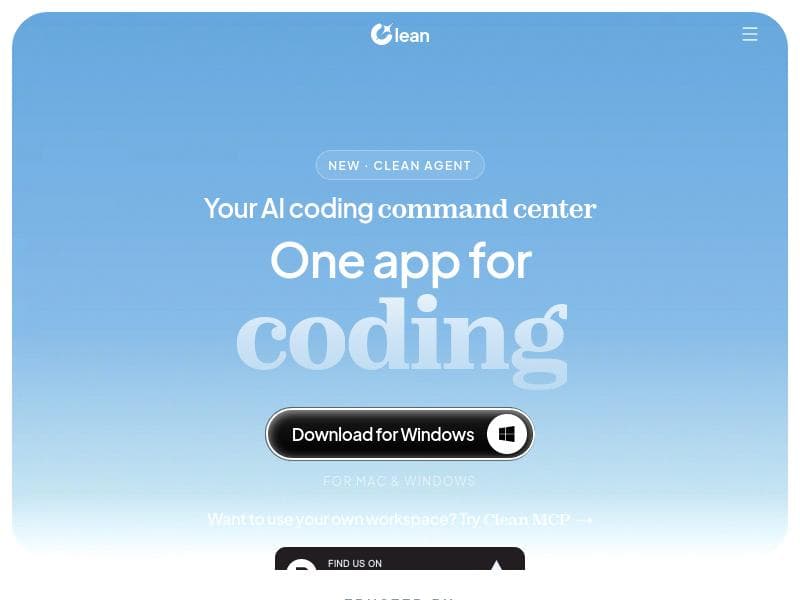
Clean is a powerful all-in-one desktop app that integrates coding, QA, AI prompting, and research into a single streamlined environment. Ideal for developers and teams, it accelerates workflows by combining chat, code, terminal, browser, and AI sub-agents in one window, supporting multiple AI models and real browser testing for comprehensive code validation.

Description
Clean handles everything around your code. QA, prompting, orchestration, querying, all in one app, all faster than doing it yourself.
Detailed Description
Clean is an all-in-one desktop application designed to streamline and enhance the entire coding workflow by integrating quality assurance, prompting, orchestration, and querying functionalities into a single, efficient platform. Its core purpose is to accelerate development processes by consolidating multiple tools and capabilities that developers typically use separately, thereby reducing context switching and manual overhead. Clean is built to handle everything around your code, making it faster and easier to write, test, and research code within one unified environment. At the heart of Clean’s functionality is its native desktop app available for both Mac and Windows, ensuring smooth performance and deep integration with the operating system. The app uniquely combines chat, code editing, terminal access, an in-app browser, and parallel sub-agents all within one window. This integration allows developers to communicate with AI assistants, write and execute code, run terminal commands, browse documentation or resources, and delegate tasks to specialized sub-agents simultaneously without leaving the app. This orchestration of multiple workflows in parallel significantly boosts productivity. Clean supports plug-ins for advanced AI models including Claude Code, Claude API, and Codex CLI, enabling users to leverage powerful language models tailored for coding tasks. It also offers context optimization to ensure that AI interactions remain relevant and efficient by managing the scope and focus of prompts and responses. Sub-agent delegation further enhances this by allowing the distribution of complex tasks across multiple AI agents working in parallel, which can handle different aspects of a problem or project concurrently. One of Clean’s standout features is its bring-your-own-model support, which provides flexibility for developers to integrate their preferred AI models or APIs, catering to specific needs or organizational requirements. Additionally, Clean includes QA testing capabilities within a real browser environment, allowing developers to validate their code in conditions that closely mimic production. This feature is particularly valuable for frontend and web developers who need to ensure their code functions correctly across different browsers and environments. Deep research with cited sources is another powerful aspect of Clean, enabling developers to conduct thorough investigations and gather reliable information directly within the app. This reduces the need to switch between multiple research tools or browsers, streamlining the process of understanding complex coding issues or exploring new technologies. Clean is best suited for professional developers, software engineers, QA testers, and AI researchers who require a comprehensive, integrated environment to manage coding, testing, and research tasks efficiently. It is particularly beneficial for teams and individuals working on complex projects that involve multiple stages of development and require seamless collaboration between code writing, testing, and AI-assisted problem solving. Regarding pricing, Clean is a paid tool, reflecting its advanced capabilities and professional-grade features. While specific pricing tiers and plans are not detailed here, interested users should visit the official website to explore subscription options and enterprise offerings. Compared to alternatives, Clean stands out by offering a truly integrated environment that combines chat, code, terminal, browser, and AI sub-agents in one native desktop app. Many competing tools focus on isolated functionalities such as code generation or testing but lack the orchestration and parallelism Clean provides. Its support for multiple AI models and bring-your-own-model flexibility also sets it apart, catering to a broader range of user preferences and workflows. However, potential users should consider that Clean is a paid product, which may be a barrier for hobbyists or small teams with limited budgets. Additionally, as a desktop app, it requires installation and may not be as accessible as purely web-based solutions for some users. The learning curve to fully leverage sub-agent delegation and context optimization might also require some initial investment in time. In summary, Clean offers a powerful, integrated solution for developers seeking to optimize their coding, QA, and research workflows with AI assistance. Its combination of native app performance, multi-agent orchestration, and deep integration of tools makes it a compelling choice for professionals aiming to accelerate and improve their software development lifecycle.
Tool Features
- Native desktop app for Mac and Windows
- Integrates chat, code, terminal, in-app browser, and parallel sub-agents in one window
- Supports plug-in of Claude Code, Claude API, and Codex CLI
- Context optimization
- Sub-agent delegation
- Bring-your-own-model support
- QA testing in real browser
- Deep research with cited sources
Description
Clean is a powerful all-in-one desktop app that integrates coding, QA, AI prompting, and research into a single streamlined environment. Ideal for developers and teams, it accelerates workflows by combining chat, code, terminal, browser, and AI sub-agents in one window, supporting multiple AI models and real browser testing for comprehensive code validation.
Clean handles everything around your code. QA, prompting, orchestration, querying, all in one app, all faster than doing it yourself.
Detailed Description
Clean is an all-in-one desktop application designed to streamline and enhance the entire coding workflow by integrating quality assurance, prompting, orchestration, and querying functionalities into a single, efficient platform. Its core purpose is to accelerate development processes by consolidating multiple tools and capabilities that developers typically use separately, thereby reducing context switching and manual overhead. Clean is built to handle everything around your code, making it faster and easier to write, test, and research code within one unified environment. At the heart of Clean’s functionality is its native desktop app available for both Mac and Windows, ensuring smooth performance and deep integration with the operating system. The app uniquely combines chat, code editing, terminal access, an in-app browser, and parallel sub-agents all within one window. This integration allows developers to communicate with AI assistants, write and execute code, run terminal commands, browse documentation or resources, and delegate tasks to specialized sub-agents simultaneously without leaving the app. This orchestration of multiple workflows in parallel significantly boosts productivity. Clean supports plug-ins for advanced AI models including Claude Code, Claude API, and Codex CLI, enabling users to leverage powerful language models tailored for coding tasks. It also offers context optimization to ensure that AI interactions remain relevant and efficient by managing the scope and focus of prompts and responses. Sub-agent delegation further enhances this by allowing the distribution of complex tasks across multiple AI agents working in parallel, which can handle different aspects of a problem or project concurrently. One of Clean’s standout features is its bring-your-own-model support, which provides flexibility for developers to integrate their preferred AI models or APIs, catering to specific needs or organizational requirements. Additionally, Clean includes QA testing capabilities within a real browser environment, allowing developers to validate their code in conditions that closely mimic production. This feature is particularly valuable for frontend and web developers who need to ensure their code functions correctly across different browsers and environments. Deep research with cited sources is another powerful aspect of Clean, enabling developers to conduct thorough investigations and gather reliable information directly within the app. This reduces the need to switch between multiple research tools or browsers, streamlining the process of understanding complex coding issues or exploring new technologies. Clean is best suited for professional developers, software engineers, QA testers, and AI researchers who require a comprehensive, integrated environment to manage coding, testing, and research tasks efficiently. It is particularly beneficial for teams and individuals working on complex projects that involve multiple stages of development and require seamless collaboration between code writing, testing, and AI-assisted problem solving. Regarding pricing, Clean is a paid tool, reflecting its advanced capabilities and professional-grade features. While specific pricing tiers and plans are not detailed here, interested users should visit the official website to explore subscription options and enterprise offerings. Compared to alternatives, Clean stands out by offering a truly integrated environment that combines chat, code, terminal, browser, and AI sub-agents in one native desktop app. Many competing tools focus on isolated functionalities such as code generation or testing but lack the orchestration and parallelism Clean provides. Its support for multiple AI models and bring-your-own-model flexibility also sets it apart, catering to a broader range of user preferences and workflows. However, potential users should consider that Clean is a paid product, which may be a barrier for hobbyists or small teams with limited budgets. Additionally, as a desktop app, it requires installation and may not be as accessible as purely web-based solutions for some users. The learning curve to fully leverage sub-agent delegation and context optimization might also require some initial investment in time. In summary, Clean offers a powerful, integrated solution for developers seeking to optimize their coding, QA, and research workflows with AI assistance. Its combination of native app performance, multi-agent orchestration, and deep integration of tools makes it a compelling choice for professionals aiming to accelerate and improve their software development lifecycle.
Frequently Asked Questions
What is Clean?
Clean is an all-in-one native desktop application for Mac and Windows that streamlines coding workflows by integrating quality assurance, AI prompting, orchestration, querying, and research tools into a single platform.
How much does Clean cost?
Clean is a paid tool. Specific pricing details and subscription plans are available on the official Clean website.
Who is Clean best for?
Clean is best suited for professional developers, software engineers, QA testers, and AI researchers who want to optimize their coding, testing, and research workflows with integrated AI assistance.
What are the main features of Clean?
Key features include a native desktop app for Mac and Windows, integration of chat, code editor, terminal, in-app browser, and parallel AI sub-agents, support for Claude Code, Claude API, Codex CLI, context optimization, sub-agent delegation, bring-your-own-model support, QA testing in a real browser, and deep research with cited sources.
Does Clean offer a free trial?
Information about a free trial is not specified; users should check the Clean website for the latest details on trial availability.
What integrations does Clean support?
Clean supports plug-ins for Claude Code, Claude API, and Codex CLI, and allows users to bring their own AI models for customized workflows.
How does Clean work?
Clean works by consolidating multiple development tools into one native desktop app, allowing users to chat with AI assistants, write and test code, run terminal commands, browse resources, and delegate tasks to parallel AI sub-agents, all optimized for context and efficiency.
Socials
Use ToolReviews
No reviews yet. Be the first to share your experience.
Sponsored Tools











































Recommended Tools
Stay updated on latest Ai tools
Get the latest insights, Join our newsletter
Read and trusted by 50,000+ readers
Join the biggest AI Community
Our community and staff are here to help!
Your feedback will help Alice AI improve in future versions.








Submit your Tool


PoweredByAI.app is an AI Tools Directory helping individuals, businesses, and creators discover the best AI tools for writing, coding, design, productivity, and more.
© 2026 , Product of011BQ. All rights reserved.