

Is this your AI tool? Claim it today.
Verify ownership, manage your profile, and unlock growth features.
ClawTick is a cloud scheduler built exclusively for AI agents, enabling seamless scheduling and orchestration of LangChain, CrewAI, and custom tasks via a simple CLI command. With built-in monitoring, automatic retries, and failure alerts—all without server management—it’s ideal for AI developers seeking reliable, scalable task automation.

Description
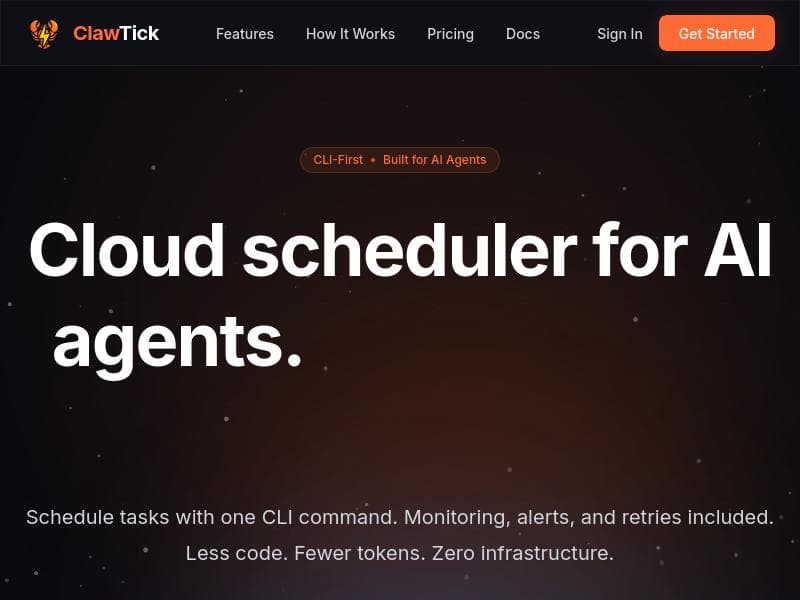
ClawTick is a cloud scheduler built specifically for AI agents. Schedule LangChain, CrewAI, or webhook tasks with one CLI command. Get built-in monitoring, failure alerts, automatic retries, and execution logs — without managing servers or writing cron infrastructure. CLI for agents, dashboard for humans. Free tier included
Detailed Description
ClawTick is a specialized cloud-based scheduler designed specifically for AI agents, streamlining the orchestration and management of AI-driven tasks. Its core purpose is to simplify the scheduling and execution of workflows involving AI frameworks such as LangChain and CrewAI, as well as custom webhook tasks, all through a single command-line interface (CLI) command. By abstracting away the complexities of server management and cron job infrastructure, ClawTick allows developers and AI practitioners to focus on building and running intelligent agents without worrying about the underlying scheduling mechanics or infrastructure maintenance. At the heart of ClawTick’s offering is a robust set of features tailored to the needs of AI workflows. Users can schedule tasks via CLI commands, which supports a seamless developer experience and integrates well into existing pipelines. The platform provides built-in monitoring capabilities that track job execution in real-time, coupled with failure alerts that notify users immediately via email if a job run fails. This proactive alerting system helps maintain high reliability and uptime for critical AI processes. Additionally, ClawTick automatically retries failed tasks, reducing manual intervention and improving overall workflow resilience. Execution logs are maintained and accessible, enabling users to audit runs and debug issues effectively. One of the standout technical advantages of ClawTick is its efficient use of code and tokens, which helps prevent context rot—a common problem in AI workflows where excessive or redundant data can degrade model performance over time. The platform supports programmatic scheduling and agent orchestration, allowing complex workflows involving multiple AI agents to be coordinated seamlessly. ClawTick runs entirely on AWS infrastructure, eliminating the need for users to manage servers or cloud environments themselves. This serverless approach ensures scalability, security, and reliability. The synchronization between the CLI and a user-friendly dashboard provides a dual interface: the CLI caters to developers and AI agents, while the dashboard offers a human-readable overview for monitoring and management. ClawTick is best suited for AI developers, data scientists, and teams building intelligent applications that require reliable, repeatable scheduling of AI tasks. Use cases include automating LangChain workflows for natural language processing, orchestrating CrewAI agents for multi-agent collaboration, and triggering custom webhook tasks in response to events or schedules. Its ease of use and monitoring features make it ideal for production environments where uptime and error handling are critical. Startups, research teams, and enterprises looking to integrate AI agent scheduling without investing heavily in infrastructure will find ClawTick particularly valuable. Regarding pricing, ClawTick offers a freemium model, providing a free tier that allows users to experiment with its core features without upfront costs. This makes it accessible for individual developers and small teams to get started quickly. While detailed pricing tiers beyond the free plan are not explicitly stated, the freemium approach suggests scalable options for higher usage and enterprise needs. Compared to traditional cron jobs or generic schedulers, ClawTick’s AI-centric design and integration with popular AI agent frameworks set it apart. Unlike general-purpose schedulers, it reduces code complexity and token usage, which are critical in AI contexts. Its built-in monitoring, automatic retries, and email alerts offer a more comprehensive solution tailored to AI workflows. While some competitors may require managing infrastructure or writing custom cron logic, ClawTick’s serverless AWS backend and CLI/dashboard synchronization provide a more streamlined and reliable experience. Potential limitations include the reliance on AWS infrastructure, which may be a consideration for organizations with specific cloud preferences or compliance requirements. Additionally, while ClawTick supports LangChain, CrewAI, and webhook tasks, users with highly specialized or proprietary AI frameworks may need to verify compatibility or await further integrations. The freemium pricing model, while accessible, may impose usage limits that require upgrading for large-scale deployments. Overall, ClawTick offers a powerful, AI-focused scheduling platform that addresses the unique challenges of orchestrating AI agents and workflows. Its combination of ease of use, monitoring, and serverless infrastructure makes it a compelling choice for developers and teams aiming to automate and scale AI-driven processes efficiently.
Tool Features
- Schedule LangChain, CrewAI, and custom agent tasks via CLI
- Built-in monitoring, alerts, and logs for job runs
- Less code and fewer tokens usage to prevent context rot
- Supports programmatic scheduling and agent orchestration
- No server management required, runs on AWS infrastructure
- Dashboard and CLI synchronization for job management
- Email alerts on failed job runs
- API access for querying execution history
Description
ClawTick is a cloud scheduler built exclusively for AI agents, enabling seamless scheduling and orchestration of LangChain, CrewAI, and custom tasks via a simple CLI command. With built-in monitoring, automatic retries, and failure alerts—all without server management—it’s ideal for AI developers seeking reliable, scalable task automation.
ClawTick is a cloud scheduler built specifically for AI agents. Schedule LangChain, CrewAI, or webhook tasks with one CLI command. Get built-in monitoring, failure alerts, automatic retries, and execution logs — without managing servers or writing cron infrastructure. CLI for agents, dashboard for humans. Free tier included
Detailed Description
ClawTick is a specialized cloud-based scheduler designed specifically for AI agents, streamlining the orchestration and management of AI-driven tasks. Its core purpose is to simplify the scheduling and execution of workflows involving AI frameworks such as LangChain and CrewAI, as well as custom webhook tasks, all through a single command-line interface (CLI) command. By abstracting away the complexities of server management and cron job infrastructure, ClawTick allows developers and AI practitioners to focus on building and running intelligent agents without worrying about the underlying scheduling mechanics or infrastructure maintenance. At the heart of ClawTick’s offering is a robust set of features tailored to the needs of AI workflows. Users can schedule tasks via CLI commands, which supports a seamless developer experience and integrates well into existing pipelines. The platform provides built-in monitoring capabilities that track job execution in real-time, coupled with failure alerts that notify users immediately via email if a job run fails. This proactive alerting system helps maintain high reliability and uptime for critical AI processes. Additionally, ClawTick automatically retries failed tasks, reducing manual intervention and improving overall workflow resilience. Execution logs are maintained and accessible, enabling users to audit runs and debug issues effectively. One of the standout technical advantages of ClawTick is its efficient use of code and tokens, which helps prevent context rot—a common problem in AI workflows where excessive or redundant data can degrade model performance over time. The platform supports programmatic scheduling and agent orchestration, allowing complex workflows involving multiple AI agents to be coordinated seamlessly. ClawTick runs entirely on AWS infrastructure, eliminating the need for users to manage servers or cloud environments themselves. This serverless approach ensures scalability, security, and reliability. The synchronization between the CLI and a user-friendly dashboard provides a dual interface: the CLI caters to developers and AI agents, while the dashboard offers a human-readable overview for monitoring and management. ClawTick is best suited for AI developers, data scientists, and teams building intelligent applications that require reliable, repeatable scheduling of AI tasks. Use cases include automating LangChain workflows for natural language processing, orchestrating CrewAI agents for multi-agent collaboration, and triggering custom webhook tasks in response to events or schedules. Its ease of use and monitoring features make it ideal for production environments where uptime and error handling are critical. Startups, research teams, and enterprises looking to integrate AI agent scheduling without investing heavily in infrastructure will find ClawTick particularly valuable. Regarding pricing, ClawTick offers a freemium model, providing a free tier that allows users to experiment with its core features without upfront costs. This makes it accessible for individual developers and small teams to get started quickly. While detailed pricing tiers beyond the free plan are not explicitly stated, the freemium approach suggests scalable options for higher usage and enterprise needs. Compared to traditional cron jobs or generic schedulers, ClawTick’s AI-centric design and integration with popular AI agent frameworks set it apart. Unlike general-purpose schedulers, it reduces code complexity and token usage, which are critical in AI contexts. Its built-in monitoring, automatic retries, and email alerts offer a more comprehensive solution tailored to AI workflows. While some competitors may require managing infrastructure or writing custom cron logic, ClawTick’s serverless AWS backend and CLI/dashboard synchronization provide a more streamlined and reliable experience. Potential limitations include the reliance on AWS infrastructure, which may be a consideration for organizations with specific cloud preferences or compliance requirements. Additionally, while ClawTick supports LangChain, CrewAI, and webhook tasks, users with highly specialized or proprietary AI frameworks may need to verify compatibility or await further integrations. The freemium pricing model, while accessible, may impose usage limits that require upgrading for large-scale deployments. Overall, ClawTick offers a powerful, AI-focused scheduling platform that addresses the unique challenges of orchestrating AI agents and workflows. Its combination of ease of use, monitoring, and serverless infrastructure makes it a compelling choice for developers and teams aiming to automate and scale AI-driven processes efficiently.
Frequently Asked Questions
What is ClawTick?
ClawTick is a cloud-based scheduler designed specifically for AI agents, allowing users to schedule and manage LangChain, CrewAI, and custom webhook tasks through a command-line interface. It provides built-in monitoring, failure alerts, automatic retries, and execution logs without requiring server management.
How much does ClawTick cost?
ClawTick offers a freemium pricing model that includes a free tier for users to get started with core scheduling features. Details on paid plans or usage limits beyond the free tier are available on their website.
Who is ClawTick best for?
ClawTick is ideal for AI developers, data scientists, and teams who need to automate and orchestrate AI agent workflows such as LangChain and CrewAI tasks. It suits startups, research teams, and enterprises looking for reliable, serverless AI task scheduling.
What are the main features of ClawTick?
Key features include scheduling LangChain, CrewAI, and custom agent tasks via CLI, built-in monitoring and execution logs, failure alerts with email notifications, automatic retries, programmatic scheduling and orchestration, AWS-based serverless infrastructure, and a synchronized dashboard for human-friendly management.
Does ClawTick offer a free trial?
Yes, ClawTick provides a free tier that allows users to try its scheduling and monitoring features without any upfront cost.
What integrations does ClawTick support?
ClawTick supports scheduling tasks for LangChain, CrewAI, and custom webhook-based agents. It also offers API access for querying execution history and programmatic scheduling.
How does ClawTick work?
Users schedule AI agent tasks using a single CLI command, which triggers execution on ClawTick’s AWS-hosted infrastructure. The platform monitors job runs, sends alerts on failures, retries failed tasks automatically, and logs execution details accessible via CLI or dashboard.
Reviews
No reviews yet. Be the first to share your experience.




















































