Featured in:Best AI Writing Tools
Get featured →🚀 Zaprep: Your Socials on Steroids. Start free — automate 1,000 DMs/month & turn engagement into leads. with 1,000 automated DMs/month.


Is this your AI tool? Claim it today.
Verify ownership, manage your profile, and unlock growth features.
✦
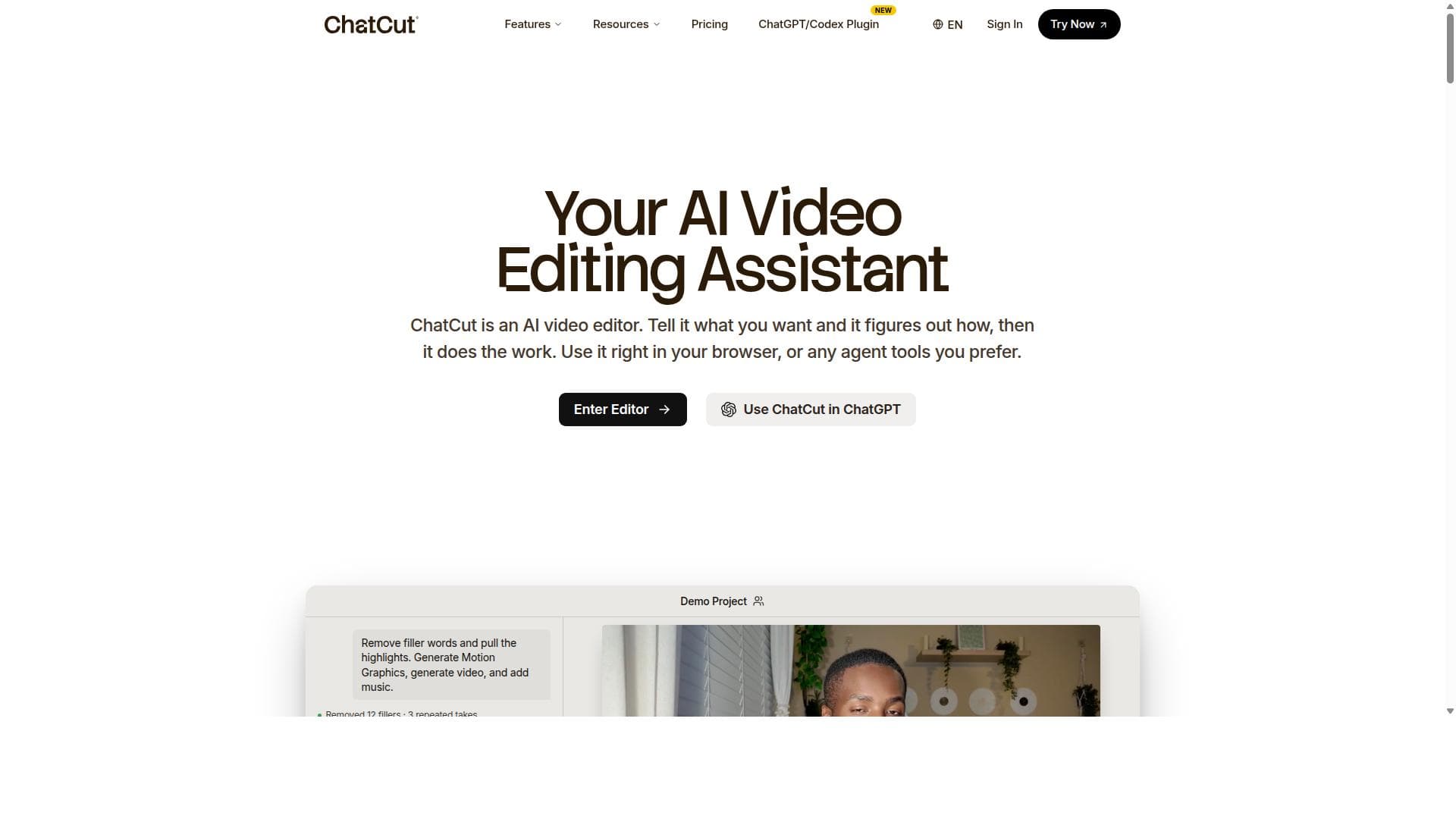
ChatCut is a web-based AI video editor that transforms video editing by letting users control the process with natural language prompts. Perfect for marketers, creators, and businesses, it automates everything from scriptwriting to motion graphics, delivering brand-consistent, publish-ready videos quickly and effortlessly.

Description
Introducing ChatCut Desktop, the AI video editor built for humans and agents to edit together. Use ChatCut’s built-in agent, or connect ChatGPT/Codex or Claude Code. Say how you want your video edited and watch them happen on a fully editable timeline. Edit footage, create motion graphics and captions, generate video, images, music and SFX, and save reusable editing skills. Everything runs locally, and you stay in control. Export XML to Premiere Pro, DaVinci Resolve or CapCut.
Detailed Description
ChatCut is an innovative web-based AI video editor designed to revolutionize the way users create and edit videos by leveraging natural language prompts. Its core purpose is to simplify video editing workflows, allowing creators to instruct the software using everyday language rather than complex editing tools or timelines. This approach makes video production accessible to users with varying levels of technical expertise, from marketers and content creators to educators and social media managers. ChatCut’s AI understands the content of your footage deeply, enabling it to perform sophisticated edits such as cleaning up talking head videos, adding motion graphics, writing scripts, and selecting background music—all through simple text commands. One of ChatCut’s standout capabilities is its ability to analyze and comprehend your video content and brand assets. The AI can browse your website to extract logos, read marketing copy, and ensure that the videos it produces are consistent with your brand identity. Beyond editing existing footage, ChatCut can pull video clips directly from YouTube, generate AI-created videos and images, write voiceovers, and create motion graphics—all from a single prompt. This comprehensive feature set allows users to produce polished, publish-ready videos quickly without juggling multiple tools. Key features include the ability to clean up takes without manually adjusting the timeline, which streamlines the editing process by removing filler words, pauses, or mistakes automatically. Users can also request motion graphics as easily as texting a designer, enabling dynamic visual enhancements without needing graphic design skills. Additionally, ChatCut’s AI can identify the best moments in raw footage and compile them into a ready-to-publish video within seconds, saving significant time in content curation and editing. ChatCut is particularly well-suited for content creators, marketers, educators, and businesses that produce frequent video content but lack extensive video editing expertise or resources. It is ideal for editing talking head videos, interviews, podcasts, documentaries, and promotional materials. The tool’s ability to integrate brand elements and generate scripts and voiceovers makes it a powerful assistant for creating consistent, engaging video content that aligns with marketing strategies. Regarding pricing, ChatCut offers tiered plans tailored to different user needs, including options for individual creators and teams. While specific pricing details should be confirmed on their website, the platform typically provides a free trial or demo to allow users to explore its capabilities before committing. Paid plans unlock advanced features such as higher video export limits, access to premium AI-generated content, and priority support. Compared to traditional video editing software, ChatCut’s natural language interface and AI-driven automation significantly reduce the learning curve and time investment required. Unlike conventional editors that rely heavily on manual timeline adjustments and technical skills, ChatCut empowers users to focus on creative direction and messaging. While other AI video editors exist, ChatCut’s unique ability to browse websites for brand assets and pull footage from YouTube sets it apart by offering a more integrated and brand-aware editing experience. However, users should consider that as an AI-driven tool, ChatCut may occasionally require manual fine-tuning to achieve precise edits, especially for highly complex or nuanced video projects. Additionally, reliance on internet connectivity and cloud processing means that editing speed can vary based on network conditions. Despite these considerations, ChatCut remains a powerful and accessible solution for accelerating video production and enhancing content quality through AI-powered automation.
Tool Features
- Clean up takes without touching the timeline.
- Request motion graphics like you're texting a designer.
- Find the best moments and get a publish-ready video in seconds.
Description
✦
ChatCut is a web-based AI video editor that transforms video editing by letting users control the process with natural language prompts. Perfect for marketers, creators, and businesses, it automates everything from scriptwriting to motion graphics, delivering brand-consistent, publish-ready videos quickly and effortlessly.
Introducing ChatCut Desktop, the AI video editor built for humans and agents to edit together. Use ChatCut’s built-in agent, or connect ChatGPT/Codex or Claude Code. Say how you want your video edited and watch them happen on a fully editable timeline. Edit footage, create motion graphics and captions, generate video, images, music and SFX, and save reusable editing skills. Everything runs locally, and you stay in control. Export XML to Premiere Pro, DaVinci Resolve or CapCut.
Detailed Description
ChatCut is an innovative web-based AI video editor designed to revolutionize the way users create and edit videos by leveraging natural language prompts. Its core purpose is to simplify video editing workflows, allowing creators to instruct the software using everyday language rather than complex editing tools or timelines. This approach makes video production accessible to users with varying levels of technical expertise, from marketers and content creators to educators and social media managers. ChatCut’s AI understands the content of your footage deeply, enabling it to perform sophisticated edits such as cleaning up talking head videos, adding motion graphics, writing scripts, and selecting background music—all through simple text commands. One of ChatCut’s standout capabilities is its ability to analyze and comprehend your video content and brand assets. The AI can browse your website to extract logos, read marketing copy, and ensure that the videos it produces are consistent with your brand identity. Beyond editing existing footage, ChatCut can pull video clips directly from YouTube, generate AI-created videos and images, write voiceovers, and create motion graphics—all from a single prompt. This comprehensive feature set allows users to produce polished, publish-ready videos quickly without juggling multiple tools. Key features include the ability to clean up takes without manually adjusting the timeline, which streamlines the editing process by removing filler words, pauses, or mistakes automatically. Users can also request motion graphics as easily as texting a designer, enabling dynamic visual enhancements without needing graphic design skills. Additionally, ChatCut’s AI can identify the best moments in raw footage and compile them into a ready-to-publish video within seconds, saving significant time in content curation and editing. ChatCut is particularly well-suited for content creators, marketers, educators, and businesses that produce frequent video content but lack extensive video editing expertise or resources. It is ideal for editing talking head videos, interviews, podcasts, documentaries, and promotional materials. The tool’s ability to integrate brand elements and generate scripts and voiceovers makes it a powerful assistant for creating consistent, engaging video content that aligns with marketing strategies. Regarding pricing, ChatCut offers tiered plans tailored to different user needs, including options for individual creators and teams. While specific pricing details should be confirmed on their website, the platform typically provides a free trial or demo to allow users to explore its capabilities before committing. Paid plans unlock advanced features such as higher video export limits, access to premium AI-generated content, and priority support. Compared to traditional video editing software, ChatCut’s natural language interface and AI-driven automation significantly reduce the learning curve and time investment required. Unlike conventional editors that rely heavily on manual timeline adjustments and technical skills, ChatCut empowers users to focus on creative direction and messaging. While other AI video editors exist, ChatCut’s unique ability to browse websites for brand assets and pull footage from YouTube sets it apart by offering a more integrated and brand-aware editing experience. However, users should consider that as an AI-driven tool, ChatCut may occasionally require manual fine-tuning to achieve precise edits, especially for highly complex or nuanced video projects. Additionally, reliance on internet connectivity and cloud processing means that editing speed can vary based on network conditions. Despite these considerations, ChatCut remains a powerful and accessible solution for accelerating video production and enhancing content quality through AI-powered automation.
Frequently Asked Questions
What is ChatCut?
ChatCut is a web-based AI video editor that allows users to edit videos using natural language prompts. It can clean up footage, add motion graphics, write scripts, find background music, and create videos that match your brand by understanding your footage and browsing your website.
How much does ChatCut cost?
ChatCut offers tiered pricing plans tailored to different user needs, including options for individuals and teams. While exact pricing details are available on their website, they typically provide a free trial or demo to test the platform before purchasing.
Who is ChatCut best for?
ChatCut is ideal for content creators, marketers, educators, and businesses that produce video content regularly but want to simplify and speed up the editing process. It works especially well for editing talking head videos, interviews, podcasts, and promotional materials.
What are the main features of ChatCut?
Key features include cleaning up takes without timeline adjustments, requesting motion graphics via text prompts, finding the best moments in footage, pulling clips from YouTube, generating AI videos and images, writing voiceovers, and creating brand-consistent videos by browsing your website for logos and marketing copy.
Does ChatCut offer a free trial?
Yes, ChatCut typically offers a free trial or demo version so users can explore its features and capabilities before committing to a paid plan.
What integrations does ChatCut support?
ChatCut integrates with YouTube to pull footage directly and can browse your website to extract brand assets like logos and marketing copy. It also supports AI-generated content creation within its platform, streamlining the entire video production process.
How does ChatCut work?
ChatCut works by using AI to understand your video footage and brand assets. You provide natural language prompts describing the edits or content you want, and the AI automatically performs tasks like editing, adding graphics, writing scripts, and selecting music, producing a polished video without manual timeline editing.
Socials
Use ToolReviews
0 reviews
No reviews yet. Be the first to share your experience.
Sponsored Tools











































Recommended Tools
Stay updated on latest Ai tools
Get the latest insights, Join our newsletter
Read and trusted by 50,000+ readers
Join the biggest AI Community
Our community and staff are here to help!
Your feedback will help Alice AI improve in future versions.








Submit your Tool


PoweredByAI.app is an AI Tools Directory helping individuals, businesses, and creators discover the best AI tools for writing, coding, design, productivity, and more.
© 2026 , Product of011BQ. All rights reserved.