

Is this your AI tool? Claim it today.
Verify ownership, manage your profile, and unlock growth features.
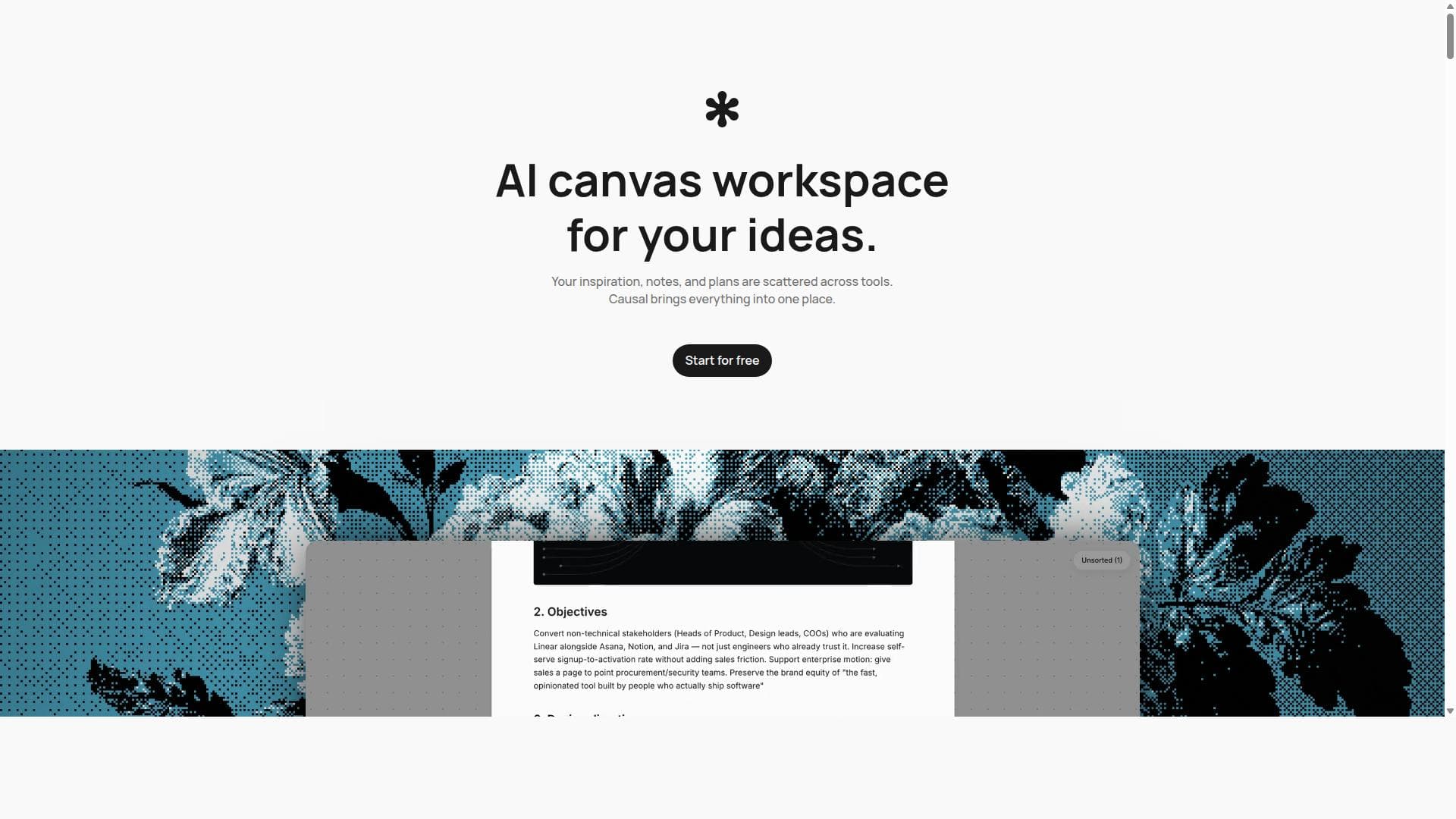
Causal is a unique infinite AI canvas designed for creatives to visually organize moodboards, notes, files, and links in one flexible workspace. Its AI agent understands the entire board, preserving causal relationships between ideas to boost creativity and planning, making it ideal for designers, developers, and researchers who value spatial thinking.

Description
Enabling designers, creators, and founders to plan visual projects on an AI canvas. Key features: - Ask the AI to organise your ideas, brainstorm new directions, or create a roadmap from scratch - MCP connections so you can handoff your project to an external agent to turn into something real - Your images, inspiration, and notes all on a canvas with a native agent. - Create custom widgets - ask your agent to create a habit tracker on the canvas
Detailed Description
Causal is an innovative AI-powered infinite canvas workspace designed specifically for creatives who need a flexible, visual environment to organize and plan their projects. Unlike traditional note-taking or project management tools that rely on rigid page or folder structures, Causal offers a boundless canvas where users can freely arrange moodboards, notes, files, and links in a spatial layout that mirrors their conceptual thinking. This unique approach allows creatives to preserve and visualize causal relationships between ideas, enhancing both creativity and project planning. The core purpose of Causal is to serve as a pre-production planning tool that helps users map out their thoughts and inspirations in a way that feels natural and unrestricted by conventional digital formats. At the heart of Causal’s capabilities is its AI agent, which reads and understands the entire canvas, enabling it to assist users in maintaining the logical flow and connections between ideas. This AI integration is a standout feature, as it supports users in synthesizing information and generating new insights based on the spatial relationships of elements on the board. The platform supports rich text formatting, including headings, lists, checkboxes, quotes, code blocks, highlights, images, and links, allowing for detailed and expressive documentation directly on the canvas. Users can upload files up to 20 MB, including PDFs, Word documents, Adobe files, markdown files, spreadsheets, images, and videos, all of which can be previewed in-app without the need for external downloads. Markdown and CSV files can even be edited in place, streamlining workflow and reducing context switching. Organization within Causal is enhanced by the ability to create collections and nested canvases, which help users keep their workspace tidy and manageable as projects grow in complexity. Collections allow grouping of related nodes into columns, while nested canvases provide dedicated spaces for deeper exploration of specific topics. Additionally, an unsorted tray is available for parking items that are not yet ready to be placed, preventing the canvas from becoming cluttered. Sharing is straightforward and secure, with users able to generate read-only links that do not require recipients to have an account, facilitating easy collaboration and feedback. Causal is best suited for creative professionals, designers, product developers, researchers, and anyone involved in visual or conceptual planning. Its infinite canvas and AI-powered understanding make it ideal for workflows that benefit from spatial organization, such as app development, branding, storyboarding, and research projects. The platform’s templates cater to these use cases, providing ready-made structures to jumpstart creative workflows. Regarding pricing, Causal offers a free plan that is not a trial and does not expire. The free tier includes 200 nodes and 50 AI requests per month, with access to all core features of the canvas. For users who require more capacity and AI interactions, a Pro plan is available at £10 per month, which raises these limits and supports more extensive usage. Compared to alternatives like Notion or Obsidian, Causal stands apart by focusing on spatial and visual organization rather than hierarchical or text-based structures. Notion organizes content into pages and databases, while Obsidian uses markdown files with linked notes. Causal’s infinite canvas removes these constraints, allowing for a more fluid and intuitive arrangement of ideas that better supports creative thinking and planning before execution. Some limitations to consider include the absence of a mobile app, as Causal is optimized for desktop use on larger screens, particularly macOS. While this focus ensures a rich and usable interface, it may limit accessibility for users who prefer mobile workflows. Additionally, while the free plan is generous, users with very large or complex projects may need to upgrade to Pro to avoid hitting usage limits. Overall, Causal offers a powerful and flexible environment for creatives who want to rethink how they organize and develop their ideas visually and conceptually.
Tool Features
- Infinite canvas for moodboards, notes, files, and links
- AI agent that reads and understands the whole board
- Supports rich text formatting including headings, lists, checkboxes, quotes, code blocks, highlights, images, and links
- File uploads up to 20 MB with in-app previews for PDFs, Word documents, Adobe files, markdown, spreadsheets, images, and videos
- Ability to create collections and nested canvases for better organization
- Shareable read-only links without requiring recipients to have an account
- Free Mac desktop app with automatic updates
- Templates for various creative workflows like app development, branding, storyboarding, and research
Description
Causal is a unique infinite AI canvas designed for creatives to visually organize moodboards, notes, files, and links in one flexible workspace. Its AI agent understands the entire board, preserving causal relationships between ideas to boost creativity and planning, making it ideal for designers, developers, and researchers who value spatial thinking.
Enabling designers, creators, and founders to plan visual projects on an AI canvas. Key features: - Ask the AI to organise your ideas, brainstorm new directions, or create a roadmap from scratch - MCP connections so you can handoff your project to an external agent to turn into something real - Your images, inspiration, and notes all on a canvas with a native agent. - Create custom widgets - ask your agent to create a habit tracker on the canvas
Detailed Description
Causal is an innovative AI-powered infinite canvas workspace designed specifically for creatives who need a flexible, visual environment to organize and plan their projects. Unlike traditional note-taking or project management tools that rely on rigid page or folder structures, Causal offers a boundless canvas where users can freely arrange moodboards, notes, files, and links in a spatial layout that mirrors their conceptual thinking. This unique approach allows creatives to preserve and visualize causal relationships between ideas, enhancing both creativity and project planning. The core purpose of Causal is to serve as a pre-production planning tool that helps users map out their thoughts and inspirations in a way that feels natural and unrestricted by conventional digital formats. At the heart of Causal’s capabilities is its AI agent, which reads and understands the entire canvas, enabling it to assist users in maintaining the logical flow and connections between ideas. This AI integration is a standout feature, as it supports users in synthesizing information and generating new insights based on the spatial relationships of elements on the board. The platform supports rich text formatting, including headings, lists, checkboxes, quotes, code blocks, highlights, images, and links, allowing for detailed and expressive documentation directly on the canvas. Users can upload files up to 20 MB, including PDFs, Word documents, Adobe files, markdown files, spreadsheets, images, and videos, all of which can be previewed in-app without the need for external downloads. Markdown and CSV files can even be edited in place, streamlining workflow and reducing context switching. Organization within Causal is enhanced by the ability to create collections and nested canvases, which help users keep their workspace tidy and manageable as projects grow in complexity. Collections allow grouping of related nodes into columns, while nested canvases provide dedicated spaces for deeper exploration of specific topics. Additionally, an unsorted tray is available for parking items that are not yet ready to be placed, preventing the canvas from becoming cluttered. Sharing is straightforward and secure, with users able to generate read-only links that do not require recipients to have an account, facilitating easy collaboration and feedback. Causal is best suited for creative professionals, designers, product developers, researchers, and anyone involved in visual or conceptual planning. Its infinite canvas and AI-powered understanding make it ideal for workflows that benefit from spatial organization, such as app development, branding, storyboarding, and research projects. The platform’s templates cater to these use cases, providing ready-made structures to jumpstart creative workflows. Regarding pricing, Causal offers a free plan that is not a trial and does not expire. The free tier includes 200 nodes and 50 AI requests per month, with access to all core features of the canvas. For users who require more capacity and AI interactions, a Pro plan is available at £10 per month, which raises these limits and supports more extensive usage. Compared to alternatives like Notion or Obsidian, Causal stands apart by focusing on spatial and visual organization rather than hierarchical or text-based structures. Notion organizes content into pages and databases, while Obsidian uses markdown files with linked notes. Causal’s infinite canvas removes these constraints, allowing for a more fluid and intuitive arrangement of ideas that better supports creative thinking and planning before execution. Some limitations to consider include the absence of a mobile app, as Causal is optimized for desktop use on larger screens, particularly macOS. While this focus ensures a rich and usable interface, it may limit accessibility for users who prefer mobile workflows. Additionally, while the free plan is generous, users with very large or complex projects may need to upgrade to Pro to avoid hitting usage limits. Overall, Causal offers a powerful and flexible environment for creatives who want to rethink how they organize and develop their ideas visually and conceptually.
Frequently Asked Questions
What is Causal?
Causal is an infinite AI-powered canvas workspace that allows creatives to organize moodboards, notes, files, and links in a flexible visual space. It preserves causal relationships between ideas and supports rich text, file previews, and flexible layouts to enhance creative planning.
How much does Causal cost?
Causal offers a free plan with 200 nodes and 50 AI requests per month, including access to all core features. For users needing more capacity, the Pro plan costs £10 per month and increases these limits.
Who is Causal best for?
Causal is best suited for creative professionals such as designers, product developers, researchers, and anyone who benefits from visual and spatial organization of ideas, especially in workflows like app development, branding, storyboarding, and research.
What are the main features of Causal?
Key features include an infinite canvas for organizing moodboards, notes, files, and links; an AI agent that understands the entire board; rich text formatting; file uploads with in-app previews; collections and nested canvases for organization; shareable read-only links; a free Mac desktop app; and templates for various creative workflows.
Does Causal offer a free trial?
Causal does not offer a time-limited trial but provides a free plan that never expires and does not require a credit card, allowing users to access most features with some usage limits.
What integrations does Causal support?
While Causal primarily focuses on an all-in-one canvas experience, it supports uploading and previewing various file types including PDFs, Word documents, Adobe files, markdown, spreadsheets, images, and videos. Specific third-party app integrations are not highlighted.
How does Causal work?
Users place notes, files, images, and links onto an infinite canvas where they can spatially arrange them to reflect conceptual relationships. The AI agent reads and understands the entire board to maintain causal connections and assist with creative planning. Users can organize content using collections, nested canvases, and an unsorted tray to keep the workspace tidy.
Socials
Use ToolReviews
No reviews yet. Be the first to share your experience.




















































