Featured in:Best AI Writing Tools
Get featured →🚀 Zaprep: Your Socials on Steroids. Start free — automate 1,000 DMs/month & turn engagement into leads. with 1,000 automated DMs/month.



✦
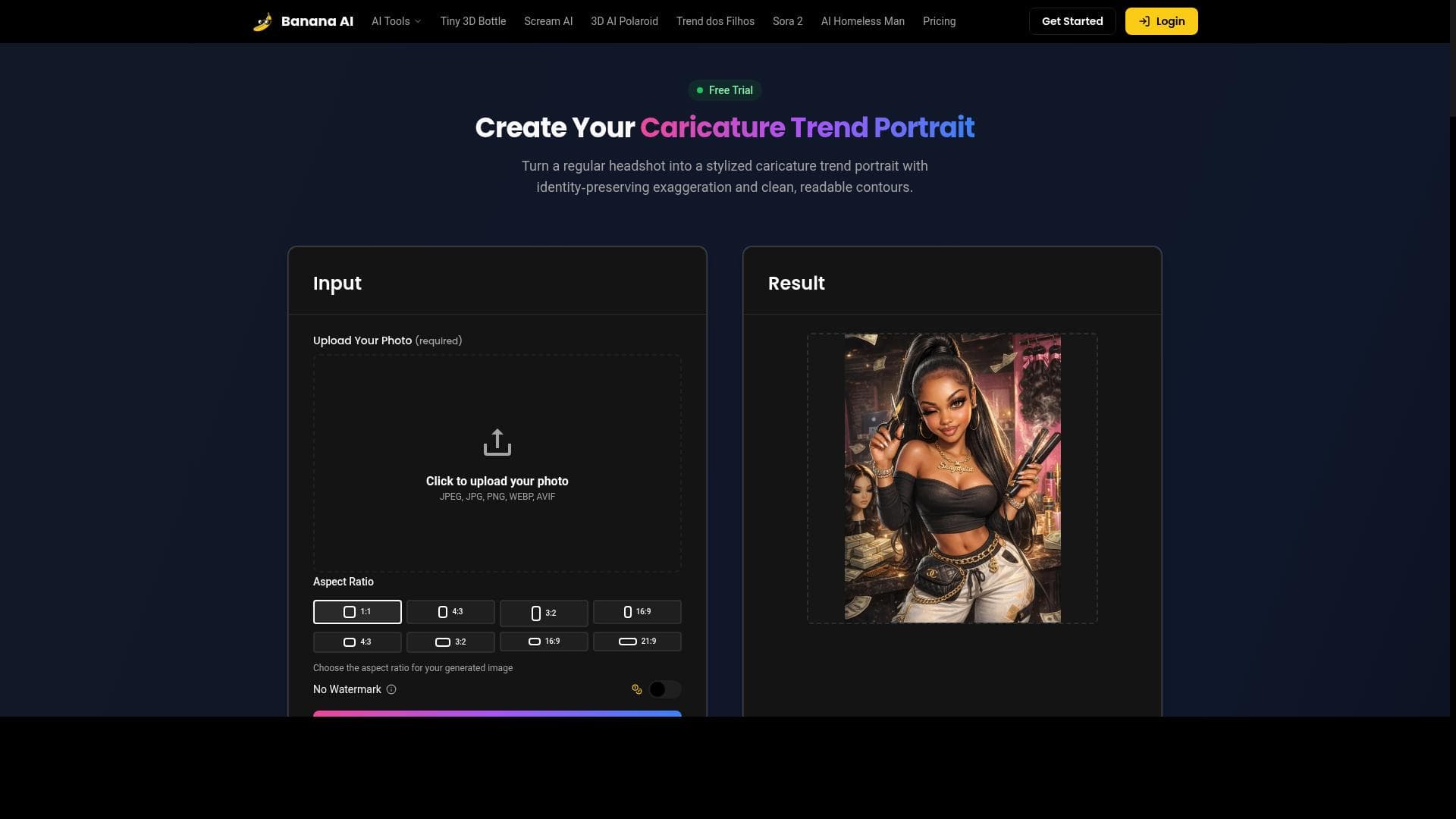
Caricature maker is a free AI-powered tool that transforms your photos into artistic caricatures, restores vintage images, and enhances e-commerce product photos with ease. Perfect for artists, families, and online sellers, it combines style transfer, restoration, and editing in one fast, creative platform.
Description
Artistic Style Transfer Apply the look of any artwork or photo to your image — preserving subject structure while transferring style, colors, and brush strokes. Vintage Photo Restoration Bring old memories back to life with Banana AI's advanced restoration capabilities. Remove scratches, enhance faded colors, and add missing details to preserve family history. E-commerce Product Editing Create stunning product imagery for online stores with Banana AI. Change backgrounds, adjust lighting, and maintain perfect product consistency across your entire catalog.
Detailed Description
Caricature maker is an innovative AI-powered tool designed to transform ordinary photos into artistic caricature portraits and stylized images with ease and speed. At its core, the tool leverages advanced artistic style transfer technology to apply the look and feel of any artwork or photo onto your images, preserving the original subject's structure while creatively transferring style, colors, and brush strokes. This unique capability allows users to generate visually striking caricature trend photos that stand out, making it ideal for personal expression, social media content, and creative projects. Beyond caricature creation, Caricature maker offers robust vintage photo restoration features. Using Banana AI's advanced restoration algorithms, it can breathe new life into old and damaged photographs by removing scratches, enhancing faded colors, and reconstructing missing details. This makes it an invaluable tool for preserving family history and cherished memories in a digital format with remarkable clarity and vibrancy. Additionally, the tool caters to e-commerce professionals by providing powerful product image editing functionalities. Users can effortlessly change backgrounds, adjust lighting, and ensure consistent product presentation across their entire catalog. This capability helps online retailers create stunning and professional product imagery that attracts customers and boosts sales. Key features include the ability to upload photos and instantly generate stylized caricature portraits, fast and easy photo transformation processes, AI-powered image generation that ensures high-quality outputs, and a suite of creative and artistic photo editing tools. These features combine to offer a versatile platform that meets the needs of artists, photographers, marketers, and everyday users alike. Caricature maker is best suited for individuals and professionals who want to add artistic flair to their images without requiring advanced graphic design skills. Artists and content creators can use it to experiment with new styles and produce unique visuals. Vintage photo enthusiasts and families looking to restore old photographs will find its restoration tools invaluable. E-commerce businesses benefit from streamlined product image editing that maintains brand consistency and enhances visual appeal. One of the most attractive aspects of Caricature maker is that it is available for free, making it accessible to a wide audience. Unlike many competing tools that require subscriptions or pay-per-use fees, this tool offers its full range of features without cost, lowering the barrier to entry for creative experimentation and professional use. Compared to alternatives, Caricature maker stands out due to its combination of artistic style transfer, photo restoration, and e-commerce editing capabilities all in one platform. While other tools might specialize in one area, this tool provides a comprehensive suite that covers multiple creative needs. Its AI-powered engine ensures fast processing and high-quality results, which can be superior to manual editing or less sophisticated software. However, users should consider that as a free tool, there may be limitations in terms of advanced customization options or batch processing capabilities found in premium software. Additionally, the quality of output can depend on the input image resolution and complexity. Users seeking extremely high-resolution commercial-grade outputs or highly specialized editing might need to complement this tool with professional software. Overall, Caricature maker offers a compelling, easy-to-use solution for anyone looking to creatively transform photos, restore vintage images, or enhance product photography. Its free pricing, combined with powerful AI-driven features, makes it a valuable addition to the toolkit of artists, families, and online retailers alike.
Tool Features
- Generate caricature trend photos from your images
- Upload a photo to create stylized caricature portraits instantly
- Fast and easy transformation of photos
- AI-powered image generation
- Creative and artistic photo editing
Description
✦
Caricature maker is a free AI-powered tool that transforms your photos into artistic caricatures, restores vintage images, and enhances e-commerce product photos with ease. Perfect for artists, families, and online sellers, it combines style transfer, restoration, and editing in one fast, creative platform.
Artistic Style Transfer Apply the look of any artwork or photo to your image — preserving subject structure while transferring style, colors, and brush strokes. Vintage Photo Restoration Bring old memories back to life with Banana AI's advanced restoration capabilities. Remove scratches, enhance faded colors, and add missing details to preserve family history. E-commerce Product Editing Create stunning product imagery for online stores with Banana AI. Change backgrounds, adjust lighting, and maintain perfect product consistency across your entire catalog.
Detailed Description
Caricature maker is an innovative AI-powered tool designed to transform ordinary photos into artistic caricature portraits and stylized images with ease and speed. At its core, the tool leverages advanced artistic style transfer technology to apply the look and feel of any artwork or photo onto your images, preserving the original subject's structure while creatively transferring style, colors, and brush strokes. This unique capability allows users to generate visually striking caricature trend photos that stand out, making it ideal for personal expression, social media content, and creative projects. Beyond caricature creation, Caricature maker offers robust vintage photo restoration features. Using Banana AI's advanced restoration algorithms, it can breathe new life into old and damaged photographs by removing scratches, enhancing faded colors, and reconstructing missing details. This makes it an invaluable tool for preserving family history and cherished memories in a digital format with remarkable clarity and vibrancy. Additionally, the tool caters to e-commerce professionals by providing powerful product image editing functionalities. Users can effortlessly change backgrounds, adjust lighting, and ensure consistent product presentation across their entire catalog. This capability helps online retailers create stunning and professional product imagery that attracts customers and boosts sales. Key features include the ability to upload photos and instantly generate stylized caricature portraits, fast and easy photo transformation processes, AI-powered image generation that ensures high-quality outputs, and a suite of creative and artistic photo editing tools. These features combine to offer a versatile platform that meets the needs of artists, photographers, marketers, and everyday users alike. Caricature maker is best suited for individuals and professionals who want to add artistic flair to their images without requiring advanced graphic design skills. Artists and content creators can use it to experiment with new styles and produce unique visuals. Vintage photo enthusiasts and families looking to restore old photographs will find its restoration tools invaluable. E-commerce businesses benefit from streamlined product image editing that maintains brand consistency and enhances visual appeal. One of the most attractive aspects of Caricature maker is that it is available for free, making it accessible to a wide audience. Unlike many competing tools that require subscriptions or pay-per-use fees, this tool offers its full range of features without cost, lowering the barrier to entry for creative experimentation and professional use. Compared to alternatives, Caricature maker stands out due to its combination of artistic style transfer, photo restoration, and e-commerce editing capabilities all in one platform. While other tools might specialize in one area, this tool provides a comprehensive suite that covers multiple creative needs. Its AI-powered engine ensures fast processing and high-quality results, which can be superior to manual editing or less sophisticated software. However, users should consider that as a free tool, there may be limitations in terms of advanced customization options or batch processing capabilities found in premium software. Additionally, the quality of output can depend on the input image resolution and complexity. Users seeking extremely high-resolution commercial-grade outputs or highly specialized editing might need to complement this tool with professional software. Overall, Caricature maker offers a compelling, easy-to-use solution for anyone looking to creatively transform photos, restore vintage images, or enhance product photography. Its free pricing, combined with powerful AI-driven features, makes it a valuable addition to the toolkit of artists, families, and online retailers alike.
Frequently Asked Questions
What is Caricature maker?
Caricature maker is an AI-driven tool that converts your photos into stylized caricature portraits using artistic style transfer, restores vintage photos by removing damage and enhancing colors, and edits e-commerce product images to improve their visual appeal.
How much does Caricature maker cost?
Caricature maker is available for free, providing full access to its features without any subscription or payment requirements.
Who is Caricature maker best for?
It is ideal for artists, content creators, families looking to restore old photos, and e-commerce businesses needing consistent, high-quality product images.
What are the main features of Caricature maker?
Key features include generating caricature trend photos, instant stylized portrait creation, fast photo transformations, AI-powered image generation, vintage photo restoration, and e-commerce product image editing.
Does Caricature maker offer a free trial?
Yes, the tool is completely free to use, so no trial is necessary.
What integrations does Caricature maker support?
Currently, Caricature maker operates as a standalone web-based tool and does not list specific integrations with other platforms.
How does Caricature maker work?
Users upload a photo, and the AI engine applies artistic style transfer to create caricature portraits or uses restoration algorithms to enhance vintage photos. For product images, it allows background changes and lighting adjustments to produce consistent, appealing visuals.
Reviews
0 reviews
No reviews yet. Be the first to share your experience.
Sponsored Tools







































Recommended Tools
Stay updated on latest Ai tools
Get the latest insights, Join our newsletter
Read and trusted by 50,000+ readers
Join the biggest AI Community
Our community and staff are here to help!
Your feedback will help Alice AI improve in future versions.







Submit your Tool


PoweredByAI.app is an AI Tools Directory helping individuals, businesses, and creators discover the best AI tools for writing, coding, design, productivity, and more.
© 2026 , Product of011BQ. All rights reserved.