🚀 Zaprep: Your Socials on Steroids. Start free — automate 1,000 DMs/month & turn engagement into leads. with 1,000 automated DMs/month.


Is this your AI tool? Claim it today.
Verify ownership, manage your profile, and unlock growth features.
CalcGen AI revolutionizes data visualization by enabling users to create beautiful, interactive charts effortlessly using their own data or AI-assisted research. Perfect for business professionals, educators, and researchers, it combines customization, ease of use, and seamless sharing to make data storytelling both fun and impactful.

Description
Data Viz has never been this much fun! Beautiful, interactive, customizable charts and graphing calculators in moments- Use your data, or let our agent research it for you. Simply describe what you want plotted, and what you want to control. Happy Charting!
Detailed Description
CalcGen AI is an innovative data visualization tool designed to transform the way users create charts and interactive graphs. Its core purpose is to simplify and enhance the data visualization process by allowing users to generate beautiful, customizable, and interactive visualizations quickly and effortlessly. Whether you have your own dataset or want to leverage CalcGen AI's built-in research capabilities, the platform enables you to describe exactly what you want to plot and control, making data visualization accessible even to those without technical expertise. This approach not only saves time but also empowers users to explore data insights dynamically and intuitively. One of the standout features of CalcGen AI is its ability to generate custom visualizations based on user input and data. Users can include a wide range of parameters such as variables, limits, categories, sorting options, and filters to tailor the visual output precisely to their needs. This level of customization ensures that the charts and graphs are not only visually appealing but also highly relevant and informative. The platform supports interactive elements, allowing viewers to engage with the data by zooming, filtering, or drilling down into specific segments, which enhances the overall analytical experience. CalcGen AI also facilitates easy sharing and embedding of visualizations. Once a chart or graph is created, users can share it directly with colleagues or clients or embed it seamlessly into websites, blogs, or presentations. This feature is particularly valuable for businesses and content creators who want to integrate dynamic data visuals into their communications without relying on static images or complex coding. The tool is best suited for a diverse audience including business analysts, marketers, educators, researchers, and anyone who works with data regularly. For business professionals, CalcGen AI can help visualize sales trends, customer segmentation, or financial forecasts. Educators can create interactive teaching aids, while researchers can illustrate complex datasets in an accessible format. Its user-friendly interface and AI-driven assistance make it ideal for both beginners and experienced data practitioners. CalcGen AI operates on a freemium pricing model, offering a free tier that provides access to basic features and a limited number of visualizations. This allows users to test the platform and create simple charts without upfront costs. For more advanced needs, such as higher usage limits, additional customization options, and priority support, paid plans are available. These plans cater to professional and enterprise users who require robust capabilities and scalability. Compared to traditional data visualization tools, CalcGen AI stands out due to its AI-powered approach that reduces the complexity of creating interactive charts. Unlike static charting software or manual coding solutions, CalcGen AI leverages natural language input and intelligent data handling to streamline the visualization process. While other platforms may require extensive setup or technical knowledge, CalcGen AI’s intuitive interface and agent-assisted data research provide a significant advantage in speed and ease of use. However, users should consider that as a relatively new tool, CalcGen AI might have limitations in terms of integration with certain third-party data sources or advanced analytics features found in more mature platforms. Additionally, while the freemium model is generous, some advanced customization and higher usage tiers require paid subscriptions, which may be a consideration for budget-conscious users. Overall, CalcGen AI offers a compelling blend of simplicity, interactivity, and AI-driven assistance, making it a valuable tool for anyone looking to bring their data to life with engaging visualizations.
Tool Features
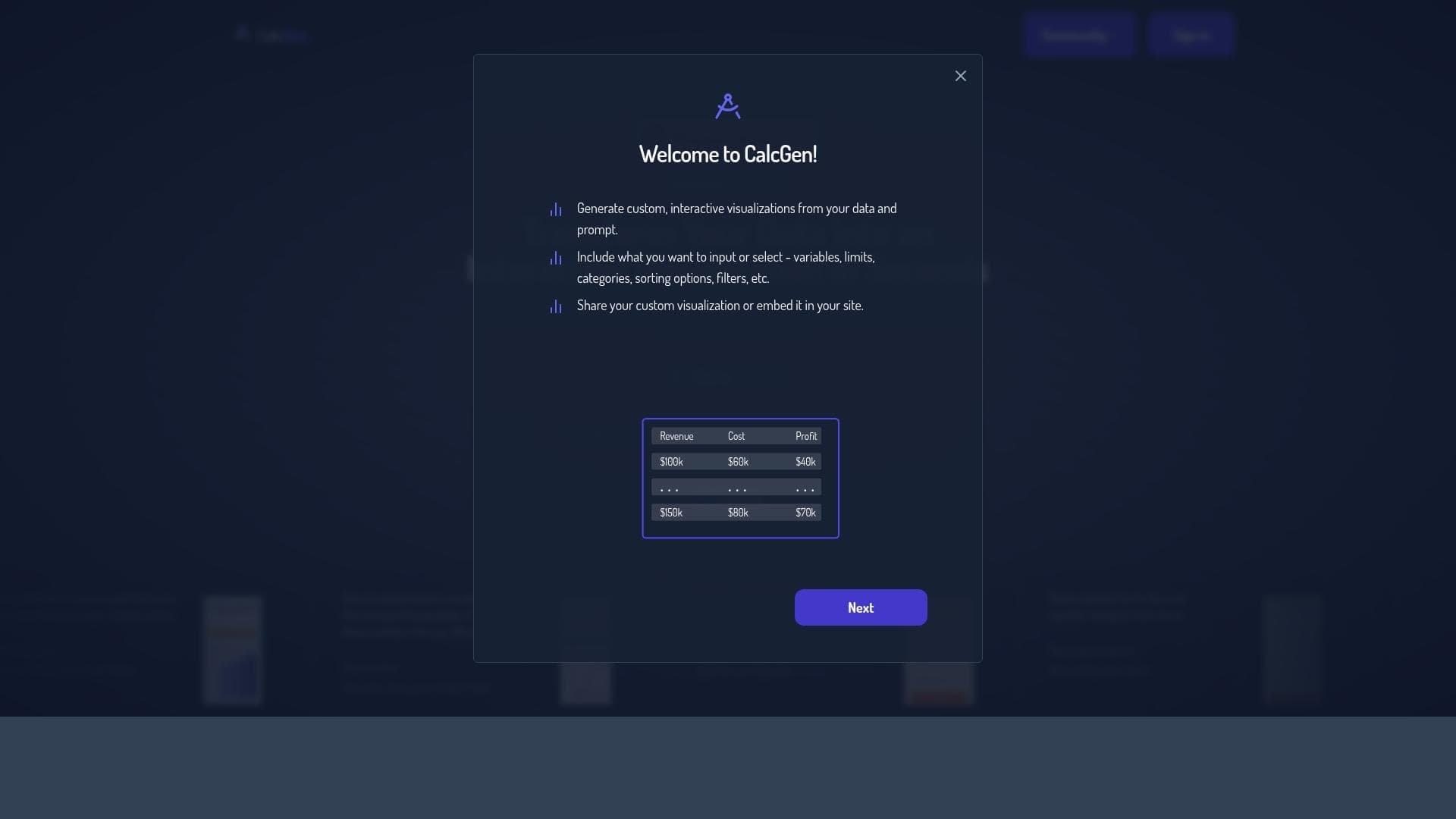
- Generate custom, interactive visualizations from your data and prompt
- Include variables, limits, categories, sorting options, filters, etc. as input
- Share your custom visualization or embed it in your site
Description
CalcGen AI revolutionizes data visualization by enabling users to create beautiful, interactive charts effortlessly using their own data or AI-assisted research. Perfect for business professionals, educators, and researchers, it combines customization, ease of use, and seamless sharing to make data storytelling both fun and impactful.
Data Viz has never been this much fun! Beautiful, interactive, customizable charts and graphing calculators in moments- Use your data, or let our agent research it for you. Simply describe what you want plotted, and what you want to control. Happy Charting!
Detailed Description
CalcGen AI is an innovative data visualization tool designed to transform the way users create charts and interactive graphs. Its core purpose is to simplify and enhance the data visualization process by allowing users to generate beautiful, customizable, and interactive visualizations quickly and effortlessly. Whether you have your own dataset or want to leverage CalcGen AI's built-in research capabilities, the platform enables you to describe exactly what you want to plot and control, making data visualization accessible even to those without technical expertise. This approach not only saves time but also empowers users to explore data insights dynamically and intuitively. One of the standout features of CalcGen AI is its ability to generate custom visualizations based on user input and data. Users can include a wide range of parameters such as variables, limits, categories, sorting options, and filters to tailor the visual output precisely to their needs. This level of customization ensures that the charts and graphs are not only visually appealing but also highly relevant and informative. The platform supports interactive elements, allowing viewers to engage with the data by zooming, filtering, or drilling down into specific segments, which enhances the overall analytical experience. CalcGen AI also facilitates easy sharing and embedding of visualizations. Once a chart or graph is created, users can share it directly with colleagues or clients or embed it seamlessly into websites, blogs, or presentations. This feature is particularly valuable for businesses and content creators who want to integrate dynamic data visuals into their communications without relying on static images or complex coding. The tool is best suited for a diverse audience including business analysts, marketers, educators, researchers, and anyone who works with data regularly. For business professionals, CalcGen AI can help visualize sales trends, customer segmentation, or financial forecasts. Educators can create interactive teaching aids, while researchers can illustrate complex datasets in an accessible format. Its user-friendly interface and AI-driven assistance make it ideal for both beginners and experienced data practitioners. CalcGen AI operates on a freemium pricing model, offering a free tier that provides access to basic features and a limited number of visualizations. This allows users to test the platform and create simple charts without upfront costs. For more advanced needs, such as higher usage limits, additional customization options, and priority support, paid plans are available. These plans cater to professional and enterprise users who require robust capabilities and scalability. Compared to traditional data visualization tools, CalcGen AI stands out due to its AI-powered approach that reduces the complexity of creating interactive charts. Unlike static charting software or manual coding solutions, CalcGen AI leverages natural language input and intelligent data handling to streamline the visualization process. While other platforms may require extensive setup or technical knowledge, CalcGen AI’s intuitive interface and agent-assisted data research provide a significant advantage in speed and ease of use. However, users should consider that as a relatively new tool, CalcGen AI might have limitations in terms of integration with certain third-party data sources or advanced analytics features found in more mature platforms. Additionally, while the freemium model is generous, some advanced customization and higher usage tiers require paid subscriptions, which may be a consideration for budget-conscious users. Overall, CalcGen AI offers a compelling blend of simplicity, interactivity, and AI-driven assistance, making it a valuable tool for anyone looking to bring their data to life with engaging visualizations.
Frequently Asked Questions
What is CalcGen AI?
CalcGen AI is an AI-powered data visualization tool that allows users to create beautiful, interactive, and customizable charts and graphing calculators quickly by using their own data or letting the AI agent research data for them.
How much does CalcGen AI cost?
CalcGen AI offers a freemium pricing model with a free tier providing basic features and limited visualizations. Paid plans with advanced features, higher usage limits, and priority support are available for professional and enterprise users.
Who is CalcGen AI best for?
CalcGen AI is ideal for business analysts, marketers, educators, researchers, and anyone who needs to create interactive and customizable data visualizations without requiring extensive technical skills.
What are the main features of CalcGen AI?
Key features include generating custom, interactive visualizations from user data and prompts, incorporating variables, limits, categories, sorting options, and filters, as well as sharing or embedding visualizations on websites or presentations.
Does CalcGen AI offer a free trial?
Yes, CalcGen AI provides a free tier that allows users to access basic features and create a limited number of visualizations to try the platform before upgrading to paid plans.
What integrations does CalcGen AI support?
While specific third-party integrations are not detailed, CalcGen AI allows users to upload their own data and also lets its AI agent research data, facilitating flexible data input methods for visualization.
How does CalcGen AI work?
Users describe what they want to plot and control, upload their data or use the AI agent to research data, then customize variables, limits, categories, and filters. CalcGen AI then generates interactive, customizable charts that can be shared or embedded.
Reviews
No reviews yet. Be the first to share your experience.
Sponsored Tools







































Recommended Tools
Stay updated on latest Ai tools
Get the latest insights, Join our newsletter
Read and trusted by 50,000+ readers
Join the biggest AI Community
Our community and staff are here to help!
Your feedback will help Alice AI improve in future versions.







Submit your Tool


PoweredByAI.app is an AI Tools Directory helping individuals, businesses, and creators discover the best AI tools for writing, coding, design, productivity, and more.
© 2026 , Product of011BQ. All rights reserved.