Featured in:Best AI Writing Tools
Get featured →🚀 Zaprep: Your Socials on Steroids. Start free — automate 1,000 DMs/month & turn engagement into leads. with 1,000 automated DMs/month.


✦
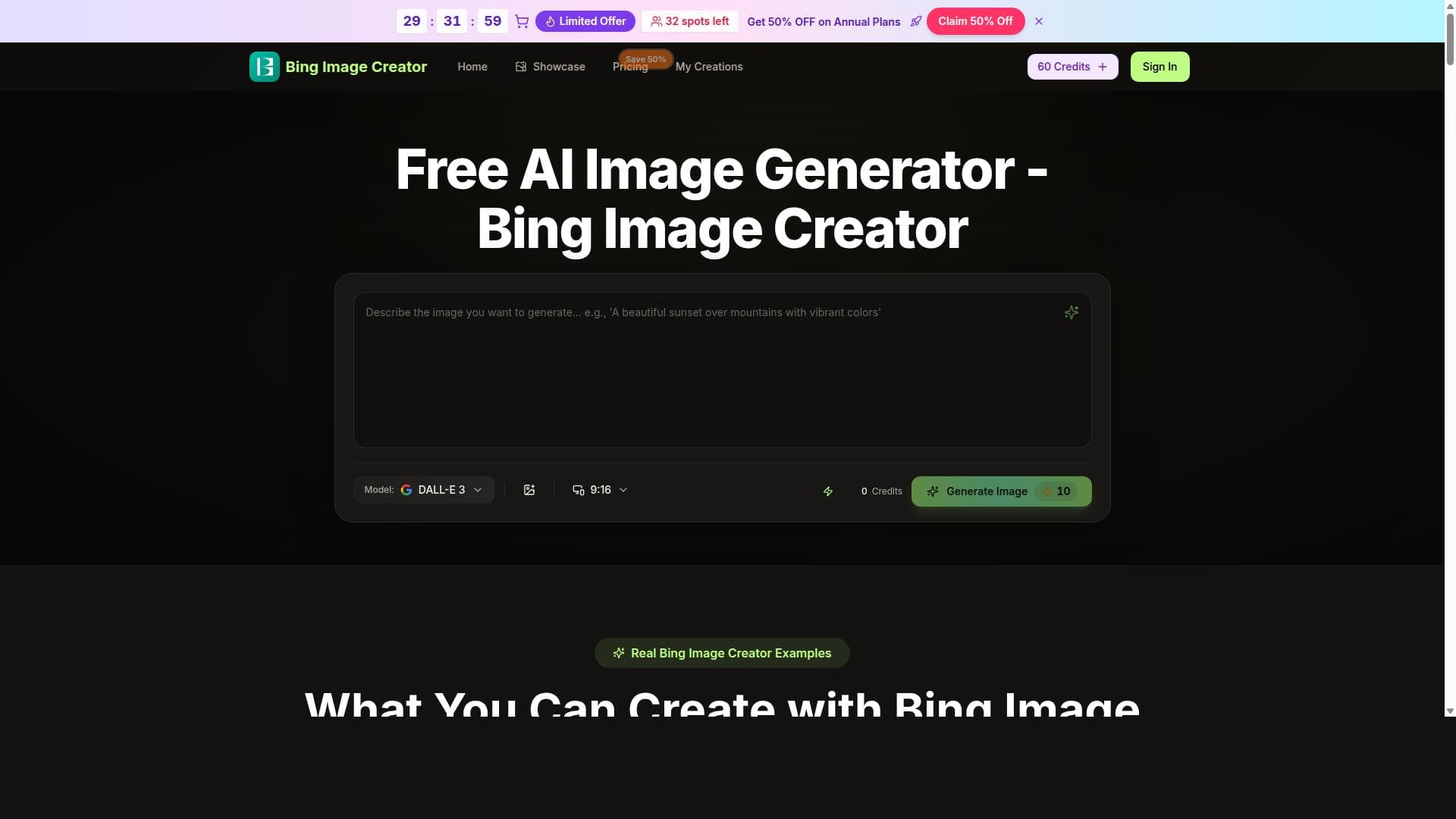
Bing Image Creator harnesses Microsoft Bing's AI technology to generate professional 4K images from simple text prompts, offering a free and user-friendly platform for image creation and editing. Ideal for designers, marketers, and creatives seeking high-quality visuals without complex tools, it revolutionizes how images are produced and enhanced online.

Description
Bing Image Creator revolutionizes AI image creation by allowing users to create professional 4K images using simple text prompts. Powered by Microsoft Bing AI Image technology, it offers a free and accessible platform for AI image generation and editing worldwide.
Detailed Description
Bing Image Creator is an innovative AI-powered platform designed to transform the way users generate and edit images through the power of artificial intelligence. At its core, this tool enables users to create stunning, professional-quality 4K images simply by inputting descriptive text prompts. Leveraging Microsoft Bing's advanced AI image technology, Bing Image Creator offers a seamless and intuitive experience for both novices and professionals seeking to produce high-resolution visuals without the need for complex graphic design skills or expensive software. The platform's accessibility and free usage model make it a compelling choice for a wide range of users worldwide. One of the standout features of Bing Image Creator is its ability to interpret natural language prompts and translate them into visually compelling images. Users can describe scenes, objects, or concepts in plain text, and the AI generates detailed images that match the description with remarkable accuracy and creativity. Beyond image generation, the tool also supports AI-driven image editing, allowing users to transform and enhance existing images based on textual instructions. This dual functionality of creation and editing powered by Microsoft Bing AI technology ensures users have a versatile tool for various creative needs. The platform produces images in professional 4K resolution, ensuring that outputs are suitable for high-quality presentations, marketing materials, social media content, and even print media. This high resolution is particularly beneficial for designers, marketers, content creators, and businesses that require sharp, detailed visuals to engage their audiences effectively. Additionally, the online nature of Bing Image Creator means users can access the tool from any device with internet connectivity, removing barriers related to software installation or hardware limitations. Bing Image Creator is ideal for a diverse audience including graphic designers looking for quick concept visuals, marketers needing unique images for campaigns, educators creating engaging content, and hobbyists exploring AI art creation. Its ease of use and free access make it especially attractive for startups and small businesses that may lack the budget for traditional design resources. The tool’s ability to quickly generate and refine images based on text prompts accelerates creative workflows and opens new possibilities for visual storytelling. In terms of pricing, Bing Image Creator is offered entirely free of charge. This no-cost access democratizes AI image generation, allowing anyone to experiment with and benefit from cutting-edge AI technology without financial commitment. Unlike many competitors that operate on subscription or pay-per-use models, Bing Image Creator’s free availability is a significant advantage for users seeking cost-effective creative solutions. When compared to alternative AI image generation tools, Bing Image Creator stands out due to its integration with Microsoft Bing’s AI infrastructure, which ensures robust performance and high-quality outputs. While other platforms may offer similar text-to-image capabilities, Bing Image Creator’s focus on 4K resolution and free access provides a unique value proposition. However, some competitors might offer more extensive customization options or specialized features tailored to niche industries, which could be a consideration depending on user needs. Despite its many strengths, users should be aware of certain limitations. As with any AI-generated content, the accuracy and relevance of images depend heavily on the clarity and specificity of the input prompts. Complex or abstract requests might yield unpredictable results. Additionally, while the platform excels at creating and editing images from text, it may not yet support advanced manual editing tools found in traditional graphic design software. Users requiring intricate design control might need to supplement Bing Image Creator with other tools. Lastly, as a free online service, performance can be influenced by internet connectivity and server load. Overall, Bing Image Creator is a powerful, accessible, and cost-effective AI image generation tool that empowers users to create high-quality visuals effortlessly. Its combination of Microsoft’s AI technology, professional-grade 4K output, and free usage makes it an excellent choice for a broad spectrum of creative professionals and enthusiasts.
Tool Features
- AI image editing from text prompts
- Creates professional 4K images
- Powered by Microsoft Bing AI Image technology
- Online free usage
- Transforms and enhances images
Description
✦
Bing Image Creator harnesses Microsoft Bing's AI technology to generate professional 4K images from simple text prompts, offering a free and user-friendly platform for image creation and editing. Ideal for designers, marketers, and creatives seeking high-quality visuals without complex tools, it revolutionizes how images are produced and enhanced online.
Bing Image Creator revolutionizes AI image creation by allowing users to create professional 4K images using simple text prompts. Powered by Microsoft Bing AI Image technology, it offers a free and accessible platform for AI image generation and editing worldwide.
Detailed Description
Bing Image Creator is an innovative AI-powered platform designed to transform the way users generate and edit images through the power of artificial intelligence. At its core, this tool enables users to create stunning, professional-quality 4K images simply by inputting descriptive text prompts. Leveraging Microsoft Bing's advanced AI image technology, Bing Image Creator offers a seamless and intuitive experience for both novices and professionals seeking to produce high-resolution visuals without the need for complex graphic design skills or expensive software. The platform's accessibility and free usage model make it a compelling choice for a wide range of users worldwide. One of the standout features of Bing Image Creator is its ability to interpret natural language prompts and translate them into visually compelling images. Users can describe scenes, objects, or concepts in plain text, and the AI generates detailed images that match the description with remarkable accuracy and creativity. Beyond image generation, the tool also supports AI-driven image editing, allowing users to transform and enhance existing images based on textual instructions. This dual functionality of creation and editing powered by Microsoft Bing AI technology ensures users have a versatile tool for various creative needs. The platform produces images in professional 4K resolution, ensuring that outputs are suitable for high-quality presentations, marketing materials, social media content, and even print media. This high resolution is particularly beneficial for designers, marketers, content creators, and businesses that require sharp, detailed visuals to engage their audiences effectively. Additionally, the online nature of Bing Image Creator means users can access the tool from any device with internet connectivity, removing barriers related to software installation or hardware limitations. Bing Image Creator is ideal for a diverse audience including graphic designers looking for quick concept visuals, marketers needing unique images for campaigns, educators creating engaging content, and hobbyists exploring AI art creation. Its ease of use and free access make it especially attractive for startups and small businesses that may lack the budget for traditional design resources. The tool’s ability to quickly generate and refine images based on text prompts accelerates creative workflows and opens new possibilities for visual storytelling. In terms of pricing, Bing Image Creator is offered entirely free of charge. This no-cost access democratizes AI image generation, allowing anyone to experiment with and benefit from cutting-edge AI technology without financial commitment. Unlike many competitors that operate on subscription or pay-per-use models, Bing Image Creator’s free availability is a significant advantage for users seeking cost-effective creative solutions. When compared to alternative AI image generation tools, Bing Image Creator stands out due to its integration with Microsoft Bing’s AI infrastructure, which ensures robust performance and high-quality outputs. While other platforms may offer similar text-to-image capabilities, Bing Image Creator’s focus on 4K resolution and free access provides a unique value proposition. However, some competitors might offer more extensive customization options or specialized features tailored to niche industries, which could be a consideration depending on user needs. Despite its many strengths, users should be aware of certain limitations. As with any AI-generated content, the accuracy and relevance of images depend heavily on the clarity and specificity of the input prompts. Complex or abstract requests might yield unpredictable results. Additionally, while the platform excels at creating and editing images from text, it may not yet support advanced manual editing tools found in traditional graphic design software. Users requiring intricate design control might need to supplement Bing Image Creator with other tools. Lastly, as a free online service, performance can be influenced by internet connectivity and server load. Overall, Bing Image Creator is a powerful, accessible, and cost-effective AI image generation tool that empowers users to create high-quality visuals effortlessly. Its combination of Microsoft’s AI technology, professional-grade 4K output, and free usage makes it an excellent choice for a broad spectrum of creative professionals and enthusiasts.
Frequently Asked Questions
What is Bing Image Creator?
Bing Image Creator is an AI-powered online tool that allows users to generate and edit professional-quality 4K images using simple text prompts. It leverages Microsoft Bing's AI image technology to create detailed visuals quickly and easily.
How much does Bing Image Creator cost?
Bing Image Creator is completely free to use, providing unrestricted access to its AI image generation and editing features without any subscription or payment required.
Who is Bing Image Creator best for?
It is best suited for graphic designers, marketers, content creators, educators, and hobbyists who need high-resolution images generated or enhanced quickly and without complex software.
What are the main features of Bing Image Creator?
Key features include AI image generation from text prompts, professional 4K image creation, AI-driven image editing and enhancement, powered by Microsoft Bing AI technology, and free online accessibility.
Does Bing Image Creator offer a free trial?
Since Bing Image Creator is free to use, there is no need for a trial period; users can access all features without any cost or time limitations.
What integrations does Bing Image Creator support?
Currently, Bing Image Creator operates as a standalone online platform and does not offer direct integrations with other software or services.
How does Bing Image Creator work?
Users input descriptive text prompts into the platform, and the AI interprets these prompts to generate or edit images in high-resolution 4K quality, utilizing Microsoft Bing's AI image technology.
Reviews
0 reviews
No reviews yet. Be the first to share your experience.
Sponsored Tools











































Recommended Tools
Stay updated on latest Ai tools
Get the latest insights, Join our newsletter
Read and trusted by 50,000+ readers
Join the biggest AI Community
Our community and staff are here to help!
Your feedback will help Alice AI improve in future versions.








Submit your Tool


PoweredByAI.app is an AI Tools Directory helping individuals, businesses, and creators discover the best AI tools for writing, coding, design, productivity, and more.
© 2026 , Product of011BQ. All rights reserved.