🚀 Zaprep: Your Socials on Steroids. Start free — automate 1,000 DMs/month & turn engagement into leads. with 1,000 automated DMs/month.
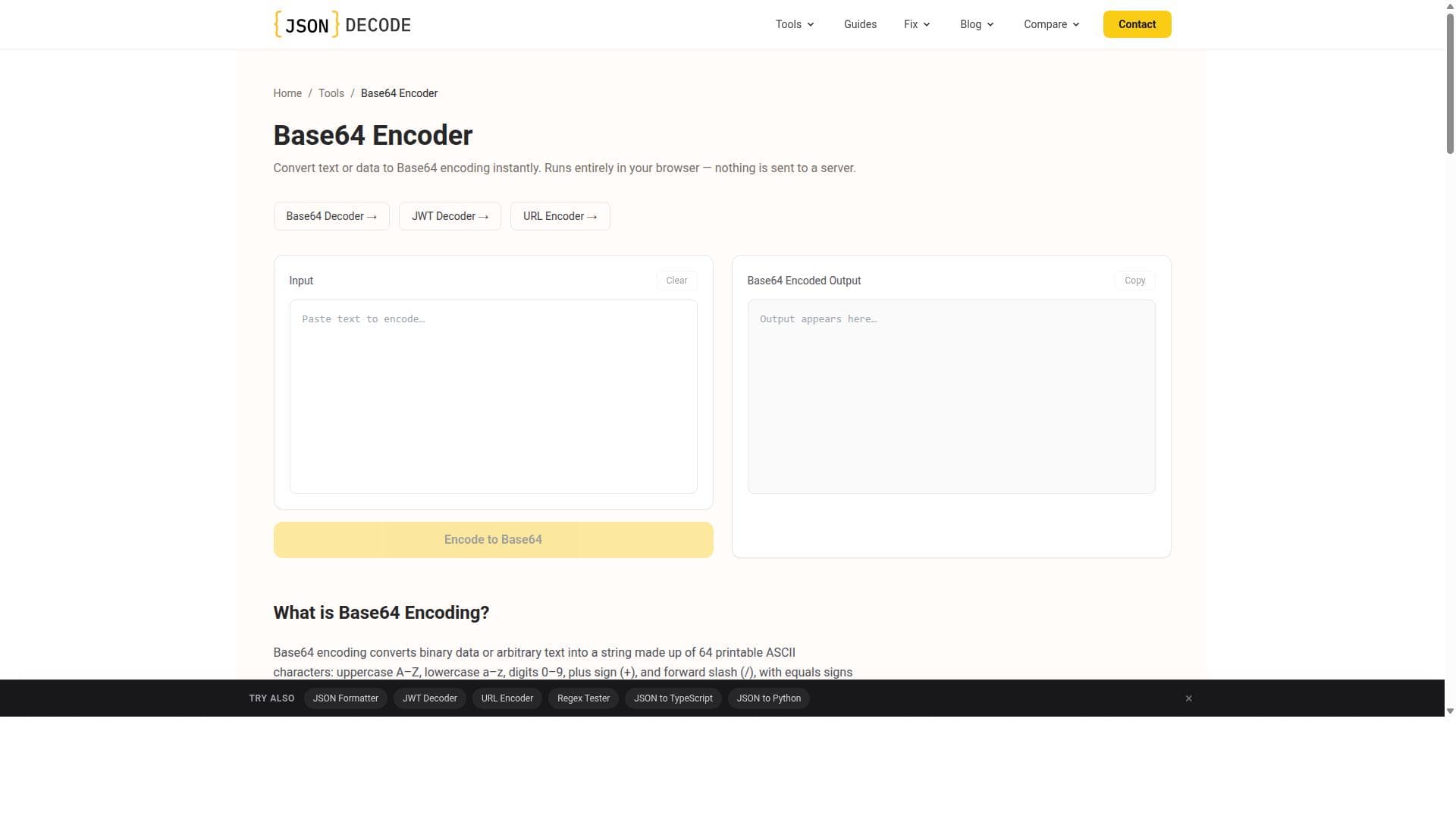


Base64 Encoder is a free, browser-based tool that instantly converts text or binary data into Base64 encoding while ensuring complete privacy by processing everything locally. Perfect for developers, IT professionals, and anyone needing quick, secure encoding without ads or sign-ups.

Description
Base64 Encoder is a free online tool that allows users to convert any text or binary data into Base64 encoding instantly within their browser. It handles UTF-8 encoding correctly and ensures that no data is sent to any server, providing privacy and security.
Detailed Description
Base64 Encoder is a specialized online utility designed to convert any given text or binary data into Base64 encoding quickly and securely, all within the user's web browser. Base64 encoding is a widely used method to represent binary data in an ASCII string format by translating it into a radix-64 representation. This tool’s core purpose is to provide a seamless, instant, and privacy-focused way to encode data without the need for any software installation or server interaction. Users simply input their data, and the tool instantly outputs the Base64 encoded string, making it highly convenient for developers, IT professionals, and anyone needing to encode data for web applications, email attachments, or data serialization. One of the standout features of Base64 Encoder is its correct handling of UTF-8 encoding. This ensures that text containing special characters, emojis, or non-Latin alphabets is accurately converted without data corruption or loss. Unlike some encoding tools that mishandle character sets, this tool guarantees fidelity in the encoded output. Additionally, the entire encoding process happens locally within the browser, meaning no data is transmitted to any external server. This design choice prioritizes user privacy and security, making it suitable for sensitive or confidential data encoding tasks. The tool is also completely free to use, with no advertisements or sign-up requirements, offering an uninterrupted and user-friendly experience. Base64 Encoder is ideal for a broad spectrum of users. Developers often use it to encode binary files like images or documents to embed them in HTML, CSS, or JSON files. Email marketers and IT professionals use Base64 encoding to safely transmit attachments or embed images within emails. Students and educators dealing with data encoding exercises will find it straightforward and accessible. Because it operates entirely in the browser, it is platform-independent and works on any device with internet access, including desktops, tablets, and smartphones. This flexibility makes it a handy tool for quick encoding tasks on the go. Regarding pricing, Base64 Encoder is entirely free with no hidden costs or premium tiers. Users can access all features without any limitations or the need to create an account. This open-access model contrasts with many other encoding tools that may require subscriptions or impose usage caps. When compared to alternative Base64 encoding tools, Base64 Encoder stands out due to its privacy-first approach and ease of use. Many online encoders send data to servers for processing, which can be a privacy concern. Others may require software downloads or have intrusive ads. This tool’s browser-based, no-server model combined with an ad-free interface offers a superior user experience. However, it focuses solely on encoding and does not provide decoding or batch processing features, which some competitors might offer. A few limitations to consider include the lack of advanced features such as decoding, file uploads for direct binary encoding, or API access for programmatic use. Users requiring these capabilities might need to look for more comprehensive encoding suites. Additionally, since the tool runs entirely in the browser, extremely large files might be limited by browser memory constraints. Despite these minor considerations, Base64 Encoder remains an excellent choice for quick, secure, and accurate Base64 encoding needs without any cost or complexity.
Tool Features
- Convert text to Base64 encoding instantly in your browser
- Handles UTF-8 encoding correctly
- No data sent to server ensuring privacy
- Free to use with no ads and no sign-up required
Description
Base64 Encoder is a free, browser-based tool that instantly converts text or binary data into Base64 encoding while ensuring complete privacy by processing everything locally. Perfect for developers, IT professionals, and anyone needing quick, secure encoding without ads or sign-ups.
Base64 Encoder is a free online tool that allows users to convert any text or binary data into Base64 encoding instantly within their browser. It handles UTF-8 encoding correctly and ensures that no data is sent to any server, providing privacy and security.
Detailed Description
Base64 Encoder is a specialized online utility designed to convert any given text or binary data into Base64 encoding quickly and securely, all within the user's web browser. Base64 encoding is a widely used method to represent binary data in an ASCII string format by translating it into a radix-64 representation. This tool’s core purpose is to provide a seamless, instant, and privacy-focused way to encode data without the need for any software installation or server interaction. Users simply input their data, and the tool instantly outputs the Base64 encoded string, making it highly convenient for developers, IT professionals, and anyone needing to encode data for web applications, email attachments, or data serialization. One of the standout features of Base64 Encoder is its correct handling of UTF-8 encoding. This ensures that text containing special characters, emojis, or non-Latin alphabets is accurately converted without data corruption or loss. Unlike some encoding tools that mishandle character sets, this tool guarantees fidelity in the encoded output. Additionally, the entire encoding process happens locally within the browser, meaning no data is transmitted to any external server. This design choice prioritizes user privacy and security, making it suitable for sensitive or confidential data encoding tasks. The tool is also completely free to use, with no advertisements or sign-up requirements, offering an uninterrupted and user-friendly experience. Base64 Encoder is ideal for a broad spectrum of users. Developers often use it to encode binary files like images or documents to embed them in HTML, CSS, or JSON files. Email marketers and IT professionals use Base64 encoding to safely transmit attachments or embed images within emails. Students and educators dealing with data encoding exercises will find it straightforward and accessible. Because it operates entirely in the browser, it is platform-independent and works on any device with internet access, including desktops, tablets, and smartphones. This flexibility makes it a handy tool for quick encoding tasks on the go. Regarding pricing, Base64 Encoder is entirely free with no hidden costs or premium tiers. Users can access all features without any limitations or the need to create an account. This open-access model contrasts with many other encoding tools that may require subscriptions or impose usage caps. When compared to alternative Base64 encoding tools, Base64 Encoder stands out due to its privacy-first approach and ease of use. Many online encoders send data to servers for processing, which can be a privacy concern. Others may require software downloads or have intrusive ads. This tool’s browser-based, no-server model combined with an ad-free interface offers a superior user experience. However, it focuses solely on encoding and does not provide decoding or batch processing features, which some competitors might offer. A few limitations to consider include the lack of advanced features such as decoding, file uploads for direct binary encoding, or API access for programmatic use. Users requiring these capabilities might need to look for more comprehensive encoding suites. Additionally, since the tool runs entirely in the browser, extremely large files might be limited by browser memory constraints. Despite these minor considerations, Base64 Encoder remains an excellent choice for quick, secure, and accurate Base64 encoding needs without any cost or complexity.
Frequently Asked Questions
What is Base64 Encoder?
Base64 Encoder is a free online tool that converts text or binary data into Base64 encoding instantly within your browser, ensuring privacy by not sending any data to external servers.
How much does Base64 Encoder cost?
Base64 Encoder is completely free to use with no hidden fees, ads, or subscription requirements.
Who is Base64 Encoder best for?
It is ideal for developers, IT professionals, email marketers, students, and anyone needing quick and secure Base64 encoding without installing software.
What are the main features of Base64 Encoder?
Key features include instant Base64 encoding in-browser, correct handling of UTF-8 characters, no data sent to servers ensuring privacy, and a free, ad-free, no sign-up required experience.
Does Base64 Encoder offer a free trial?
Since Base64 Encoder is entirely free to use, there is no need for a trial or subscription.
What integrations does Base64 Encoder support?
Base64 Encoder operates as a standalone web tool and does not currently support integrations or API access.
How does Base64 Encoder work?
The tool processes your input text or binary data locally in your browser, converting it into Base64 encoding instantly without sending any data to external servers, thus maintaining privacy and security.
Socials
Use ToolReviews
No reviews yet. Be the first to share your experience.
Sponsored Tools

































Recommended Tools
Stay updated on latest Ai tools
Get the latest insights, Join our newsletter
Read and trusted by 50,000+ readers
Join the biggest AI Community
Our community and staff are here to help!
Your feedback will help Alice AI improve in future versions.







Submit your Tool


PoweredByAI.app is an AI Tools Directory helping individuals, businesses, and creators discover the best AI tools for writing, coding, design, productivity, and more.
© 2026 , Product of011BQ. All rights reserved.