🚀 Zaprep: Your Socials on Steroids. Start free — automate 1,000 DMs/month & turn engagement into leads. with 1,000 automated DMs/month.
Auto Mode by Claude Code


Is this your AI tool? Claim it today.
Verify ownership, manage your profile, and unlock growth features.
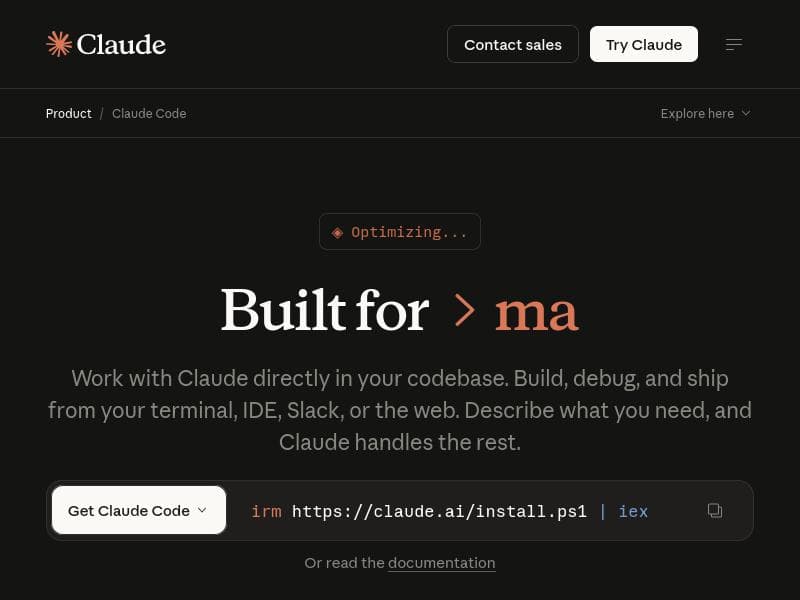
Auto Mode by Claude Code revolutionizes software development by autonomously approving safe file writes and bash commands while blocking risky actions, all powered by an intelligent classifier. Ideal for developers and teams working in isolated environments, it accelerates coding workflows with agentic AI assistance and seamless integrations, making code shipping faster and safer.

Description
Claude Code’s new auto mode lets Claude approve file writes and bash commands for you. A classifier checks each action: safe ones run automatically, risky ones get blocked and handled differently. Use in isolated environments.
Detailed Description
Auto Mode by Claude Code is an advanced AI-powered coding assistant designed to streamline and secure the software development workflow. At its core, this tool automates the approval process for file writes and bash commands by leveraging a sophisticated classifier that evaluates each action's safety. Safe operations are executed automatically, while potentially risky commands are blocked and managed through alternative workflows. This intelligent automation is particularly suited for use in isolated environments, ensuring that code changes and command executions happen with minimal manual intervention yet maximum safety. The primary purpose of Auto Mode is to accelerate the coding lifecycle by reducing the friction developers face when managing code edits and terminal commands, thereby speeding up the shipping of reliable software. One of the standout features of Auto Mode is its deep understanding of the entire codebase, which allows it to make context-aware decisions when editing files or running commands. Developers can directly edit files within their preferred terminal or integrated development environment (IDE), with the AI agent providing real-time assistance to debug issues and optimize code. This agentic AI approach means the tool doesn't just passively assist but actively participates in the coding process, making suggestions and executing safe operations autonomously. Integration capabilities further enhance its utility, as Auto Mode seamlessly connects with popular communication platforms like Slack and various web platforms, enabling teams to collaborate and monitor AI-driven code changes efficiently. Auto Mode is ideal for software engineers, DevOps professionals, and development teams who require a reliable and intelligent assistant to manage codebase modifications and command executions without sacrificing security. It is especially beneficial in environments where rapid iteration is critical but must be balanced with stringent safety protocols, such as in continuous integration/continuous deployment (CI/CD) pipelines or isolated sandbox environments. Use cases include automated code refactoring, debugging sessions, running deployment scripts, and managing infrastructure commands, all while maintaining a high level of oversight and control. Regarding pricing, Auto Mode is a paid product, reflecting its enterprise-grade capabilities and the value it delivers in accelerating development workflows. While specific pricing details are not publicly disclosed on the website, interested users typically need to contact Claude Code for customized plans tailored to their team size and usage requirements. This approach ensures that organizations receive the appropriate level of support and feature access based on their unique needs. When compared to alternative AI coding assistants, Auto Mode distinguishes itself through its classifier-based safety mechanism that automatically approves or blocks actions, reducing the need for constant human supervision. Many other tools offer AI-driven code suggestions or automation but lack this nuanced control over command execution safety. Additionally, its integration with Slack and web platforms facilitates smoother team collaboration, a feature not universally available in competing products. However, unlike some open-source or freemium AI coding tools, Auto Mode's paid model may limit accessibility for individual developers or small teams with constrained budgets. Potential limitations include the necessity to operate within isolated environments to maximize security, which might require additional infrastructure setup. Also, as with any AI-driven automation, there is a learning curve to fully trust and optimize the tool's autonomous decision-making capabilities. Users must remain vigilant about the classifier's accuracy in distinguishing safe versus risky actions, especially in complex or highly customized codebases. Finally, since pricing details are not openly available, prospective users should be prepared for a potentially higher investment compared to more basic AI coding assistants. In summary, Auto Mode by Claude Code offers a powerful, safety-conscious AI assistant that transforms how developers interact with their codebases and terminal commands. Its unique classifier system, deep codebase understanding, and integration features make it an excellent choice for teams aiming to accelerate development cycles without compromising security and control.
Tool Features
- Understands your entire codebase
- Edit files directly
- Run commands from terminal or IDE
- Debug issues
- Integrates with Slack and web platforms
- Agentic AI coding assistance
- Speeds up shipping of code
Description
Auto Mode by Claude Code revolutionizes software development by autonomously approving safe file writes and bash commands while blocking risky actions, all powered by an intelligent classifier. Ideal for developers and teams working in isolated environments, it accelerates coding workflows with agentic AI assistance and seamless integrations, making code shipping faster and safer.
Claude Code’s new auto mode lets Claude approve file writes and bash commands for you. A classifier checks each action: safe ones run automatically, risky ones get blocked and handled differently. Use in isolated environments.
Detailed Description
Auto Mode by Claude Code is an advanced AI-powered coding assistant designed to streamline and secure the software development workflow. At its core, this tool automates the approval process for file writes and bash commands by leveraging a sophisticated classifier that evaluates each action's safety. Safe operations are executed automatically, while potentially risky commands are blocked and managed through alternative workflows. This intelligent automation is particularly suited for use in isolated environments, ensuring that code changes and command executions happen with minimal manual intervention yet maximum safety. The primary purpose of Auto Mode is to accelerate the coding lifecycle by reducing the friction developers face when managing code edits and terminal commands, thereby speeding up the shipping of reliable software. One of the standout features of Auto Mode is its deep understanding of the entire codebase, which allows it to make context-aware decisions when editing files or running commands. Developers can directly edit files within their preferred terminal or integrated development environment (IDE), with the AI agent providing real-time assistance to debug issues and optimize code. This agentic AI approach means the tool doesn't just passively assist but actively participates in the coding process, making suggestions and executing safe operations autonomously. Integration capabilities further enhance its utility, as Auto Mode seamlessly connects with popular communication platforms like Slack and various web platforms, enabling teams to collaborate and monitor AI-driven code changes efficiently. Auto Mode is ideal for software engineers, DevOps professionals, and development teams who require a reliable and intelligent assistant to manage codebase modifications and command executions without sacrificing security. It is especially beneficial in environments where rapid iteration is critical but must be balanced with stringent safety protocols, such as in continuous integration/continuous deployment (CI/CD) pipelines or isolated sandbox environments. Use cases include automated code refactoring, debugging sessions, running deployment scripts, and managing infrastructure commands, all while maintaining a high level of oversight and control. Regarding pricing, Auto Mode is a paid product, reflecting its enterprise-grade capabilities and the value it delivers in accelerating development workflows. While specific pricing details are not publicly disclosed on the website, interested users typically need to contact Claude Code for customized plans tailored to their team size and usage requirements. This approach ensures that organizations receive the appropriate level of support and feature access based on their unique needs. When compared to alternative AI coding assistants, Auto Mode distinguishes itself through its classifier-based safety mechanism that automatically approves or blocks actions, reducing the need for constant human supervision. Many other tools offer AI-driven code suggestions or automation but lack this nuanced control over command execution safety. Additionally, its integration with Slack and web platforms facilitates smoother team collaboration, a feature not universally available in competing products. However, unlike some open-source or freemium AI coding tools, Auto Mode's paid model may limit accessibility for individual developers or small teams with constrained budgets. Potential limitations include the necessity to operate within isolated environments to maximize security, which might require additional infrastructure setup. Also, as with any AI-driven automation, there is a learning curve to fully trust and optimize the tool's autonomous decision-making capabilities. Users must remain vigilant about the classifier's accuracy in distinguishing safe versus risky actions, especially in complex or highly customized codebases. Finally, since pricing details are not openly available, prospective users should be prepared for a potentially higher investment compared to more basic AI coding assistants. In summary, Auto Mode by Claude Code offers a powerful, safety-conscious AI assistant that transforms how developers interact with their codebases and terminal commands. Its unique classifier system, deep codebase understanding, and integration features make it an excellent choice for teams aiming to accelerate development cycles without compromising security and control.
Frequently Asked Questions
What is Auto Mode by Claude Code?
Auto Mode by Claude Code is an AI-powered tool that automates the approval of file writes and bash commands during software development. It uses a classifier to determine whether actions are safe to run automatically or should be blocked, enabling faster and safer code changes, especially in isolated environments.
How much does Auto Mode by Claude Code cost?
Auto Mode by Claude Code is a paid product. Specific pricing details are not publicly listed and typically require contacting Claude Code directly to receive customized plans based on team size and usage.
Who is Auto Mode by Claude Code best for?
This tool is best suited for software developers, DevOps engineers, and development teams who need to accelerate coding workflows while maintaining strict safety controls, particularly in isolated or sandboxed environments.
What are the main features of Auto Mode by Claude Code?
Key features include deep understanding of your entire codebase, direct file editing, running commands from terminals or IDEs, debugging assistance, integrations with Slack and web platforms, agentic AI coding help, and a classifier that automatically approves safe actions while blocking risky ones.
Does Auto Mode by Claude Code offer a free trial?
There is no publicly available information indicating that Auto Mode offers a free trial. Interested users should contact Claude Code for details on demos or trial options.
What integrations does Auto Mode by Claude Code support?
Auto Mode integrates with Slack and various web platforms, enabling enhanced team collaboration and streamlined monitoring of AI-assisted code changes.
How does Auto Mode by Claude Code work?
Auto Mode uses a classifier to evaluate each file write or bash command. Safe actions are automatically executed, while risky ones are blocked and handled differently. This process happens within isolated environments to ensure security, with the AI agent providing coding assistance and debugging support throughout.
Socials
Use ToolReviews
No reviews yet. Be the first to share your experience.
Sponsored Tools











































Recommended Tools
Stay updated on latest Ai tools
Get the latest insights, Join our newsletter
Read and trusted by 50,000+ readers
Join the biggest AI Community
Our community and staff are here to help!
Your feedback will help Alice AI improve in future versions.








Submit your Tool


PoweredByAI.app is an AI Tools Directory helping individuals, businesses, and creators discover the best AI tools for writing, coding, design, productivity, and more.
© 2026 , Product of011BQ. All rights reserved.