Featured in:Best AI Audio Tools
Get featured →🚀 Zaprep: Your Socials on Steroids. Start free — automate 1,000 DMs/month & turn engagement into leads. with 1,000 automated DMs/month.


Is this your AI tool? Claim it today.
Verify ownership, manage your profile, and unlock growth features.
✦
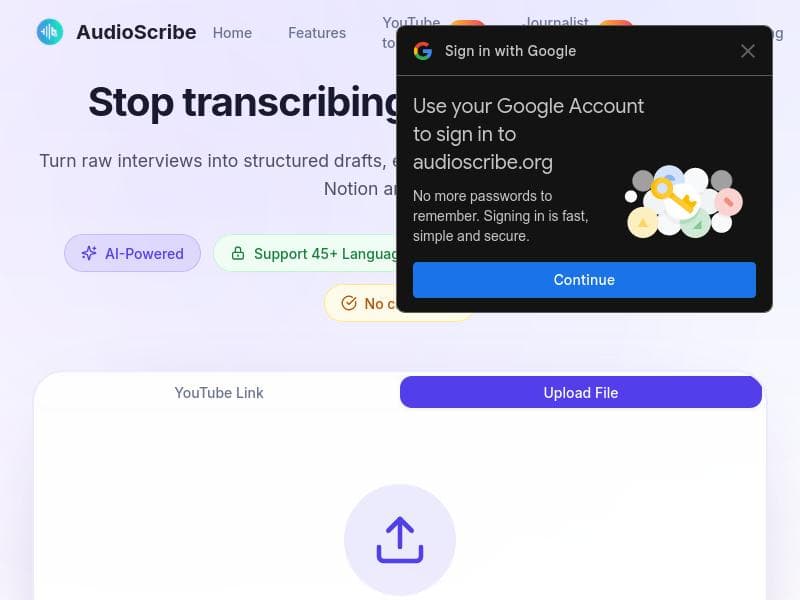
AudioScribe revolutionizes transcription by offering an all-in-one platform that not only transcribes multi-language audio with high accuracy but also analyzes and automates workflows using 12 specialized AI summary templates. Ideal for journalists, sales teams, and business professionals, it streamlines turning long recordings into actionable insights with seamless integration to Notion and thousands of apps via Zapier.

Description
AudioScribe revolutionizes transcription with the world's first end-to-end workflow platform and delivers a complete pipeline: **transcribe → analyze → automate**.AudioScribe combines accurate multi-language transcription with **12 specialized AI summary templates** covering everything from Interview Briefs to Sales Call Analysis to Meeting Notes. The platform uniquely offers **one-click workflow automation** to Notion and 5,000+ apps via Zapier.
Detailed Description
AudioScribe is an innovative AI-powered transcription platform designed to transform how professionals handle audio content by providing an end-to-end workflow solution that encompasses transcription, analysis, and automation. Its core purpose is to streamline the entire process of converting long audio recordings into actionable, structured text, making it easier for users to extract meaningful insights and automate follow-up tasks. By combining highly accurate multi-language transcription capabilities with advanced AI-driven summarization and workflow automation, AudioScribe addresses the common challenges faced by journalists, researchers, sales teams, and business professionals who rely heavily on audio data for their work. One of AudioScribe’s standout features is its AI-powered interview transcription, which ensures precise and context-aware conversion of spoken words into text across multiple languages. Beyond simple transcription, the platform includes 12 specialized AI summary templates tailored to different professional needs such as Interview Briefs, Sales Call Analysis, Meeting Notes, and more. These templates help users efficiently generate concise summaries, highlight key points, and organize information without manual effort. Additionally, AudioScribe can automatically extract quotes, generate fact-check lists, and create article outlines, which significantly accelerates content creation and verification workflows. Another major capability is its ability to transform lengthy audio recordings into structured text formats, making the data easier to navigate and analyze. The platform also provides actionable insights derived from the transcribed content, enabling users to make informed decisions based on the audio data. What truly sets AudioScribe apart is its seamless integration with Notion and over 5,000 other applications via Zapier, allowing for one-click workflow automation. This means users can automatically push transcriptions, summaries, and insights into their preferred productivity or CRM tools, eliminating repetitive manual tasks and enhancing overall efficiency. AudioScribe is best suited for journalists, content creators, sales professionals, researchers, and business teams who frequently work with interviews, meetings, podcasts, or sales calls. Journalists can benefit from its ability to quickly generate interview briefs and fact-check lists, while sales teams can leverage the sales call analysis templates to improve client interactions and follow-ups. Researchers and business professionals can use the meeting notes and article outline features to streamline documentation and reporting processes. Regarding pricing, AudioScribe offers a freemium model, allowing users to access basic transcription and some AI summary templates for free, with premium features and higher usage limits available through paid plans. This flexible pricing approach makes it accessible for individual users and small teams while scaling to meet enterprise needs. Compared to alternative transcription tools, AudioScribe stands out by offering a comprehensive pipeline that goes beyond transcription to include AI-powered analysis and automation in a single platform. Many competitors focus solely on transcription accuracy or offer limited summarization features, but AudioScribe’s integration with thousands of apps and its specialized summary templates provide a more holistic solution. However, users should consider that the platform’s advanced automation features rely on integrations like Zapier, which may require additional setup and familiarity with third-party tools. In summary, AudioScribe is a powerful and versatile transcription platform that combines cutting-edge AI transcription with tailored summarization and extensive automation capabilities. While it excels in providing a complete workflow solution for audio content, potential users should evaluate their integration needs and whether the freemium plan meets their volume requirements before committing to a paid subscription.
Tool Features
- AI-powered interview transcription
- Auto-extract quotes
- Fact-check lists
- Article outlines
- Transforms long audio recordings into structured text
- Provides actionable insights
Description
✦
AudioScribe revolutionizes transcription by offering an all-in-one platform that not only transcribes multi-language audio with high accuracy but also analyzes and automates workflows using 12 specialized AI summary templates. Ideal for journalists, sales teams, and business professionals, it streamlines turning long recordings into actionable insights with seamless integration to Notion and thousands of apps via Zapier.
AudioScribe revolutionizes transcription with the world's first end-to-end workflow platform and delivers a complete pipeline: **transcribe → analyze → automate**.AudioScribe combines accurate multi-language transcription with **12 specialized AI summary templates** covering everything from Interview Briefs to Sales Call Analysis to Meeting Notes. The platform uniquely offers **one-click workflow automation** to Notion and 5,000+ apps via Zapier.
Detailed Description
AudioScribe is an innovative AI-powered transcription platform designed to transform how professionals handle audio content by providing an end-to-end workflow solution that encompasses transcription, analysis, and automation. Its core purpose is to streamline the entire process of converting long audio recordings into actionable, structured text, making it easier for users to extract meaningful insights and automate follow-up tasks. By combining highly accurate multi-language transcription capabilities with advanced AI-driven summarization and workflow automation, AudioScribe addresses the common challenges faced by journalists, researchers, sales teams, and business professionals who rely heavily on audio data for their work. One of AudioScribe’s standout features is its AI-powered interview transcription, which ensures precise and context-aware conversion of spoken words into text across multiple languages. Beyond simple transcription, the platform includes 12 specialized AI summary templates tailored to different professional needs such as Interview Briefs, Sales Call Analysis, Meeting Notes, and more. These templates help users efficiently generate concise summaries, highlight key points, and organize information without manual effort. Additionally, AudioScribe can automatically extract quotes, generate fact-check lists, and create article outlines, which significantly accelerates content creation and verification workflows. Another major capability is its ability to transform lengthy audio recordings into structured text formats, making the data easier to navigate and analyze. The platform also provides actionable insights derived from the transcribed content, enabling users to make informed decisions based on the audio data. What truly sets AudioScribe apart is its seamless integration with Notion and over 5,000 other applications via Zapier, allowing for one-click workflow automation. This means users can automatically push transcriptions, summaries, and insights into their preferred productivity or CRM tools, eliminating repetitive manual tasks and enhancing overall efficiency. AudioScribe is best suited for journalists, content creators, sales professionals, researchers, and business teams who frequently work with interviews, meetings, podcasts, or sales calls. Journalists can benefit from its ability to quickly generate interview briefs and fact-check lists, while sales teams can leverage the sales call analysis templates to improve client interactions and follow-ups. Researchers and business professionals can use the meeting notes and article outline features to streamline documentation and reporting processes. Regarding pricing, AudioScribe offers a freemium model, allowing users to access basic transcription and some AI summary templates for free, with premium features and higher usage limits available through paid plans. This flexible pricing approach makes it accessible for individual users and small teams while scaling to meet enterprise needs. Compared to alternative transcription tools, AudioScribe stands out by offering a comprehensive pipeline that goes beyond transcription to include AI-powered analysis and automation in a single platform. Many competitors focus solely on transcription accuracy or offer limited summarization features, but AudioScribe’s integration with thousands of apps and its specialized summary templates provide a more holistic solution. However, users should consider that the platform’s advanced automation features rely on integrations like Zapier, which may require additional setup and familiarity with third-party tools. In summary, AudioScribe is a powerful and versatile transcription platform that combines cutting-edge AI transcription with tailored summarization and extensive automation capabilities. While it excels in providing a complete workflow solution for audio content, potential users should evaluate their integration needs and whether the freemium plan meets their volume requirements before committing to a paid subscription.
Frequently Asked Questions
What is AudioScribe?
AudioScribe is an AI-powered transcription platform that provides an end-to-end workflow solution for transcribing, analyzing, and automating audio content. It converts long audio recordings into structured text and actionable insights using specialized AI summary templates.
How much does AudioScribe cost?
AudioScribe offers a freemium pricing model where users can access basic transcription and some AI summary features for free. Premium plans with expanded features and higher usage limits are available for paid subscribers.
Who is AudioScribe best for?
AudioScribe is ideal for journalists, content creators, sales professionals, researchers, and business teams who frequently work with interviews, meetings, podcasts, or sales calls and need efficient transcription, summarization, and workflow automation.
What are the main features of AudioScribe?
Key features include AI-powered interview transcription, automatic quote extraction, fact-check list generation, article outlining, transformation of long audio recordings into structured text, actionable insights, and one-click workflow automation to Notion and 5,000+ apps via Zapier.
Does AudioScribe offer a free trial?
AudioScribe provides a freemium plan that allows users to try basic transcription and some AI summary templates for free, enabling them to evaluate the platform before upgrading to paid plans.
What integrations does AudioScribe support?
AudioScribe supports one-click workflow automation with Notion and integrates with over 5,000 applications through Zapier, allowing users to connect their transcriptions and summaries to a wide range of productivity, CRM, and collaboration tools.
How does AudioScribe work?
Users upload or record audio files which AudioScribe transcribes using AI-powered multi-language speech recognition. The platform then applies specialized AI summary templates to analyze the content and generate structured outputs. Finally, users can automate workflows by pushing results to other apps via Zapier integrations.
Reviews
0 reviews
No reviews yet. Be the first to share your experience.
Sponsored Tools













































Recommended Tools
Stay updated on latest Ai tools
Get the latest insights, Join our newsletter
Read and trusted by 50,000+ readers
Join the biggest AI Community
Our community and staff are here to help!
Your feedback will help Alice AI improve in future versions.








Submit your Tool


PoweredByAI.app is an AI Tools Directory helping individuals, businesses, and creators discover the best AI tools for writing, coding, design, productivity, and more.
© 2026 , Product of011BQ. All rights reserved.