
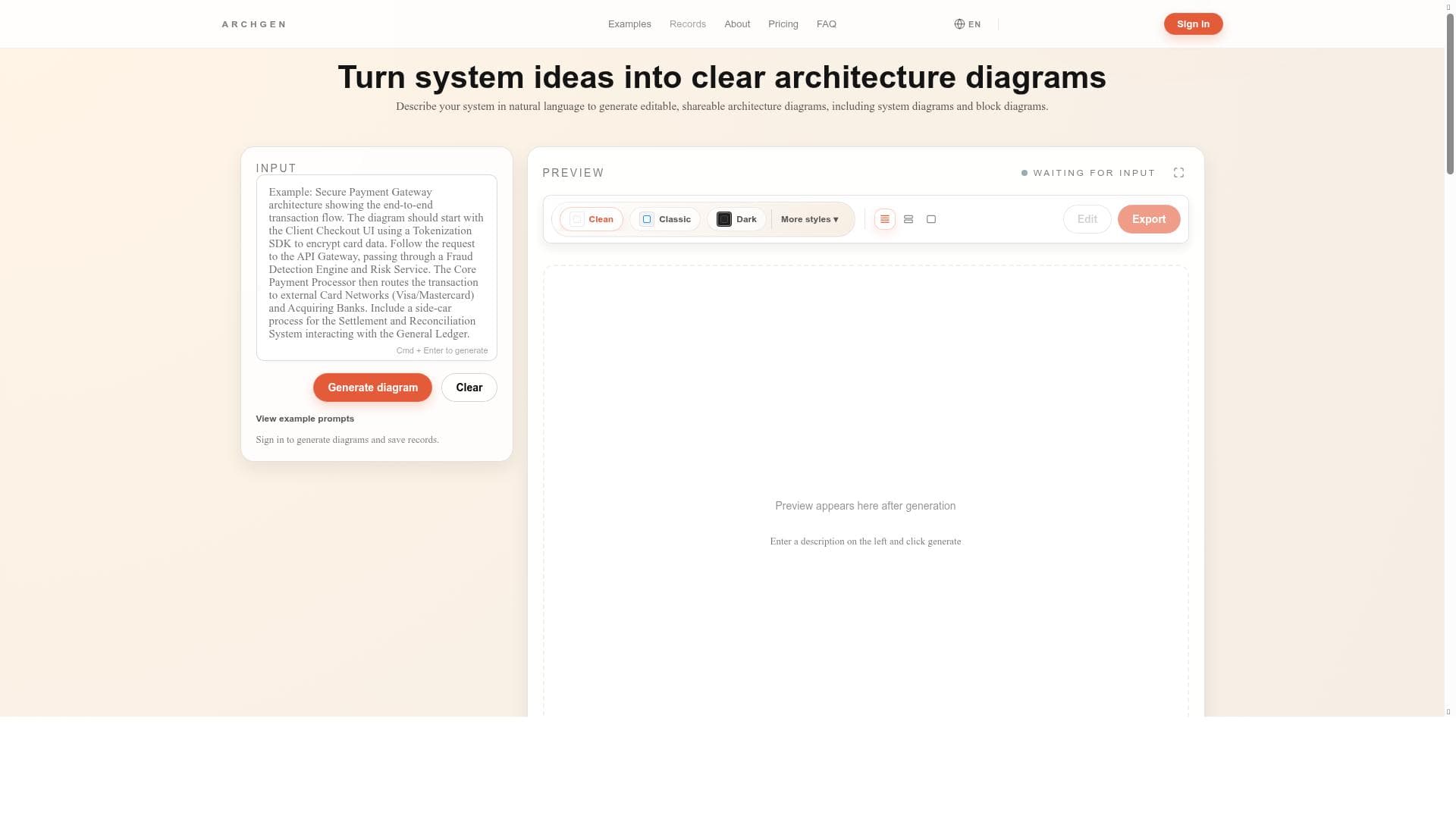


ArchGen revolutionizes system architecture diagramming by converting natural language descriptions into clear, layered, and editable diagrams without any manual drawing. Ideal for developers, architects, and technical teams, it accelerates complex system visualization with professional styles and a flexible pay-per-use model.

Description
ArchGen helps you turn system ideas into clear architecture diagrams using natural language. Describe your system in plain text and generate editable, shareable architecture diagrams — including system diagrams, system block diagrams, and software architecture diagrams. Built for developers, architects, and technical teams to quickly visualize complex systems.
Detailed Description
ArchGen is an innovative AI-powered tool designed to transform your system ideas into clear, professional architecture diagrams using natural language input. Its core purpose is to simplify the complex and often time-consuming task of creating system architecture visuals by allowing users to describe their systems in plain text. ArchGen then automatically generates detailed, layered diagrams such as system diagrams, system block diagrams, and software architecture diagrams that are both editable and shareable. This approach eliminates the need for manual drawing or mastering complex diagram editors, making it accessible to a wide range of users including developers, architects, and technical teams who need to quickly visualize and communicate complex system designs. One of ArchGen’s standout features is its ability to generate clear, layered architecture diagrams directly from natural language descriptions. Users simply describe their system components, workflows, or architecture in plain text, and ArchGen interprets this input to produce structured diagrams with multiple layers of detail. The tool offers multiple consistent and professional visual styles, allowing teams to choose the look and feel that best fits their documentation or presentation needs. All diagrams are fully editable within the web-based interface, enabling users to tweak or expand their visuals as projects evolve. Additionally, diagrams can be shared easily with team members or stakeholders and exported in high resolution without any watermarks, ensuring professional-quality outputs for reports, presentations, or technical documentation. ArchGen supports a variety of diagram types beyond traditional system architecture visuals, including system block diagrams and business workflows, making it a versatile solution for different technical and business contexts. Its pay-per-generation pricing model means users only pay for the diagrams they create, with no subscription required. This is particularly advantageous for teams or individuals who need occasional diagramming capabilities without committing to ongoing fees. Being entirely web-based, ArchGen requires no installation or setup, enabling immediate access from any device with internet connectivity. The tool is best suited for software developers, system architects, technical leads, and engineering teams who need to quickly prototype, visualize, and communicate system designs. It is also valuable for product managers and business analysts who want to create clear system workflows without deep technical drawing skills. Use cases include designing new software architectures, documenting existing systems, planning infrastructure layouts, and illustrating complex business processes. ArchGen’s natural language interface significantly reduces the learning curve and speeds up the diagram creation process compared to traditional diagramming tools. In terms of pricing, ArchGen operates on a pay-per-generation basis, which means users purchase credits or pay for each diagram generated rather than subscribing monthly or annually. This flexible pricing model can be cost-effective for users with intermittent diagramming needs. While the exact pricing details are available on their website, this approach contrasts with many competitors that require subscriptions or licenses. Compared to alternatives like manual diagramming software (e.g., Microsoft Visio, Lucidchart) or other AI diagram generators, ArchGen’s natural language input and layered diagram generation stand out as unique advantages. It removes the complexity of manual diagram creation and offers professional-grade visuals without the need for design expertise. However, unlike some integrated diagramming platforms, ArchGen currently focuses primarily on architecture and system diagrams and may not support extensive third-party integrations or collaborative real-time editing features. Notable limitations include the reliance on accurate natural language descriptions; ambiguous or incomplete inputs may result in diagrams that require manual adjustment. While ArchGen offers editable diagrams, users seeking highly customized or unconventional diagram styles might find the tool’s templates somewhat limiting. Additionally, as a web-based tool, offline access is not available, which could be a consideration for users with restricted internet connectivity. Despite these considerations, ArchGen provides a powerful, efficient, and user-friendly solution for generating clear architecture diagrams quickly and professionally.
Tool Features
- Generate clear, layered architecture diagrams from natural language
- Multiple consistent and professional visual styles
- Editable and shareable diagrams with export options
- No manual drawing or complex editors required
- Supports system diagrams, block diagrams, and business workflows
- High-resolution export without watermark
- Pay per generation with no subscription
- Web-based, no installation needed
Description
ArchGen revolutionizes system architecture diagramming by converting natural language descriptions into clear, layered, and editable diagrams without any manual drawing. Ideal for developers, architects, and technical teams, it accelerates complex system visualization with professional styles and a flexible pay-per-use model.
ArchGen helps you turn system ideas into clear architecture diagrams using natural language. Describe your system in plain text and generate editable, shareable architecture diagrams — including system diagrams, system block diagrams, and software architecture diagrams. Built for developers, architects, and technical teams to quickly visualize complex systems.
Detailed Description
ArchGen is an innovative AI-powered tool designed to transform your system ideas into clear, professional architecture diagrams using natural language input. Its core purpose is to simplify the complex and often time-consuming task of creating system architecture visuals by allowing users to describe their systems in plain text. ArchGen then automatically generates detailed, layered diagrams such as system diagrams, system block diagrams, and software architecture diagrams that are both editable and shareable. This approach eliminates the need for manual drawing or mastering complex diagram editors, making it accessible to a wide range of users including developers, architects, and technical teams who need to quickly visualize and communicate complex system designs. One of ArchGen’s standout features is its ability to generate clear, layered architecture diagrams directly from natural language descriptions. Users simply describe their system components, workflows, or architecture in plain text, and ArchGen interprets this input to produce structured diagrams with multiple layers of detail. The tool offers multiple consistent and professional visual styles, allowing teams to choose the look and feel that best fits their documentation or presentation needs. All diagrams are fully editable within the web-based interface, enabling users to tweak or expand their visuals as projects evolve. Additionally, diagrams can be shared easily with team members or stakeholders and exported in high resolution without any watermarks, ensuring professional-quality outputs for reports, presentations, or technical documentation. ArchGen supports a variety of diagram types beyond traditional system architecture visuals, including system block diagrams and business workflows, making it a versatile solution for different technical and business contexts. Its pay-per-generation pricing model means users only pay for the diagrams they create, with no subscription required. This is particularly advantageous for teams or individuals who need occasional diagramming capabilities without committing to ongoing fees. Being entirely web-based, ArchGen requires no installation or setup, enabling immediate access from any device with internet connectivity. The tool is best suited for software developers, system architects, technical leads, and engineering teams who need to quickly prototype, visualize, and communicate system designs. It is also valuable for product managers and business analysts who want to create clear system workflows without deep technical drawing skills. Use cases include designing new software architectures, documenting existing systems, planning infrastructure layouts, and illustrating complex business processes. ArchGen’s natural language interface significantly reduces the learning curve and speeds up the diagram creation process compared to traditional diagramming tools. In terms of pricing, ArchGen operates on a pay-per-generation basis, which means users purchase credits or pay for each diagram generated rather than subscribing monthly or annually. This flexible pricing model can be cost-effective for users with intermittent diagramming needs. While the exact pricing details are available on their website, this approach contrasts with many competitors that require subscriptions or licenses. Compared to alternatives like manual diagramming software (e.g., Microsoft Visio, Lucidchart) or other AI diagram generators, ArchGen’s natural language input and layered diagram generation stand out as unique advantages. It removes the complexity of manual diagram creation and offers professional-grade visuals without the need for design expertise. However, unlike some integrated diagramming platforms, ArchGen currently focuses primarily on architecture and system diagrams and may not support extensive third-party integrations or collaborative real-time editing features. Notable limitations include the reliance on accurate natural language descriptions; ambiguous or incomplete inputs may result in diagrams that require manual adjustment. While ArchGen offers editable diagrams, users seeking highly customized or unconventional diagram styles might find the tool’s templates somewhat limiting. Additionally, as a web-based tool, offline access is not available, which could be a consideration for users with restricted internet connectivity. Despite these considerations, ArchGen provides a powerful, efficient, and user-friendly solution for generating clear architecture diagrams quickly and professionally.
Frequently Asked Questions
What is ArchGen?
ArchGen is an AI-powered web-based tool that transforms plain text descriptions of system ideas into clear, professional architecture diagrams such as system diagrams, block diagrams, and software architecture visuals.
How much does ArchGen cost?
ArchGen uses a pay-per-generation pricing model, meaning you pay for each diagram you generate without any subscription fees. Detailed pricing information is available on their website.
Who is ArchGen best for?
ArchGen is best suited for software developers, system architects, technical teams, product managers, and business analysts who need to quickly create and share clear system architecture and workflow diagrams.
What are the main features of ArchGen?
Key features include generating layered architecture diagrams from natural language, multiple professional visual styles, editable and shareable diagrams, support for system and block diagrams as well as business workflows, high-resolution exports without watermarks, and a web-based interface requiring no installation.
Does ArchGen offer a free trial?
There is no explicit mention of a free trial. ArchGen operates on a pay-per-generation basis, so users can try the service by generating diagrams as needed without a subscription.
What integrations does ArchGen support?
ArchGen is primarily a standalone web-based tool and does not currently advertise integrations with third-party platforms or software.
How does ArchGen work?
Users describe their system or architecture in plain text, and ArchGen’s AI interprets this input to automatically generate clear, layered, and professional architecture diagrams that can be edited, shared, and exported.
Reviews
No reviews yet. Be the first to share your experience.















































