

Is this your AI tool? Claim it today.
Verify ownership, manage your profile, and unlock growth features.
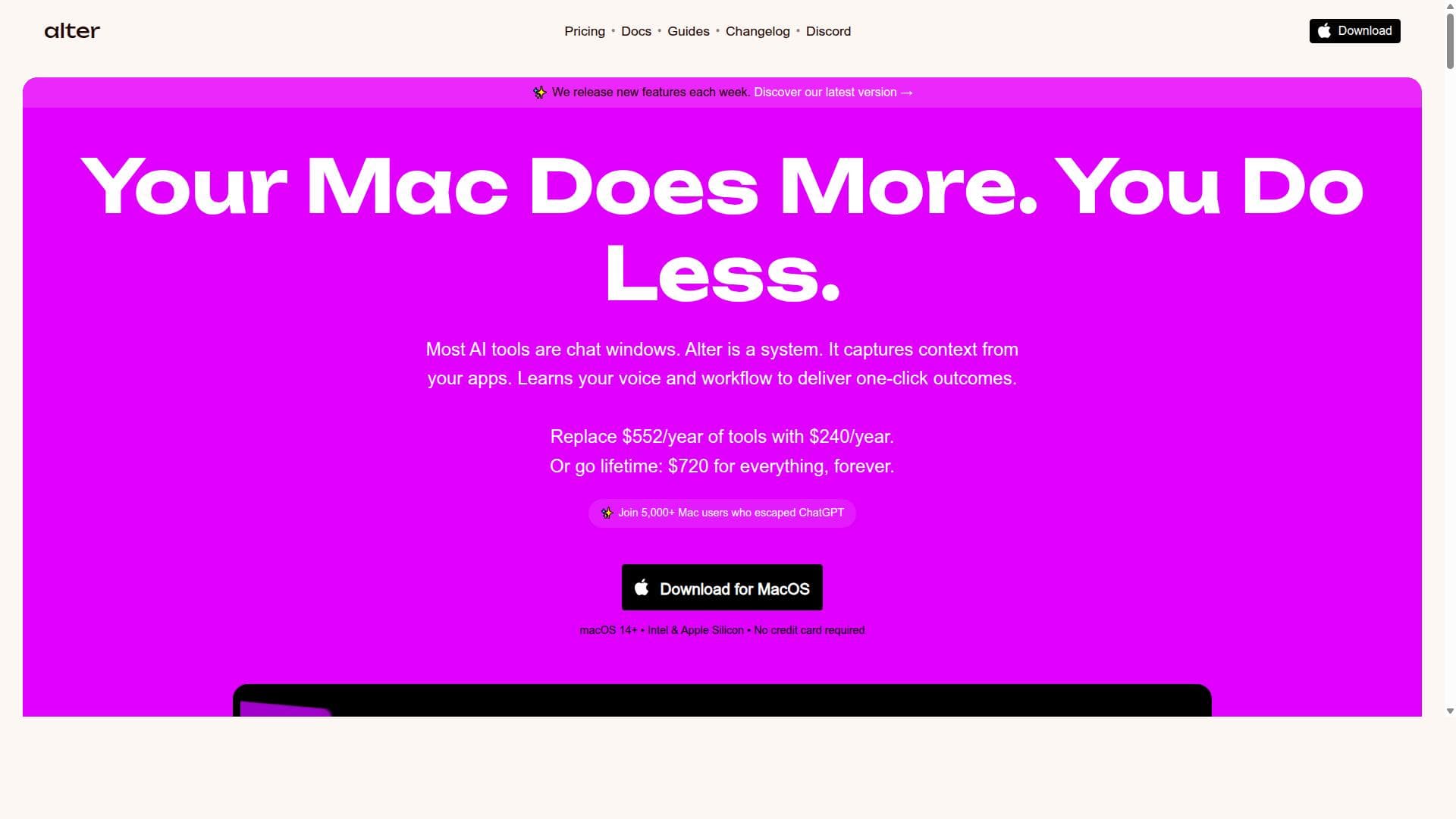
Alter is a native macOS AI tool that revolutionizes productivity by enabling instant, chat-free actions across all apps while maintaining full privacy control. Perfect for Mac users who want to supercharge their workflow without the interruptions of traditional AI chat interfaces.

Description
Alter is the Mac AI assistant that lets you get stuff done fast. Just talk to extract insights from YouTube videos, draft emails, or extract data. It understands what's on your screen and works across your apps, bringing intelligence to your entire day.
Detailed Description
Alter is an innovative AI-powered productivity tool designed exclusively for macOS users who want to dramatically enhance their workflow without the friction of traditional chat-based AI interactions. Its core purpose is to enable users to execute instant actions across all their Mac applications seamlessly, bypassing the need for typing commands or engaging in conversational AI chats. This unique approach allows users to maintain focus and speed up their daily tasks, effectively supercharging their Mac experience and boosting productivity by up to ten times. Alter’s native macOS integration ensures smooth performance and deep system compatibility, making it a natural extension of your Mac environment. One of the standout features of Alter is its ability to skip the chat interface entirely. Unlike many AI assistants that rely on user input through text or voice chat, Alter lets you trigger AI-powered actions instantly within any app, streamlining workflows and reducing the time spent switching contexts. This means you can automate repetitive tasks, generate content, or perform complex commands without interrupting your work. Additionally, Alter emphasizes complete privacy control, ensuring that your data remains secure and private on your device. This focus on privacy is crucial for professionals handling sensitive information who want AI assistance without compromising confidentiality. Alter’s capabilities include native AI functionality built specifically for macOS, which allows it to integrate deeply with system features and third-party apps alike. It supports a wide range of instant actions, from text generation and editing to data manipulation and task automation, all accessible without leaving your current workspace. This seamless integration helps users maintain momentum throughout their workday, whether they are writing emails, coding, designing, or managing projects. This tool is ideal for high achievers, professionals, and creatives who rely heavily on their Mac for diverse tasks and want to maximize efficiency without the distraction of chat-based AI. Use cases include content creators who need quick drafting and editing, developers automating coding tasks, business professionals managing communications and scheduling, and designers streamlining creative workflows. Alter’s privacy-first design also makes it suitable for industries with strict data security requirements. Regarding pricing, Alter’s website does not publicly list detailed plans, suggesting that interested users should visit the official site or contact the team for the most current pricing information. This approach often indicates a focus on tailored plans or enterprise solutions, which may include free trials or demos to evaluate the product. When compared to alternatives like chat-based AI assistants or generic automation tools, Alter’s key differentiator is its chatless, instant action execution model combined with native macOS integration. While many AI tools require users to interact through a conversational interface, Alter removes this barrier, providing a faster, more intuitive way to leverage AI. Its privacy controls also set it apart from cloud-dependent AI services, appealing to users wary of data exposure. However, potential limitations include its exclusive availability on macOS, which restricts usage to Apple device owners. Users on other platforms will not benefit from Alter’s capabilities. Additionally, the lack of publicly available pricing and detailed integration lists may require prospective users to invest time in research or direct inquiries before adoption. Finally, as a relatively new tool, the breadth of supported apps and actions may evolve over time, so users should verify compatibility with their specific workflows. In summary, Alter is a powerful AI assistant designed to transform the Mac user’s workday by enabling instant, chat-free AI actions across all applications. Its focus on privacy, productivity, and seamless macOS integration makes it a compelling choice for professionals seeking a smarter, faster way to work without distractions.
Tool Features
- Skip the chat and execute instant actions across all apps
- 10x your productivity with seamless AI integration
- Complete privacy control
- Native AI built specifically for macOS
- Supercharges your Mac workflow
Description
Alter is a native macOS AI tool that revolutionizes productivity by enabling instant, chat-free actions across all apps while maintaining full privacy control. Perfect for Mac users who want to supercharge their workflow without the interruptions of traditional AI chat interfaces.
Alter is the Mac AI assistant that lets you get stuff done fast. Just talk to extract insights from YouTube videos, draft emails, or extract data. It understands what's on your screen and works across your apps, bringing intelligence to your entire day.
Detailed Description
Alter is an innovative AI-powered productivity tool designed exclusively for macOS users who want to dramatically enhance their workflow without the friction of traditional chat-based AI interactions. Its core purpose is to enable users to execute instant actions across all their Mac applications seamlessly, bypassing the need for typing commands or engaging in conversational AI chats. This unique approach allows users to maintain focus and speed up their daily tasks, effectively supercharging their Mac experience and boosting productivity by up to ten times. Alter’s native macOS integration ensures smooth performance and deep system compatibility, making it a natural extension of your Mac environment. One of the standout features of Alter is its ability to skip the chat interface entirely. Unlike many AI assistants that rely on user input through text or voice chat, Alter lets you trigger AI-powered actions instantly within any app, streamlining workflows and reducing the time spent switching contexts. This means you can automate repetitive tasks, generate content, or perform complex commands without interrupting your work. Additionally, Alter emphasizes complete privacy control, ensuring that your data remains secure and private on your device. This focus on privacy is crucial for professionals handling sensitive information who want AI assistance without compromising confidentiality. Alter’s capabilities include native AI functionality built specifically for macOS, which allows it to integrate deeply with system features and third-party apps alike. It supports a wide range of instant actions, from text generation and editing to data manipulation and task automation, all accessible without leaving your current workspace. This seamless integration helps users maintain momentum throughout their workday, whether they are writing emails, coding, designing, or managing projects. This tool is ideal for high achievers, professionals, and creatives who rely heavily on their Mac for diverse tasks and want to maximize efficiency without the distraction of chat-based AI. Use cases include content creators who need quick drafting and editing, developers automating coding tasks, business professionals managing communications and scheduling, and designers streamlining creative workflows. Alter’s privacy-first design also makes it suitable for industries with strict data security requirements. Regarding pricing, Alter’s website does not publicly list detailed plans, suggesting that interested users should visit the official site or contact the team for the most current pricing information. This approach often indicates a focus on tailored plans or enterprise solutions, which may include free trials or demos to evaluate the product. When compared to alternatives like chat-based AI assistants or generic automation tools, Alter’s key differentiator is its chatless, instant action execution model combined with native macOS integration. While many AI tools require users to interact through a conversational interface, Alter removes this barrier, providing a faster, more intuitive way to leverage AI. Its privacy controls also set it apart from cloud-dependent AI services, appealing to users wary of data exposure. However, potential limitations include its exclusive availability on macOS, which restricts usage to Apple device owners. Users on other platforms will not benefit from Alter’s capabilities. Additionally, the lack of publicly available pricing and detailed integration lists may require prospective users to invest time in research or direct inquiries before adoption. Finally, as a relatively new tool, the breadth of supported apps and actions may evolve over time, so users should verify compatibility with their specific workflows. In summary, Alter is a powerful AI assistant designed to transform the Mac user’s workday by enabling instant, chat-free AI actions across all applications. Its focus on privacy, productivity, and seamless macOS integration makes it a compelling choice for professionals seeking a smarter, faster way to work without distractions.
Frequently Asked Questions
What is Alter?
Alter is a seamless AI tool designed specifically for macOS that allows users to execute instant actions across all their applications without engaging in chat-based interactions. It aims to boost productivity by enabling quick, AI-powered workflows while ensuring complete privacy control.
How much does Alter cost?
Alter’s pricing details are not publicly listed on their website. Interested users are encouraged to visit the official site or contact the Alter team directly to get the most up-to-date information on plans and pricing.
Who is Alter best for?
Alter is best suited for Mac users who want to maximize their productivity, including professionals, creatives, developers, and business users. It is especially valuable for those who prefer a fast, chat-free AI experience and require strong privacy controls.
What are the main features of Alter?
Key features include skipping the chat interface to execute instant AI actions across all Mac apps, 10x productivity enhancement through seamless AI integration, complete privacy control, and native AI built specifically for macOS to supercharge workflows.
Does Alter offer a free trial?
The website does not explicitly mention a free trial. Prospective users should check the official site or contact Alter’s support to inquire about trial availability or demo options.
What integrations does Alter support?
Alter integrates natively with macOS and supports instant actions across all Mac applications. While specific third-party app integrations are not detailed publicly, its design allows it to work seamlessly within the entire Mac ecosystem.
How does Alter work?
Alter works by embedding AI capabilities directly into the macOS environment, allowing users to trigger instant actions without typing commands or chatting. This chatless approach enables users to perform AI-powered tasks instantly across all apps while maintaining privacy and workflow continuity.
Reviews
No reviews yet. Be the first to share your experience.