

Is this your AI tool? Claim it today.
Verify ownership, manage your profile, and unlock growth features.
Alpine uniquely combines documents, tasks, chat, and AI into a single self-organizing platform, streamlining workflows and boosting productivity. Ideal for teams seeking to reduce tool overload and work smarter with AI-powered context and automation, Alpine adapts flexibly to existing setups or can replace multiple apps entirely.

Description
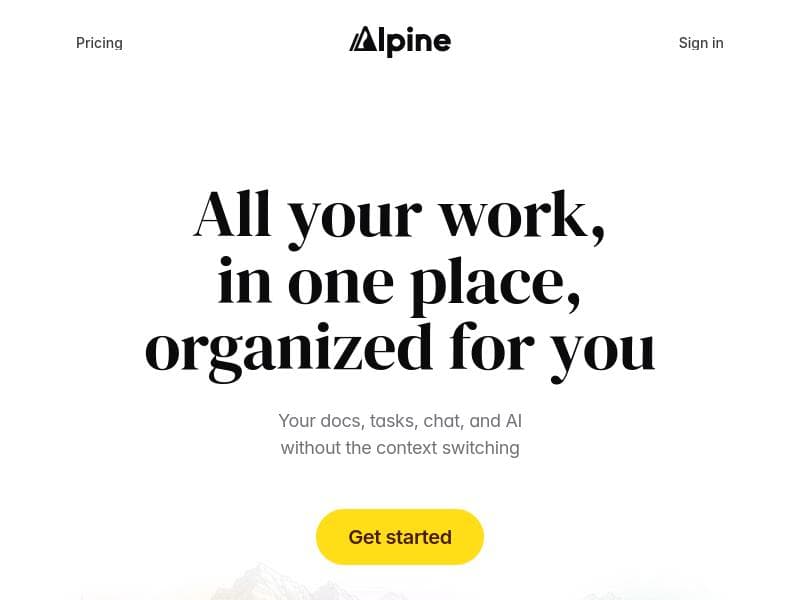
Alpine brings docs, tasks, and chat together in one app. See updates from across your company with an algorithmic feed. Work alongside AI agents that have complete context of everything you’re doing. Use alongside your current tools or replace them entirely.
Detailed Description
Alpine is an innovative productivity platform designed to unify key workplace functionalities—documents, tasks, chat, and AI—into a single, seamless application. Its core purpose is to streamline collaboration and workflow management by eliminating the need to toggle between multiple tools. By integrating these elements, Alpine offers a centralized hub where teams can create, communicate, and manage projects efficiently. The platform’s algorithmic feed surfaces relevant updates from across the company, ensuring users stay informed without information overload. Additionally, Alpine incorporates AI agents that have full context of ongoing work, enabling intelligent assistance and automation that adapts to the user’s environment and needs. One of Alpine’s standout features is its ability to integrate documents, tasks, chat, and AI functionalities within one app. This integration means users can draft and edit documents, assign and track tasks, and engage in real-time conversations without leaving the platform. The AI agents embedded in Alpine provide contextual support by understanding the content and status of projects, offering suggestions, automating routine tasks, and facilitating smoother communication. Another key capability is its self-organizing platform architecture, which reduces the complexity of managing multiple tools and platforms. This self-organization helps teams avoid the common pitfalls of fragmented workflows, such as lost information or duplicated efforts. By centralizing workflows, Alpine enhances productivity, enabling teams to focus on high-impact work rather than administrative overhead. Alpine is particularly well-suited for teams and organizations seeking to consolidate their work management and communication tools. It benefits knowledge workers, project managers, and collaborative teams who require a dynamic environment that supports document creation, task management, and ongoing dialogue. Use cases include product development teams coordinating across departments, remote teams needing a unified communication and task platform, and companies aiming to reduce tool sprawl while increasing transparency and accountability. Its flexible design allows it to be used alongside existing tools or as a complete replacement, making it adaptable to various organizational needs. Regarding pricing, Alpine offers a freemium model, allowing users to access core features at no cost while providing options to upgrade for enhanced capabilities. This approach makes it accessible for individuals and small teams to get started without upfront investment, while larger organizations can scale usage with premium plans that likely include advanced AI features, increased storage, and priority support. Specific pricing tiers and detailed feature breakdowns are available on their website. Compared to alternatives, Alpine stands out by combining multiple essential workplace functions into one cohesive platform enhanced by AI. While many tools specialize in either document management, task tracking, or chat, Alpine’s integrated approach reduces friction and context switching. Its AI agents provide a more intelligent and context-aware experience than traditional productivity apps. However, some competitors may offer deeper specialization in individual areas, such as advanced project management or dedicated communication platforms. Alpine’s strength lies in its holistic design and AI integration, which may appeal more to teams prioritizing simplicity and unified workflows over niche features. Potential limitations to consider include the learning curve associated with adopting a new all-in-one platform, especially for teams accustomed to specialized tools. Integration with legacy systems and third-party applications may vary, so organizations should evaluate compatibility with their existing tech stack. Additionally, while the AI agents provide contextual assistance, users should assess how well these features align with their specific workflows and data privacy requirements. Overall, Alpine offers a compelling solution for teams aiming to enhance productivity through a unified, AI-powered workspace, but prospective users should carefully review its fit within their operational environment.
Tool Features
- Integrates docs, tasks, chat, and AI in one app
- Self-organizing platform to reduce tool management
- Enhances productivity by centralizing workflows
Description
Alpine uniquely combines documents, tasks, chat, and AI into a single self-organizing platform, streamlining workflows and boosting productivity. Ideal for teams seeking to reduce tool overload and work smarter with AI-powered context and automation, Alpine adapts flexibly to existing setups or can replace multiple apps entirely.
Alpine brings docs, tasks, and chat together in one app. See updates from across your company with an algorithmic feed. Work alongside AI agents that have complete context of everything you’re doing. Use alongside your current tools or replace them entirely.
Detailed Description
Alpine is an innovative productivity platform designed to unify key workplace functionalities—documents, tasks, chat, and AI—into a single, seamless application. Its core purpose is to streamline collaboration and workflow management by eliminating the need to toggle between multiple tools. By integrating these elements, Alpine offers a centralized hub where teams can create, communicate, and manage projects efficiently. The platform’s algorithmic feed surfaces relevant updates from across the company, ensuring users stay informed without information overload. Additionally, Alpine incorporates AI agents that have full context of ongoing work, enabling intelligent assistance and automation that adapts to the user’s environment and needs. One of Alpine’s standout features is its ability to integrate documents, tasks, chat, and AI functionalities within one app. This integration means users can draft and edit documents, assign and track tasks, and engage in real-time conversations without leaving the platform. The AI agents embedded in Alpine provide contextual support by understanding the content and status of projects, offering suggestions, automating routine tasks, and facilitating smoother communication. Another key capability is its self-organizing platform architecture, which reduces the complexity of managing multiple tools and platforms. This self-organization helps teams avoid the common pitfalls of fragmented workflows, such as lost information or duplicated efforts. By centralizing workflows, Alpine enhances productivity, enabling teams to focus on high-impact work rather than administrative overhead. Alpine is particularly well-suited for teams and organizations seeking to consolidate their work management and communication tools. It benefits knowledge workers, project managers, and collaborative teams who require a dynamic environment that supports document creation, task management, and ongoing dialogue. Use cases include product development teams coordinating across departments, remote teams needing a unified communication and task platform, and companies aiming to reduce tool sprawl while increasing transparency and accountability. Its flexible design allows it to be used alongside existing tools or as a complete replacement, making it adaptable to various organizational needs. Regarding pricing, Alpine offers a freemium model, allowing users to access core features at no cost while providing options to upgrade for enhanced capabilities. This approach makes it accessible for individuals and small teams to get started without upfront investment, while larger organizations can scale usage with premium plans that likely include advanced AI features, increased storage, and priority support. Specific pricing tiers and detailed feature breakdowns are available on their website. Compared to alternatives, Alpine stands out by combining multiple essential workplace functions into one cohesive platform enhanced by AI. While many tools specialize in either document management, task tracking, or chat, Alpine’s integrated approach reduces friction and context switching. Its AI agents provide a more intelligent and context-aware experience than traditional productivity apps. However, some competitors may offer deeper specialization in individual areas, such as advanced project management or dedicated communication platforms. Alpine’s strength lies in its holistic design and AI integration, which may appeal more to teams prioritizing simplicity and unified workflows over niche features. Potential limitations to consider include the learning curve associated with adopting a new all-in-one platform, especially for teams accustomed to specialized tools. Integration with legacy systems and third-party applications may vary, so organizations should evaluate compatibility with their existing tech stack. Additionally, while the AI agents provide contextual assistance, users should assess how well these features align with their specific workflows and data privacy requirements. Overall, Alpine offers a compelling solution for teams aiming to enhance productivity through a unified, AI-powered workspace, but prospective users should carefully review its fit within their operational environment.
Frequently Asked Questions
What is Alpine?
Alpine is an all-in-one productivity platform that integrates documents, tasks, chat, and AI to centralize workflows and enhance collaboration within teams and organizations.
How much does Alpine cost?
Alpine offers a freemium pricing model, allowing users to access core features for free with options to upgrade to premium plans for additional capabilities and support.
Who is Alpine best for?
Alpine is best suited for teams and organizations looking to consolidate their work management and communication tools, including remote teams, project managers, and knowledge workers.
What are the main features of Alpine?
Key features include integration of documents, tasks, chat, and AI in one app, a self-organizing platform to reduce tool management complexity, and an algorithmic feed that surfaces relevant company updates.
Does Alpine offer a free trial?
Yes, Alpine provides a freemium plan that allows users to try core features at no cost, which functions similarly to a free trial with ongoing access.
What integrations does Alpine support?
Alpine is designed to work alongside existing tools or replace them entirely, though specific third-party integrations depend on the user’s setup and can be explored on their website.
How does Alpine work?
Alpine works by unifying documents, tasks, and chat into a single app enhanced with AI agents that understand the context of your work, providing intelligent assistance and an algorithmic feed of company updates to streamline productivity.
Socials
Use ToolReviews
No reviews yet. Be the first to share your experience.















































