Featured in:Best AI Transcription Tools
Get featured →🚀 Zaprep: Your Socials on Steroids. Start free — automate 1,000 DMs/month & turn engagement into leads. with 1,000 automated DMs/month.

AI Video Translator


✦
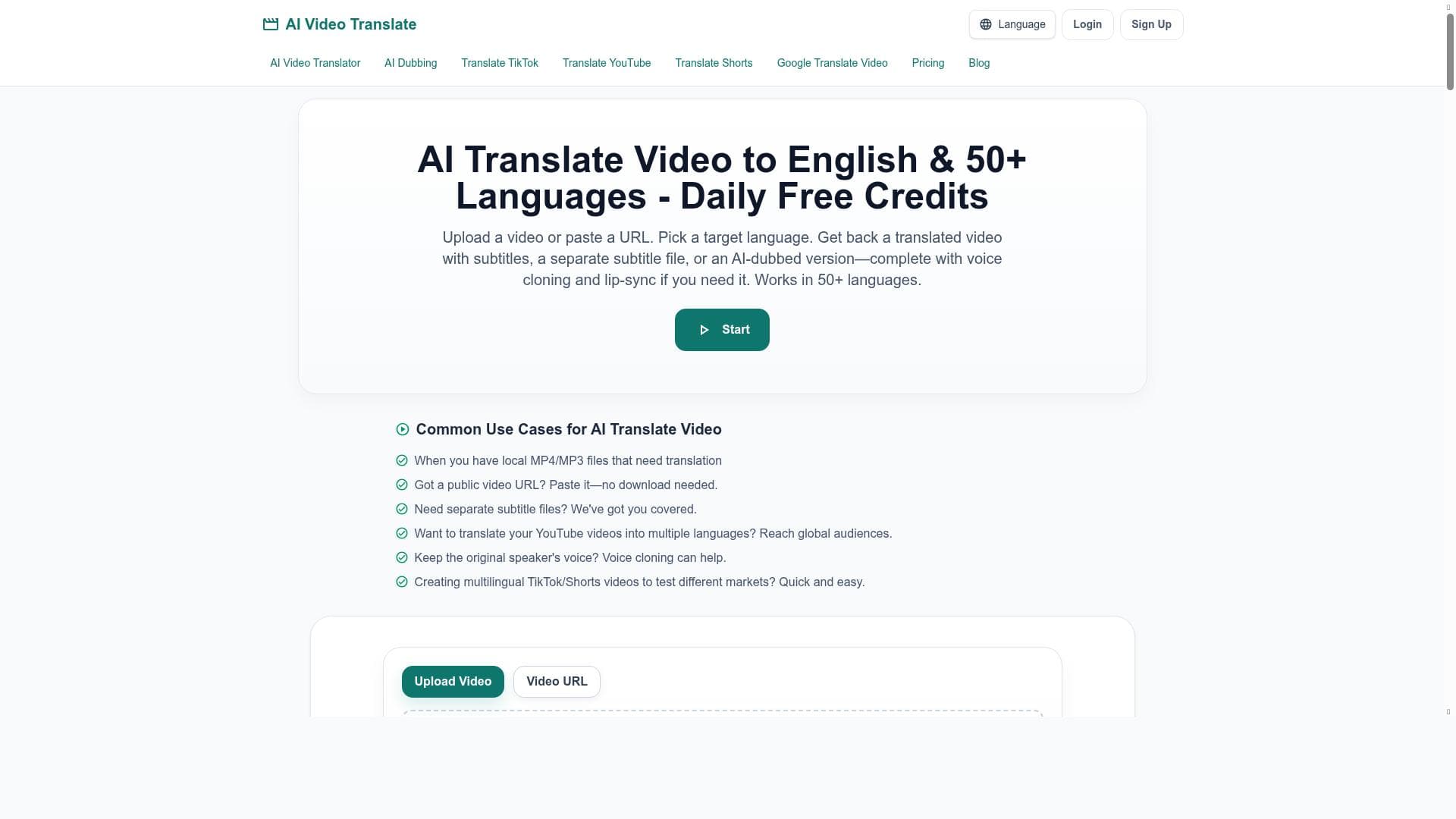
AI Video Translator leverages advanced AI voice cloning and lip-sync technology to translate videos into English and over 50 languages, delivering natural dubbed videos and subtitles. Ideal for content creators and businesses aiming to globalize their video content effortlessly, it supports direct uploads and URLs from major platforms like YouTube and TikTok.
Description
AI Video Translator allows users to upload a video or paste a URL and translate the video into English and over 50 other languages. It provides AI dubbed video output with voice cloning and lip-sync, as well as burned-in subtitles and downloadable SRT subtitle files. The tool offers daily free credits for usage and supports multiple video platforms including TikTok, YouTube, and Shorts.
Detailed Description
AI Video Translator is an advanced AI-powered platform designed to simplify and enhance the process of translating video content into multiple languages. Its core purpose is to enable users to easily convert videos from one language to another, making video content accessible to a global audience. By leveraging cutting-edge AI technologies such as voice cloning, lip-syncing, and subtitle generation, AI Video Translator transforms videos into fully localized versions that maintain the original speaker's voice characteristics and natural mouth movements, providing a seamless viewing experience. One of the standout features of AI Video Translator is its flexibility in input methods. Users can either upload a video file directly or paste a public video URL from popular platforms such as TikTok, YouTube, and Shorts. This versatility allows content creators, marketers, educators, and businesses to quickly translate existing videos without the need for complex editing software. The tool supports translation into English and over 50 other languages, covering a broad spectrum of global languages to cater to diverse audiences. The AI dubbed video output is a key capability that sets this tool apart. Unlike traditional subtitle-only translators, AI Video Translator uses voice cloning technology to replicate the original speaker’s voice in the target language. This is combined with AI-driven lip-syncing to match the dubbed audio with the speaker’s lip movements, enhancing the authenticity and engagement of the translated video. Additionally, users can choose to export videos with burned-in subtitles or download SRT subtitle files separately, providing flexibility for different use cases such as social media posts, educational content, or corporate training videos. AI Video Translator is ideal for content creators looking to expand their reach internationally, educators who want to provide multilingual learning materials, marketing teams aiming to localize campaigns efficiently, and businesses seeking to communicate with diverse customer bases. Its ease of use and powerful AI features make it accessible to both technical and non-technical users, eliminating the need for manual dubbing or subtitle creation. The platform operates on a freemium pricing model, offering daily free credits that allow users to test and use the service without immediate cost. This makes it attractive for individuals and small businesses who want to experiment with video translation before committing to paid plans. While specific premium pricing details are not provided, the freemium approach ensures broad accessibility and encourages adoption. Compared to alternatives, AI Video Translator stands out due to its comprehensive feature set that combines voice cloning, lip-sync, and subtitle generation in a single tool. Many competitors offer only subtitle translation or basic dubbing without lip-sync, which can reduce the quality and viewer engagement. However, some limitations include potential variability in voice cloning accuracy depending on the original audio quality and the complexity of certain languages or dialects. Users should also consider that while daily free credits are generous, heavy users or enterprise clients may require paid plans for higher volume needs. In summary, AI Video Translator offers a robust, user-friendly solution for multilingual video localization. Its integration of advanced AI technologies provides a natural and immersive viewing experience, making it a valuable tool for anyone looking to break language barriers in video content. With support for multiple video platforms and a flexible pricing model, it is well-suited for a wide range of professional and personal applications.
Tool Features
- Upload a video file or paste a public video URL
- Translate videos into English and 50+ languages
- Generate AI dubbed video output with voice cloning and lip-sync
- Export burned-in subtitles or downloadable SRT subtitle files
Description
✦
AI Video Translator leverages advanced AI voice cloning and lip-sync technology to translate videos into English and over 50 languages, delivering natural dubbed videos and subtitles. Ideal for content creators and businesses aiming to globalize their video content effortlessly, it supports direct uploads and URLs from major platforms like YouTube and TikTok.
AI Video Translator allows users to upload a video or paste a URL and translate the video into English and over 50 other languages. It provides AI dubbed video output with voice cloning and lip-sync, as well as burned-in subtitles and downloadable SRT subtitle files. The tool offers daily free credits for usage and supports multiple video platforms including TikTok, YouTube, and Shorts.
Detailed Description
AI Video Translator is an advanced AI-powered platform designed to simplify and enhance the process of translating video content into multiple languages. Its core purpose is to enable users to easily convert videos from one language to another, making video content accessible to a global audience. By leveraging cutting-edge AI technologies such as voice cloning, lip-syncing, and subtitle generation, AI Video Translator transforms videos into fully localized versions that maintain the original speaker's voice characteristics and natural mouth movements, providing a seamless viewing experience. One of the standout features of AI Video Translator is its flexibility in input methods. Users can either upload a video file directly or paste a public video URL from popular platforms such as TikTok, YouTube, and Shorts. This versatility allows content creators, marketers, educators, and businesses to quickly translate existing videos without the need for complex editing software. The tool supports translation into English and over 50 other languages, covering a broad spectrum of global languages to cater to diverse audiences. The AI dubbed video output is a key capability that sets this tool apart. Unlike traditional subtitle-only translators, AI Video Translator uses voice cloning technology to replicate the original speaker’s voice in the target language. This is combined with AI-driven lip-syncing to match the dubbed audio with the speaker’s lip movements, enhancing the authenticity and engagement of the translated video. Additionally, users can choose to export videos with burned-in subtitles or download SRT subtitle files separately, providing flexibility for different use cases such as social media posts, educational content, or corporate training videos. AI Video Translator is ideal for content creators looking to expand their reach internationally, educators who want to provide multilingual learning materials, marketing teams aiming to localize campaigns efficiently, and businesses seeking to communicate with diverse customer bases. Its ease of use and powerful AI features make it accessible to both technical and non-technical users, eliminating the need for manual dubbing or subtitle creation. The platform operates on a freemium pricing model, offering daily free credits that allow users to test and use the service without immediate cost. This makes it attractive for individuals and small businesses who want to experiment with video translation before committing to paid plans. While specific premium pricing details are not provided, the freemium approach ensures broad accessibility and encourages adoption. Compared to alternatives, AI Video Translator stands out due to its comprehensive feature set that combines voice cloning, lip-sync, and subtitle generation in a single tool. Many competitors offer only subtitle translation or basic dubbing without lip-sync, which can reduce the quality and viewer engagement. However, some limitations include potential variability in voice cloning accuracy depending on the original audio quality and the complexity of certain languages or dialects. Users should also consider that while daily free credits are generous, heavy users or enterprise clients may require paid plans for higher volume needs. In summary, AI Video Translator offers a robust, user-friendly solution for multilingual video localization. Its integration of advanced AI technologies provides a natural and immersive viewing experience, making it a valuable tool for anyone looking to break language barriers in video content. With support for multiple video platforms and a flexible pricing model, it is well-suited for a wide range of professional and personal applications.
Frequently Asked Questions
What is AI Video Translator?
AI Video Translator is an AI-powered tool that enables users to translate videos into English and over 50 other languages, providing AI dubbed video output with voice cloning and lip-sync, as well as subtitles.
How much does AI Video Translator cost?
AI Video Translator operates on a freemium model, offering daily free credits for usage. Paid plans are available for users who need higher volume or additional features.
Who is AI Video Translator best for?
It is best suited for content creators, educators, marketers, and businesses who want to localize video content for global audiences without complex manual editing.
What are the main features of AI Video Translator?
Key features include uploading videos or pasting public URLs, translating into 50+ languages, AI voice cloning with lip-sync for dubbed videos, and exporting burned-in subtitles or downloadable SRT files.
Does AI Video Translator offer a free trial?
Yes, the platform provides daily free credits that allow users to try the service without upfront payment.
What integrations does AI Video Translator support?
It supports multiple video platforms including TikTok, YouTube, and Shorts, allowing users to translate videos directly from these sources.
How does AI Video Translator work?
Users upload a video file or paste a public video URL, select the target language, and the AI processes the video to generate dubbed audio with voice cloning and lip-sync, along with subtitles.
Reviews
0 reviews
No reviews yet. Be the first to share your experience.
Sponsored Tools











































Recommended Tools
Stay updated on latest Ai tools
Get the latest insights, Join our newsletter
Read and trusted by 50,000+ readers
Join the biggest AI Community
Our community and staff are here to help!
Your feedback will help Alice AI improve in future versions.








Submit your Tool


PoweredByAI.app is an AI Tools Directory helping individuals, businesses, and creators discover the best AI tools for writing, coding, design, productivity, and more.
© 2026 , Product of011BQ. All rights reserved.