

Is this your AI tool? Claim it today.
Verify ownership, manage your profile, and unlock growth features.
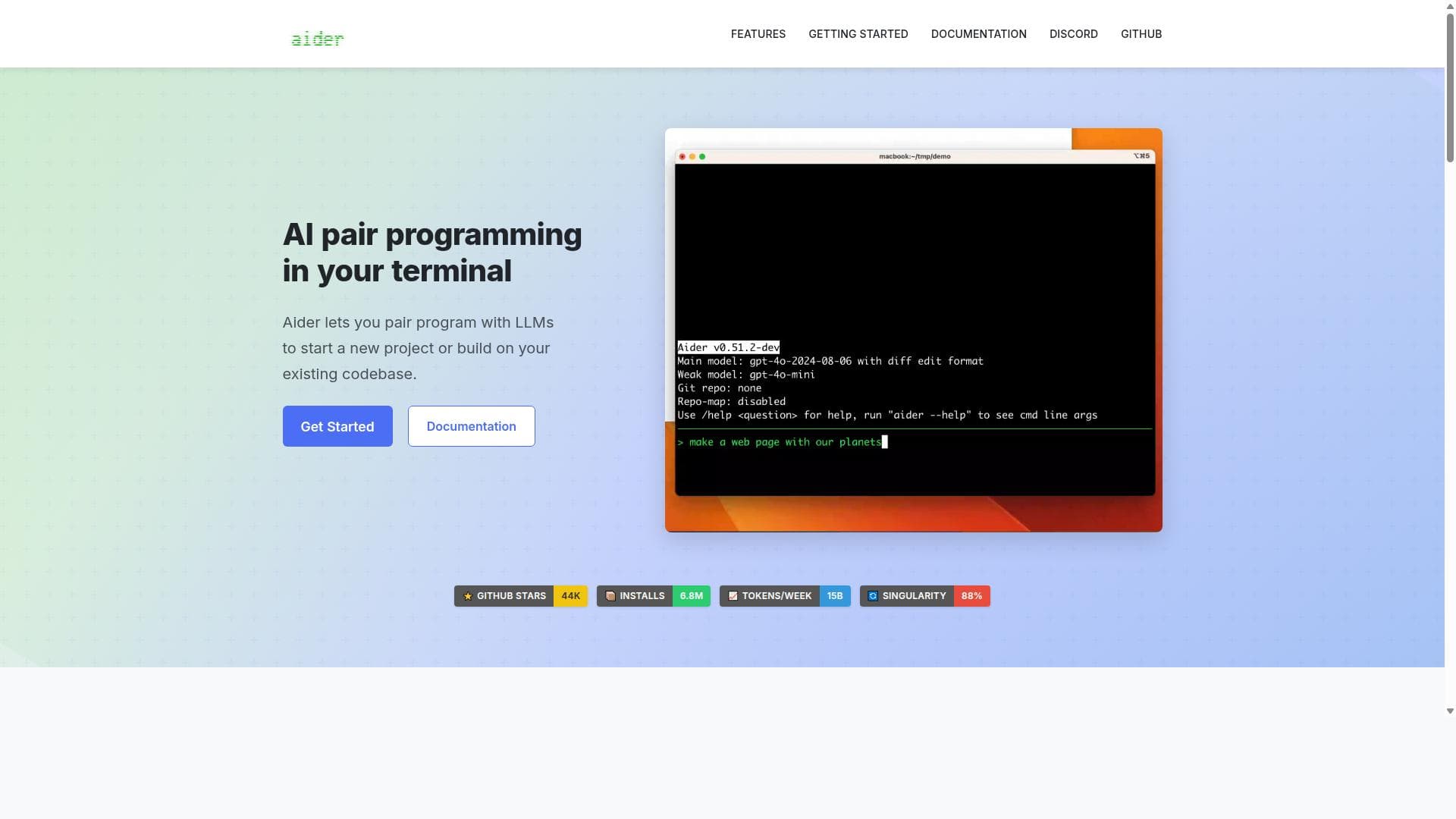
Aider is a powerful AI pair programming assistant that integrates directly into your terminal, offering deep codebase understanding and support for over 100 programming languages. Ideal for developers seeking a context-aware coding partner with voice-to-code and automatic testing features, Aider streamlines workflows by combining cloud and local LLM flexibility with seamless Git and IDE integration.

Description
Aider is the AI pair programmer that edits code in your local git repo via the terminal. Works with your editor, any LLM (Claude 3.5 Sonnet, DeepSeek R1, GPT-4o, local models), and many languages.
Detailed Description
Aider is an advanced AI pair programming tool designed to seamlessly integrate into developers' terminals, enabling them to either initiate new projects or enhance existing codebases through collaboration with large language models (LLMs). Its core purpose is to act as an intelligent coding partner that understands the full context of your project by mapping your entire codebase, thereby providing contextually relevant suggestions and code completions. Unlike many AI coding assistants that operate primarily through web interfaces or IDE plugins, Aider works directly in the terminal, streamlining the development workflow without forcing developers to switch environments. One of Aider's standout capabilities is its support for both cloud-based and local LLMs. It works best with models such as Claude 3.7 Sonnet, DeepSeek R1 & Chat V3, OpenAI's o1, o3-mini, and GPT-4o, but it is flexible enough to connect to virtually any LLM, including those running locally. This flexibility allows developers to choose models based on their performance, privacy, or cost preferences. Additionally, Aider supports over 100 programming languages, including popular ones like Python, JavaScript, Rust, Ruby, Go, C++, PHP, HTML, and CSS, making it versatile for a wide range of development projects. Aider's intelligent codebase mapping feature is particularly valuable for larger projects. By creating a comprehensive map of the codebase, Aider gains a deep understanding of the project structure, dependencies, and context, which results in more accurate and relevant code suggestions. This is a significant advantage over simpler AI tools that only analyze snippets of code without broader context. Git integration is another core feature that enhances developer productivity. Aider automatically commits code changes with meaningful commit messages, allowing developers to track AI-generated modifications easily. It also supports familiar Git workflows, enabling users to diff, manage, and undo changes made by the AI, which ensures full control over the codebase. Developers can use Aider directly within their favorite IDE or editor by simply adding comments to their code, which triggers Aider to make requested changes. This integration reduces friction and allows developers to maintain their preferred coding environments. Furthermore, Aider supports adding images and web pages to the chat interface, providing visual context such as screenshots or reference documentation, which can improve the quality of AI responses. The voice-to-code feature is a unique capability that allows developers to speak their requests for new features, test cases, or bug fixes. This hands-free interaction can accelerate the coding process and make it more intuitive. After making changes, Aider automatically runs linting and testing processes, fixing issues detected by linters and test suites, which helps maintain code quality and reduces manual debugging time. Aider is best suited for professional developers, teams working on complex or large codebases, and anyone looking to integrate AI assistance directly into their terminal workflow. It is ideal for those who want a powerful, context-aware coding assistant that supports a broad range of languages and integrates tightly with Git and IDEs. Use cases include speeding up feature development, automating repetitive coding tasks, improving code quality through automated linting and testing, and facilitating collaborative coding with AI. Regarding pricing, Aider offers a free tier allowing developers to get started and evaluate its capabilities. For advanced features, cloud LLM access, and enterprise use, paid plans are available, though specific pricing details are best obtained from their official website or sales team. This flexible pricing approach makes Aider accessible to individual developers and scalable for organizations. Compared to alternatives like GitHub Copilot or Tabnine, Aider's key differentiators are its terminal-first design, extensive codebase mapping for better context, support for a wide variety of LLMs including local models, and rich features like voice-to-code and automatic linting/testing. While many AI coding assistants focus on IDE plugins or web interfaces, Aider’s integration into the terminal and Git workflows offers a unique, streamlined experience for developers who prefer command-line tools. Notable considerations include the learning curve associated with integrating a new tool into terminal workflows and potential dependency on the quality and availability of the chosen LLMs. Additionally, while Aider supports many languages and environments, some niche languages or frameworks may have limited support. Users should also consider privacy and data security when using cloud-based LLMs. Overall, Aider presents a powerful, flexible AI pair programming solution that enhances productivity and code quality across diverse development scenarios.
Tool Features
- Works best with Claude 3.7 Sonnet, DeepSeek R1 & Chat V3, OpenAI o1, o3-mini & GPT-4o, and supports almost any LLM including local models
- Maps your entire codebase to improve performance on larger projects
- Supports over 100 programming languages including Python, JavaScript, Rust, Ruby, Go, C++, PHP, HTML, and CSS
- Automatic Git integration with sensible commit messages and easy management of AI changes
- Can be used within your favorite IDE or editor by adding comments to your code
- Supports adding images and web pages to provide visual context in chat
- Voice-to-code feature allows speaking requests for new features, test cases, or bug fixes
- Automatically lints and tests code after changes, fixing issues detected by linters and test suites
Description
Aider is a powerful AI pair programming assistant that integrates directly into your terminal, offering deep codebase understanding and support for over 100 programming languages. Ideal for developers seeking a context-aware coding partner with voice-to-code and automatic testing features, Aider streamlines workflows by combining cloud and local LLM flexibility with seamless Git and IDE integration.
Aider is the AI pair programmer that edits code in your local git repo via the terminal. Works with your editor, any LLM (Claude 3.5 Sonnet, DeepSeek R1, GPT-4o, local models), and many languages.
Detailed Description
Aider is an advanced AI pair programming tool designed to seamlessly integrate into developers' terminals, enabling them to either initiate new projects or enhance existing codebases through collaboration with large language models (LLMs). Its core purpose is to act as an intelligent coding partner that understands the full context of your project by mapping your entire codebase, thereby providing contextually relevant suggestions and code completions. Unlike many AI coding assistants that operate primarily through web interfaces or IDE plugins, Aider works directly in the terminal, streamlining the development workflow without forcing developers to switch environments. One of Aider's standout capabilities is its support for both cloud-based and local LLMs. It works best with models such as Claude 3.7 Sonnet, DeepSeek R1 & Chat V3, OpenAI's o1, o3-mini, and GPT-4o, but it is flexible enough to connect to virtually any LLM, including those running locally. This flexibility allows developers to choose models based on their performance, privacy, or cost preferences. Additionally, Aider supports over 100 programming languages, including popular ones like Python, JavaScript, Rust, Ruby, Go, C++, PHP, HTML, and CSS, making it versatile for a wide range of development projects. Aider's intelligent codebase mapping feature is particularly valuable for larger projects. By creating a comprehensive map of the codebase, Aider gains a deep understanding of the project structure, dependencies, and context, which results in more accurate and relevant code suggestions. This is a significant advantage over simpler AI tools that only analyze snippets of code without broader context. Git integration is another core feature that enhances developer productivity. Aider automatically commits code changes with meaningful commit messages, allowing developers to track AI-generated modifications easily. It also supports familiar Git workflows, enabling users to diff, manage, and undo changes made by the AI, which ensures full control over the codebase. Developers can use Aider directly within their favorite IDE or editor by simply adding comments to their code, which triggers Aider to make requested changes. This integration reduces friction and allows developers to maintain their preferred coding environments. Furthermore, Aider supports adding images and web pages to the chat interface, providing visual context such as screenshots or reference documentation, which can improve the quality of AI responses. The voice-to-code feature is a unique capability that allows developers to speak their requests for new features, test cases, or bug fixes. This hands-free interaction can accelerate the coding process and make it more intuitive. After making changes, Aider automatically runs linting and testing processes, fixing issues detected by linters and test suites, which helps maintain code quality and reduces manual debugging time. Aider is best suited for professional developers, teams working on complex or large codebases, and anyone looking to integrate AI assistance directly into their terminal workflow. It is ideal for those who want a powerful, context-aware coding assistant that supports a broad range of languages and integrates tightly with Git and IDEs. Use cases include speeding up feature development, automating repetitive coding tasks, improving code quality through automated linting and testing, and facilitating collaborative coding with AI. Regarding pricing, Aider offers a free tier allowing developers to get started and evaluate its capabilities. For advanced features, cloud LLM access, and enterprise use, paid plans are available, though specific pricing details are best obtained from their official website or sales team. This flexible pricing approach makes Aider accessible to individual developers and scalable for organizations. Compared to alternatives like GitHub Copilot or Tabnine, Aider's key differentiators are its terminal-first design, extensive codebase mapping for better context, support for a wide variety of LLMs including local models, and rich features like voice-to-code and automatic linting/testing. While many AI coding assistants focus on IDE plugins or web interfaces, Aider’s integration into the terminal and Git workflows offers a unique, streamlined experience for developers who prefer command-line tools. Notable considerations include the learning curve associated with integrating a new tool into terminal workflows and potential dependency on the quality and availability of the chosen LLMs. Additionally, while Aider supports many languages and environments, some niche languages or frameworks may have limited support. Users should also consider privacy and data security when using cloud-based LLMs. Overall, Aider presents a powerful, flexible AI pair programming solution that enhances productivity and code quality across diverse development scenarios.
Frequently Asked Questions
What is Aider?
Aider is an AI pair programming tool that integrates into your terminal to help you start new projects or improve existing codebases by collaborating with large language models. It provides context-aware coding assistance, supports over 100 programming languages, and includes features like Git integration, voice-to-code, and automatic linting and testing.
How much does Aider cost?
Aider offers a free tier for developers to get started, with paid plans available for advanced features, cloud LLM access, and enterprise use. For detailed pricing information, it is recommended to visit the official Aider website or contact their sales team.
Who is Aider best for?
Aider is best suited for professional developers, software teams, and anyone working on medium to large codebases who want a powerful AI assistant integrated directly into their terminal. It’s ideal for those who prefer command-line workflows and need support for multiple programming languages and advanced features like voice-to-code and automated testing.
What are the main features of Aider?
Key features include support for cloud and local LLMs, comprehensive codebase mapping for better context, compatibility with over 100 programming languages, automatic Git integration with sensible commit messages, IDE/editor integration via code comments, the ability to add images and web pages for visual context, voice-to-code functionality, and automatic linting and testing after code changes.
Does Aider offer a free trial?
Yes, Aider provides a free tier that allows users to try out the tool and its core features before committing to a paid plan.
What integrations does Aider support?
Aider integrates directly into your terminal and works within your favorite IDE or editor through comment-based commands. It also features automatic Git integration for managing AI-generated code changes. Additionally, it supports adding images and web pages to provide visual context in chats.
How does Aider work?
Aider works by connecting to large language models—either cloud-based or local—and mapping your entire codebase to understand the project context. Developers interact with Aider via the terminal or IDE by issuing commands or adding comments. Aider then generates code suggestions, commits changes with meaningful messages, and automatically runs linting and testing to ensure code quality.
Socials

Reviews
No reviews yet. Be the first to share your experience.
Sponsored Tools













































Recommended Tools
Stay updated on latest Ai tools
Get the latest insights, Join our newsletter
Read and trusted by 50,000+ readers
Join the biggest AI Community
Our community and staff are here to help!
Your feedback will help Alice AI improve in future versions.