
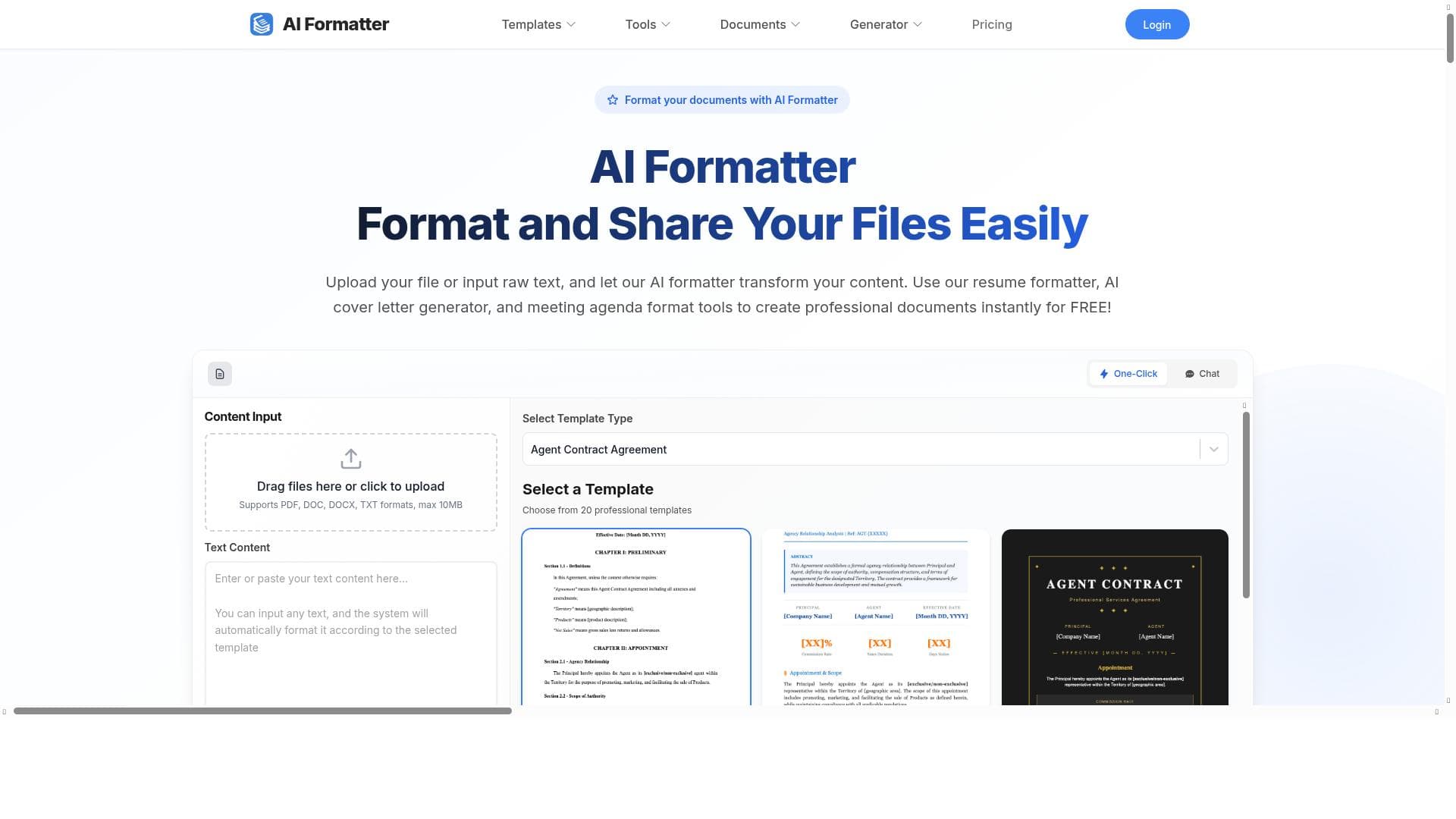


AI Formatter is a powerful AI-driven platform that instantly transforms raw text and uploaded files into professionally formatted documents using over 100 premium templates. Ideal for professionals, job seekers, and businesses, it streamlines resume creation, cover letter generation, and meeting agenda formatting—all for free.

Views230
Impression2,485
Tool Pricingfreemium • $19.99
Description
AI Formatter is a cutting-edge AI-powered document formatting platform that revolutionizes how professionals, job seekers, and businesses create polished documents. Transform raw text and uploaded files into professionally formatted documents instantly with AI-powered formatting technology and access to over 100+ premium templates.
Detailed Description
AI Formatter is an innovative AI-driven document formatting platform designed to simplify and enhance the process of creating polished, professional documents. Its core purpose is to transform raw text inputs or uploaded files into well-structured, visually appealing documents instantly, leveraging advanced AI technology. This platform caters to a wide range of users including professionals, job seekers, and businesses, enabling them to produce high-quality documents without the need for extensive design or formatting skills. By automating the formatting process, AI Formatter saves users valuable time and effort, allowing them to focus more on content rather than layout and style. The platform boasts an impressive suite of features that make document creation seamless and efficient. Users can either upload existing files or input raw text directly into the system. The AI-powered formatting engine then intelligently applies formatting rules to produce documents that adhere to professional standards. One standout feature is the resume formatter, which helps job seekers craft visually appealing and ATS-friendly resumes that increase their chances of landing interviews. Additionally, AI Formatter includes an AI cover letter generator that creates personalized cover letters tailored to specific job applications, further streamlining the job search process. Beyond resumes and cover letters, AI Formatter offers tools for formatting meeting agendas and other business documents, making it a versatile solution for corporate users. With access to over 100 premium templates, users can choose from a wide variety of styles and formats to suit different purposes and industries. This extensive template library ensures that every document looks polished and professional, whether it’s a business proposal, report, or personal correspondence. AI Formatter is particularly beneficial for professionals who need to produce high-quality documents quickly, job seekers aiming to improve their application materials, and businesses looking to maintain consistent branding across their documents. Specific use cases include creating resumes that stand out in competitive job markets, generating customized cover letters without the hassle of starting from scratch, and preparing structured meeting agendas that enhance productivity and communication within teams. One of the most attractive aspects of AI Formatter is its pricing model—it is available for free, making it accessible to a broad audience without any financial commitment. This free access includes all core features, allowing users to experience the full capabilities of the platform without restrictions. Compared to other document formatting tools that may require subscriptions or charge per document, AI Formatter offers a cost-effective alternative with robust functionality. When compared to alternatives, AI Formatter stands out due to its combination of AI-driven automation and a vast template library. While many formatting tools require manual adjustments or offer limited template options, AI Formatter’s intelligent formatting engine ensures documents are not only visually appealing but also structurally sound. However, users should consider that, as with any AI-based tool, the output may occasionally require minor manual tweaks to perfectly match specific preferences or industry standards. Additionally, the platform currently focuses primarily on document formatting and may not support deep content editing or collaboration features found in some comprehensive office suites. In summary, AI Formatter is a powerful and user-friendly platform that revolutionizes document creation by automating the formatting process with AI technology. Its free pricing, extensive template selection, and specialized tools for resumes, cover letters, and meeting agendas make it an excellent choice for individuals and businesses seeking professional-quality documents quickly and effortlessly. While it may have some limitations in customization depth and collaboration, its core strengths in formatting automation and ease of use position it as a valuable tool in the productivity and content creation space.
Tool Features
- Upload files or input raw text
- AI-powered document formatting
- Resume formatter
- AI cover letter generator
- Meeting agenda format tools
- Create professional documents instantly
Description
AI Formatter is a powerful AI-driven platform that instantly transforms raw text and uploaded files into professionally formatted documents using over 100 premium templates. Ideal for professionals, job seekers, and businesses, it streamlines resume creation, cover letter generation, and meeting agenda formatting—all for free.
AI Formatter is a cutting-edge AI-powered document formatting platform that revolutionizes how professionals, job seekers, and businesses create polished documents. Transform raw text and uploaded files into professionally formatted documents instantly with AI-powered formatting technology and access to over 100+ premium templates.
Detailed Description
AI Formatter is an innovative AI-driven document formatting platform designed to simplify and enhance the process of creating polished, professional documents. Its core purpose is to transform raw text inputs or uploaded files into well-structured, visually appealing documents instantly, leveraging advanced AI technology. This platform caters to a wide range of users including professionals, job seekers, and businesses, enabling them to produce high-quality documents without the need for extensive design or formatting skills. By automating the formatting process, AI Formatter saves users valuable time and effort, allowing them to focus more on content rather than layout and style. The platform boasts an impressive suite of features that make document creation seamless and efficient. Users can either upload existing files or input raw text directly into the system. The AI-powered formatting engine then intelligently applies formatting rules to produce documents that adhere to professional standards. One standout feature is the resume formatter, which helps job seekers craft visually appealing and ATS-friendly resumes that increase their chances of landing interviews. Additionally, AI Formatter includes an AI cover letter generator that creates personalized cover letters tailored to specific job applications, further streamlining the job search process. Beyond resumes and cover letters, AI Formatter offers tools for formatting meeting agendas and other business documents, making it a versatile solution for corporate users. With access to over 100 premium templates, users can choose from a wide variety of styles and formats to suit different purposes and industries. This extensive template library ensures that every document looks polished and professional, whether it’s a business proposal, report, or personal correspondence. AI Formatter is particularly beneficial for professionals who need to produce high-quality documents quickly, job seekers aiming to improve their application materials, and businesses looking to maintain consistent branding across their documents. Specific use cases include creating resumes that stand out in competitive job markets, generating customized cover letters without the hassle of starting from scratch, and preparing structured meeting agendas that enhance productivity and communication within teams. One of the most attractive aspects of AI Formatter is its pricing model—it is available for free, making it accessible to a broad audience without any financial commitment. This free access includes all core features, allowing users to experience the full capabilities of the platform without restrictions. Compared to other document formatting tools that may require subscriptions or charge per document, AI Formatter offers a cost-effective alternative with robust functionality. When compared to alternatives, AI Formatter stands out due to its combination of AI-driven automation and a vast template library. While many formatting tools require manual adjustments or offer limited template options, AI Formatter’s intelligent formatting engine ensures documents are not only visually appealing but also structurally sound. However, users should consider that, as with any AI-based tool, the output may occasionally require minor manual tweaks to perfectly match specific preferences or industry standards. Additionally, the platform currently focuses primarily on document formatting and may not support deep content editing or collaboration features found in some comprehensive office suites. In summary, AI Formatter is a powerful and user-friendly platform that revolutionizes document creation by automating the formatting process with AI technology. Its free pricing, extensive template selection, and specialized tools for resumes, cover letters, and meeting agendas make it an excellent choice for individuals and businesses seeking professional-quality documents quickly and effortlessly. While it may have some limitations in customization depth and collaboration, its core strengths in formatting automation and ease of use position it as a valuable tool in the productivity and content creation space.
Frequently Asked Questions
What is AI Formatter?
AI Formatter is an AI-powered document formatting platform that helps users create polished, professional documents by automatically formatting raw text or uploaded files using advanced AI technology and a wide range of premium templates.
How much does AI Formatter cost?
AI Formatter is completely free to use, providing access to all core features without any subscription or payment requirements.
Who is AI Formatter best for?
AI Formatter is ideal for professionals needing quick, polished documents, job seekers looking to create standout resumes and cover letters, and businesses aiming to produce consistent, professional meeting agendas and other documents.
What are the main features of AI Formatter?
Key features include uploading files or inputting raw text, AI-powered document formatting, a resume formatter, an AI cover letter generator, meeting agenda formatting tools, and access to over 100 premium templates for various professional documents.
Does AI Formatter offer a free trial?
AI Formatter is free to use and does not require a trial period, allowing users to access all features immediately without any cost.
What integrations does AI Formatter support?
Currently, AI Formatter primarily functions as a standalone platform focused on document formatting and does not list specific integrations with other software or services.
How does AI Formatter work?
Users upload documents or input raw text, and AI Formatter’s intelligent engine automatically applies professional formatting styles and templates to generate polished, ready-to-use documents instantly.
Reviews
No reviews yet. Be the first to share your experience.















































