Featured in:Best AI Writing Tools
Get featured →🚀 Zaprep: Your Socials on Steroids. Start free — automate 1,000 DMs/month & turn engagement into leads. with 1,000 automated DMs/month.



✦
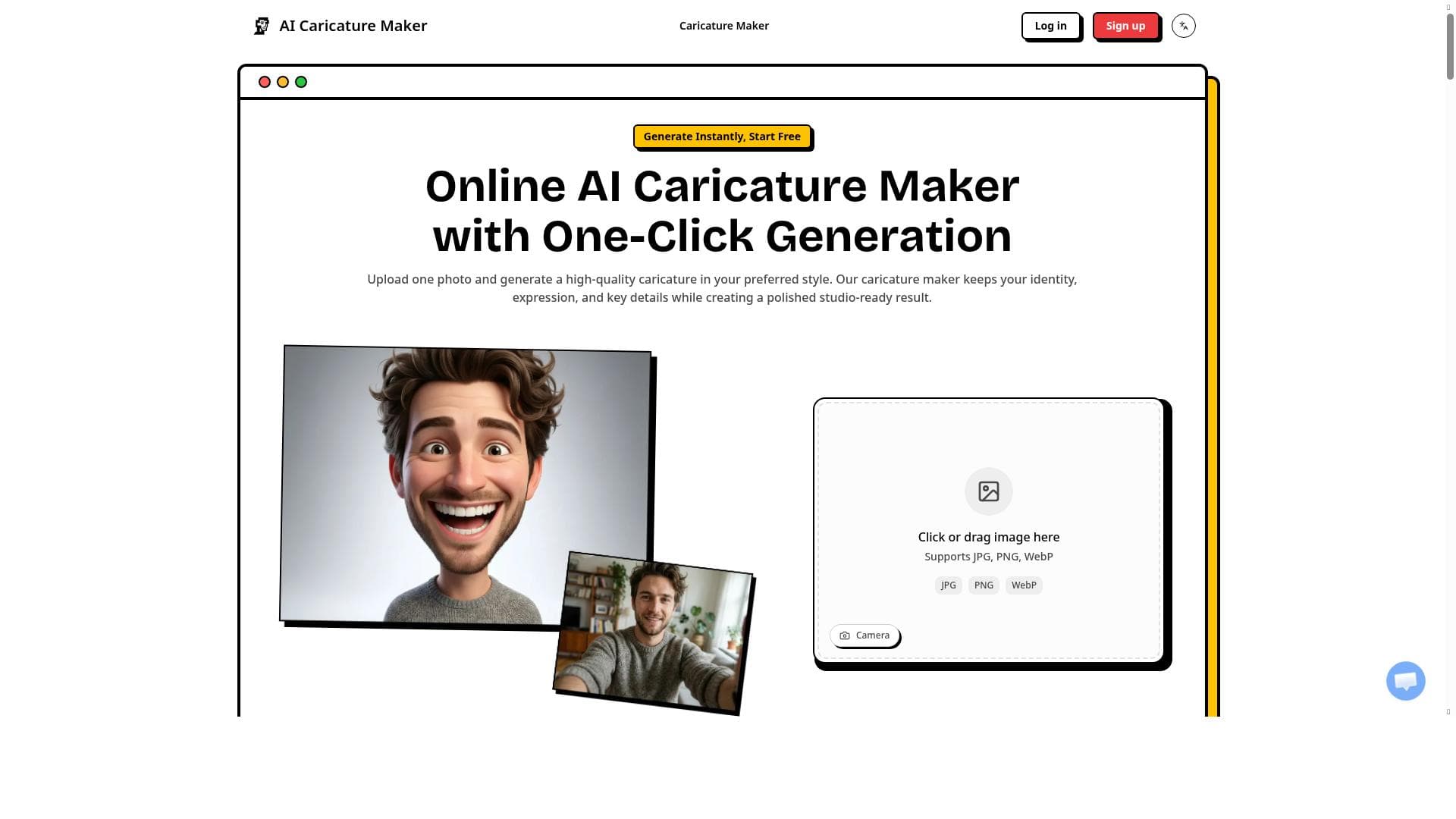
AI Caricature Maker swiftly transforms selfies into high-quality, print-ready cartoon portraits while preserving identity and expression. Perfect for individuals and creators seeking fast, easy, and free caricature generation without compromising on image clarity or likeness.

Description
Use our caricature maker to turn selfies into print-ready cartoon portraits fast. This AI caricature generator keeps identity, expression, and clean quality, providing a quick and easy way to create caricatures online.
Detailed Description
AI Caricature Maker is a specialized online tool designed to transform ordinary selfies into vibrant, print-ready cartoon portraits quickly and effortlessly. Utilizing advanced AI models, this tool focuses on preserving the unique identity and facial expressions of the subject while delivering clean, high-quality caricatures suitable for both digital use and physical printing. Its core purpose is to provide users with an accessible, fast, and reliable way to create personalized caricatures without the need for artistic skills or expensive software. By automating the caricature creation process, AI Caricature Maker democratizes access to custom cartoon portraits, making it ideal for casual users, content creators, and professionals alike. The key features of AI Caricature Maker revolve around its ability to accurately convert selfies into cartoon-style images that maintain the subject's recognizable features and expressions. Unlike generic cartoon filters, this tool emphasizes identity preservation, ensuring that the caricature remains a true representation of the person. The output images are optimized for print, meaning they have sufficient resolution and clarity for physical products such as posters, mugs, or greeting cards. The AI-driven processing is notably fast, allowing users to receive their caricatures within moments of uploading their photos. Additionally, the tool maintains clean image quality, avoiding pixelation or distortion that can occur with other caricature generators. These capabilities make it a robust solution for anyone needing quick, high-quality cartoon portraits. AI Caricature Maker is best suited for a wide range of users. Individuals looking to create fun and personalized avatars or gifts will find it particularly useful. Social media influencers and content creators can leverage the tool to generate unique profile pictures or engaging visual content that stands out. Businesses in the entertainment, marketing, or event planning industries might use it to produce customized caricatures for promotional materials or client giveaways. Moreover, artists and designers can use the tool as a starting point for further creative work, saving time on initial sketches. Its ease of use and fast turnaround make it accessible for users without technical expertise, broadening its appeal. One of the most attractive aspects of AI Caricature Maker is its pricing model—it is completely free to use. This removes barriers to entry and encourages experimentation and frequent use without financial commitment. Unlike many AI art tools that require subscriptions or pay-per-use fees, AI Caricature Maker offers full functionality at no cost, making it an excellent option for budget-conscious users or those new to AI-generated art. When compared to alternative caricature generators, AI Caricature Maker stands out due to its emphasis on identity retention and print-ready output. Many competing tools either produce overly stylized images that lose resemblance or generate low-resolution results unsuitable for printing. Its fast processing speed and clean image quality also provide a superior user experience. However, while it excels in these areas, it may not offer extensive customization options or artistic styles that some professional illustrators or advanced users might seek. Nonetheless, for straightforward, high-quality caricature creation, it remains a top choice. Potential limitations include the reliance on selfie quality—poorly lit or low-resolution photos may affect the final caricature's accuracy and clarity. Additionally, the tool currently focuses on a single caricature style, which might not satisfy users looking for diverse artistic interpretations. There is also no mention of integration capabilities with other platforms or software, which could limit workflow automation for professional users. Despite these considerations, AI Caricature Maker delivers a compelling balance of quality, speed, and ease of use, making it a valuable resource for anyone interested in AI-generated caricatures.
Tool Features
- Turns selfies into cartoon portraits
- Produces print-ready caricatures
- Preserves identity and expression
- Maintains clean image quality
- Fast processing
Description
✦
AI Caricature Maker swiftly transforms selfies into high-quality, print-ready cartoon portraits while preserving identity and expression. Perfect for individuals and creators seeking fast, easy, and free caricature generation without compromising on image clarity or likeness.
Use our caricature maker to turn selfies into print-ready cartoon portraits fast. This AI caricature generator keeps identity, expression, and clean quality, providing a quick and easy way to create caricatures online.
Detailed Description
AI Caricature Maker is a specialized online tool designed to transform ordinary selfies into vibrant, print-ready cartoon portraits quickly and effortlessly. Utilizing advanced AI models, this tool focuses on preserving the unique identity and facial expressions of the subject while delivering clean, high-quality caricatures suitable for both digital use and physical printing. Its core purpose is to provide users with an accessible, fast, and reliable way to create personalized caricatures without the need for artistic skills or expensive software. By automating the caricature creation process, AI Caricature Maker democratizes access to custom cartoon portraits, making it ideal for casual users, content creators, and professionals alike. The key features of AI Caricature Maker revolve around its ability to accurately convert selfies into cartoon-style images that maintain the subject's recognizable features and expressions. Unlike generic cartoon filters, this tool emphasizes identity preservation, ensuring that the caricature remains a true representation of the person. The output images are optimized for print, meaning they have sufficient resolution and clarity for physical products such as posters, mugs, or greeting cards. The AI-driven processing is notably fast, allowing users to receive their caricatures within moments of uploading their photos. Additionally, the tool maintains clean image quality, avoiding pixelation or distortion that can occur with other caricature generators. These capabilities make it a robust solution for anyone needing quick, high-quality cartoon portraits. AI Caricature Maker is best suited for a wide range of users. Individuals looking to create fun and personalized avatars or gifts will find it particularly useful. Social media influencers and content creators can leverage the tool to generate unique profile pictures or engaging visual content that stands out. Businesses in the entertainment, marketing, or event planning industries might use it to produce customized caricatures for promotional materials or client giveaways. Moreover, artists and designers can use the tool as a starting point for further creative work, saving time on initial sketches. Its ease of use and fast turnaround make it accessible for users without technical expertise, broadening its appeal. One of the most attractive aspects of AI Caricature Maker is its pricing model—it is completely free to use. This removes barriers to entry and encourages experimentation and frequent use without financial commitment. Unlike many AI art tools that require subscriptions or pay-per-use fees, AI Caricature Maker offers full functionality at no cost, making it an excellent option for budget-conscious users or those new to AI-generated art. When compared to alternative caricature generators, AI Caricature Maker stands out due to its emphasis on identity retention and print-ready output. Many competing tools either produce overly stylized images that lose resemblance or generate low-resolution results unsuitable for printing. Its fast processing speed and clean image quality also provide a superior user experience. However, while it excels in these areas, it may not offer extensive customization options or artistic styles that some professional illustrators or advanced users might seek. Nonetheless, for straightforward, high-quality caricature creation, it remains a top choice. Potential limitations include the reliance on selfie quality—poorly lit or low-resolution photos may affect the final caricature's accuracy and clarity. Additionally, the tool currently focuses on a single caricature style, which might not satisfy users looking for diverse artistic interpretations. There is also no mention of integration capabilities with other platforms or software, which could limit workflow automation for professional users. Despite these considerations, AI Caricature Maker delivers a compelling balance of quality, speed, and ease of use, making it a valuable resource for anyone interested in AI-generated caricatures.
Frequently Asked Questions
What is AI Caricature Maker?
AI Caricature Maker is an online AI-powered tool that converts selfies into cartoon-style caricatures, maintaining the subject’s identity and expression with clean, print-ready image quality.
How much does AI Caricature Maker cost?
AI Caricature Maker is completely free to use, offering full caricature generation capabilities without any subscription or payment requirements.
Who is AI Caricature Maker best for?
It is ideal for individuals wanting personalized cartoon portraits, social media creators needing unique avatars, businesses seeking promotional caricatures, and artists looking for quick caricature bases.
What are the main features of AI Caricature Maker?
Key features include turning selfies into cartoon portraits, producing print-ready caricatures, preserving identity and facial expressions, maintaining clean image quality, and fast processing times.
Does AI Caricature Maker offer a free trial?
Since AI Caricature Maker is free to use, there is no need for a trial; all features are accessible without cost.
What integrations does AI Caricature Maker support?
Currently, AI Caricature Maker does not specify any integrations with other platforms or software.
How does AI Caricature Maker work?
Users upload a selfie, and the AI processes the image to generate a cartoon caricature that preserves the subject’s identity and expression, delivering a high-quality, print-ready portrait quickly.
Reviews
0 reviews
No reviews yet. Be the first to share your experience.
Sponsored Tools







































Recommended Tools
Stay updated on latest Ai tools
Get the latest insights, Join our newsletter
Read and trusted by 50,000+ readers
Join the biggest AI Community
Our community and staff are here to help!
Your feedback will help Alice AI improve in future versions.







Submit your Tool


PoweredByAI.app is an AI Tools Directory helping individuals, businesses, and creators discover the best AI tools for writing, coding, design, productivity, and more.
© 2026 , Product of011BQ. All rights reserved.