🚀 Zaprep: Your Socials on Steroids. Start free — automate 1,000 DMs/month & turn engagement into leads. with 1,000 automated DMs/month.


Is this your AI tool? Claim it today.
Verify ownership, manage your profile, and unlock growth features.
Agibot is a persistent, always-on AI assistant for Mac that works seamlessly across the app, Telegram, and Slack. It stands out by continuing to operate after closing the window, asking permission before acting, and learning from your corrections, making it ideal for professionals seeking a customizable and privacy-focused AI companion.

Description
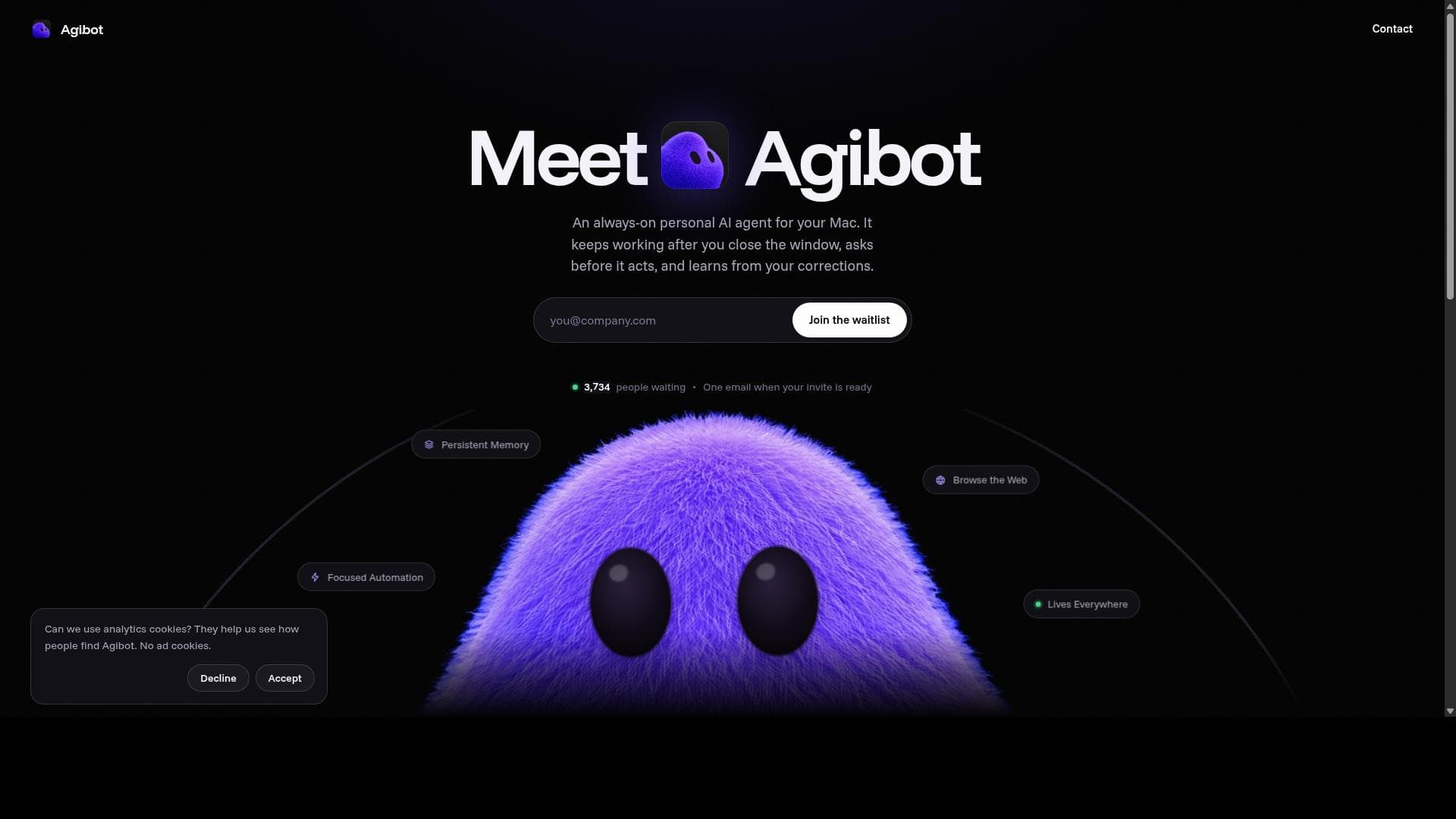
Agibot is an always-on personal AI agent that runs on your Mac. It keeps working in the background, even after you close the window. It can send you a morning brief, keep an eye on things and tell you when something changes, and handle tasks on the web for you. Chat with it in the app, on Telegram or on Slack. It remembers what you tell it, learns from your corrections and asks before doing anything risky. Free forever with your own API key.
Detailed Description
Agibot is a personal AI agent designed specifically for Mac users, offering a seamless and persistent AI assistant experience that continues to operate even after the main app window is closed. Its core purpose is to provide an always-on AI companion that helps users automate tasks, manage information, and interact with various platforms through multiple channels such as a native Mac app, Telegram, and Slack. Agibot is built to be proactive yet respectful, asking for user permission before executing actions and learning from user feedback to improve its responses and capabilities over time. One of Agibot's standout features is its persistent memory, which allows it to remember important information across sessions. This long-term memory can be reviewed, edited, or deleted by the user, ensuring control over what the AI retains. Agibot also supports browsing the web to fetch up-to-date information, making it a versatile tool for research and data retrieval. Its automation capabilities are focused and customizable through scheduled routines, enabling users to set tasks that run automatically at specified times and deliver results directly to their desktop or messaging platforms. Agibot lives everywhere users need it: it integrates natively into the Mac menu bar for quick access, and also functions through popular communication tools like Telegram and Slack. This multi-platform presence ensures that users can interact with their AI assistant wherever they are, whether working on their Mac or communicating via chat apps. Importantly, Agibot prioritizes user consent by asking before it acts, especially for sensitive operations such as writing files, deleting memories, or running shell commands. These commands are sandboxed for security, and users can approve or deny requests either in the app or through Telegram or Slack buttons. The AI models powering Agibot are flexible and user-configurable. Users can connect their own API keys from providers like Anthropic, OpenAI, Google Gemini, xAI, OpenRouter, Groq, DeepSeek, or Mistral. It also supports local models via Ollama and any OpenAI-compatible endpoints. Alternatively, users can sign in with ChatGPT or Google accounts instead of managing API keys. This flexibility allows users to tailor the AI’s intelligence to their preferences and needs. Agibot is best suited for Mac users who want a highly customizable, always-available AI assistant that integrates deeply with their workflow. It is ideal for professionals, knowledge workers, and tech-savvy individuals who benefit from automation, persistent memory, and multi-platform communication. Use cases include managing schedules, automating repetitive tasks, retrieving and storing information, and enhancing productivity through AI-driven assistance that respects user control and privacy. Regarding pricing, Agibot currently operates on a waitlist model, with details about plans and pricing expected to be available upon launch. This approach suggests a focus on early adopters and iterative improvements based on user feedback. Compared to alternatives, Agibot’s unique selling points are its persistent background operation on Mac, multi-channel presence (app, Telegram, Slack), and strict permission-based action system. Unlike many AI assistants that require active windows or browser tabs, Agibot continues running quietly in the background, providing uninterrupted assistance. Its ability to learn from corrections locally without sending data back to AI providers enhances privacy and personalization. Notable limitations include its current exclusivity to macOS, which restricts access for users on other operating systems. Additionally, as it relies on external AI providers via API keys or accounts, users may incur costs or face limitations depending on the chosen AI service. The waitlist status also means that full features and pricing are not yet publicly available, which may delay adoption for some users. Finally, while Agibot’s permission system enhances security, it may introduce friction for users seeking fully autonomous AI actions. Overall, Agibot offers a sophisticated, privacy-conscious, and user-centric AI assistant experience tailored for Mac users who want continuous, intelligent support integrated into their daily workflows.
Tool Features
- Always on: keeps working after you close the window
- Persistent memory
- Browses the web
- Focused automation with scheduled routines
- Lives everywhere: menu bar, Telegram and Slack
- Asks before it acts
- Learns from your corrections
Description
Agibot is a persistent, always-on AI assistant for Mac that works seamlessly across the app, Telegram, and Slack. It stands out by continuing to operate after closing the window, asking permission before acting, and learning from your corrections, making it ideal for professionals seeking a customizable and privacy-focused AI companion.
Agibot is an always-on personal AI agent that runs on your Mac. It keeps working in the background, even after you close the window. It can send you a morning brief, keep an eye on things and tell you when something changes, and handle tasks on the web for you. Chat with it in the app, on Telegram or on Slack. It remembers what you tell it, learns from your corrections and asks before doing anything risky. Free forever with your own API key.
Detailed Description
Agibot is a personal AI agent designed specifically for Mac users, offering a seamless and persistent AI assistant experience that continues to operate even after the main app window is closed. Its core purpose is to provide an always-on AI companion that helps users automate tasks, manage information, and interact with various platforms through multiple channels such as a native Mac app, Telegram, and Slack. Agibot is built to be proactive yet respectful, asking for user permission before executing actions and learning from user feedback to improve its responses and capabilities over time. One of Agibot's standout features is its persistent memory, which allows it to remember important information across sessions. This long-term memory can be reviewed, edited, or deleted by the user, ensuring control over what the AI retains. Agibot also supports browsing the web to fetch up-to-date information, making it a versatile tool for research and data retrieval. Its automation capabilities are focused and customizable through scheduled routines, enabling users to set tasks that run automatically at specified times and deliver results directly to their desktop or messaging platforms. Agibot lives everywhere users need it: it integrates natively into the Mac menu bar for quick access, and also functions through popular communication tools like Telegram and Slack. This multi-platform presence ensures that users can interact with their AI assistant wherever they are, whether working on their Mac or communicating via chat apps. Importantly, Agibot prioritizes user consent by asking before it acts, especially for sensitive operations such as writing files, deleting memories, or running shell commands. These commands are sandboxed for security, and users can approve or deny requests either in the app or through Telegram or Slack buttons. The AI models powering Agibot are flexible and user-configurable. Users can connect their own API keys from providers like Anthropic, OpenAI, Google Gemini, xAI, OpenRouter, Groq, DeepSeek, or Mistral. It also supports local models via Ollama and any OpenAI-compatible endpoints. Alternatively, users can sign in with ChatGPT or Google accounts instead of managing API keys. This flexibility allows users to tailor the AI’s intelligence to their preferences and needs. Agibot is best suited for Mac users who want a highly customizable, always-available AI assistant that integrates deeply with their workflow. It is ideal for professionals, knowledge workers, and tech-savvy individuals who benefit from automation, persistent memory, and multi-platform communication. Use cases include managing schedules, automating repetitive tasks, retrieving and storing information, and enhancing productivity through AI-driven assistance that respects user control and privacy. Regarding pricing, Agibot currently operates on a waitlist model, with details about plans and pricing expected to be available upon launch. This approach suggests a focus on early adopters and iterative improvements based on user feedback. Compared to alternatives, Agibot’s unique selling points are its persistent background operation on Mac, multi-channel presence (app, Telegram, Slack), and strict permission-based action system. Unlike many AI assistants that require active windows or browser tabs, Agibot continues running quietly in the background, providing uninterrupted assistance. Its ability to learn from corrections locally without sending data back to AI providers enhances privacy and personalization. Notable limitations include its current exclusivity to macOS, which restricts access for users on other operating systems. Additionally, as it relies on external AI providers via API keys or accounts, users may incur costs or face limitations depending on the chosen AI service. The waitlist status also means that full features and pricing are not yet publicly available, which may delay adoption for some users. Finally, while Agibot’s permission system enhances security, it may introduce friction for users seeking fully autonomous AI actions. Overall, Agibot offers a sophisticated, privacy-conscious, and user-centric AI assistant experience tailored for Mac users who want continuous, intelligent support integrated into their daily workflows.
Frequently Asked Questions
What is Agibot?
Agibot is a personal AI agent that lives on your Mac. You can talk to it in the app, on Telegram, or on Slack. It uses tools, browses the web, runs routines on a schedule, and keeps a long-term memory that you can read, edit, and delete.
How much does Agibot cost?
Pricing details for Agibot are not publicly available yet as it is currently in a waitlist phase. Interested users can join the waitlist on the official website to receive updates about plans and pricing upon launch.
Who is Agibot best for?
Agibot is best suited for Mac users who want an always-on AI assistant integrated into their workflow. It is ideal for professionals, knowledge workers, and tech-savvy individuals who benefit from automation, persistent memory, and multi-platform communication through apps like Telegram and Slack.
What are the main features of Agibot?
Agibot’s main features include always-on operation that continues after closing the window, persistent memory for storing important information, web browsing capabilities, focused automation with scheduled routines, multi-platform presence in the Mac menu bar, Telegram, and Slack, a permission-based action system, and the ability to learn from user corrections to improve performance.
Does Agibot offer a free trial?
There is no publicly available information about a free trial at this time. Users interested in trying Agibot can join the waitlist on the official website to receive updates on availability and trial options.
What integrations does Agibot support?
Agibot integrates natively with macOS through its menu bar app and supports communication via Telegram and Slack. It also works with multiple AI model providers including Anthropic, OpenAI, Google Gemini, xAI, OpenRouter, Groq, DeepSeek, Mistral, and local models through Ollama.
How does Agibot work?
Agibot runs as a persistent AI agent on your Mac, continuing to operate even after you close the app window. It interacts with you via the Mac app, Telegram, or Slack, runs scheduled routines, remembers important information in a local database, asks for permission before performing actions, and learns from your corrections to improve its skills and responses over time.
Reviews
No reviews yet. Be the first to share your experience.
Sponsored Tools











































Recommended Tools
Stay updated on latest Ai tools
Get the latest insights, Join our newsletter
Read and trusted by 50,000+ readers
Join the biggest AI Community
Our community and staff are here to help!
Your feedback will help Alice AI improve in future versions.








Submit your Tool


PoweredByAI.app is an AI Tools Directory helping individuals, businesses, and creators discover the best AI tools for writing, coding, design, productivity, and more.
© 2026 , Product of011BQ. All rights reserved.