

Is this your AI tool? Claim it today.
Verify ownership, manage your profile, and unlock growth features.
Aera Browser revolutionizes web browsing by enabling fully autonomous workflow automation directly within the browser. Ideal for professionals and developers, it connects AI tools to execute real actions while keeping all data private and local, making complex task automation effortless and secure.

Description
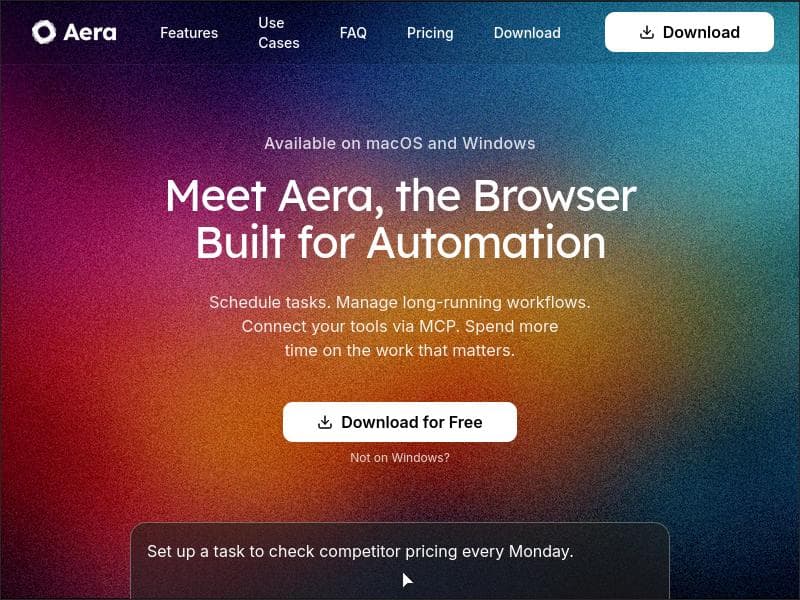
Meet Aera, the browser built for automating real workflows. Create tasks, and Aera runs full workflows in the background, handling context, execution, and reporting automatically. Connect tools like Cursor or Claude Code with MCP so agents can take real action, not just suggest it. Keep your data + history private and local-only. Try for free!
Detailed Description
Aera Browser is a cutting-edge web browser designed specifically to automate real workflows seamlessly within the browser environment. Unlike traditional browsers that primarily focus on web navigation and content consumption, Aera Browser empowers users to create, manage, and execute fully autonomous workflows that run in the background. Its core purpose is to streamline repetitive web-based tasks by automating complex sequences of actions, thereby saving time and reducing manual effort. By integrating advanced automation capabilities directly into the browsing experience, Aera transforms how users interact with web applications and services. At the heart of Aera Browser's functionality is its ability to build and run workflows that handle context, execution, and reporting automatically. Users can create tasks that trigger multi-step processes, which the browser then executes without further input. This includes automating web tasks such as data entry, form submissions, content scraping, and more. The browser also supports scheduling recurring workflows, enabling users to set up tasks that run at specified intervals without manual intervention. This feature is particularly useful for routine activities like monitoring websites, updating databases, or generating reports. Aera Browser distinguishes itself by integrating with external AI tools and agents through its MCP (Multi-Channel Protocol) connectivity. This allows users to connect AI-powered assistants like Cursor or Claude Code, enabling these agents to take real, actionable steps within workflows rather than merely providing suggestions. This integration elevates the browser from a passive tool to an active participant in task execution, enhancing productivity and accuracy. Privacy and security are paramount in Aera Browser's design. All user data and browsing history remain private and are stored locally on the user's device, ensuring that sensitive information is not transmitted or stored on external servers. This local-only data policy provides peace of mind for users concerned about data privacy and compliance. Aera Browser is ideal for professionals, developers, data analysts, and anyone who frequently performs repetitive or complex web tasks. Use cases include automating data collection from multiple websites, scheduling regular content updates, managing long-running workflows that require continuous monitoring, and integrating AI agents to enhance task execution. Its ability to connect with AI tools makes it particularly valuable for users looking to leverage artificial intelligence for more efficient workflow automation. The pricing model for Aera Browser is freemium, allowing users to try the core features for free with the option to upgrade for additional capabilities or higher usage limits. This approach makes it accessible for individual users and small teams to experiment with automation before committing to a paid plan. Compared to traditional automation tools and browsers, Aera Browser offers a unique combination of native workflow automation, AI integration, and privacy-focused design. While many automation platforms require separate software or cloud services, Aera consolidates these functions within a single browser, simplifying the user experience. However, users should consider that as a relatively new tool, it may have a learning curve associated with designing complex workflows and integrating AI agents effectively. In summary, Aera Browser is a powerful, privacy-conscious browser tailored for users who want to automate and manage real workflows directly in their browsing environment. Its seamless AI integrations, autonomous workflow capabilities, and local data storage make it a standout choice for professionals seeking to enhance productivity through intelligent automation.
Tool Features
- Build fully-autonomous workflows in your browser
- Automate web tasks
- Schedule recurring workflows
- Connect tools via MCP
- Manage long-running workflows
Description
Aera Browser revolutionizes web browsing by enabling fully autonomous workflow automation directly within the browser. Ideal for professionals and developers, it connects AI tools to execute real actions while keeping all data private and local, making complex task automation effortless and secure.
Meet Aera, the browser built for automating real workflows. Create tasks, and Aera runs full workflows in the background, handling context, execution, and reporting automatically. Connect tools like Cursor or Claude Code with MCP so agents can take real action, not just suggest it. Keep your data + history private and local-only. Try for free!
Detailed Description
Aera Browser is a cutting-edge web browser designed specifically to automate real workflows seamlessly within the browser environment. Unlike traditional browsers that primarily focus on web navigation and content consumption, Aera Browser empowers users to create, manage, and execute fully autonomous workflows that run in the background. Its core purpose is to streamline repetitive web-based tasks by automating complex sequences of actions, thereby saving time and reducing manual effort. By integrating advanced automation capabilities directly into the browsing experience, Aera transforms how users interact with web applications and services. At the heart of Aera Browser's functionality is its ability to build and run workflows that handle context, execution, and reporting automatically. Users can create tasks that trigger multi-step processes, which the browser then executes without further input. This includes automating web tasks such as data entry, form submissions, content scraping, and more. The browser also supports scheduling recurring workflows, enabling users to set up tasks that run at specified intervals without manual intervention. This feature is particularly useful for routine activities like monitoring websites, updating databases, or generating reports. Aera Browser distinguishes itself by integrating with external AI tools and agents through its MCP (Multi-Channel Protocol) connectivity. This allows users to connect AI-powered assistants like Cursor or Claude Code, enabling these agents to take real, actionable steps within workflows rather than merely providing suggestions. This integration elevates the browser from a passive tool to an active participant in task execution, enhancing productivity and accuracy. Privacy and security are paramount in Aera Browser's design. All user data and browsing history remain private and are stored locally on the user's device, ensuring that sensitive information is not transmitted or stored on external servers. This local-only data policy provides peace of mind for users concerned about data privacy and compliance. Aera Browser is ideal for professionals, developers, data analysts, and anyone who frequently performs repetitive or complex web tasks. Use cases include automating data collection from multiple websites, scheduling regular content updates, managing long-running workflows that require continuous monitoring, and integrating AI agents to enhance task execution. Its ability to connect with AI tools makes it particularly valuable for users looking to leverage artificial intelligence for more efficient workflow automation. The pricing model for Aera Browser is freemium, allowing users to try the core features for free with the option to upgrade for additional capabilities or higher usage limits. This approach makes it accessible for individual users and small teams to experiment with automation before committing to a paid plan. Compared to traditional automation tools and browsers, Aera Browser offers a unique combination of native workflow automation, AI integration, and privacy-focused design. While many automation platforms require separate software or cloud services, Aera consolidates these functions within a single browser, simplifying the user experience. However, users should consider that as a relatively new tool, it may have a learning curve associated with designing complex workflows and integrating AI agents effectively. In summary, Aera Browser is a powerful, privacy-conscious browser tailored for users who want to automate and manage real workflows directly in their browsing environment. Its seamless AI integrations, autonomous workflow capabilities, and local data storage make it a standout choice for professionals seeking to enhance productivity through intelligent automation.
Frequently Asked Questions
What is Aera Browser?
Aera Browser is a web browser designed to automate real workflows by allowing users to create tasks that run fully autonomous workflows in the background. It handles context, execution, and reporting automatically, integrating AI tools to take real actions rather than just providing suggestions.
How much does Aera Browser cost?
Aera Browser operates on a freemium pricing model, offering free access to core features with options to upgrade for additional capabilities or higher usage limits.
Who is Aera Browser best for?
It is best suited for professionals, developers, data analysts, and anyone who performs repetitive or complex web tasks and wants to automate workflows efficiently while maintaining data privacy.
What are the main features of Aera Browser?
Key features include building fully autonomous workflows, automating web tasks, scheduling recurring workflows, connecting AI tools via MCP for actionable agents, and managing long-running workflows—all while keeping data private and local.
Does Aera Browser offer a free trial?
Yes, Aera Browser offers a free version that allows users to try its core features without cost.
What integrations does Aera Browser support?
Aera Browser supports integrations with AI tools such as Cursor and Claude Code through its MCP protocol, enabling AI agents to perform real actions within workflows.
How does Aera Browser work?
Users create tasks within the browser that define workflows. Aera then runs these workflows autonomously in the background, handling all execution steps, context management, and reporting. It connects to AI agents for enhanced task automation and keeps all user data stored locally for privacy.
Socials
Use ToolReviews
No reviews yet. Be the first to share your experience.




















































