

¿Es esta tu herramienta de IA? Reclámala hoy.
Verifica la propiedad, gestiona tu perfil y desbloquea funciones de crecimiento.
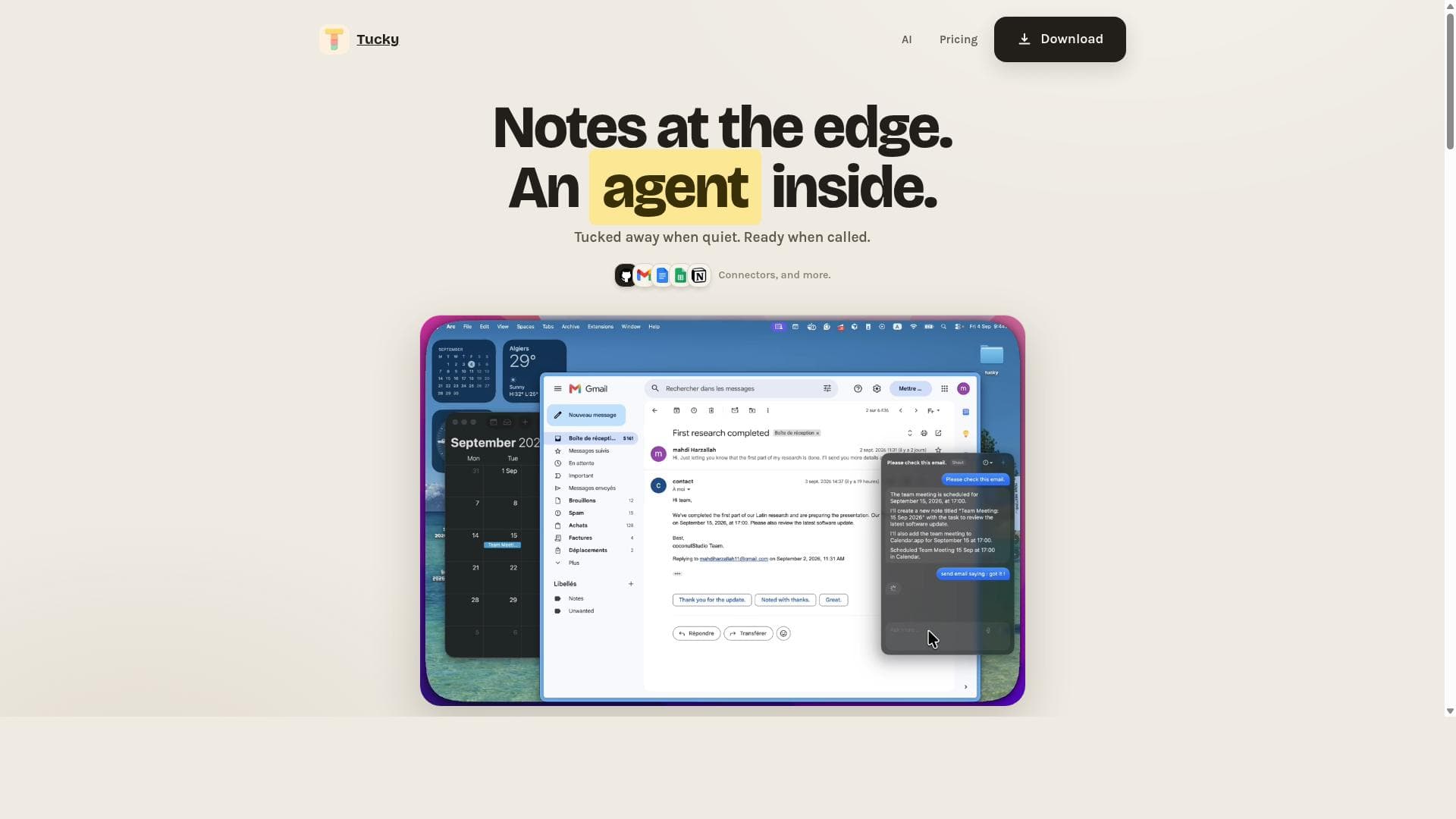
Tucky is a native macOS notes app that uniquely docks as a thin stripe on your screen edge, expanding into paper-like tabs for quick access while securely storing notes locally with encryption. Ideal for privacy-conscious users and multitaskers, it combines live Markdown, AI-powered assistance, and voice dictation in over 60 languages to boost productivity seamlessly.

Descripción
Tucky is a native macOS notes app that sleeps as a thin stripe on the screen edge. Local and encrypted. Plus is $4/month for voice, connectors, and the best LLM models.
Descripción detallada
Tucky is a native macOS notes application designed to enhance productivity by providing a unique, edge-docked note-taking experience. Unlike traditional note apps that open in full windows, Tucky resides as a thin stripe along the edge of your screen, remaining unobtrusive yet instantly accessible. When you hover over this stripe, it fans out into multiple paper-like tabs, allowing you to quickly scan and select notes. Pulling a note out expands it to full size for detailed editing. This innovative interface is crafted to keep your workspace clean while ensuring your notes are always within reach. At its core, Tucky prioritizes privacy and security by storing all notes locally in an encrypted SQLite database using AES-GCM encryption. This means your data never leaves your device unless you choose to export or sync it yourself, providing peace of mind for users concerned about cloud storage vulnerabilities. The app supports live Markdown styling, enabling users to format notes dynamically with headings, lists, links, and other Markdown elements. Checkbox tasks are integrated for simple task management within notes, making it easy to track to-dos alongside your ideas. Tucky also incorporates hosted AI models directly within the app, offering intelligent assistance such as summarization, content generation, or note enhancement without relying on external services. Voice dictation is a standout feature, supporting over 60 languages, which allows users to capture thoughts hands-free and in their preferred language. For users seeking even more productivity, the Plus plan unlocks app connectors that integrate Tucky with other applications, streamlining workflows and automating note-related tasks. Additionally, global shortcuts are fully customizable, enabling users to tailor quick access and commands to their preferences. Notes can be exported in Markdown format or as .stickies files, facilitating easy migration or sharing. Tucky is ideal for macOS users who want a lightweight, privacy-focused note-taking tool that stays out of the way but is always accessible. It suits professionals, students, writers, and anyone who juggles multiple notes or tasks and values quick access combined with strong data security. Its voice dictation and multilingual support also make it a great choice for international users or those who prefer dictation over typing. The app’s unique edge-docked design is perfect for users who dislike cluttered desktops and want a more tactile, paper-like note experience. Regarding pricing, Tucky offers a free tier that includes a three-note trial with basic functionality but excludes AI features, voice dictation, and app connectors. The Plus plan costs $4 per month and unlocks hosted AI models, voice dictation in over 60 languages, and app connectors for enhanced integration and productivity. This affordable subscription makes advanced features accessible without overwhelming casual users. Compared to alternatives like Apple Notes, Bear, or Notion, Tucky stands out with its edge-docked interface and local encrypted storage, prioritizing privacy and minimalism. While many competitors rely heavily on cloud syncing, Tucky’s local-only approach appeals to users wary of cloud security risks. Its built-in AI models and extensive voice dictation support further differentiate it by blending modern AI capabilities with classic note-taking. However, unlike some cloud-based apps, Tucky currently lacks collaborative features and cross-platform availability, which may limit its use for teams or users working across devices. Notable limitations include its macOS exclusivity, meaning Windows or mobile users cannot use Tucky natively. The free plan’s three-note limit may be restrictive for heavy note-takers, and some advanced AI and connector features require the paid Plus subscription. Additionally, while local encryption enhances privacy, it also means users must manage their own backups to avoid data loss. Overall, Tucky is a thoughtfully designed, privacy-first notes app with innovative UI and AI integration, best suited for individual macOS users seeking a secure, efficient, and elegant note-taking solution.
Características de la herramienta
- Edge-docked note deck
- Checkbox tasks
- Live Markdown styling
- Encrypted note bodies in one SQLite file
- Hosted AI models in the app
- Dictation in 60+ languages, and app connectors
- Global shortcuts, all rebindable
- Markdown and .stickies export
Descripción
Tucky is a native macOS notes app that uniquely docks as a thin stripe on your screen edge, expanding into paper-like tabs for quick access while securely storing notes locally with encryption. Ideal for privacy-conscious users and multitaskers, it combines live Markdown, AI-powered assistance, and voice dictation in over 60 languages to boost productivity seamlessly.
Tucky is a native macOS notes app that sleeps as a thin stripe on the screen edge. Local and encrypted. Plus is $4/month for voice, connectors, and the best LLM models.
Descripción detallada
Tucky is a native macOS notes application designed to enhance productivity by providing a unique, edge-docked note-taking experience. Unlike traditional note apps that open in full windows, Tucky resides as a thin stripe along the edge of your screen, remaining unobtrusive yet instantly accessible. When you hover over this stripe, it fans out into multiple paper-like tabs, allowing you to quickly scan and select notes. Pulling a note out expands it to full size for detailed editing. This innovative interface is crafted to keep your workspace clean while ensuring your notes are always within reach. At its core, Tucky prioritizes privacy and security by storing all notes locally in an encrypted SQLite database using AES-GCM encryption. This means your data never leaves your device unless you choose to export or sync it yourself, providing peace of mind for users concerned about cloud storage vulnerabilities. The app supports live Markdown styling, enabling users to format notes dynamically with headings, lists, links, and other Markdown elements. Checkbox tasks are integrated for simple task management within notes, making it easy to track to-dos alongside your ideas. Tucky also incorporates hosted AI models directly within the app, offering intelligent assistance such as summarization, content generation, or note enhancement without relying on external services. Voice dictation is a standout feature, supporting over 60 languages, which allows users to capture thoughts hands-free and in their preferred language. For users seeking even more productivity, the Plus plan unlocks app connectors that integrate Tucky with other applications, streamlining workflows and automating note-related tasks. Additionally, global shortcuts are fully customizable, enabling users to tailor quick access and commands to their preferences. Notes can be exported in Markdown format or as .stickies files, facilitating easy migration or sharing. Tucky is ideal for macOS users who want a lightweight, privacy-focused note-taking tool that stays out of the way but is always accessible. It suits professionals, students, writers, and anyone who juggles multiple notes or tasks and values quick access combined with strong data security. Its voice dictation and multilingual support also make it a great choice for international users or those who prefer dictation over typing. The app’s unique edge-docked design is perfect for users who dislike cluttered desktops and want a more tactile, paper-like note experience. Regarding pricing, Tucky offers a free tier that includes a three-note trial with basic functionality but excludes AI features, voice dictation, and app connectors. The Plus plan costs $4 per month and unlocks hosted AI models, voice dictation in over 60 languages, and app connectors for enhanced integration and productivity. This affordable subscription makes advanced features accessible without overwhelming casual users. Compared to alternatives like Apple Notes, Bear, or Notion, Tucky stands out with its edge-docked interface and local encrypted storage, prioritizing privacy and minimalism. While many competitors rely heavily on cloud syncing, Tucky’s local-only approach appeals to users wary of cloud security risks. Its built-in AI models and extensive voice dictation support further differentiate it by blending modern AI capabilities with classic note-taking. However, unlike some cloud-based apps, Tucky currently lacks collaborative features and cross-platform availability, which may limit its use for teams or users working across devices. Notable limitations include its macOS exclusivity, meaning Windows or mobile users cannot use Tucky natively. The free plan’s three-note limit may be restrictive for heavy note-takers, and some advanced AI and connector features require the paid Plus subscription. Additionally, while local encryption enhances privacy, it also means users must manage their own backups to avoid data loss. Overall, Tucky is a thoughtfully designed, privacy-first notes app with innovative UI and AI integration, best suited for individual macOS users seeking a secure, efficient, and elegant note-taking solution.
Preguntas frecuentes
What is Tucky?
Tucky is a native macOS notes application that docks as a thin stripe on the edge of your screen, expanding into paper tabs for easy access and pulling notes out full size for detailed editing. It stores notes locally in an encrypted SQLite database, ensuring privacy and security.
How much does Tucky cost?
Tucky offers a free tier with a three-note trial that excludes AI, voice dictation, and app connectors. The Plus plan costs $4 per month and includes hosted AI models, voice dictation in over 60 languages, and app connectors for enhanced productivity.
Who is Tucky best for?
Tucky is best suited for macOS users who want a lightweight, privacy-focused note-taking app that stays out of the way but is always accessible. It is ideal for professionals, students, writers, and anyone who values quick access to notes combined with strong local encryption and AI-powered features.
What are the main features of Tucky?
Key features include an edge-docked note deck, checkbox tasks, live Markdown styling, encrypted note bodies stored in a single SQLite file, hosted AI models within the app, voice dictation in over 60 languages, customizable global shortcuts, app connectors available in the Plus plan, and export options for Markdown and .stickies formats.
Does Tucky offer a free trial?
Yes, Tucky offers a free tier that allows users to create up to three notes as a trial. However, this free version does not include AI features, voice dictation, or app connectors.
What integrations does Tucky support?
Tucky supports app connectors that integrate with other applications to enhance productivity. These connectors are available in the Plus subscription plan, enabling users to automate workflows and connect Tucky with their favorite apps.
How does Tucky work?
Tucky works by docking as a thin stripe on the edge of your macOS screen. When accessed, it fans out into paper-like tabs representing your notes, which can be pulled out full size for editing. Notes are stored locally in an encrypted SQLite database, and the app includes AI models and voice dictation to assist with note creation and management.
Reseñas
Aún no hay reseñas. Sé el primero en compartir tu experiencia.




















































