

¿Es esta tu herramienta de IA? Reclámala hoy.
Verifica la propiedad, gestiona tu perfil y desbloquea funciones de crecimiento.
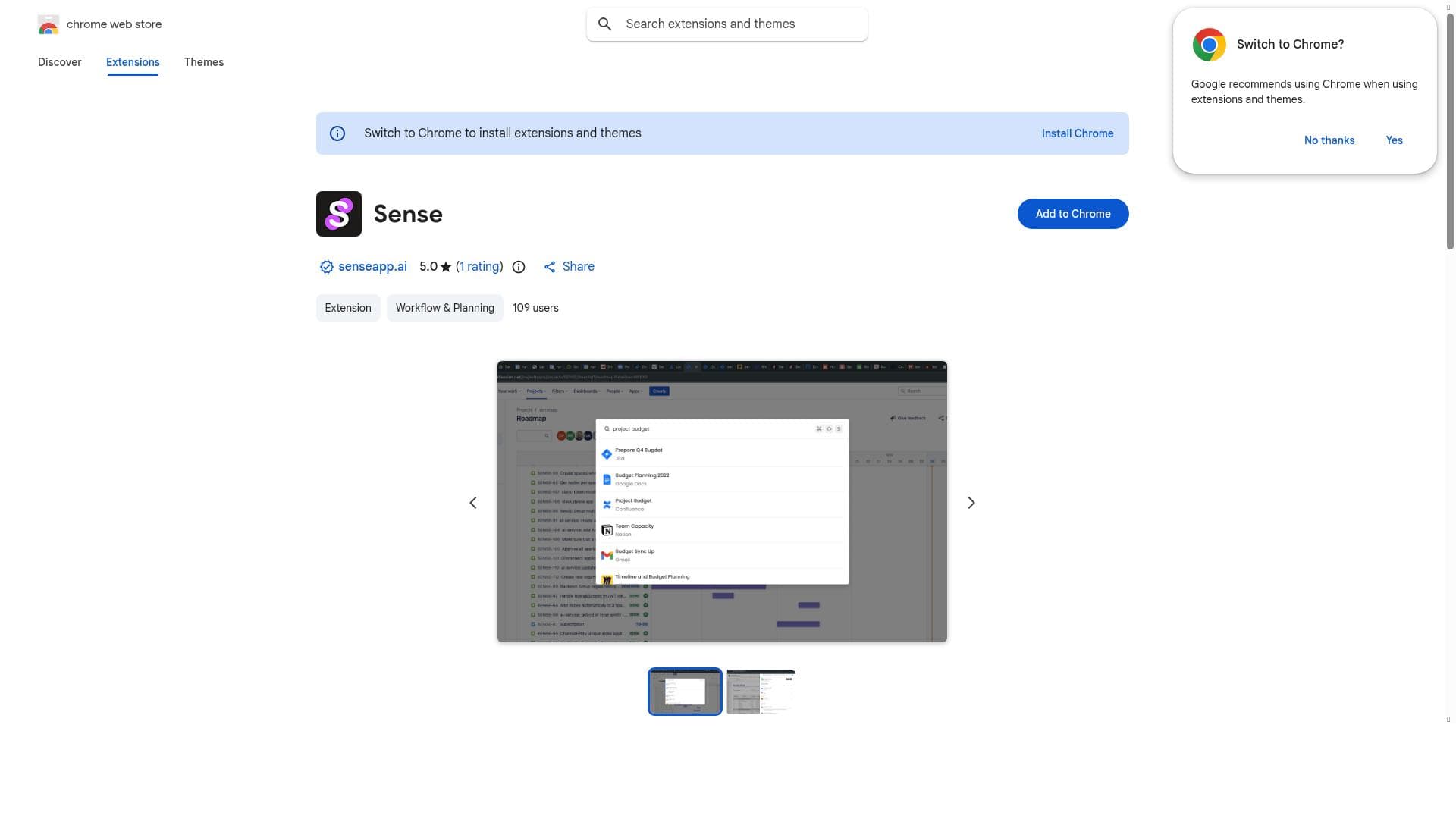
Sense is a Chrome extension that transforms how users access data by enabling instant search across all their apps from one place. Perfect for professionals juggling multiple tools, it streamlines workflows and boosts productivity by consolidating important information into a single, easy-to-use interface.

Descripción
Sense gives you a ChatGPT-like search for your company. For each project and person in your team Sense uses AI to automatically organize related resources and updates across all apps.
Descripción detallada
Sense is a powerful Chrome extension designed to revolutionize the way users access and manage their information across multiple applications. Its core purpose is to streamline data retrieval by enabling users to search instantly across all their connected apps from a single, unified interface. This eliminates the need to switch between different platforms and tools, saving valuable time and enhancing overall productivity. Whether you are juggling emails, documents, project management tools, or other software, Sense acts as a centralized search hub that brings all your important data within immediate reach. One of the standout features of Sense is its ability to integrate multiple data sources seamlessly. Instead of searching each app individually, Sense aggregates information from all your connected applications and delivers relevant results instantly. This capability is particularly useful for professionals who rely on a variety of tools daily and need quick access to critical information without the hassle of manual searching. The extension’s intuitive search functionality is designed to prioritize important information, helping users find what they need faster and more efficiently. Sense is ideal for knowledge workers, project managers, sales teams, customer support agents, and anyone who deals with large volumes of data spread across different platforms. For example, a project manager can quickly locate project files, emails, and notes related to a specific task without toggling between apps. Similarly, sales professionals can instantly retrieve client information, communication history, and relevant documents to prepare for meetings. The tool’s ability to unify data access makes it a valuable asset for remote teams and organizations seeking to improve collaboration and reduce information silos. Regarding pricing, Sense is available as a Chrome extension, which typically suggests a freemium model or a free basic tier with optional premium features. However, specific pricing details are not explicitly provided on the Chrome Web Store listing. Users interested in advanced capabilities or enterprise-level integrations may need to contact the developers directly or check the official website for the latest pricing plans and subscription options. Compared to alternatives, Sense stands out by focusing on cross-application search within the Chrome browser environment. While many tools offer search capabilities within single apps or cloud storage platforms, Sense’s unique value proposition lies in its ability to unify search across all apps a user employs. This contrasts with traditional search tools that require separate queries for each platform. Additionally, Sense’s integration as a browser extension makes it easily accessible without the need for complex installations or switching environments. Despite its strengths, users should consider some limitations. As a Chrome extension, Sense’s functionality depends on browser compatibility and permissions granted by the user. The scope of app integrations may also be limited to popular or supported platforms, potentially excluding niche or proprietary software. Furthermore, the effectiveness of search results relies on the quality of integration and indexing of connected apps, which may vary. Users handling highly sensitive data should also review privacy policies and security measures to ensure compliance with organizational standards. In summary, Sense offers a compelling solution for anyone looking to enhance productivity by consolidating search across multiple applications. Its ease of use, instant access to important information, and multi-source integration make it a valuable tool for professionals managing diverse data streams. While pricing details and integration breadth may require further inquiry, Sense’s core capabilities address a common pain point in digital workflows, helping users save time and work smarter.
Características de la herramienta
- Search across all your apps instantly
- Get important information quickly
- Integrates multiple data sources into one search
Descripción
Sense is a Chrome extension that transforms how users access data by enabling instant search across all their apps from one place. Perfect for professionals juggling multiple tools, it streamlines workflows and boosts productivity by consolidating important information into a single, easy-to-use interface.
Sense gives you a ChatGPT-like search for your company. For each project and person in your team Sense uses AI to automatically organize related resources and updates across all apps.
Descripción detallada
Sense is a powerful Chrome extension designed to revolutionize the way users access and manage their information across multiple applications. Its core purpose is to streamline data retrieval by enabling users to search instantly across all their connected apps from a single, unified interface. This eliminates the need to switch between different platforms and tools, saving valuable time and enhancing overall productivity. Whether you are juggling emails, documents, project management tools, or other software, Sense acts as a centralized search hub that brings all your important data within immediate reach. One of the standout features of Sense is its ability to integrate multiple data sources seamlessly. Instead of searching each app individually, Sense aggregates information from all your connected applications and delivers relevant results instantly. This capability is particularly useful for professionals who rely on a variety of tools daily and need quick access to critical information without the hassle of manual searching. The extension’s intuitive search functionality is designed to prioritize important information, helping users find what they need faster and more efficiently. Sense is ideal for knowledge workers, project managers, sales teams, customer support agents, and anyone who deals with large volumes of data spread across different platforms. For example, a project manager can quickly locate project files, emails, and notes related to a specific task without toggling between apps. Similarly, sales professionals can instantly retrieve client information, communication history, and relevant documents to prepare for meetings. The tool’s ability to unify data access makes it a valuable asset for remote teams and organizations seeking to improve collaboration and reduce information silos. Regarding pricing, Sense is available as a Chrome extension, which typically suggests a freemium model or a free basic tier with optional premium features. However, specific pricing details are not explicitly provided on the Chrome Web Store listing. Users interested in advanced capabilities or enterprise-level integrations may need to contact the developers directly or check the official website for the latest pricing plans and subscription options. Compared to alternatives, Sense stands out by focusing on cross-application search within the Chrome browser environment. While many tools offer search capabilities within single apps or cloud storage platforms, Sense’s unique value proposition lies in its ability to unify search across all apps a user employs. This contrasts with traditional search tools that require separate queries for each platform. Additionally, Sense’s integration as a browser extension makes it easily accessible without the need for complex installations or switching environments. Despite its strengths, users should consider some limitations. As a Chrome extension, Sense’s functionality depends on browser compatibility and permissions granted by the user. The scope of app integrations may also be limited to popular or supported platforms, potentially excluding niche or proprietary software. Furthermore, the effectiveness of search results relies on the quality of integration and indexing of connected apps, which may vary. Users handling highly sensitive data should also review privacy policies and security measures to ensure compliance with organizational standards. In summary, Sense offers a compelling solution for anyone looking to enhance productivity by consolidating search across multiple applications. Its ease of use, instant access to important information, and multi-source integration make it a valuable tool for professionals managing diverse data streams. While pricing details and integration breadth may require further inquiry, Sense’s core capabilities address a common pain point in digital workflows, helping users save time and work smarter.
Preguntas frecuentes
What is Sense?
Sense is a Chrome extension that allows users to instantly search across all their connected applications from one unified interface, providing quick access to important information and streamlining data retrieval.
How much does Sense cost?
Specific pricing details for Sense are not explicitly listed on the Chrome Web Store. It may offer a free basic version with potential premium plans available through the official website or by contacting the developers.
Who is Sense best for?
Sense is ideal for professionals such as knowledge workers, project managers, sales teams, and customer support agents who need to access and manage information spread across multiple apps efficiently.
What are the main features of Sense?
Sense’s main features include instant search across all connected apps, quick retrieval of important information, and integration of multiple data sources into a single search interface to enhance productivity.
Does Sense offer a free trial?
The Chrome Web Store listing does not specify if Sense offers a free trial, but as a browser extension, it likely provides a free version or trial period. Users should check the official website for detailed information.
What integrations does Sense support?
Sense integrates multiple data sources across various applications, though the exact list of supported apps is not detailed publicly. It typically supports popular productivity and communication tools accessible via Chrome.
How does Sense work?
Sense works by connecting to all your apps and indexing their data, allowing you to perform a single search query that instantly retrieves relevant information from across all these sources within the Chrome browser.
Redes sociales
Usar herramientaReseñas
Aún no hay reseñas. Sé el primero en compartir tu experiencia.




















































