My Computer by Manus AI


¿Es esta tu herramienta de IA? Reclámala hoy.
Verifica la propiedad, gestiona tu perfil y desbloquea funciones de crecimiento.
My Computer by Manus AI revolutionizes desktop productivity by bringing powerful AI capabilities directly to your local machine, enabling seamless interaction with files and apps without relying on the cloud. Ideal for professionals managing large data sets or complex workflows, it automates tasks like photo organization, invoice renaming, and app building—all without coding.

Descripción
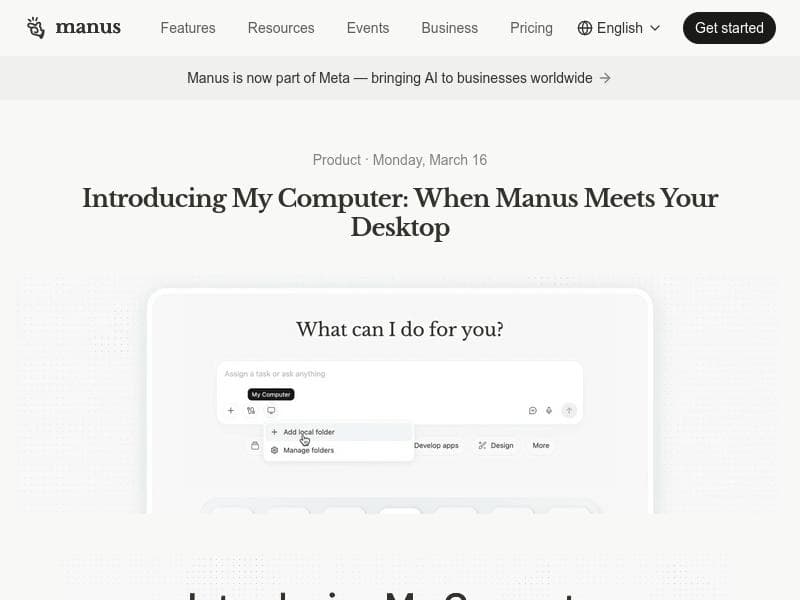
Meet My Computer, the core feature of the Manus Desktop app. It brings Manus out of the cloud and onto your computer, letting your AI agent work directly with local files, tools, and apps. Organize thousands of photos, rename hundreds of invoices, or build Swift desktop apps without writing code. Combine with connectors, Projects, Agents, and Scheduled Tasks to automate workflows. Available now for macOS and Windows.
Descripción detallada
My Computer by Manus AI is a groundbreaking desktop application designed to bring the power of AI directly onto your personal computer, eliminating the need to rely solely on cloud-based AI services. As the core feature of the Manus Desktop app, My Computer enables users to interact with their local files, tools, and applications through an intelligent AI agent. This shift from cloud to local computing allows for faster, more secure, and highly customizable workflows, making AI assistance more accessible and practical for everyday tasks. Whether you need to organize thousands of photos, rename hundreds of invoices, or even build Swift desktop applications without writing a single line of code, My Computer empowers you to do so with ease and efficiency. At its core, My Computer integrates deeply with your operating system, supporting both macOS and Windows platforms. This integration allows the AI agent to work directly with local files and desktop applications, providing a seamless experience that bridges the gap between AI capabilities and your existing workflows. Key features include the ability to automate repetitive tasks such as bulk file renaming, photo organization, and document management. Additionally, the tool supports building desktop applications using Swift, enabling users to create functional apps without programming expertise. The AI agent can be combined with Manus' other offerings like connectors, Projects, Agents, and Scheduled Tasks to create comprehensive automated workflows that save time and reduce manual effort. My Computer is particularly well-suited for professionals and creatives who manage large volumes of digital content or complex file systems. Photographers, accountants, developers, and office administrators can all benefit from the tool's ability to streamline routine tasks and enhance productivity. For example, photographers can quickly sort and tag thousands of images, accountants can automate invoice processing, and developers can prototype desktop apps rapidly. The tool's flexibility also makes it valuable for small businesses and teams looking to automate workflows without investing heavily in custom software development. Regarding pricing, My Computer is offered on a freemium model, allowing users to access core functionalities at no cost while providing options to upgrade for advanced features and enhanced capabilities. This approach makes it accessible to individual users and small teams who want to explore AI-powered desktop automation without upfront investment. Details on specific premium tiers or enterprise plans are available on the Manus AI website, ensuring users can scale their usage according to their needs. Compared to other AI tools that operate primarily in the cloud, My Computer stands out by delivering AI intelligence locally on your machine. This local-first approach reduces latency, enhances data privacy, and provides greater control over how AI interacts with your files and applications. While many AI assistants require internet connectivity and cloud processing, My Computer ensures that sensitive data remains on your device, addressing security concerns common in cloud-dependent solutions. However, this local operation may require sufficient computing resources on the user's machine to run efficiently, which is a consideration for users with older hardware. One notable limitation is that My Computer currently supports only macOS and Windows, potentially excluding users on Linux or other operating systems. Additionally, while the tool offers powerful automation capabilities, users may face a learning curve when integrating multiple Manus AI components like connectors and Scheduled Tasks to build complex workflows. Nevertheless, the comprehensive documentation and active community support help mitigate these challenges. In summary, My Computer by Manus AI is a versatile and innovative AI assistant that transforms how users interact with their local files and applications. By bringing AI out of the cloud and onto your desktop, it offers enhanced speed, security, and customization, making it an ideal solution for professionals seeking to automate and optimize their daily workflows.
Características de la herramienta
- Works directly with local files
- Integrates with desktop tools and applications
- Brings Manus AI capabilities out of the cloud onto your computer
Descripción
My Computer by Manus AI revolutionizes desktop productivity by bringing powerful AI capabilities directly to your local machine, enabling seamless interaction with files and apps without relying on the cloud. Ideal for professionals managing large data sets or complex workflows, it automates tasks like photo organization, invoice renaming, and app building—all without coding.
Meet My Computer, the core feature of the Manus Desktop app. It brings Manus out of the cloud and onto your computer, letting your AI agent work directly with local files, tools, and apps. Organize thousands of photos, rename hundreds of invoices, or build Swift desktop apps without writing code. Combine with connectors, Projects, Agents, and Scheduled Tasks to automate workflows. Available now for macOS and Windows.
Descripción detallada
My Computer by Manus AI is a groundbreaking desktop application designed to bring the power of AI directly onto your personal computer, eliminating the need to rely solely on cloud-based AI services. As the core feature of the Manus Desktop app, My Computer enables users to interact with their local files, tools, and applications through an intelligent AI agent. This shift from cloud to local computing allows for faster, more secure, and highly customizable workflows, making AI assistance more accessible and practical for everyday tasks. Whether you need to organize thousands of photos, rename hundreds of invoices, or even build Swift desktop applications without writing a single line of code, My Computer empowers you to do so with ease and efficiency. At its core, My Computer integrates deeply with your operating system, supporting both macOS and Windows platforms. This integration allows the AI agent to work directly with local files and desktop applications, providing a seamless experience that bridges the gap between AI capabilities and your existing workflows. Key features include the ability to automate repetitive tasks such as bulk file renaming, photo organization, and document management. Additionally, the tool supports building desktop applications using Swift, enabling users to create functional apps without programming expertise. The AI agent can be combined with Manus' other offerings like connectors, Projects, Agents, and Scheduled Tasks to create comprehensive automated workflows that save time and reduce manual effort. My Computer is particularly well-suited for professionals and creatives who manage large volumes of digital content or complex file systems. Photographers, accountants, developers, and office administrators can all benefit from the tool's ability to streamline routine tasks and enhance productivity. For example, photographers can quickly sort and tag thousands of images, accountants can automate invoice processing, and developers can prototype desktop apps rapidly. The tool's flexibility also makes it valuable for small businesses and teams looking to automate workflows without investing heavily in custom software development. Regarding pricing, My Computer is offered on a freemium model, allowing users to access core functionalities at no cost while providing options to upgrade for advanced features and enhanced capabilities. This approach makes it accessible to individual users and small teams who want to explore AI-powered desktop automation without upfront investment. Details on specific premium tiers or enterprise plans are available on the Manus AI website, ensuring users can scale their usage according to their needs. Compared to other AI tools that operate primarily in the cloud, My Computer stands out by delivering AI intelligence locally on your machine. This local-first approach reduces latency, enhances data privacy, and provides greater control over how AI interacts with your files and applications. While many AI assistants require internet connectivity and cloud processing, My Computer ensures that sensitive data remains on your device, addressing security concerns common in cloud-dependent solutions. However, this local operation may require sufficient computing resources on the user's machine to run efficiently, which is a consideration for users with older hardware. One notable limitation is that My Computer currently supports only macOS and Windows, potentially excluding users on Linux or other operating systems. Additionally, while the tool offers powerful automation capabilities, users may face a learning curve when integrating multiple Manus AI components like connectors and Scheduled Tasks to build complex workflows. Nevertheless, the comprehensive documentation and active community support help mitigate these challenges. In summary, My Computer by Manus AI is a versatile and innovative AI assistant that transforms how users interact with their local files and applications. By bringing AI out of the cloud and onto your desktop, it offers enhanced speed, security, and customization, making it an ideal solution for professionals seeking to automate and optimize their daily workflows.
Preguntas frecuentes
What is My Computer by Manus AI?
My Computer by Manus AI is a desktop application that brings AI capabilities directly to your local computer, allowing an AI agent to work with your files, tools, and applications without relying on cloud services. It is designed to automate and streamline tasks such as file organization, bulk renaming, and even building desktop apps.
How much does My Computer by Manus AI cost?
My Computer is offered on a freemium basis, providing free access to core features with options to upgrade for more advanced functionality. Specific pricing details and premium plans can be found on the Manus AI website.
Who is My Computer by Manus AI best for?
This tool is ideal for professionals and creatives who handle large volumes of digital content or complex workflows, such as photographers, accountants, developers, and office administrators. It is also suitable for small businesses and teams seeking to automate routine tasks without coding.
What are the main features of My Computer by Manus AI?
Key features include direct interaction with local files, integration with desktop tools and applications, AI-powered automation of tasks like photo organization and invoice renaming, and the ability to build Swift desktop apps without coding. It also supports combining with connectors, Projects, Agents, and Scheduled Tasks for advanced workflow automation.
Does My Computer by Manus AI offer a free trial?
Yes, My Computer is available as a freemium product, allowing users to try core features for free. Users can explore the tool’s capabilities before deciding to upgrade to premium plans.
What integrations does My Computer by Manus AI support?
My Computer integrates with local desktop tools and applications on macOS and Windows. It also works seamlessly with other Manus AI components such as connectors, Projects, Agents, and Scheduled Tasks to enable complex automated workflows.
How does My Computer by Manus AI work?
My Computer runs as part of the Manus Desktop app, bringing AI processing from the cloud onto your local machine. The AI agent interacts directly with your files and applications, automating tasks and workflows by leveraging local computing resources for faster, secure, and customizable AI assistance.
Redes sociales
Usar herramientaReseñas
Aún no hay reseñas. Sé el primero en compartir tu experiencia.




















































