

¿Es esta tu herramienta de IA? Reclámala hoy.
Verifica la propiedad, gestiona tu perfil y desbloquea funciones de crecimiento.
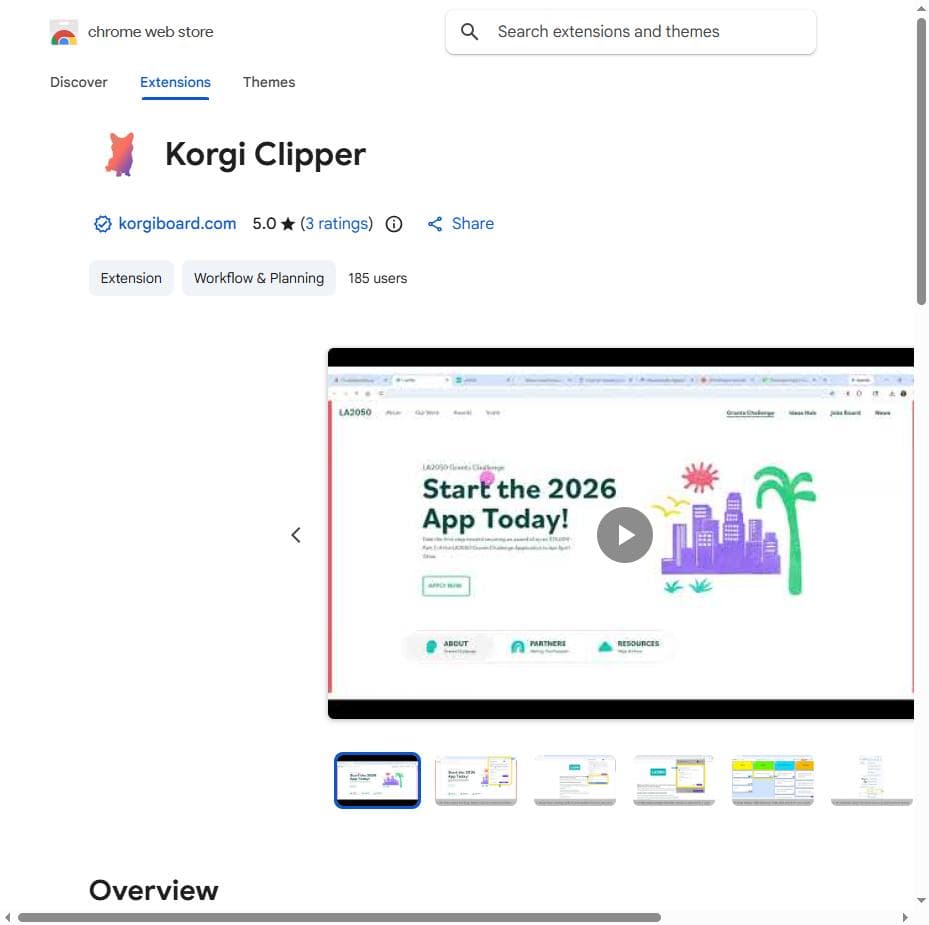
Korgi Clipper is a Chrome extension that transforms how Korgi users capture and organize web content by enabling one-click sending of website data and events directly to Korgi boards and calendars. Ideal for professionals and teams using Korgi, it streamlines information management and boosts productivity within a unified platform.

Descripción
Korgi connects your scattered productivity stack in a single project management app. AI generates your project board with content, steps, and links in less than a minute. You take action while Korgi creates, shares, and launches assets in a click, using your own apps and drives (Google, Microsoft, Zoom, and more) – with integrated chat and AI. Deliver finished boards as formatted files instantly. No more planning paralysis and hunting through files and tabs. Where is it? It's ON THE BOARD.
Descripción detallada
Korgi Clipper is a powerful Chrome extension designed to streamline the way users capture and organize online content. Its core purpose is to enable seamless integration between web browsing and the Korgi productivity ecosystem, allowing users to send website contents, links, and calendar events directly to their Korgi boards and calendars with just a single click. This tool is particularly valuable for individuals and teams who rely heavily on Korgi for managing projects, tasks, and schedules, as it eliminates the need for manual copying and pasting or switching between multiple apps. By bridging the gap between web content and Korgi’s organizational tools, Korgi Clipper enhances workflow efficiency and helps users maintain a centralized hub for all their important information. The key features of Korgi Clipper revolve around its intuitive one-click integration. Users can quickly send entire website contents or selected portions to their Korgi boards, enabling easy reference and collaboration within their projects. Additionally, the extension supports sending links and events directly to Korgi calendars, simplifying the process of scheduling and event management without leaving the browser. This direct transfer capability reduces friction in capturing relevant information and ensures that nothing important gets lost in the shuffle. The extension requires a Korgi Plus subscription or higher, which unlocks these advanced integration features and ensures that users have access to the full suite of Korgi’s productivity tools. Korgi Clipper is best suited for professionals, remote teams, project managers, and knowledge workers who frequently gather information from the web and need to organize it efficiently within their digital workspace. For example, marketers researching competitors, product managers compiling feature requests, or event planners scheduling meetings can all benefit from the streamlined content capture and calendar integration. It also serves individuals who use Korgi as a personal productivity tool, helping them quickly save articles, notes, and event details without interrupting their browsing experience. Regarding pricing, Korgi Clipper itself is a free Chrome extension, but its functionality depends on having a Korgi Plus subscription or higher. The Korgi Plus plan typically offers enhanced features such as expanded board capacity, advanced calendar options, and priority support. Users interested in leveraging Korgi Clipper’s full capabilities will need to subscribe to this plan or a more premium tier, which ensures access to the necessary backend services for seamless content and event syncing. When compared to alternatives, Korgi Clipper stands out due to its deep integration with the Korgi platform, offering a more unified experience for users already invested in Korgi’s ecosystem. Unlike generic web clippers or bookmarking tools, Korgi Clipper focuses on productivity by linking captured content directly to project boards and calendars, making it more than just a content saver. However, for users not using Korgi, other tools like Evernote Web Clipper or Microsoft OneNote Web Clipper might be more appropriate, as they integrate with different ecosystems. One notable limitation of Korgi Clipper is its dependency on a Korgi Plus subscription, which may restrict access for casual users or those unwilling to pay for premium plans. Additionally, since it is a Chrome extension, it is limited to users of the Chrome browser, excluding those on other browsers unless they switch. Finally, while the tool excels at integrating with Korgi services, it does not natively support exporting content to other productivity platforms, which could be a consideration for users who work across multiple tools. In summary, Korgi Clipper is a specialized Chrome extension that enhances productivity by enabling quick and easy transfer of web content and events into the Korgi workspace. Its one-click functionality, combined with calendar and board integration, makes it an indispensable tool for Korgi users looking to optimize their workflow and maintain organized digital workspaces.
Características de la herramienta
- Send website contents to Korgi boards
- Send links and events to calendars
- One-click integration with Korgi services
- Requires Korgi Plus subscription or higher
Descripción
Korgi Clipper is a Chrome extension that transforms how Korgi users capture and organize web content by enabling one-click sending of website data and events directly to Korgi boards and calendars. Ideal for professionals and teams using Korgi, it streamlines information management and boosts productivity within a unified platform.
Korgi connects your scattered productivity stack in a single project management app. AI generates your project board with content, steps, and links in less than a minute. You take action while Korgi creates, shares, and launches assets in a click, using your own apps and drives (Google, Microsoft, Zoom, and more) – with integrated chat and AI. Deliver finished boards as formatted files instantly. No more planning paralysis and hunting through files and tabs. Where is it? It's ON THE BOARD.
Descripción detallada
Korgi Clipper is a powerful Chrome extension designed to streamline the way users capture and organize online content. Its core purpose is to enable seamless integration between web browsing and the Korgi productivity ecosystem, allowing users to send website contents, links, and calendar events directly to their Korgi boards and calendars with just a single click. This tool is particularly valuable for individuals and teams who rely heavily on Korgi for managing projects, tasks, and schedules, as it eliminates the need for manual copying and pasting or switching between multiple apps. By bridging the gap between web content and Korgi’s organizational tools, Korgi Clipper enhances workflow efficiency and helps users maintain a centralized hub for all their important information. The key features of Korgi Clipper revolve around its intuitive one-click integration. Users can quickly send entire website contents or selected portions to their Korgi boards, enabling easy reference and collaboration within their projects. Additionally, the extension supports sending links and events directly to Korgi calendars, simplifying the process of scheduling and event management without leaving the browser. This direct transfer capability reduces friction in capturing relevant information and ensures that nothing important gets lost in the shuffle. The extension requires a Korgi Plus subscription or higher, which unlocks these advanced integration features and ensures that users have access to the full suite of Korgi’s productivity tools. Korgi Clipper is best suited for professionals, remote teams, project managers, and knowledge workers who frequently gather information from the web and need to organize it efficiently within their digital workspace. For example, marketers researching competitors, product managers compiling feature requests, or event planners scheduling meetings can all benefit from the streamlined content capture and calendar integration. It also serves individuals who use Korgi as a personal productivity tool, helping them quickly save articles, notes, and event details without interrupting their browsing experience. Regarding pricing, Korgi Clipper itself is a free Chrome extension, but its functionality depends on having a Korgi Plus subscription or higher. The Korgi Plus plan typically offers enhanced features such as expanded board capacity, advanced calendar options, and priority support. Users interested in leveraging Korgi Clipper’s full capabilities will need to subscribe to this plan or a more premium tier, which ensures access to the necessary backend services for seamless content and event syncing. When compared to alternatives, Korgi Clipper stands out due to its deep integration with the Korgi platform, offering a more unified experience for users already invested in Korgi’s ecosystem. Unlike generic web clippers or bookmarking tools, Korgi Clipper focuses on productivity by linking captured content directly to project boards and calendars, making it more than just a content saver. However, for users not using Korgi, other tools like Evernote Web Clipper or Microsoft OneNote Web Clipper might be more appropriate, as they integrate with different ecosystems. One notable limitation of Korgi Clipper is its dependency on a Korgi Plus subscription, which may restrict access for casual users or those unwilling to pay for premium plans. Additionally, since it is a Chrome extension, it is limited to users of the Chrome browser, excluding those on other browsers unless they switch. Finally, while the tool excels at integrating with Korgi services, it does not natively support exporting content to other productivity platforms, which could be a consideration for users who work across multiple tools. In summary, Korgi Clipper is a specialized Chrome extension that enhances productivity by enabling quick and easy transfer of web content and events into the Korgi workspace. Its one-click functionality, combined with calendar and board integration, makes it an indispensable tool for Korgi users looking to optimize their workflow and maintain organized digital workspaces.
Preguntas frecuentes
What is Korgi Clipper?
Korgi Clipper is a Chrome extension that allows users to send website contents, links, and events directly to their Korgi boards and calendars with a single click, facilitating efficient organization within the Korgi platform.
How much does Korgi Clipper cost?
The Korgi Clipper extension itself is free to install, but it requires a Korgi Plus subscription or higher to access its full functionality, which involves a paid plan for enhanced features.
Who is Korgi Clipper best for?
It is best suited for professionals, remote teams, project managers, and individuals who use the Korgi platform to manage projects and calendars and want to streamline capturing web content and events.
What are the main features of Korgi Clipper?
Its main features include sending website contents to Korgi boards, sending links and events to Korgi calendars, and providing one-click integration with Korgi services for quick and seamless content organization.
Does Korgi Clipper offer a free trial?
While the extension is free to install, access to its features requires a Korgi Plus subscription or higher. Information about a free trial for Korgi Plus should be checked directly on Korgi’s official website.
What integrations does Korgi Clipper support?
Korgi Clipper integrates directly with the Korgi platform, specifically Korgi boards and calendars, enabling users to send content and events from the browser to their Korgi workspace.
How does Korgi Clipper work?
Once installed, Korgi Clipper adds a browser extension button that users can click to instantly send the current webpage content, links, or events to their Korgi boards or calendars, provided they have an active Korgi Plus subscription.
Redes sociales
Usar herramienta
Reseñas
Aún no hay reseñas. Sé el primero en compartir tu experiencia.




















































