

¿Es esta tu herramienta de IA? Reclámala hoy.
Verifica la propiedad, gestiona tu perfil y desbloquea funciones de crecimiento.
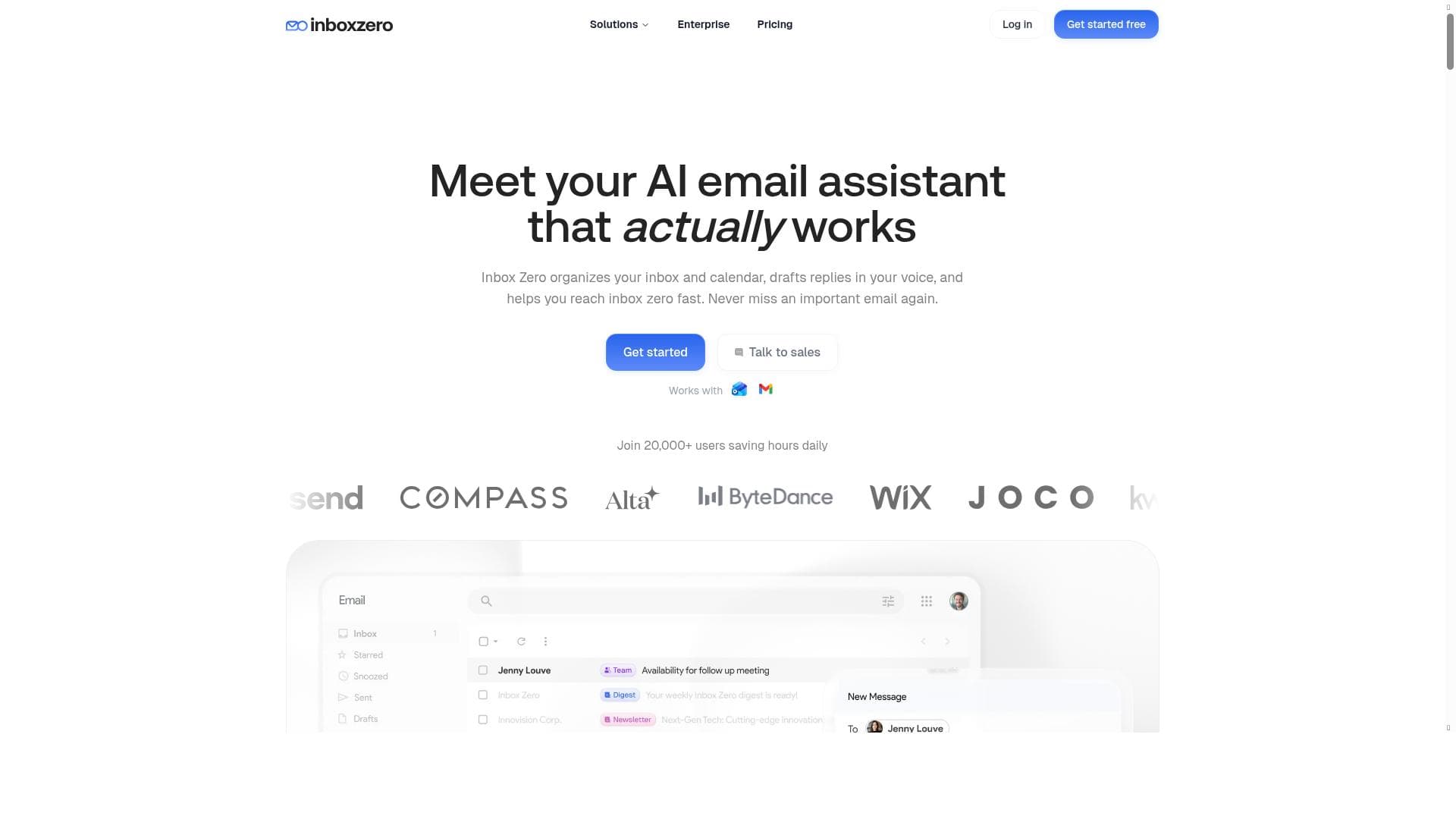
Inbox Zero is a powerful open-source AI email client that unifies Gmail and Outlook accounts into a single, keyboard-driven interface, drafting replies in your unique voice. Ideal for professionals seeking speed, personalization, and cross-platform accessibility without subscription fees, it offers a compelling alternative to premium email clients like Superhuman.

Descripción
Inbox Zero Mail is an open-source email client for Gmail and Outlook. Fast, keyboard-first, and free to use, on web, Mac, Windows and iPhone, with all your accounts in one inbox. Add AI for $20/mo: every email is sorted, and replies are drafted in your voice before you open them. Comment privately with your team, get Slack alerts, and give the AI context from your tools.
Descripción detallada
Inbox Zero is an innovative open-source AI-powered email client designed specifically for Gmail and Outlook users who seek a streamlined, efficient, and personalized email management experience. Its core purpose is to help users achieve and maintain the elusive "inbox zero" state by combining powerful AI capabilities with a keyboard-first interface that prioritizes speed and productivity. By consolidating multiple email accounts into a single unified inbox, Inbox Zero eliminates the hassle of switching between accounts and platforms, enabling users to manage all their communications seamlessly in one place. Available on Mac, Windows, and iPhone, it offers a versatile solution for professionals and individuals who demand an intelligent, cross-platform email client that adapts to their workflow and communication style. One of the standout features of Inbox Zero is its keyboard-first design, which allows users to navigate, read, and respond to emails with minimal reliance on the mouse. This approach significantly accelerates email triage and management, making it ideal for power users who prefer speed and efficiency. The split inbox feature further enhances productivity by organizing emails into distinct sections, enabling users to prioritize and focus on important messages without distraction. Additionally, Inbox Zero leverages AI to draft replies in the user's own voice, providing personalized, context-aware response suggestions that save time and maintain consistent communication tone. This AI-driven drafting capability is particularly useful for professionals who handle large volumes of email and want to maintain a personal touch without spending excessive time composing responses. Inbox Zero supports every email account in one consolidated inbox, which is a major convenience for users managing multiple Gmail and Outlook accounts. This unified inbox approach reduces the cognitive load of managing separate accounts and streamlines workflow across devices. The client is fully open-source, providing transparency, customization options, and community-driven improvements, making it an attractive alternative to proprietary email clients like Superhuman. Its availability across Mac, Windows, and iPhone platforms ensures users can maintain a consistent email experience regardless of their device, further enhancing productivity and accessibility. This tool is best suited for professionals, entrepreneurs, and anyone who relies heavily on email for daily communication and requires a fast, intelligent, and customizable email client. It is particularly beneficial for users who prefer keyboard shortcuts and want to reduce the time spent on email management while maintaining a personalized communication style. Use cases include managing client communications, handling multiple business accounts, and streamlining personal and professional email workflows. Its open-source nature also appeals to developers and tech enthusiasts who value transparency and the ability to contribute to or customize their tools. Inbox Zero offers a free-to-use model as an open-source project, which means users can access its core features without subscription fees. However, details about premium plans or additional paid features, if any, are not explicitly stated on the official website. This open-source approach contrasts with competitors like Superhuman, which operate on a subscription basis with premium pricing. Users benefit from a cost-effective solution without sacrificing advanced AI capabilities and productivity features. Compared to alternatives such as Superhuman, Inbox Zero stands out by being open-source and community-driven, offering a transparent and customizable experience without the high cost. While Superhuman is known for its sleek interface and premium features, Inbox Zero matches many of these capabilities, including AI-assisted replies and a keyboard-centric workflow, but with the added advantage of supporting both Gmail and Outlook accounts natively. This makes Inbox Zero a compelling choice for users seeking a powerful email client without vendor lock-in or subscription fees. Notable limitations include the potential learning curve associated with mastering keyboard shortcuts and the reliance on AI-generated replies, which may require user review to ensure accuracy and appropriateness. Additionally, as an open-source project, users might encounter variability in feature updates and support compared to commercial alternatives. Integration options beyond Gmail and Outlook are currently limited, which could be a consideration for users with diverse email providers. Despite these considerations, Inbox Zero remains a robust, efficient, and privacy-conscious email client that empowers users to take control of their inboxes with AI-enhanced productivity.
Características de la herramienta
- Open-source AI email client for Gmail and Outlook
- Keyboard-first email app with a split inbox
- Replies drafted in your voice
- Supports every account in one inbox
- Available on Mac, Windows, and iPhone
- Open-source alternative to Superhuman
Descripción
Inbox Zero is a powerful open-source AI email client that unifies Gmail and Outlook accounts into a single, keyboard-driven interface, drafting replies in your unique voice. Ideal for professionals seeking speed, personalization, and cross-platform accessibility without subscription fees, it offers a compelling alternative to premium email clients like Superhuman.
Inbox Zero Mail is an open-source email client for Gmail and Outlook. Fast, keyboard-first, and free to use, on web, Mac, Windows and iPhone, with all your accounts in one inbox. Add AI for $20/mo: every email is sorted, and replies are drafted in your voice before you open them. Comment privately with your team, get Slack alerts, and give the AI context from your tools.
Descripción detallada
Inbox Zero is an innovative open-source AI-powered email client designed specifically for Gmail and Outlook users who seek a streamlined, efficient, and personalized email management experience. Its core purpose is to help users achieve and maintain the elusive "inbox zero" state by combining powerful AI capabilities with a keyboard-first interface that prioritizes speed and productivity. By consolidating multiple email accounts into a single unified inbox, Inbox Zero eliminates the hassle of switching between accounts and platforms, enabling users to manage all their communications seamlessly in one place. Available on Mac, Windows, and iPhone, it offers a versatile solution for professionals and individuals who demand an intelligent, cross-platform email client that adapts to their workflow and communication style. One of the standout features of Inbox Zero is its keyboard-first design, which allows users to navigate, read, and respond to emails with minimal reliance on the mouse. This approach significantly accelerates email triage and management, making it ideal for power users who prefer speed and efficiency. The split inbox feature further enhances productivity by organizing emails into distinct sections, enabling users to prioritize and focus on important messages without distraction. Additionally, Inbox Zero leverages AI to draft replies in the user's own voice, providing personalized, context-aware response suggestions that save time and maintain consistent communication tone. This AI-driven drafting capability is particularly useful for professionals who handle large volumes of email and want to maintain a personal touch without spending excessive time composing responses. Inbox Zero supports every email account in one consolidated inbox, which is a major convenience for users managing multiple Gmail and Outlook accounts. This unified inbox approach reduces the cognitive load of managing separate accounts and streamlines workflow across devices. The client is fully open-source, providing transparency, customization options, and community-driven improvements, making it an attractive alternative to proprietary email clients like Superhuman. Its availability across Mac, Windows, and iPhone platforms ensures users can maintain a consistent email experience regardless of their device, further enhancing productivity and accessibility. This tool is best suited for professionals, entrepreneurs, and anyone who relies heavily on email for daily communication and requires a fast, intelligent, and customizable email client. It is particularly beneficial for users who prefer keyboard shortcuts and want to reduce the time spent on email management while maintaining a personalized communication style. Use cases include managing client communications, handling multiple business accounts, and streamlining personal and professional email workflows. Its open-source nature also appeals to developers and tech enthusiasts who value transparency and the ability to contribute to or customize their tools. Inbox Zero offers a free-to-use model as an open-source project, which means users can access its core features without subscription fees. However, details about premium plans or additional paid features, if any, are not explicitly stated on the official website. This open-source approach contrasts with competitors like Superhuman, which operate on a subscription basis with premium pricing. Users benefit from a cost-effective solution without sacrificing advanced AI capabilities and productivity features. Compared to alternatives such as Superhuman, Inbox Zero stands out by being open-source and community-driven, offering a transparent and customizable experience without the high cost. While Superhuman is known for its sleek interface and premium features, Inbox Zero matches many of these capabilities, including AI-assisted replies and a keyboard-centric workflow, but with the added advantage of supporting both Gmail and Outlook accounts natively. This makes Inbox Zero a compelling choice for users seeking a powerful email client without vendor lock-in or subscription fees. Notable limitations include the potential learning curve associated with mastering keyboard shortcuts and the reliance on AI-generated replies, which may require user review to ensure accuracy and appropriateness. Additionally, as an open-source project, users might encounter variability in feature updates and support compared to commercial alternatives. Integration options beyond Gmail and Outlook are currently limited, which could be a consideration for users with diverse email providers. Despite these considerations, Inbox Zero remains a robust, efficient, and privacy-conscious email client that empowers users to take control of their inboxes with AI-enhanced productivity.
Preguntas frecuentes
What is Inbox Zero?
Inbox Zero is an open-source AI-powered email client designed for Gmail and Outlook users. It consolidates multiple accounts into one unified inbox and offers a keyboard-first interface with AI-generated reply drafts in the user's voice, aiming to streamline email management and help users achieve an empty inbox.
How much does Inbox Zero cost?
Inbox Zero is an open-source tool available for free. There is no subscription fee for accessing its core features, making it a cost-effective alternative to paid email clients.
Who is Inbox Zero best for?
Inbox Zero is best suited for professionals, entrepreneurs, and power users who manage multiple Gmail and Outlook accounts and prefer a fast, keyboard-centric email experience with AI-assisted replies. It's also ideal for those who value open-source software and cross-platform accessibility.
What are the main features of Inbox Zero?
Key features include a keyboard-first email app design, a split inbox for better organization, AI-generated replies drafted in the user's voice, support for consolidating every Gmail and Outlook account into one inbox, and availability on Mac, Windows, and iPhone platforms.
Does Inbox Zero offer a free trial?
As an open-source email client, Inbox Zero is free to use and does not require a trial period or subscription. Users can download and use the app without cost.
What integrations does Inbox Zero support?
Inbox Zero supports integration with Gmail and Outlook accounts, consolidating emails from these providers into a single inbox. Currently, it does not natively support other email providers.
How does Inbox Zero work?
Inbox Zero works by connecting to your Gmail and Outlook accounts to fetch emails into a unified inbox. It uses AI to draft replies that match your communication style and provides a keyboard-first interface with a split inbox to help you efficiently manage and respond to emails across multiple accounts and devices.
Redes sociales
Usar herramientaReseñas
Aún no hay reseñas. Sé el primero en compartir tu experiencia.




















































