

¿Es esta tu herramienta de IA? Reclámala hoy.
Verifica la propiedad, gestiona tu perfil y desbloquea funciones de crecimiento.
Epilude is a Mac-exclusive voice productivity suite that transforms natural speech into polished, formatted text across any app, all while running fully on-device for enhanced privacy and speed. Ideal for professionals and creatives seeking seamless dictation and text-to-speech functionality without compromising data security.

Descripción
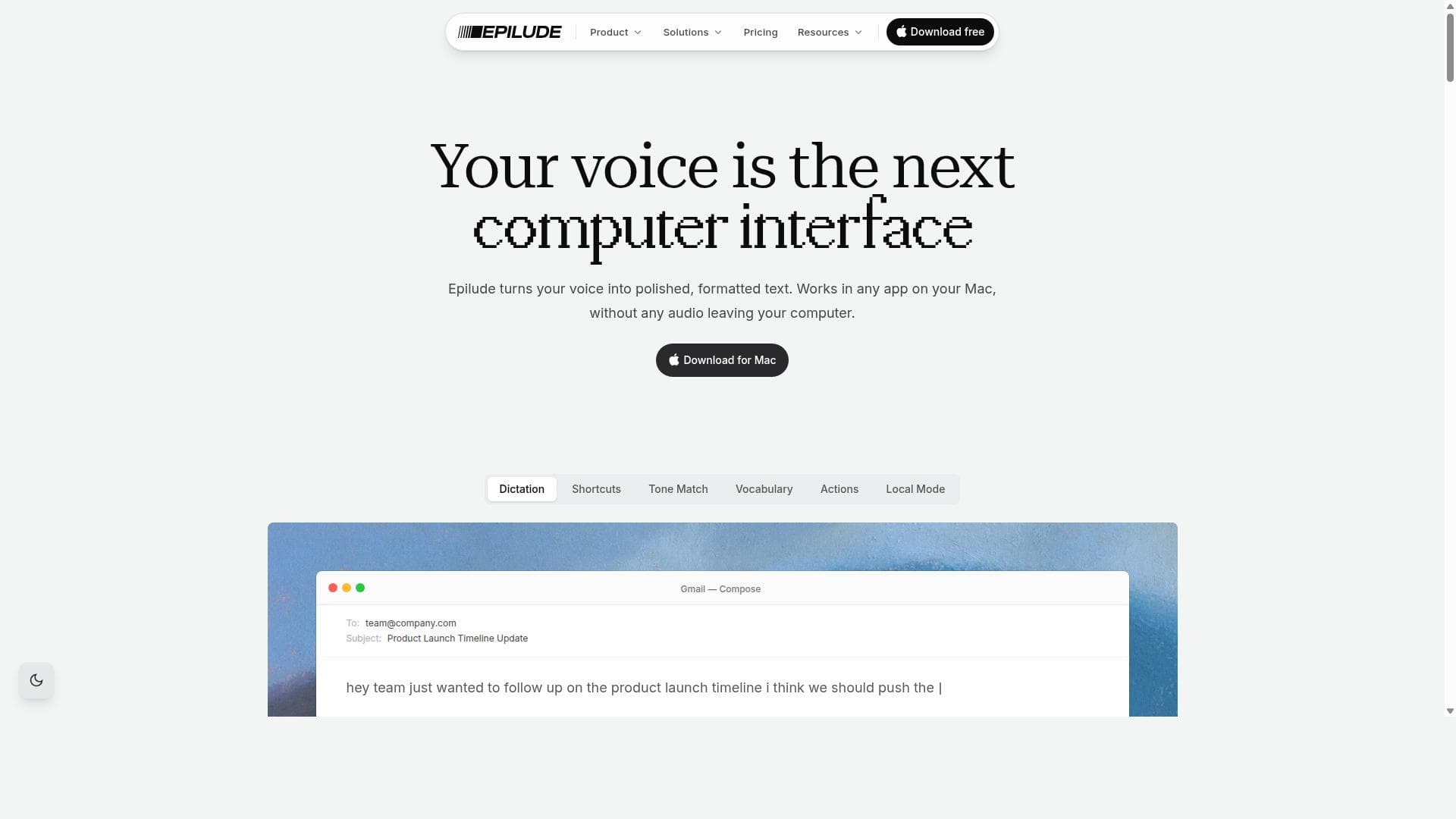
Hold a key, speak, release: polished text lands in any app on your Mac. Epilude transcribes, punctuates, cleans up, and matches your tone in about a second. Runs fully on-device, so audio never leaves your Mac.
Descripción detallada
Epilude is a comprehensive voice productivity suite designed exclusively for Mac users, aiming to revolutionize the way users interact with their devices through natural speech. At its core, Epilude transforms spoken words into formatted text across any application on macOS, streamlining workflows that involve writing, note-taking, coding, or any text input. By simply pressing a key, speaking naturally, and releasing it, users can see their speech converted into clean, well-formatted text instantly. This intuitive approach eliminates the need for manual typing and editing, significantly enhancing productivity and reducing the friction often associated with dictation software. One of Epilude's standout features is its AI-powered cleanup technology. Unlike traditional dictation tools that often produce raw, unformatted text requiring extensive manual correction, Epilude intelligently processes speech input to deliver polished, contextually appropriate text. This includes punctuation, capitalization, and formatting that adapts seamlessly to the target application. Additionally, Epilude operates in Local Mode, meaning all processing happens fully on-device without sending data to external servers. This on-device operation not only boosts performance by reducing latency but also ensures user privacy and data security, a crucial consideration for professionals handling sensitive information. Beyond dictation, Epilude integrates text-to-speech functionality, allowing users to have text read aloud. This dual capability supports diverse workflows, such as proofreading written content through auditory review or assisting users with visual impairments. The suite supports formatted text output, enabling users to maintain rich text styles and structures directly from their voice input, which is particularly beneficial for composing emails, reports, or creative writing without losing formatting fidelity. Epilude is best suited for Mac users who rely heavily on text input and seek a more natural, efficient way to communicate with their computers. Professionals such as writers, journalists, coders, students, and anyone who frequently drafts documents or emails can benefit from its seamless integration and intelligent speech-to-text conversion. It is also valuable for users prioritizing privacy, as its Local Mode ensures sensitive data never leaves the device. Specific use cases include drafting emails hands-free, transcribing meetings or lectures, coding through voice commands, and creating formatted documents without touching the keyboard. Regarding pricing, Epilude offers flexible plans to accommodate different user needs. The website lists pricing options at $12 and $59 USD, likely representing monthly and annual subscription tiers or different feature bundles. This pricing positions Epilude as an accessible yet premium productivity tool within the macOS ecosystem. Potential users should visit the official website for the most current and detailed pricing information. When compared to alternatives, Epilude distinguishes itself through its combination of AI cleanup and fully on-device operation. Many competing dictation tools rely on cloud processing, which can introduce latency and privacy concerns. Epilude’s Local Mode ensures faster response times and enhanced security. Additionally, its ability to output formatted text directly into any application sets it apart from simpler speech-to-text solutions that often produce plain text only. However, unlike some broader voice assistant platforms, Epilude focuses specifically on productivity and text input, which may limit its appeal to users seeking multifunctional voice assistants. Notable limitations include its exclusive availability for macOS, which restricts usage to Apple device owners. Also, while Local Mode enhances privacy, it may limit some advanced AI capabilities that require cloud resources. Users should consider their need for offline functionality versus potentially richer cloud-based features. Furthermore, the lack of explicit mention of integrations with third-party apps or services might be a consideration for users seeking extensive ecosystem connectivity. Overall, Epilude offers a powerful, privacy-conscious voice productivity solution tailored for Mac users who want efficient, natural speech dictation combined with intelligent formatting and text-to-speech capabilities.
Características de la herramienta
- Voice dictation for Mac with AI cleanup
- Press a key, speak naturally, and formatted text appears in any app
- Local Mode runs fully on-device
- Includes text-to-speech functionality
- Supports formatted text output
Descripción
Epilude is a Mac-exclusive voice productivity suite that transforms natural speech into polished, formatted text across any app, all while running fully on-device for enhanced privacy and speed. Ideal for professionals and creatives seeking seamless dictation and text-to-speech functionality without compromising data security.
Hold a key, speak, release: polished text lands in any app on your Mac. Epilude transcribes, punctuates, cleans up, and matches your tone in about a second. Runs fully on-device, so audio never leaves your Mac.
Descripción detallada
Epilude is a comprehensive voice productivity suite designed exclusively for Mac users, aiming to revolutionize the way users interact with their devices through natural speech. At its core, Epilude transforms spoken words into formatted text across any application on macOS, streamlining workflows that involve writing, note-taking, coding, or any text input. By simply pressing a key, speaking naturally, and releasing it, users can see their speech converted into clean, well-formatted text instantly. This intuitive approach eliminates the need for manual typing and editing, significantly enhancing productivity and reducing the friction often associated with dictation software. One of Epilude's standout features is its AI-powered cleanup technology. Unlike traditional dictation tools that often produce raw, unformatted text requiring extensive manual correction, Epilude intelligently processes speech input to deliver polished, contextually appropriate text. This includes punctuation, capitalization, and formatting that adapts seamlessly to the target application. Additionally, Epilude operates in Local Mode, meaning all processing happens fully on-device without sending data to external servers. This on-device operation not only boosts performance by reducing latency but also ensures user privacy and data security, a crucial consideration for professionals handling sensitive information. Beyond dictation, Epilude integrates text-to-speech functionality, allowing users to have text read aloud. This dual capability supports diverse workflows, such as proofreading written content through auditory review or assisting users with visual impairments. The suite supports formatted text output, enabling users to maintain rich text styles and structures directly from their voice input, which is particularly beneficial for composing emails, reports, or creative writing without losing formatting fidelity. Epilude is best suited for Mac users who rely heavily on text input and seek a more natural, efficient way to communicate with their computers. Professionals such as writers, journalists, coders, students, and anyone who frequently drafts documents or emails can benefit from its seamless integration and intelligent speech-to-text conversion. It is also valuable for users prioritizing privacy, as its Local Mode ensures sensitive data never leaves the device. Specific use cases include drafting emails hands-free, transcribing meetings or lectures, coding through voice commands, and creating formatted documents without touching the keyboard. Regarding pricing, Epilude offers flexible plans to accommodate different user needs. The website lists pricing options at $12 and $59 USD, likely representing monthly and annual subscription tiers or different feature bundles. This pricing positions Epilude as an accessible yet premium productivity tool within the macOS ecosystem. Potential users should visit the official website for the most current and detailed pricing information. When compared to alternatives, Epilude distinguishes itself through its combination of AI cleanup and fully on-device operation. Many competing dictation tools rely on cloud processing, which can introduce latency and privacy concerns. Epilude’s Local Mode ensures faster response times and enhanced security. Additionally, its ability to output formatted text directly into any application sets it apart from simpler speech-to-text solutions that often produce plain text only. However, unlike some broader voice assistant platforms, Epilude focuses specifically on productivity and text input, which may limit its appeal to users seeking multifunctional voice assistants. Notable limitations include its exclusive availability for macOS, which restricts usage to Apple device owners. Also, while Local Mode enhances privacy, it may limit some advanced AI capabilities that require cloud resources. Users should consider their need for offline functionality versus potentially richer cloud-based features. Furthermore, the lack of explicit mention of integrations with third-party apps or services might be a consideration for users seeking extensive ecosystem connectivity. Overall, Epilude offers a powerful, privacy-conscious voice productivity solution tailored for Mac users who want efficient, natural speech dictation combined with intelligent formatting and text-to-speech capabilities.
Preguntas frecuentes
What is Epilude?
Epilude is a voice productivity suite for Mac that enables users to dictate text naturally and see it appear formatted in any application. It also includes text-to-speech features and runs fully on-device to ensure privacy and performance.
How much does Epilude cost?
Epilude offers pricing plans at $12 and $59 USD, which likely correspond to different subscription tiers or billing cycles. For the most accurate and up-to-date pricing details, users should check the official Epilude website.
Who is Epilude best for?
Epilude is best suited for Mac users who require efficient and natural speech-to-text conversion, including writers, journalists, coders, students, and professionals who prioritize privacy and want to enhance their productivity through voice input.
What are the main features of Epilude?
Key features include AI-powered voice dictation with intelligent text cleanup, the ability to press a key to dictate and release to see formatted text in any app, fully on-device Local Mode operation for privacy and speed, text-to-speech functionality, and support for formatted text output.
Does Epilude offer a free trial?
The provided information does not specify whether Epilude offers a free trial. Interested users should visit the Epilude website or contact their support for details on trial availability.
What integrations does Epilude support?
Epilude works across any application on macOS by allowing formatted text to appear wherever the user dictates. However, there is no specific mention of integrations with third-party apps or services beyond this universal compatibility.
How does Epilude work?
Users press a designated key, speak naturally, and upon releasing the key, Epilude converts the speech into clean, formatted text that appears in the active application. All processing happens locally on the Mac, ensuring fast response times and privacy.
Reseñas
Aún no hay reseñas. Sé el primero en compartir tu experiencia.




















































