

¿Es esta tu herramienta de IA? Reclámala hoy.
Verifica la propiedad, gestiona tu perfil y desbloquea funciones de crecimiento.
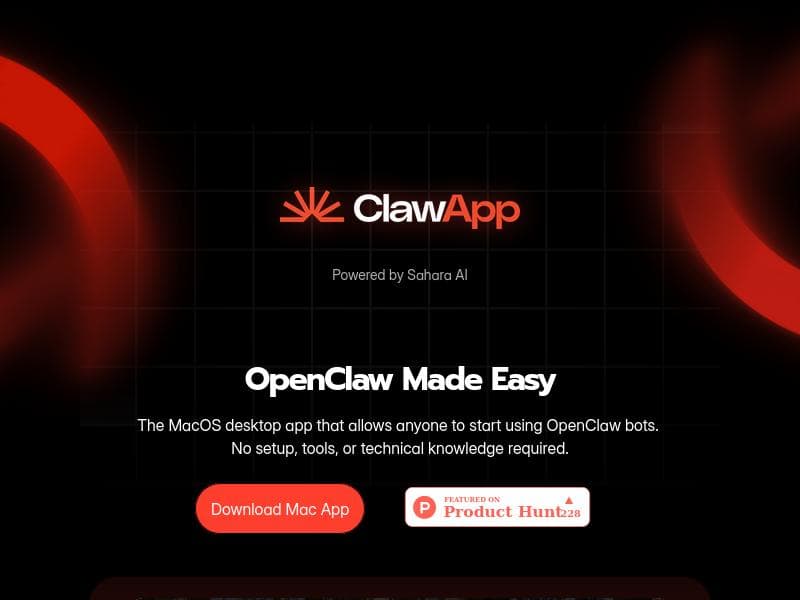
ClawApp is a macOS desktop app that makes running OpenClaw bots effortless by eliminating setup hassles and technical barriers. Ideal for Mac users who want fast, local AI assistance without complex configuration, it offers a seamless, all-in-one experience to install, manage, and run bots within minutes—completely free.

Descripción
ClawApp is a macOS desktop app designed to simplify working with OpenClaw bots. It replaces manual setup and fragmented tooling with a guided, all-in-one experience. Users can install, manage, and run local agents without worrying about configuration or system internals. ClawApp focuses on clarity and speed, making it easy to get a local OpenClaw agent running and ready to use within minutes.
Descripción detallada
ClawApp is a specialized macOS desktop application designed to streamline and simplify the process of working with OpenClaw bots. Its core purpose is to eliminate the traditionally complex and fragmented setup procedures associated with managing local AI agents. By providing a guided, all-in-one interface, ClawApp allows users to install, manage, and run OpenClaw bots locally without needing to delve into technical configurations or system internals. This focus on clarity and speed means that users can have a local OpenClaw agent up and running within minutes, making it an ideal tool for those who want to leverage AI assistants on their Mac without the usual technical hurdles. At the heart of ClawApp are several key features that distinguish it from other AI management tools. First, it is a native macOS desktop application, ensuring smooth integration with the operating system and optimized performance. The app requires no setup, which is a significant advantage for users who may not have technical expertise or who want to avoid time-consuming installation processes. ClawApp’s interface is designed to be intuitive and user-friendly, allowing individuals to easily access and control OpenClaw bots. The app handles all background configuration automatically, so users do not have to worry about system dependencies or manual adjustments. This ease of use extends to the management of multiple local agents, enabling users to run and switch between bots seamlessly. ClawApp is best suited for macOS users who want to harness the power of OpenClaw bots without the complexity typically involved in AI agent deployment. This includes developers seeking a hassle-free local testing environment, productivity enthusiasts wanting AI assistance integrated directly on their desktop, and businesses aiming to deploy AI tools internally without extensive IT support. Specific use cases include automating repetitive tasks, managing workflows with AI assistance, and experimenting with OpenClaw bot capabilities in a controlled local environment. Because ClawApp removes the need for technical knowledge, it also opens up AI bot usage to non-technical users who want to benefit from AI-driven productivity enhancements. In terms of pricing, ClawApp is offered completely free of charge. This makes it an accessible option for individuals and organizations looking to explore OpenClaw bots without financial commitment. The free pricing model encourages widespread adoption and experimentation, lowering the barrier to entry for AI-powered desktop automation. When compared to alternatives, ClawApp stands out due to its macOS-native design and zero-setup approach. Many other AI bot management tools require complex installations, cloud dependencies, or technical know-how to configure local agents. ClawApp’s all-in-one guided experience simplifies this process significantly. However, unlike some cloud-based AI platforms that offer extensive integrations and scalability, ClawApp focuses primarily on local agent management on macOS, which may limit its use for users needing cross-platform or cloud-hosted solutions. Notable limitations include its exclusivity to macOS, which means users on Windows or Linux cannot utilize the app. Additionally, while ClawApp excels at simplifying setup and management, it may not provide advanced customization options or integrations found in more complex AI management platforms. Users requiring extensive bot customization or enterprise-grade features might find ClawApp’s capabilities somewhat limited. Nonetheless, for its target audience, ClawApp offers a uniquely straightforward and efficient way to work with OpenClaw bots locally, making it a valuable tool for enhancing productivity and AI accessibility on Mac devices.
Características de la herramienta
- MacOS desktop application
- No setup required
- Easy to use OpenClaw bots
- No technical knowledge needed
Descripción
ClawApp is a macOS desktop app that makes running OpenClaw bots effortless by eliminating setup hassles and technical barriers. Ideal for Mac users who want fast, local AI assistance without complex configuration, it offers a seamless, all-in-one experience to install, manage, and run bots within minutes—completely free.
ClawApp is a macOS desktop app designed to simplify working with OpenClaw bots. It replaces manual setup and fragmented tooling with a guided, all-in-one experience. Users can install, manage, and run local agents without worrying about configuration or system internals. ClawApp focuses on clarity and speed, making it easy to get a local OpenClaw agent running and ready to use within minutes.
Descripción detallada
ClawApp is a specialized macOS desktop application designed to streamline and simplify the process of working with OpenClaw bots. Its core purpose is to eliminate the traditionally complex and fragmented setup procedures associated with managing local AI agents. By providing a guided, all-in-one interface, ClawApp allows users to install, manage, and run OpenClaw bots locally without needing to delve into technical configurations or system internals. This focus on clarity and speed means that users can have a local OpenClaw agent up and running within minutes, making it an ideal tool for those who want to leverage AI assistants on their Mac without the usual technical hurdles. At the heart of ClawApp are several key features that distinguish it from other AI management tools. First, it is a native macOS desktop application, ensuring smooth integration with the operating system and optimized performance. The app requires no setup, which is a significant advantage for users who may not have technical expertise or who want to avoid time-consuming installation processes. ClawApp’s interface is designed to be intuitive and user-friendly, allowing individuals to easily access and control OpenClaw bots. The app handles all background configuration automatically, so users do not have to worry about system dependencies or manual adjustments. This ease of use extends to the management of multiple local agents, enabling users to run and switch between bots seamlessly. ClawApp is best suited for macOS users who want to harness the power of OpenClaw bots without the complexity typically involved in AI agent deployment. This includes developers seeking a hassle-free local testing environment, productivity enthusiasts wanting AI assistance integrated directly on their desktop, and businesses aiming to deploy AI tools internally without extensive IT support. Specific use cases include automating repetitive tasks, managing workflows with AI assistance, and experimenting with OpenClaw bot capabilities in a controlled local environment. Because ClawApp removes the need for technical knowledge, it also opens up AI bot usage to non-technical users who want to benefit from AI-driven productivity enhancements. In terms of pricing, ClawApp is offered completely free of charge. This makes it an accessible option for individuals and organizations looking to explore OpenClaw bots without financial commitment. The free pricing model encourages widespread adoption and experimentation, lowering the barrier to entry for AI-powered desktop automation. When compared to alternatives, ClawApp stands out due to its macOS-native design and zero-setup approach. Many other AI bot management tools require complex installations, cloud dependencies, or technical know-how to configure local agents. ClawApp’s all-in-one guided experience simplifies this process significantly. However, unlike some cloud-based AI platforms that offer extensive integrations and scalability, ClawApp focuses primarily on local agent management on macOS, which may limit its use for users needing cross-platform or cloud-hosted solutions. Notable limitations include its exclusivity to macOS, which means users on Windows or Linux cannot utilize the app. Additionally, while ClawApp excels at simplifying setup and management, it may not provide advanced customization options or integrations found in more complex AI management platforms. Users requiring extensive bot customization or enterprise-grade features might find ClawApp’s capabilities somewhat limited. Nonetheless, for its target audience, ClawApp offers a uniquely straightforward and efficient way to work with OpenClaw bots locally, making it a valuable tool for enhancing productivity and AI accessibility on Mac devices.
Preguntas frecuentes
What is ClawApp?
ClawApp is a macOS desktop application designed to simplify the installation, management, and operation of OpenClaw bots locally, providing a guided, all-in-one experience without requiring technical setup.
How much does ClawApp cost?
ClawApp is completely free to use, with no charges for installation or operation.
Who is ClawApp best for?
ClawApp is best suited for macOS users who want to use OpenClaw bots locally without technical expertise, including developers, productivity enthusiasts, and businesses seeking easy AI agent deployment.
What are the main features of ClawApp?
Key features include a native macOS desktop app, no setup required, easy-to-use OpenClaw bot management, and a user-friendly interface that requires no technical knowledge.
Does ClawApp offer a free trial?
ClawApp is free to use, so no separate free trial is necessary.
What integrations does ClawApp support?
ClawApp primarily focuses on local OpenClaw bot management on macOS and does not currently offer extensive third-party integrations.
How does ClawApp work?
ClawApp works by providing a guided interface that automates the installation and configuration of OpenClaw bots locally on macOS, allowing users to run and manage AI agents without manual setup or technical knowledge.
Redes sociales
Usar herramientaReseñas
Aún no hay reseñas. Sé el primero en compartir tu experiencia.




















































