Calculadora de Horas Online
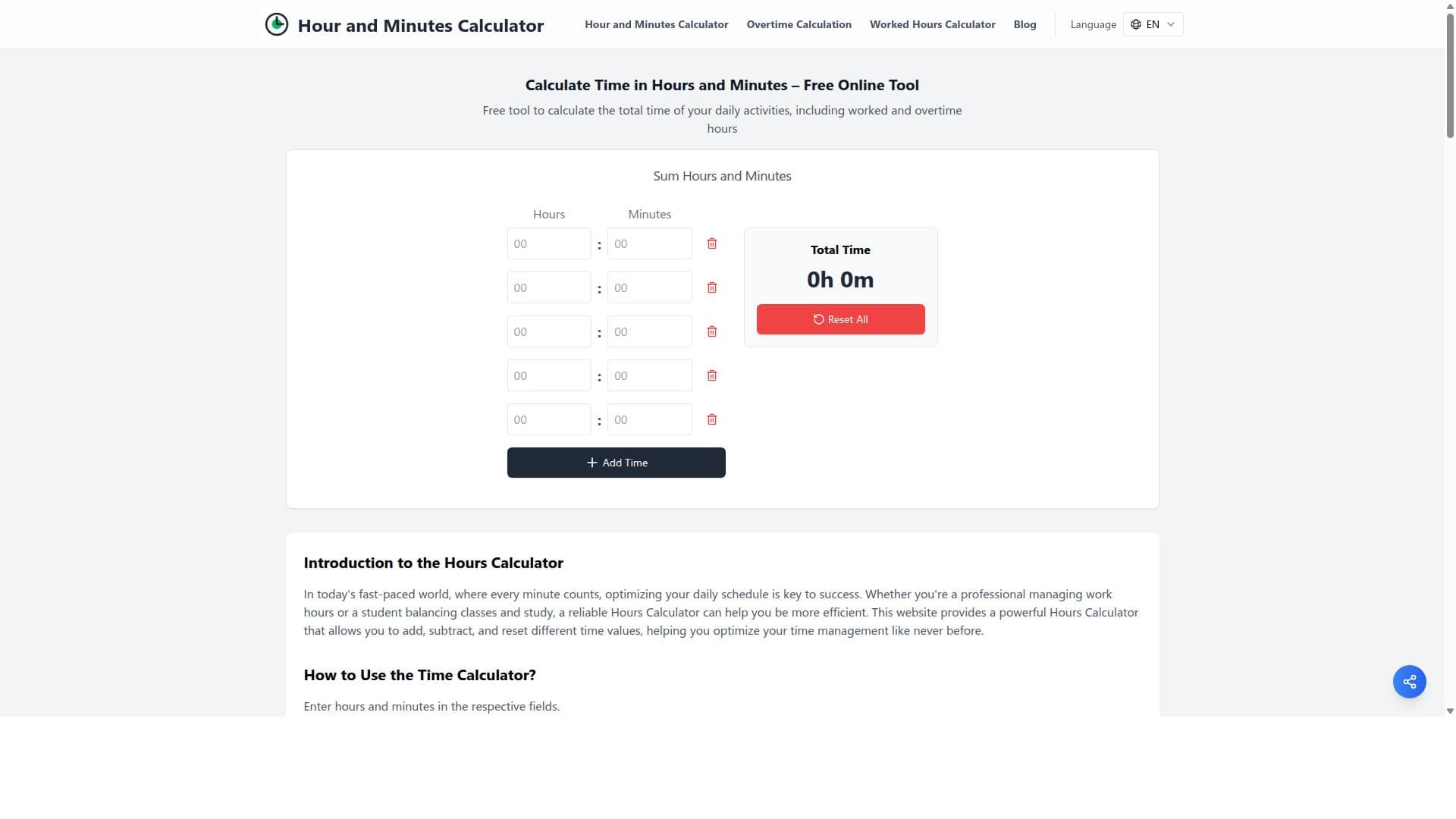


Hour and Minutes Calculator is a free, fast, and precise online tool designed to help users effortlessly sum hours and minutes for work, overtime, and breaks. Ideal for employees, freelancers, and managers, it offers a user-friendly interface to manage multiple time entries with ease, making time tracking simple and accurate.

Descripción
Calculadora de horas e minutos online gratuita. Calcule suas horas trabalhadas, extras e folgas com precisão. Rápido e preciso, ideal para controle laboral.
Descripción detallada
Hour and Minutes Calculator is a free online tool designed to help users accurately calculate the total time spent on various daily activities. Its core purpose is to provide a fast, precise, and user-friendly platform for summing hours and minutes, making it ideal for work control, time management, and productivity tracking. Whether you need to calculate worked hours, overtime, or breaks, this tool simplifies the process by allowing you to input multiple time entries and obtain an accurate total time in hours and minutes. The tool boasts several key features that enhance its usability and functionality. Users can easily add multiple time entries, each with separate input fields for hours and minutes, ensuring flexibility in tracking different time segments throughout the day. The interface is designed to be intuitive, with clear labels and input validation to prevent errors. Additionally, the calculator includes the ability to remove any time entry quickly, allowing users to adjust their calculations on the fly without hassle. One of the standout capabilities is its accuracy and speed in adding time values, which is critical for professionals who rely on precise time tracking for payroll, billing, or personal productivity analysis. Hour and Minutes Calculator is particularly beneficial for employees, freelancers, managers, and anyone who needs to monitor work hours or manage time efficiently. For example, freelancers can use it to calculate billable hours for multiple projects, while managers can track team overtime and breaks to ensure compliance with labor regulations. It is also useful for individuals who want to better understand how they allocate their time daily, helping them optimize their schedules and improve work-life balance. The tool’s simplicity and accessibility make it suitable for users of all technical levels, from beginners to advanced time management professionals. One of the most attractive aspects of this calculator is that it is completely free to use, with no subscription or payment required. This makes it accessible to a wide audience without any financial commitment. There are no premium plans or hidden fees, allowing users to benefit from all features without restrictions. This free access positions the tool as a practical alternative to more complex or costly time tracking software, especially for those who need straightforward time addition without additional project management features. Compared to other time calculators and tracking tools, Hour and Minutes Calculator stands out for its focused functionality and ease of use. While many time management apps offer extensive features like task tracking, reporting, and integrations, they can be overwhelming or unnecessary for users who simply want to add hours and minutes quickly. This tool’s streamlined approach eliminates complexity, providing a clean interface dedicated solely to time calculation. However, unlike some advanced tools, it does not currently support integrations with other software or automated time tracking, which might be a consideration for users seeking a more comprehensive time management solution. In terms of limitations, Hour and Minutes Calculator is primarily designed for manual input of time data, so it requires users to enter their hours and minutes themselves rather than automatically tracking time. It also does not offer features such as exporting data, generating reports, or syncing with calendars or payroll systems. Users looking for these advanced capabilities may need to complement this tool with other software. Additionally, since it is a web-based tool, an internet connection is necessary to access it, which could be a constraint in offline scenarios. Overall, Hour and Minutes Calculator is an excellent free resource for anyone needing a quick, reliable way to sum hours and minutes. Its simplicity, accuracy, and no-cost access make it a valuable tool for daily time management, especially for those who prefer a straightforward solution without the complexity of full-featured time tracking apps.
Características de la herramienta
- Calculate total time in hours and minutes
- Includes worked hours and overtime calculation
- Accurate and fast time addition
- User-friendly interface with input fields for hours and minutes
- Ability to add multiple time entries
- Remove time entries easily
Descripción
Hour and Minutes Calculator is a free, fast, and precise online tool designed to help users effortlessly sum hours and minutes for work, overtime, and breaks. Ideal for employees, freelancers, and managers, it offers a user-friendly interface to manage multiple time entries with ease, making time tracking simple and accurate.
Calculadora de horas e minutos online gratuita. Calcule suas horas trabalhadas, extras e folgas com precisão. Rápido e preciso, ideal para controle laboral.
Descripción detallada
Hour and Minutes Calculator is a free online tool designed to help users accurately calculate the total time spent on various daily activities. Its core purpose is to provide a fast, precise, and user-friendly platform for summing hours and minutes, making it ideal for work control, time management, and productivity tracking. Whether you need to calculate worked hours, overtime, or breaks, this tool simplifies the process by allowing you to input multiple time entries and obtain an accurate total time in hours and minutes. The tool boasts several key features that enhance its usability and functionality. Users can easily add multiple time entries, each with separate input fields for hours and minutes, ensuring flexibility in tracking different time segments throughout the day. The interface is designed to be intuitive, with clear labels and input validation to prevent errors. Additionally, the calculator includes the ability to remove any time entry quickly, allowing users to adjust their calculations on the fly without hassle. One of the standout capabilities is its accuracy and speed in adding time values, which is critical for professionals who rely on precise time tracking for payroll, billing, or personal productivity analysis. Hour and Minutes Calculator is particularly beneficial for employees, freelancers, managers, and anyone who needs to monitor work hours or manage time efficiently. For example, freelancers can use it to calculate billable hours for multiple projects, while managers can track team overtime and breaks to ensure compliance with labor regulations. It is also useful for individuals who want to better understand how they allocate their time daily, helping them optimize their schedules and improve work-life balance. The tool’s simplicity and accessibility make it suitable for users of all technical levels, from beginners to advanced time management professionals. One of the most attractive aspects of this calculator is that it is completely free to use, with no subscription or payment required. This makes it accessible to a wide audience without any financial commitment. There are no premium plans or hidden fees, allowing users to benefit from all features without restrictions. This free access positions the tool as a practical alternative to more complex or costly time tracking software, especially for those who need straightforward time addition without additional project management features. Compared to other time calculators and tracking tools, Hour and Minutes Calculator stands out for its focused functionality and ease of use. While many time management apps offer extensive features like task tracking, reporting, and integrations, they can be overwhelming or unnecessary for users who simply want to add hours and minutes quickly. This tool’s streamlined approach eliminates complexity, providing a clean interface dedicated solely to time calculation. However, unlike some advanced tools, it does not currently support integrations with other software or automated time tracking, which might be a consideration for users seeking a more comprehensive time management solution. In terms of limitations, Hour and Minutes Calculator is primarily designed for manual input of time data, so it requires users to enter their hours and minutes themselves rather than automatically tracking time. It also does not offer features such as exporting data, generating reports, or syncing with calendars or payroll systems. Users looking for these advanced capabilities may need to complement this tool with other software. Additionally, since it is a web-based tool, an internet connection is necessary to access it, which could be a constraint in offline scenarios. Overall, Hour and Minutes Calculator is an excellent free resource for anyone needing a quick, reliable way to sum hours and minutes. Its simplicity, accuracy, and no-cost access make it a valuable tool for daily time management, especially for those who prefer a straightforward solution without the complexity of full-featured time tracking apps.
Preguntas frecuentes
What is Hour and Minutes Calculator?
Hour and Minutes Calculator is a free online tool that allows users to accurately add and calculate total time in hours and minutes, including worked hours, overtime, and breaks. It is designed to simplify time management and work control by providing a fast and precise way to sum multiple time entries.
How much does Hour and Minutes Calculator cost?
Hour and Minutes Calculator is completely free to use with no subscription fees or premium plans. Users can access all features without any cost.
Who is Hour and Minutes Calculator best for?
This tool is best suited for employees, freelancers, managers, and anyone who needs to track and calculate work hours, overtime, or breaks efficiently. It is ideal for individuals seeking a simple and accurate time addition tool without the complexity of full-featured time tracking software.
What are the main features of Hour and Minutes Calculator?
Key features include the ability to calculate total time in hours and minutes, add multiple time entries, calculate worked hours and overtime, remove time entries easily, and a user-friendly interface with dedicated input fields for hours and minutes. The tool is designed for accuracy and speed.
Does Hour and Minutes Calculator offer a free trial?
Since Hour and Minutes Calculator is entirely free to use, there is no need for a free trial. All features are accessible without any payment or trial period.
What integrations does Hour and Minutes Calculator support?
Currently, Hour and Minutes Calculator does not support integrations with other software or platforms. It functions as a standalone online tool for manual time calculation.
How does Hour and Minutes Calculator work?
Users manually input hours and minutes for each time entry into the provided fields. The tool then quickly and accurately sums these entries to provide a total time calculation, including worked hours and overtime if applicable. Users can add or remove entries as needed to adjust their calculations.
Redes sociales
Usar herramientaReseñas
Aún no hay reseñas. Sé el primero en compartir tu experiencia.




















































