

¿Es esta tu herramienta de IA? Reclámala hoy.
Verifica la propiedad, gestiona tu perfil y desbloquea funciones de crecimiento.
0tab AI is a smart Chrome extension that transforms bookmark management with 0 Tab shortcuts, smart tags, and drag-to-move folders, making bookmark organization faster and more intuitive. Perfect for power users and professionals, it streamlines browsing sessions by grouping tabs and simplifying access to saved sites.

Descripción
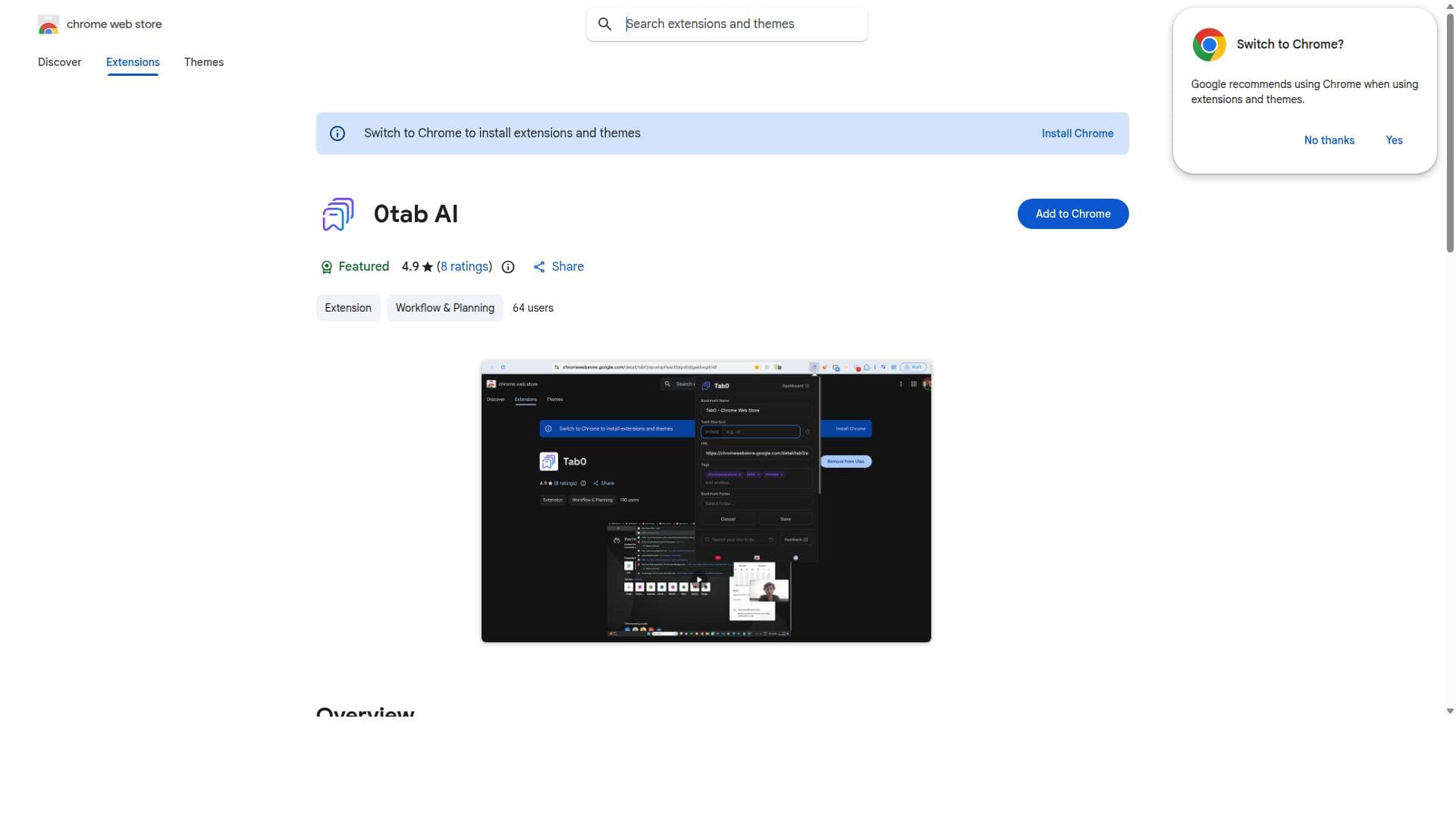
0tab gives your Chrome Bookmarks a keyboard shortcut. Type 0, press Tab (or spacebar), type a short code, Enter, and any saved page opens from anywhere in Chrome in about two seconds. One code can open a whole folder as a tab group, so your standup dashboard, Slack, and board open together. AI adds smart tags, semantic search, and a chat panel. It runs on-device by default (Gemini Nano), or you can plug in your own OpenAI API key. Free, open source, two-way synced with Chrome's bookmarks.
Descripción detallada
0tab AI is a powerful Chrome extension designed to revolutionize the way users manage and organize their Chrome bookmarks. Its core purpose is to enhance bookmark accessibility and streamline organization within the browser, making it easier for users to quickly find, categorize, and manage their saved web pages. By integrating intuitive features such as 0 Tab shortcuts, smart tags, drag-to-move folders, and tab groups, 0tab AI transforms the traditional bookmark experience into a more dynamic and user-friendly process. One of the standout capabilities of 0tab AI is its use of 0 Tab shortcuts, which allow users to open and manage bookmarks instantly without navigating through complex menus. This feature significantly reduces the time spent searching for bookmarks and improves workflow efficiency. Additionally, the smart tags system provides an intelligent way to categorize bookmarks based on user-defined or AI-suggested tags, enabling more precise and flexible organization. Users can assign multiple tags to a single bookmark, facilitating cross-referencing and easier retrieval. The drag-to-move folders feature further enhances bookmark management by allowing users to effortlessly reorganize their bookmark folders through simple drag-and-drop actions. This intuitive interface eliminates the need for tedious manual adjustments and supports a more natural way of structuring bookmarks. Furthermore, 0tab AI supports tab groups, enabling users to cluster related tabs and bookmarks together, which is especially useful for managing browsing sessions related to specific projects or topics. 0tab AI is best suited for individuals who rely heavily on Chrome bookmarks for work, research, or personal browsing. This includes professionals managing large volumes of resources, students organizing study materials, and anyone who values quick access to frequently visited sites. Its features cater to users who seek to optimize their browser environment for productivity and organization without sacrificing ease of use. Regarding pricing, 0tab AI is available as a free Chrome extension, making it accessible to a wide audience. While the current offering does not specify premium plans or paid tiers, users benefit from a robust set of features at no cost. This free access encourages adoption and provides a risk-free opportunity to enhance bookmark management. When compared to alternative bookmark management tools, 0tab AI stands out due to its seamless integration with Chrome’s native environment and its focus on shortcut-driven navigation combined with smart tagging. Many competitors offer bookmark syncing or cloud storage but lack the intuitive folder manipulation and tab grouping capabilities that 0tab AI provides. Its lightweight design and ease of use make it an attractive choice for users who want powerful features without complexity. However, there are some considerations to keep in mind. Since 0tab AI operates as a Chrome extension, its functionality is limited to the Chrome browser ecosystem and may not support other browsers. Additionally, while it offers advanced organizational tools, users looking for comprehensive cross-device syncing or collaboration features might find it less suitable compared to dedicated cloud-based bookmark managers. Lastly, as with any extension, users should be mindful of permissions and data privacy, although 0tab AI’s focus remains on local bookmark management. In summary, 0tab AI is a feature-rich, user-friendly Chrome extension that significantly improves bookmark management through innovative shortcuts, tagging, and organization tools. It is ideal for users seeking to enhance their browsing efficiency and maintain a well-structured bookmark library without additional costs or complexity.
Características de la herramienta
- Manage Chrome bookmarks with 0 Tab shortcuts
- Use smart tags for better bookmark categorization
- Drag-to-move folders for easy organization
- Support for tab groups to organize browsing sessions
Descripción
0tab AI is a smart Chrome extension that transforms bookmark management with 0 Tab shortcuts, smart tags, and drag-to-move folders, making bookmark organization faster and more intuitive. Perfect for power users and professionals, it streamlines browsing sessions by grouping tabs and simplifying access to saved sites.
0tab gives your Chrome Bookmarks a keyboard shortcut. Type 0, press Tab (or spacebar), type a short code, Enter, and any saved page opens from anywhere in Chrome in about two seconds. One code can open a whole folder as a tab group, so your standup dashboard, Slack, and board open together. AI adds smart tags, semantic search, and a chat panel. It runs on-device by default (Gemini Nano), or you can plug in your own OpenAI API key. Free, open source, two-way synced with Chrome's bookmarks.
Descripción detallada
0tab AI is a powerful Chrome extension designed to revolutionize the way users manage and organize their Chrome bookmarks. Its core purpose is to enhance bookmark accessibility and streamline organization within the browser, making it easier for users to quickly find, categorize, and manage their saved web pages. By integrating intuitive features such as 0 Tab shortcuts, smart tags, drag-to-move folders, and tab groups, 0tab AI transforms the traditional bookmark experience into a more dynamic and user-friendly process. One of the standout capabilities of 0tab AI is its use of 0 Tab shortcuts, which allow users to open and manage bookmarks instantly without navigating through complex menus. This feature significantly reduces the time spent searching for bookmarks and improves workflow efficiency. Additionally, the smart tags system provides an intelligent way to categorize bookmarks based on user-defined or AI-suggested tags, enabling more precise and flexible organization. Users can assign multiple tags to a single bookmark, facilitating cross-referencing and easier retrieval. The drag-to-move folders feature further enhances bookmark management by allowing users to effortlessly reorganize their bookmark folders through simple drag-and-drop actions. This intuitive interface eliminates the need for tedious manual adjustments and supports a more natural way of structuring bookmarks. Furthermore, 0tab AI supports tab groups, enabling users to cluster related tabs and bookmarks together, which is especially useful for managing browsing sessions related to specific projects or topics. 0tab AI is best suited for individuals who rely heavily on Chrome bookmarks for work, research, or personal browsing. This includes professionals managing large volumes of resources, students organizing study materials, and anyone who values quick access to frequently visited sites. Its features cater to users who seek to optimize their browser environment for productivity and organization without sacrificing ease of use. Regarding pricing, 0tab AI is available as a free Chrome extension, making it accessible to a wide audience. While the current offering does not specify premium plans or paid tiers, users benefit from a robust set of features at no cost. This free access encourages adoption and provides a risk-free opportunity to enhance bookmark management. When compared to alternative bookmark management tools, 0tab AI stands out due to its seamless integration with Chrome’s native environment and its focus on shortcut-driven navigation combined with smart tagging. Many competitors offer bookmark syncing or cloud storage but lack the intuitive folder manipulation and tab grouping capabilities that 0tab AI provides. Its lightweight design and ease of use make it an attractive choice for users who want powerful features without complexity. However, there are some considerations to keep in mind. Since 0tab AI operates as a Chrome extension, its functionality is limited to the Chrome browser ecosystem and may not support other browsers. Additionally, while it offers advanced organizational tools, users looking for comprehensive cross-device syncing or collaboration features might find it less suitable compared to dedicated cloud-based bookmark managers. Lastly, as with any extension, users should be mindful of permissions and data privacy, although 0tab AI’s focus remains on local bookmark management. In summary, 0tab AI is a feature-rich, user-friendly Chrome extension that significantly improves bookmark management through innovative shortcuts, tagging, and organization tools. It is ideal for users seeking to enhance their browsing efficiency and maintain a well-structured bookmark library without additional costs or complexity.
Preguntas frecuentes
What is 0tab AI?
0tab AI is a Chrome extension designed to help users efficiently manage and organize their Chrome bookmarks using features like 0 Tab shortcuts, smart tags, drag-to-move folders, and tab groups.
How much does 0tab AI cost?
0tab AI is available for free as a Chrome extension, providing users with powerful bookmark management tools at no cost.
Who is 0tab AI best for?
0tab AI is ideal for professionals, students, and anyone who frequently uses Chrome bookmarks and wants to improve organization and accessibility within their browser.
What are the main features of 0tab AI?
The main features include managing bookmarks with 0 Tab shortcuts, smart tagging for categorization, drag-to-move folders for easy reorganization, and support for tab groups to organize browsing sessions.
Does 0tab AI offer a free trial?
Since 0tab AI is a free Chrome extension, there is no need for a trial period; users can install and use it immediately without any cost.
What integrations does 0tab AI support?
0tab AI primarily integrates within the Chrome browser environment and does not currently offer integrations with external apps or services.
How does 0tab AI work?
0tab AI works by enhancing Chrome’s native bookmark system with shortcut keys, smart tagging, drag-and-drop folder management, and tab grouping, allowing users to organize and access bookmarks more efficiently directly within the browser.
Redes sociales
Usar herramientaReseñas
Aún no hay reseñas. Sé el primero en compartir tu experiencia.




















































