🚀 Zaprep: Your Socials on Steroids. 免费开始 — 每月自动发送 1,000 条私信,将互动转化为潜在客户。 ,每月 1,000 条自动私信。

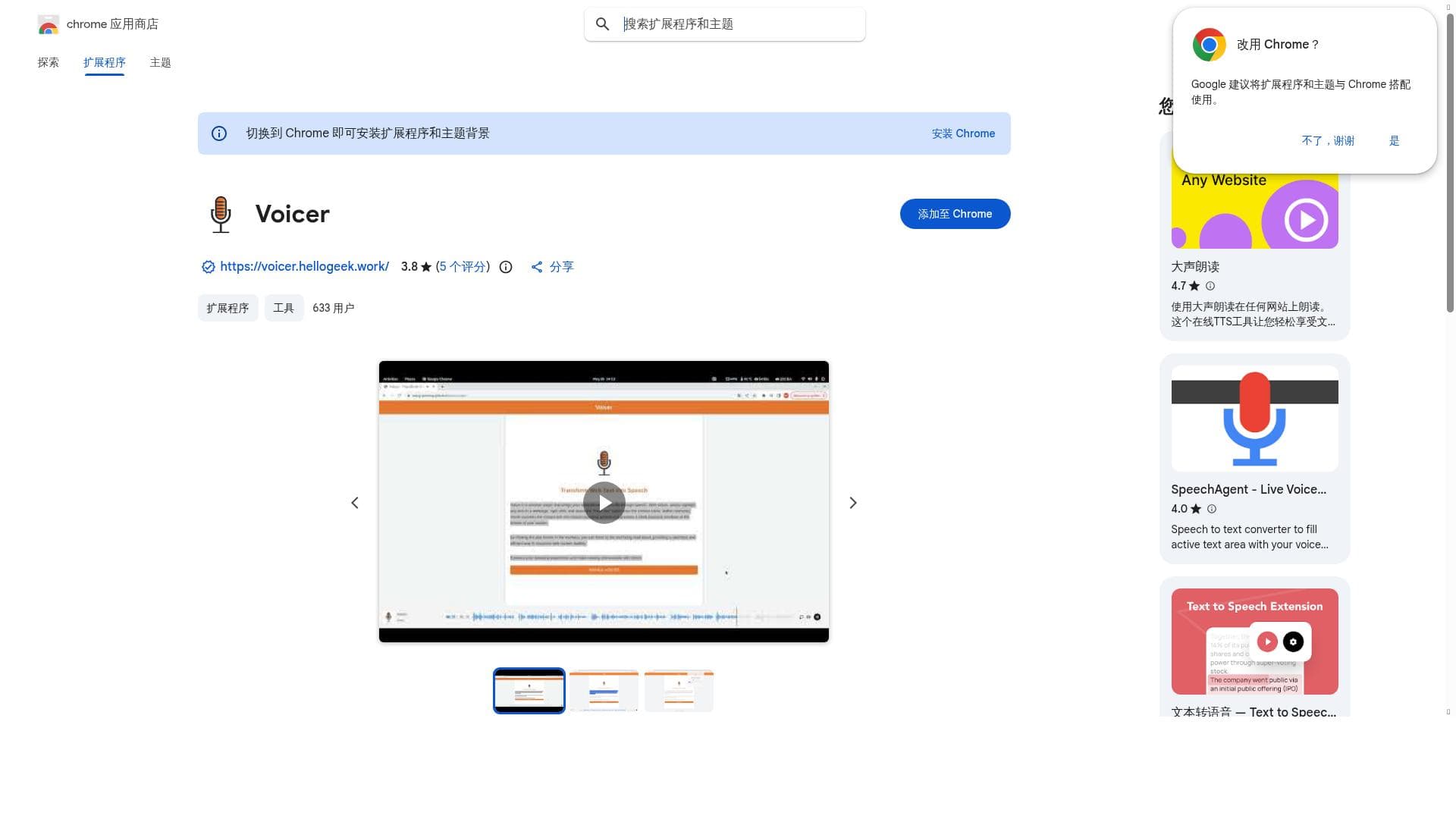


Voicer is a free Chrome extension that instantly converts any selected web text into natural-sounding speech, enhancing accessibility and enabling hands-free browsing. Ideal for students, professionals, and users with reading difficulties, it offers a seamless, user-friendly way to listen to online content without interrupting your workflow.

描述
Voicer is a browser extension that brings your selected web text to life through speech. With Voicer, simply highlight any text on a webpage, right-click, and select the “Read this” option from the context menu. Within moments, Voicer converts the chosen text into natural-sounding speech and presents a sleek playback interface at the bottom of your screen.
详细描述
Voicer is a versatile browser extension designed to transform the way users interact with web content by converting selected text into natural-sounding speech. Its core purpose is to enhance accessibility and convenience by enabling users to listen to any highlighted text on a webpage rather than reading it. This functionality is particularly useful for multitaskers, individuals with visual impairments, or anyone who prefers auditory learning. By simply highlighting text, right-clicking, and choosing the “Read this” option from the context menu, users can instantly hear the content read aloud. The extension then displays a sleek, user-friendly playback interface at the bottom of the screen, allowing easy control over the audio experience without disrupting browsing flow. Voicer integrates seamlessly into the Chrome browser, embedding voice functionalities directly into the user’s browsing environment. This integration allows for hands-free browsing and communication, making it a powerful tool for users who need or prefer voice interaction. The extension supports a range of voice options that produce clear, natural-sounding speech, enhancing the listening experience. Its playback interface includes controls such as pause, play, and skip, giving users full command over how they consume content. This makes it ideal for reading lengthy articles, emails, or any web text without straining the eyes or requiring constant screen attention. The tool is especially beneficial for students, professionals, and people with disabilities. For students, Voicer can aid in studying by allowing them to listen to course materials or research articles while performing other tasks. Professionals can use it to review reports or emails hands-free, improving productivity during busy workdays. For users with dyslexia, visual impairments, or other reading difficulties, Voicer provides an inclusive way to access information that might otherwise be challenging to consume. Additionally, it supports language learners who want to improve their listening skills by hearing text read aloud in a natural tone. Voicer is available for free, making it accessible to a wide audience without any financial barriers. Users can download and install the extension directly from the Chrome Web Store without needing to subscribe or pay for premium features. This free pricing model encourages widespread adoption and experimentation, allowing users to evaluate its benefits risk-free. While it does not currently offer paid plans or advanced customization options, its core functionality meets the needs of most casual and professional users looking for a straightforward text-to-speech solution. Compared to other text-to-speech tools, Voicer stands out for its simplicity and direct integration within the Chrome browser. Unlike standalone apps or web services that require copying and pasting text, Voicer works instantly on any webpage, saving time and effort. Its context menu activation and minimalistic playback interface reduce friction and enhance user experience. However, it may lack some advanced features found in dedicated TTS software, such as extensive voice customization, offline functionality, or support for multiple languages and accents. Users seeking highly specialized or enterprise-grade solutions might find Voicer less comprehensive but will appreciate its ease of use and zero cost. One limitation to consider is that Voicer depends on an active internet connection and the Chrome browser environment, which may restrict usage on other platforms or offline scenarios. Additionally, while the voices are natural-sounding, the extension may not support all languages or dialects, potentially limiting accessibility for non-English speakers. Users should also be aware that the extension’s performance can vary depending on the webpage’s content structure and complexity. Despite these considerations, Voicer remains a powerful and accessible tool for anyone looking to convert web text into speech quickly and effortlessly.
工具功能
- Integrates voice functionalities into Chrome browser
- Enables voice interactions for enhanced accessibility
- Supports hands-free browsing and communication
描述
Voicer is a free Chrome extension that instantly converts any selected web text into natural-sounding speech, enhancing accessibility and enabling hands-free browsing. Ideal for students, professionals, and users with reading difficulties, it offers a seamless, user-friendly way to listen to online content without interrupting your workflow.
Voicer is a browser extension that brings your selected web text to life through speech. With Voicer, simply highlight any text on a webpage, right-click, and select the “Read this” option from the context menu. Within moments, Voicer converts the chosen text into natural-sounding speech and presents a sleek playback interface at the bottom of your screen.
详细描述
Voicer is a versatile browser extension designed to transform the way users interact with web content by converting selected text into natural-sounding speech. Its core purpose is to enhance accessibility and convenience by enabling users to listen to any highlighted text on a webpage rather than reading it. This functionality is particularly useful for multitaskers, individuals with visual impairments, or anyone who prefers auditory learning. By simply highlighting text, right-clicking, and choosing the “Read this” option from the context menu, users can instantly hear the content read aloud. The extension then displays a sleek, user-friendly playback interface at the bottom of the screen, allowing easy control over the audio experience without disrupting browsing flow. Voicer integrates seamlessly into the Chrome browser, embedding voice functionalities directly into the user’s browsing environment. This integration allows for hands-free browsing and communication, making it a powerful tool for users who need or prefer voice interaction. The extension supports a range of voice options that produce clear, natural-sounding speech, enhancing the listening experience. Its playback interface includes controls such as pause, play, and skip, giving users full command over how they consume content. This makes it ideal for reading lengthy articles, emails, or any web text without straining the eyes or requiring constant screen attention. The tool is especially beneficial for students, professionals, and people with disabilities. For students, Voicer can aid in studying by allowing them to listen to course materials or research articles while performing other tasks. Professionals can use it to review reports or emails hands-free, improving productivity during busy workdays. For users with dyslexia, visual impairments, or other reading difficulties, Voicer provides an inclusive way to access information that might otherwise be challenging to consume. Additionally, it supports language learners who want to improve their listening skills by hearing text read aloud in a natural tone. Voicer is available for free, making it accessible to a wide audience without any financial barriers. Users can download and install the extension directly from the Chrome Web Store without needing to subscribe or pay for premium features. This free pricing model encourages widespread adoption and experimentation, allowing users to evaluate its benefits risk-free. While it does not currently offer paid plans or advanced customization options, its core functionality meets the needs of most casual and professional users looking for a straightforward text-to-speech solution. Compared to other text-to-speech tools, Voicer stands out for its simplicity and direct integration within the Chrome browser. Unlike standalone apps or web services that require copying and pasting text, Voicer works instantly on any webpage, saving time and effort. Its context menu activation and minimalistic playback interface reduce friction and enhance user experience. However, it may lack some advanced features found in dedicated TTS software, such as extensive voice customization, offline functionality, or support for multiple languages and accents. Users seeking highly specialized or enterprise-grade solutions might find Voicer less comprehensive but will appreciate its ease of use and zero cost. One limitation to consider is that Voicer depends on an active internet connection and the Chrome browser environment, which may restrict usage on other platforms or offline scenarios. Additionally, while the voices are natural-sounding, the extension may not support all languages or dialects, potentially limiting accessibility for non-English speakers. Users should also be aware that the extension’s performance can vary depending on the webpage’s content structure and complexity. Despite these considerations, Voicer remains a powerful and accessible tool for anyone looking to convert web text into speech quickly and effortlessly.
常见问题
What is Voicer?
Voicer is a Chrome browser extension that converts highlighted text on any webpage into natural-sounding speech, allowing users to listen to web content through a simple right-click context menu option.
How much does Voicer cost?
Voicer is completely free to use and can be downloaded from the Chrome Web Store without any subscription or payment.
Who is Voicer best for?
Voicer is ideal for students, professionals, individuals with visual impairments or reading difficulties, language learners, and anyone who prefers listening to reading or needs hands-free browsing.
What are the main features of Voicer?
Key features include seamless integration with the Chrome browser, natural-sounding text-to-speech conversion, a sleek playback interface with audio controls, and support for hands-free browsing and voice interactions.
Does Voicer offer a free trial?
Voicer is entirely free to use and does not require a trial period or payment to access its full functionality.
What integrations does Voicer support?
Voicer integrates directly with the Chrome browser, enabling text-to-speech functionality on any webpage without needing additional software or services.
How does Voicer work?
Users highlight any text on a webpage, right-click to select the “Read this” option, and Voicer instantly converts the text into speech, displaying a playback interface at the bottom of the screen for easy audio control.
评价
暂无评价。成为第一个分享使用体验的人。
赞助工具











































推荐工具
及时了解最新 AI 工具
获取最新资讯,订阅我们的新闻通讯
已有 50,000+ 位读者阅读并信赖
加入最大的 AI 社区
我们的社区和团队随时为您提供帮助!
您的反馈将帮助 Alice AI 在未来版本中不断改进。









