🚀 Zaprep: Your Socials on Steroids. 免费开始 — 每月自动发送 1,000 条私信,将互动转化为潜在客户。 ,每月 1,000 条自动私信。


这是您的 AI 工具吗?立即认领。
验证所有权、管理资料,并解锁增长功能。
VibeClip is an open-source AI video editor that transforms long videos into vertical shorts through simple natural language commands. Ideal for creators seeking privacy and ease, it offers smart reframing, auto-captions, and fully reversible edits—all running browser-native with self-hosting options.

描述
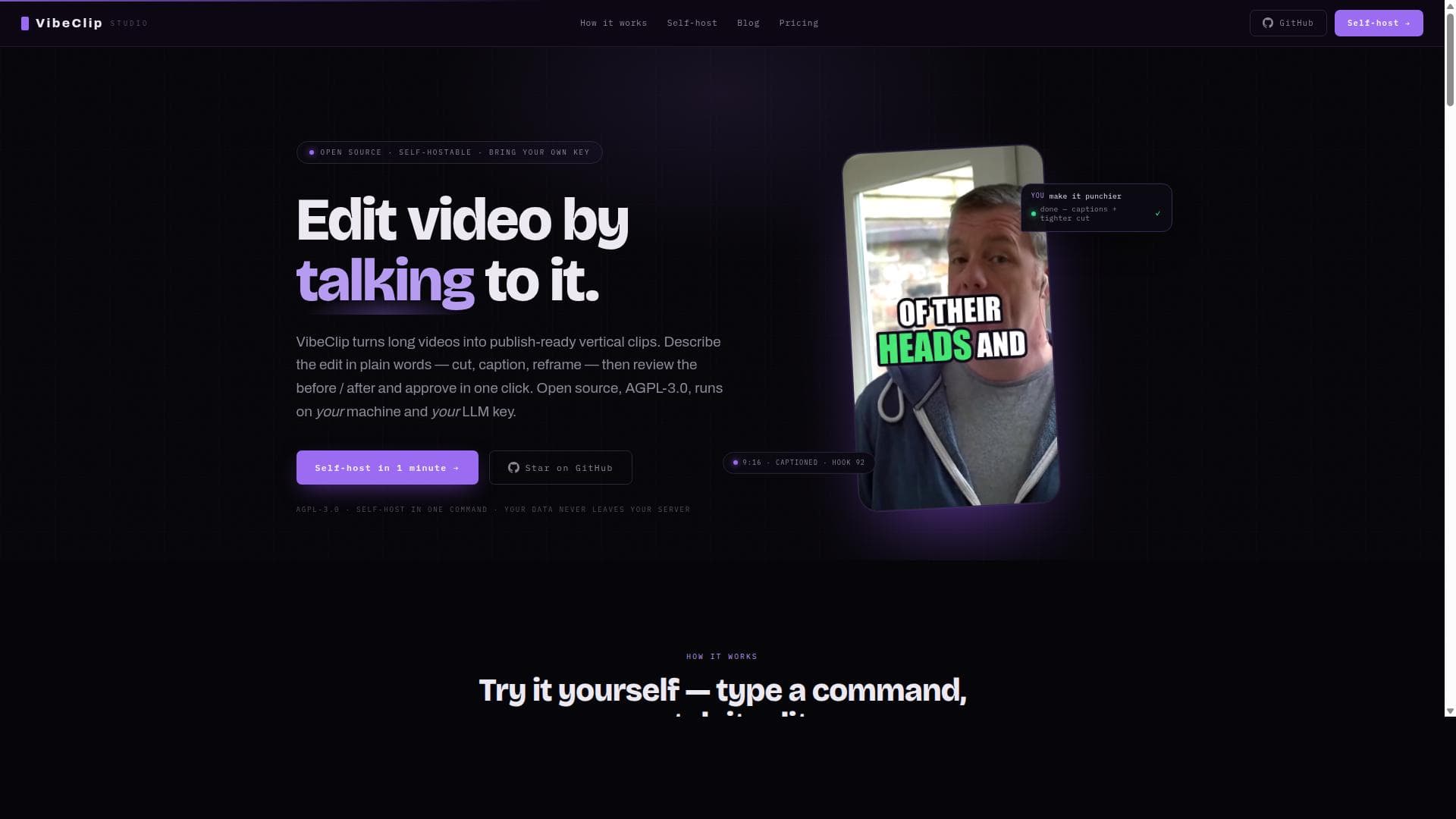
VibeClip is an open-source, self-hosted AI video editor you drive in plain language — "cut the boring intro", "add karaoke captions", "make clip 2 punchier". It runs locally on ffmpeg + faster-whisper + your own LLM key (DeepSeek/Gemini/Claude). Your footage never leaves your machine. AGPL-3.0.
详细描述
VibeClip is an innovative open-source AI video editor designed to simplify and accelerate the process of transforming long-form videos into engaging, publish-ready vertical shorts. Its core purpose is to empower content creators, marketers, educators, and streamers to efficiently edit videos by using natural language commands, making video editing accessible even to those without technical expertise. By allowing users to control the editing process through talking or typing plain language instructions, VibeClip revolutionizes traditional video editing workflows, which often require complex software and steep learning curves. At the heart of VibeClip is its talk-to-edit functionality, which enables users to describe edits such as cutting silences, adding captions, or reframing shots simply by speaking or typing their intentions. This natural language interface is powered by large language models (LLMs), which interpret user commands and apply precise edits automatically. The tool supports smart reframing, which intelligently crops 16:9 landscape videos into 9:16 vertical formats by tracking the speaker’s position, ensuring the subject remains centered and visually engaging in the final output. Additionally, VibeClip generates word-synced auto-captions that enhance accessibility and viewer engagement, while also offering silence and filler word removal to create punchier, more polished clips. Another standout feature is the A/B before-after approval system, which presents users with a side-by-side comparison of the original and edited versions, allowing them to approve or revert changes with a single click. This reversible editing approach ensures that no changes are destructive, and users can experiment freely without fear of losing original footage. VibeClip also includes style presets and gameplay split-screen options, catering to diverse content types such as gaming streams or interviews. Importantly, the entire editing process runs natively in the browser without requiring any installation or GPU resources, making it highly accessible and lightweight. VibeClip is particularly well-suited for creators working with talking-head footage, podcasts, lectures, interviews, and streams—any long, landscape-format video that needs to be repurposed into vertical shorts optimized for social media platforms like TikTok, Instagram Reels, or YouTube Shorts. Its smart reframing and captioning features save creators hours of manual editing, while the open-source nature and self-hosting capabilities provide full control over data privacy and customization. Users can deploy VibeClip on their own servers using Docker, integrating their own LLM API keys to maintain confidentiality and avoid reliance on third-party hosted services. Regarding pricing, VibeClip is free to self-host under the AGPL-3.0 license, meaning users only pay for their own LLM provider tokens, which typically cost just a few cents per short video. The hosted version is currently available free during early access, with plans to introduce paid tiers as the product matures. This cost structure makes VibeClip an affordable option for individual creators and organizations alike, especially compared to proprietary video editors that charge subscription fees or impose watermarks. Compared to alternatives like Opus Clip or CapCut, VibeClip stands out due to its open-source transparency, self-hosting option, and unique talk-to-edit interface. While other tools may offer automated clipping or captioning, few provide the granular control through natural language commands combined with reversible edits and local processing. This makes VibeClip a compelling choice for users prioritizing privacy, customization, and ease of use. However, there are some considerations to keep in mind. Since VibeClip relies on LLMs for interpreting commands, the quality of edits can depend on the chosen language model and the clarity of user instructions. Users must also manage their own LLM API keys when self-hosting, which may require some technical setup and ongoing token costs. Additionally, while the browser-native approach avoids heavy hardware requirements, very large or complex projects might still benefit from more powerful desktop editing software. Despite these limitations, VibeClip’s innovative approach to AI-driven, talk-controlled video editing offers a powerful and accessible solution for modern content creation needs.
工具功能
- Talk-to-edit: describe edits in plain language
- Smart reframe: speaker-tracked 16:9 to 9:16 crop
- Word-synced auto-captions
- Silence and filler removal
- A/B before-after approval, fully reversible
- Style presets and gameplay split-screen
- Browser-native — no install, no GPU
描述
VibeClip is an open-source AI video editor that transforms long videos into vertical shorts through simple natural language commands. Ideal for creators seeking privacy and ease, it offers smart reframing, auto-captions, and fully reversible edits—all running browser-native with self-hosting options.
VibeClip is an open-source, self-hosted AI video editor you drive in plain language — "cut the boring intro", "add karaoke captions", "make clip 2 punchier". It runs locally on ffmpeg + faster-whisper + your own LLM key (DeepSeek/Gemini/Claude). Your footage never leaves your machine. AGPL-3.0.
详细描述
VibeClip is an innovative open-source AI video editor designed to simplify and accelerate the process of transforming long-form videos into engaging, publish-ready vertical shorts. Its core purpose is to empower content creators, marketers, educators, and streamers to efficiently edit videos by using natural language commands, making video editing accessible even to those without technical expertise. By allowing users to control the editing process through talking or typing plain language instructions, VibeClip revolutionizes traditional video editing workflows, which often require complex software and steep learning curves. At the heart of VibeClip is its talk-to-edit functionality, which enables users to describe edits such as cutting silences, adding captions, or reframing shots simply by speaking or typing their intentions. This natural language interface is powered by large language models (LLMs), which interpret user commands and apply precise edits automatically. The tool supports smart reframing, which intelligently crops 16:9 landscape videos into 9:16 vertical formats by tracking the speaker’s position, ensuring the subject remains centered and visually engaging in the final output. Additionally, VibeClip generates word-synced auto-captions that enhance accessibility and viewer engagement, while also offering silence and filler word removal to create punchier, more polished clips. Another standout feature is the A/B before-after approval system, which presents users with a side-by-side comparison of the original and edited versions, allowing them to approve or revert changes with a single click. This reversible editing approach ensures that no changes are destructive, and users can experiment freely without fear of losing original footage. VibeClip also includes style presets and gameplay split-screen options, catering to diverse content types such as gaming streams or interviews. Importantly, the entire editing process runs natively in the browser without requiring any installation or GPU resources, making it highly accessible and lightweight. VibeClip is particularly well-suited for creators working with talking-head footage, podcasts, lectures, interviews, and streams—any long, landscape-format video that needs to be repurposed into vertical shorts optimized for social media platforms like TikTok, Instagram Reels, or YouTube Shorts. Its smart reframing and captioning features save creators hours of manual editing, while the open-source nature and self-hosting capabilities provide full control over data privacy and customization. Users can deploy VibeClip on their own servers using Docker, integrating their own LLM API keys to maintain confidentiality and avoid reliance on third-party hosted services. Regarding pricing, VibeClip is free to self-host under the AGPL-3.0 license, meaning users only pay for their own LLM provider tokens, which typically cost just a few cents per short video. The hosted version is currently available free during early access, with plans to introduce paid tiers as the product matures. This cost structure makes VibeClip an affordable option for individual creators and organizations alike, especially compared to proprietary video editors that charge subscription fees or impose watermarks. Compared to alternatives like Opus Clip or CapCut, VibeClip stands out due to its open-source transparency, self-hosting option, and unique talk-to-edit interface. While other tools may offer automated clipping or captioning, few provide the granular control through natural language commands combined with reversible edits and local processing. This makes VibeClip a compelling choice for users prioritizing privacy, customization, and ease of use. However, there are some considerations to keep in mind. Since VibeClip relies on LLMs for interpreting commands, the quality of edits can depend on the chosen language model and the clarity of user instructions. Users must also manage their own LLM API keys when self-hosting, which may require some technical setup and ongoing token costs. Additionally, while the browser-native approach avoids heavy hardware requirements, very large or complex projects might still benefit from more powerful desktop editing software. Despite these limitations, VibeClip’s innovative approach to AI-driven, talk-controlled video editing offers a powerful and accessible solution for modern content creation needs.
常见问题
What is VibeClip?
VibeClip is an open-source AI-powered video editor that allows users to edit videos by describing their desired changes in plain language. It specializes in converting long landscape videos into vertical shorts with features like smart reframing, auto-captions, and silence removal.
How much does VibeClip cost?
VibeClip is free to self-host under the AGPL-3.0 license, with users only paying for their own large language model (LLM) provider tokens. The hosted version is currently free during early access, with paid plans planned for the future.
Who is VibeClip best for?
VibeClip is ideal for content creators, educators, podcasters, streamers, and marketers who want to quickly produce vertical shorts from long-form videos. It’s especially useful for those working with talking-head footage, interviews, lectures, and gaming streams.
What are the main features of VibeClip?
Key features include talk-to-edit natural language commands, smart speaker-tracked reframing from 16:9 to 9:16, word-synced auto-captions, silence and filler word removal, reversible A/B before-after editing approval, style presets, gameplay split-screen, and browser-native operation without installation or GPU requirements.
Does VibeClip offer a free trial?
Yes, the hosted version of VibeClip is currently free during early access, allowing users to try the full studio without cost. Self-hosting is free indefinitely since the software is open source.
What integrations does VibeClip support?
VibeClip integrates with your choice of large language model providers via API keys for natural language processing. Optionally, it can access Pexels for stock b-roll footage. Since it is open source, additional integrations can be customized by users.
How does VibeClip work?
Users upload a long video and describe edits in plain language—such as cutting silences or adding captions. VibeClip’s AI interprets these commands, applies edits including smart reframing and captioning, and presents a before/after comparison for approval. All processing runs locally in the browser or on a self-hosted server, ensuring privacy and control.
社交媒体
使用工具评价
暂无评价。成为第一个分享使用体验的人。
赞助工具











































推荐工具
及时了解最新 AI 工具
获取最新资讯,订阅我们的新闻通讯
已有 50,000+ 位读者阅读并信赖
加入最大的 AI 社区
我们的社区和团队随时为您提供帮助!
您的反馈将帮助 Alice AI 在未来版本中不断改进。









