

这是您的 AI 工具吗?立即认领。
验证所有权、管理资料,并解锁增长功能。
Tidy is a Mac-exclusive grammar correction tool that fixes writing errors across any app with a single keystroke, all processed locally for privacy and speed. Its standout feature removes unnecessary AI-generated text, making it perfect for Mac users who want seamless, on-device writing enhancement without interrupting their workflow.

描述
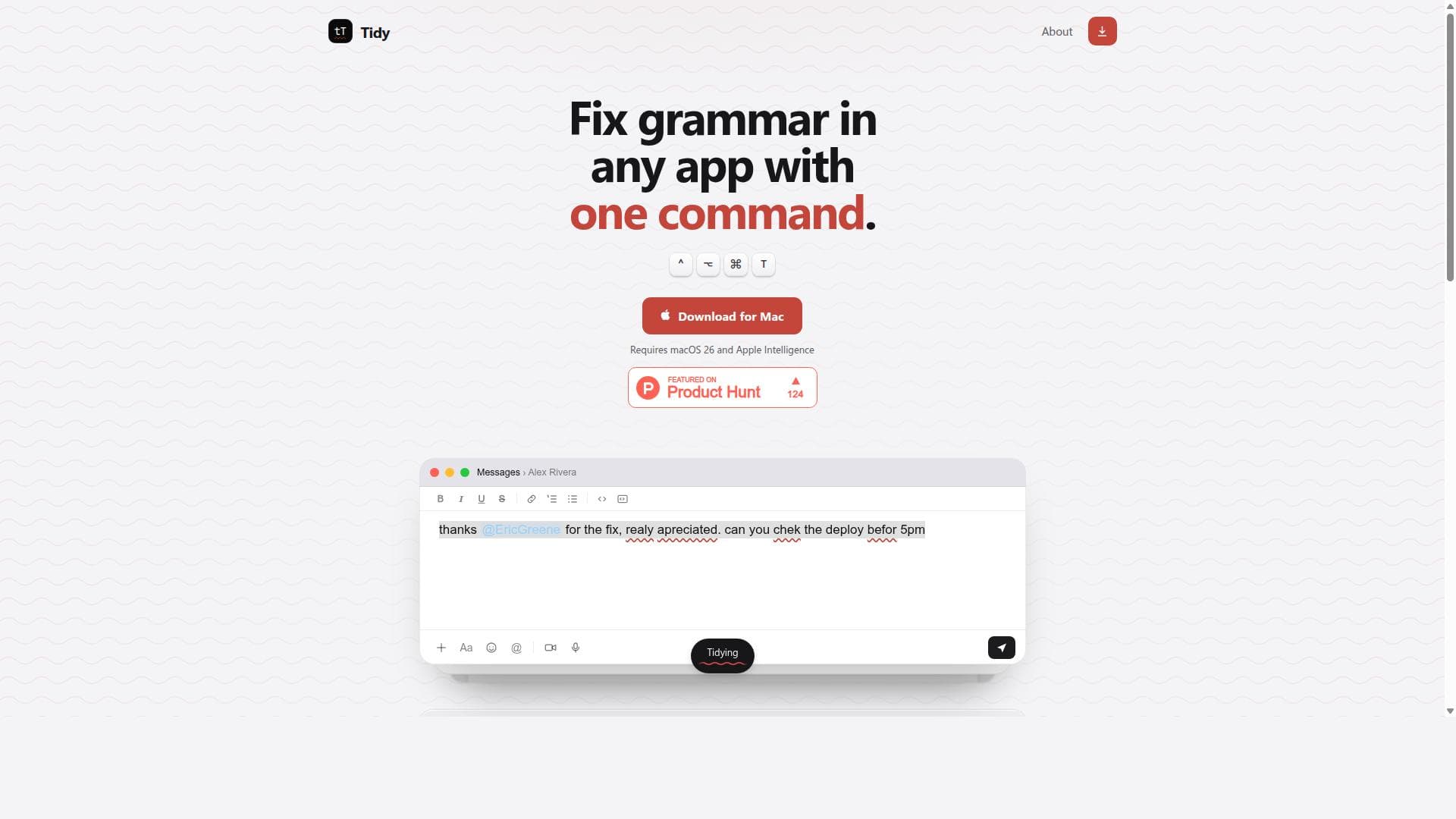
Fix spelling and grammar anywhere on your Mac. Select text, press the shortcut, and the corrected version replaces it where it sits. A second shortcut strips the AI slop out of anything that reads like a machine wrote it. @Mentions, dates and times are untouched. It runs on the model built into macOS. Nothing you select is uploaded. Needs macOS 26 with Apple Intelligence.
详细描述
Tidy is a powerful Mac application designed to enhance writing clarity and correctness by allowing users to fix grammar errors seamlessly across any Mac app with just a single command. Its core purpose is to simplify the editing process by integrating grammar correction directly into the user's workflow, eliminating the need to switch between applications or copy-paste text into separate grammar tools. This on-device solution ensures that all processing happens locally on the user's Mac, providing both privacy and speed advantages over cloud-based alternatives. At the heart of Tidy's functionality is its ability to correct grammar mistakes anywhere on the Mac platform. Whether you are composing emails, writing notes, chatting in messaging apps, or drafting documents, Tidy can be invoked with a simple keystroke (⌃⌥⌘T) to instantly polish your text. This universal compatibility across all Mac applications makes it an invaluable tool for users who frequently write in diverse environments and want consistent grammar assistance without interrupting their flow. Beyond grammar correction, Tidy offers a unique secondary shortcut that specifically targets and removes unnecessary AI-generated text. With the growing prevalence of AI writing assistants, users often encounter verbose or redundant content that can dilute the message. Tidy’s ability to strip out this “AI slop” helps maintain concise and clear communication, making it especially useful for professionals and creatives who rely on AI tools but want to refine the output before finalizing their work. Tidy requires macOS 26 and Apple Intelligence, leveraging the latest Apple technologies to deliver fast, on-device AI processing. This ensures that sensitive information never leaves the user's machine, addressing privacy concerns common with cloud-based grammar checkers. The simple activation via a dedicated keyboard shortcut streamlines the editing process, allowing users to improve their writing with minimal disruption. The tool is ideal for a wide range of users including writers, editors, students, professionals, and anyone who regularly produces written content on a Mac. For instance, business professionals can quickly tidy up emails and reports, students can polish essays and assignments, and content creators can refine scripts or social media posts. Its seamless integration means it fits naturally into existing workflows without requiring users to learn complex new software. Regarding pricing, Tidy is available as a downloadable application for Mac users. While specific pricing details are not explicitly stated on the website, the app is offered for download with the requirement of macOS 26 and Apple Intelligence, suggesting it targets users invested in the latest Apple ecosystem. Interested users can download the app directly from the official site or GitHub releases page. Compared to other grammar tools like Grammarly or Microsoft Editor, Tidy stands out by operating entirely on-device, which enhances privacy and reduces latency. Unlike browser extensions or web-based services, it works universally across all Mac apps, not limited to specific platforms or browsers. This makes it a more versatile and secure option for Mac users who want consistent grammar support everywhere. However, Tidy does have some limitations. It requires the latest macOS version and Apple Intelligence hardware, which may exclude users with older devices. Additionally, as a specialized Mac app, it does not support Windows or mobile platforms, limiting its audience to Mac users only. The focus on grammar and AI text cleanup means it may not offer the broader writing assistance features found in some competitors, such as style suggestions or plagiarism checks. In summary, Tidy is a streamlined, privacy-focused grammar correction tool designed exclusively for Mac users who want fast, reliable, and universal text improvement with minimal effort. Its unique ability to remove AI-generated unnecessary text further enhances its value in the modern writing landscape. While it requires up-to-date Apple hardware and software, its seamless integration and on-device processing make it a compelling choice for anyone looking to elevate their writing quality across all Mac applications.
工具功能
- Fix grammar in any Mac app with one command
- Second shortcut strips AI-generated unnecessary text
- On-device processing for privacy and speed
- Works across all Mac applications
- Simple keystroke activation (⌃⌥⌘T)
- Requires macOS 26 and Apple Intelligence
描述
Tidy is a Mac-exclusive grammar correction tool that fixes writing errors across any app with a single keystroke, all processed locally for privacy and speed. Its standout feature removes unnecessary AI-generated text, making it perfect for Mac users who want seamless, on-device writing enhancement without interrupting their workflow.
Fix spelling and grammar anywhere on your Mac. Select text, press the shortcut, and the corrected version replaces it where it sits. A second shortcut strips the AI slop out of anything that reads like a machine wrote it. @Mentions, dates and times are untouched. It runs on the model built into macOS. Nothing you select is uploaded. Needs macOS 26 with Apple Intelligence.
详细描述
Tidy is a powerful Mac application designed to enhance writing clarity and correctness by allowing users to fix grammar errors seamlessly across any Mac app with just a single command. Its core purpose is to simplify the editing process by integrating grammar correction directly into the user's workflow, eliminating the need to switch between applications or copy-paste text into separate grammar tools. This on-device solution ensures that all processing happens locally on the user's Mac, providing both privacy and speed advantages over cloud-based alternatives. At the heart of Tidy's functionality is its ability to correct grammar mistakes anywhere on the Mac platform. Whether you are composing emails, writing notes, chatting in messaging apps, or drafting documents, Tidy can be invoked with a simple keystroke (⌃⌥⌘T) to instantly polish your text. This universal compatibility across all Mac applications makes it an invaluable tool for users who frequently write in diverse environments and want consistent grammar assistance without interrupting their flow. Beyond grammar correction, Tidy offers a unique secondary shortcut that specifically targets and removes unnecessary AI-generated text. With the growing prevalence of AI writing assistants, users often encounter verbose or redundant content that can dilute the message. Tidy’s ability to strip out this “AI slop” helps maintain concise and clear communication, making it especially useful for professionals and creatives who rely on AI tools but want to refine the output before finalizing their work. Tidy requires macOS 26 and Apple Intelligence, leveraging the latest Apple technologies to deliver fast, on-device AI processing. This ensures that sensitive information never leaves the user's machine, addressing privacy concerns common with cloud-based grammar checkers. The simple activation via a dedicated keyboard shortcut streamlines the editing process, allowing users to improve their writing with minimal disruption. The tool is ideal for a wide range of users including writers, editors, students, professionals, and anyone who regularly produces written content on a Mac. For instance, business professionals can quickly tidy up emails and reports, students can polish essays and assignments, and content creators can refine scripts or social media posts. Its seamless integration means it fits naturally into existing workflows without requiring users to learn complex new software. Regarding pricing, Tidy is available as a downloadable application for Mac users. While specific pricing details are not explicitly stated on the website, the app is offered for download with the requirement of macOS 26 and Apple Intelligence, suggesting it targets users invested in the latest Apple ecosystem. Interested users can download the app directly from the official site or GitHub releases page. Compared to other grammar tools like Grammarly or Microsoft Editor, Tidy stands out by operating entirely on-device, which enhances privacy and reduces latency. Unlike browser extensions or web-based services, it works universally across all Mac apps, not limited to specific platforms or browsers. This makes it a more versatile and secure option for Mac users who want consistent grammar support everywhere. However, Tidy does have some limitations. It requires the latest macOS version and Apple Intelligence hardware, which may exclude users with older devices. Additionally, as a specialized Mac app, it does not support Windows or mobile platforms, limiting its audience to Mac users only. The focus on grammar and AI text cleanup means it may not offer the broader writing assistance features found in some competitors, such as style suggestions or plagiarism checks. In summary, Tidy is a streamlined, privacy-focused grammar correction tool designed exclusively for Mac users who want fast, reliable, and universal text improvement with minimal effort. Its unique ability to remove AI-generated unnecessary text further enhances its value in the modern writing landscape. While it requires up-to-date Apple hardware and software, its seamless integration and on-device processing make it a compelling choice for anyone looking to elevate their writing quality across all Mac applications.
常见问题
What is Tidy?
Tidy is a Mac application that enables users to fix grammar mistakes in any Mac app using a single command. It also offers a shortcut to remove unnecessary AI-generated text, all processed on-device to ensure privacy and speed.
How much does Tidy cost?
The website does not explicitly state pricing details. Tidy is available for download for Mac users requiring macOS 26 and Apple Intelligence. Users should check the official site or GitHub releases for the latest pricing or availability information.
Who is Tidy best for?
Tidy is ideal for Mac users who frequently write across multiple applications, including professionals, students, writers, and content creators who want quick, seamless grammar correction and AI text cleanup without leaving their current app.
What are the main features of Tidy?
Key features include fixing grammar errors in any Mac app with one command, a second shortcut to strip unnecessary AI-generated text, on-device processing for privacy and speed, universal compatibility across Mac applications, and activation via a simple keystroke (⌃⌥⌘T).
Does Tidy offer a free trial?
There is no information provided about a free trial on the official website or download pages. Users interested in trying Tidy should check the official site or GitHub repository for any trial offers or updates.
What integrations does Tidy support?
Tidy works universally across all Mac applications, meaning it integrates seamlessly with any app where text input is possible, including messaging apps, email clients, note-taking apps, and document editors.
How does Tidy work?
Tidy operates by processing text locally on the user's Mac using Apple Intelligence. Users activate it with a keyboard shortcut (⌃⌥⌘T) to fix grammar errors instantly in any app. A second shortcut removes redundant AI-generated text, all without sending data to external servers.
社交媒体
使用工具评价
暂无评价。成为第一个分享使用体验的人。




















































