🚀 Zaprep: Your Socials on Steroids. 免费开始 — 每月自动发送 1,000 条私信,将互动转化为潜在客户。 ,每月 1,000 条自动私信。


这是您的 AI 工具吗?立即认领。
验证所有权、管理资料,并解锁增长功能。
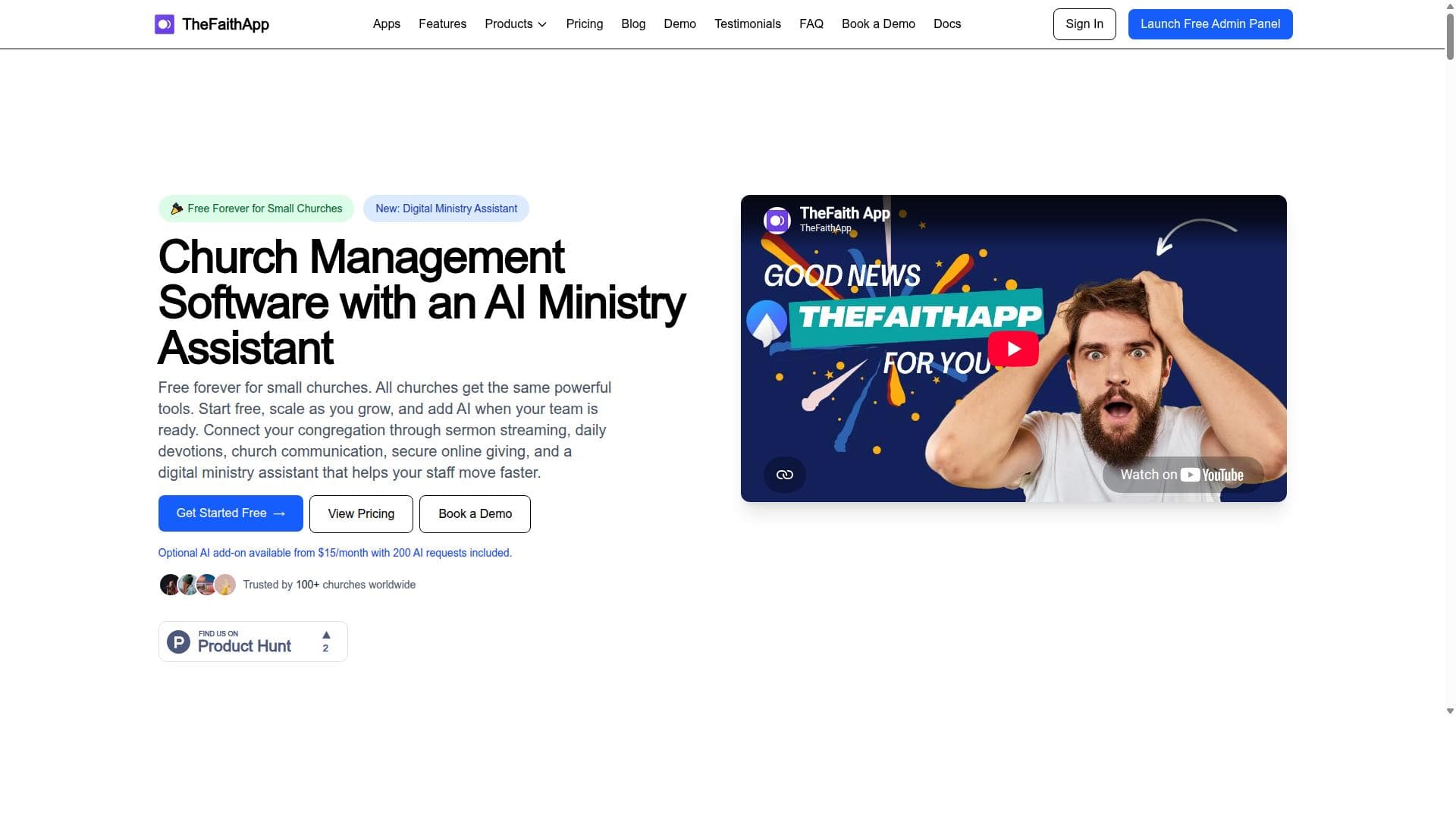
TheFaithApp is a free, all-in-one church management software tailored for small churches, combining sermon streaming, online giving, member management, and mobile apps with an optional AI ministry assistant. It uniquely empowers churches to streamline operations and enhance ministry impact without costly fees, making it ideal for budget-conscious congregations seeking digital transformation.

描述
TheFaithApp has grown from a church content app into a connected operating system for ministry. Manage members and visitors, events, volunteers, giving, communications, forms, outreach, discipleship, sermons, devotionals, and prayer in one workspace. The new Digital Ministry Assistant helps teams find church records and draft ministry content in natural language. Every core feature is free for churches with up to 100 members.
详细描述
TheFaithApp is a comprehensive, free church management software designed specifically to meet the needs of small churches. Its core purpose is to streamline and accelerate church administrative and ministry work by providing a suite of digital tools that simplify member management, sermon delivery, financial giving, and communication. By leveraging modern technology, TheFaithApp empowers church leaders and volunteers to focus more on ministry and less on operational complexities. The platform is accessible via mobile apps and web interfaces, making it convenient for church staff and members to engage anytime, anywhere. Key features of TheFaithApp include sermon streaming, which allows churches to broadcast live or recorded sermons to their congregation, expanding reach beyond physical attendance. The online giving feature facilitates secure and easy donations, helping churches manage tithes and offerings digitally. Member management tools enable churches to maintain detailed records of their congregation, track attendance, and communicate effectively. The mobile apps provide on-the-go access to all these functionalities, ensuring that church leaders and members stay connected. Additionally, TheFaithApp offers an optional AI ministry assistant that automates routine tasks, provides insights, and supports ministry planning, further enhancing productivity and engagement. TheFaithApp is best suited for small to medium-sized churches looking for an affordable, easy-to-use solution to manage their operations digitally. It is ideal for churches that want to enhance their online presence through sermon streaming and improve financial giving through digital channels. The AI ministry assistant is particularly useful for churches seeking to leverage artificial intelligence to optimize ministry workflows and member engagement. Specific use cases include managing church events, tracking member involvement, facilitating online donations, and delivering sermons to remote congregants. Regarding pricing, TheFaithApp offers a free plan that provides access to its core features, making it highly accessible for churches with limited budgets. Pricing beyond the free tier is based on the size of the church, allowing scalability as the congregation grows. This pay-per-size model ensures that churches only pay for what they need, making it a cost-effective option compared to many traditional church management systems. Compared to alternatives, TheFaithApp stands out for its combination of free access, mobile-first design, and integration of AI-powered ministry assistance. While many church management platforms charge high fees or require complex setups, TheFaithApp focuses on simplicity and affordability without sacrificing powerful capabilities. Its sermon streaming and online giving features are competitive with specialized platforms, while the AI assistant adds a unique layer of automation and support not commonly found in similar tools. However, some limitations to consider include its primary focus on small churches, which may mean fewer advanced features for very large or multi-campus churches. The AI ministry assistant is optional and may require some learning curve to maximize its benefits. Additionally, while integrations are available, churches with highly customized technology stacks may need to verify compatibility. Overall, TheFaithApp offers a robust, user-friendly solution for churches aiming to modernize their ministry operations affordably and effectively.
工具功能
- Sermon streaming
- Online giving
- Member management
- Mobile apps
- Optional AI ministry assistant
描述
TheFaithApp is a free, all-in-one church management software tailored for small churches, combining sermon streaming, online giving, member management, and mobile apps with an optional AI ministry assistant. It uniquely empowers churches to streamline operations and enhance ministry impact without costly fees, making it ideal for budget-conscious congregations seeking digital transformation.
TheFaithApp has grown from a church content app into a connected operating system for ministry. Manage members and visitors, events, volunteers, giving, communications, forms, outreach, discipleship, sermons, devotionals, and prayer in one workspace. The new Digital Ministry Assistant helps teams find church records and draft ministry content in natural language. Every core feature is free for churches with up to 100 members.
详细描述
TheFaithApp is a comprehensive, free church management software designed specifically to meet the needs of small churches. Its core purpose is to streamline and accelerate church administrative and ministry work by providing a suite of digital tools that simplify member management, sermon delivery, financial giving, and communication. By leveraging modern technology, TheFaithApp empowers church leaders and volunteers to focus more on ministry and less on operational complexities. The platform is accessible via mobile apps and web interfaces, making it convenient for church staff and members to engage anytime, anywhere. Key features of TheFaithApp include sermon streaming, which allows churches to broadcast live or recorded sermons to their congregation, expanding reach beyond physical attendance. The online giving feature facilitates secure and easy donations, helping churches manage tithes and offerings digitally. Member management tools enable churches to maintain detailed records of their congregation, track attendance, and communicate effectively. The mobile apps provide on-the-go access to all these functionalities, ensuring that church leaders and members stay connected. Additionally, TheFaithApp offers an optional AI ministry assistant that automates routine tasks, provides insights, and supports ministry planning, further enhancing productivity and engagement. TheFaithApp is best suited for small to medium-sized churches looking for an affordable, easy-to-use solution to manage their operations digitally. It is ideal for churches that want to enhance their online presence through sermon streaming and improve financial giving through digital channels. The AI ministry assistant is particularly useful for churches seeking to leverage artificial intelligence to optimize ministry workflows and member engagement. Specific use cases include managing church events, tracking member involvement, facilitating online donations, and delivering sermons to remote congregants. Regarding pricing, TheFaithApp offers a free plan that provides access to its core features, making it highly accessible for churches with limited budgets. Pricing beyond the free tier is based on the size of the church, allowing scalability as the congregation grows. This pay-per-size model ensures that churches only pay for what they need, making it a cost-effective option compared to many traditional church management systems. Compared to alternatives, TheFaithApp stands out for its combination of free access, mobile-first design, and integration of AI-powered ministry assistance. While many church management platforms charge high fees or require complex setups, TheFaithApp focuses on simplicity and affordability without sacrificing powerful capabilities. Its sermon streaming and online giving features are competitive with specialized platforms, while the AI assistant adds a unique layer of automation and support not commonly found in similar tools. However, some limitations to consider include its primary focus on small churches, which may mean fewer advanced features for very large or multi-campus churches. The AI ministry assistant is optional and may require some learning curve to maximize its benefits. Additionally, while integrations are available, churches with highly customized technology stacks may need to verify compatibility. Overall, TheFaithApp offers a robust, user-friendly solution for churches aiming to modernize their ministry operations affordably and effectively.
常见问题
What is TheFaithApp?
TheFaithApp is a free church management software designed to help small churches manage their operations digitally. It offers tools for sermon streaming, online giving, member management, mobile access, and includes an optional AI ministry assistant to support and automate ministry tasks.
How much does TheFaithApp cost?
TheFaithApp offers a free plan that includes core features suitable for small churches. Beyond the free tier, pricing is based on the size of the church, allowing churches to pay according to their congregation size, making it scalable and affordable.
Who is TheFaithApp best for?
TheFaithApp is best suited for small to medium-sized churches looking for an affordable, easy-to-use digital solution to manage members, stream sermons, facilitate online giving, and enhance ministry workflows with AI assistance.
What are the main features of TheFaithApp?
Key features include sermon streaming for live or recorded broadcasts, online giving for secure digital donations, member management to track attendance and communication, mobile apps for accessibility, and an optional AI ministry assistant that automates tasks and supports ministry planning.
Does TheFaithApp offer a free trial?
Yes, TheFaithApp provides a free plan that allows churches to start using the platform immediately without any cost, effectively serving as a free trial with access to essential features.
What integrations does TheFaithApp support?
While specific third-party integrations are not extensively detailed, TheFaithApp supports mobile apps and online giving platforms, and its AI ministry assistant can enhance workflow automation. Churches with specific integration needs should contact support for detailed compatibility.
How does TheFaithApp work?
TheFaithApp works by providing a cloud-based platform accessible via web and mobile apps where church leaders can manage members, stream sermons, collect online donations, and utilize AI tools to automate ministry tasks. It centralizes church operations to improve efficiency and engagement.
社交媒体
使用工具评价
暂无评价。成为第一个分享使用体验的人。
赞助工具













































推荐工具
及时了解最新 AI 工具
获取最新资讯,订阅我们的新闻通讯
已有 50,000+ 位读者阅读并信赖
加入最大的 AI 社区
我们的社区和团队随时为您提供帮助!
您的反馈将帮助 Alice AI 在未来版本中不断改进。









