

这是您的 AI 工具吗?立即认领。
验证所有权、管理资料,并解锁增长功能。
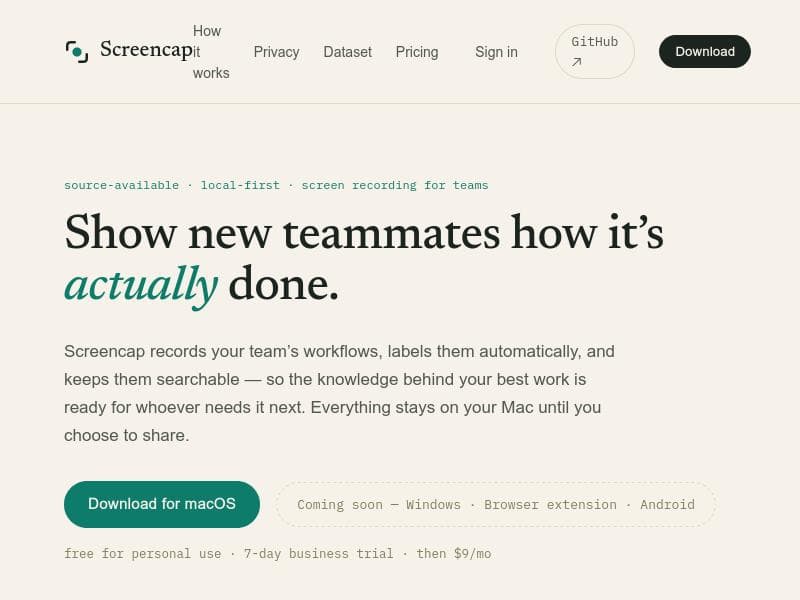
ScreenCap is a macOS-exclusive, privacy-first screen recorder that ensures your sensitive data never leaves your device by blocking or masking confidential apps before recording. Perfect for privacy-conscious individuals and teams, it offers local-first storage, automatic labeling, and searchable recordings, making it an ideal tool for secure workflow documentation and knowledge sharing.

描述
Screencap records how work actually happens: screen, clicks, keystrokes, window context and teams can use it to turn real workflows into structured datasets for automation and AI training. Consent and privacy are enforced while recording so most sensitive apps are blocked before anything is written, and every trace is scrubbed and reviewed before it leaves a machine. macOS, open source. Try it solo with a free trial, or talk to us about a team pilot.
详细描述
ScreenCap is a privacy-first, local-first screen recording application designed exclusively for macOS users who prioritize security and control over their screen recordings. Unlike traditional screen recorders that often upload or store data on cloud servers, ScreenCap ensures that all recordings remain on your local machine unless you explicitly choose to share them. This approach guarantees that sensitive information never leaves your device, providing peace of mind for individuals and teams handling confidential workflows. The core purpose of ScreenCap is to enable users to capture their screen activities while enforcing privacy protections at the moment of capture, making it especially suitable for environments where data privacy and compliance are critical. One of ScreenCap's standout features is its capture-time privacy enforcement. Before any recording is saved to disk, the software automatically blocks or masks sensitive applications such as password managers, banking apps, or any other software that might display personally identifiable information (PII). This proactive masking prevents accidental exposure of sensitive data in recordings. Additionally, ScreenCap organizes recordings by automatically labeling them and making them searchable, which helps users quickly locate specific clips or workflows without manual tagging. The interface is designed to support team collaboration by recording workflows and making the knowledge behind best practices accessible and easy to share within an organization. ScreenCap is ideal for professionals and teams who need to document workflows, onboard new employees, or create training materials without compromising sensitive information. For example, software developers, customer support teams, and IT administrators can use ScreenCap to record step-by-step processes while ensuring that confidential credentials or financial data are never captured. Its local-first design appeals to privacy-conscious users, including those in regulated industries such as finance, healthcare, and legal sectors. Moreover, individuals who want a secure personal screen recorder without cloud dependencies will find ScreenCap a reliable choice. Regarding pricing, ScreenCap offers a free tier for personal use, allowing individuals to benefit from its privacy features without cost. For business users, there is a 7-day free trial to evaluate the software's capabilities in a professional setting. After the trial, the business plan is priced at $9 per month, which includes advanced features and support tailored for team collaboration and enterprise use. This pricing model balances accessibility for individuals and scalability for organizations. Compared to other screen recording tools, ScreenCap differentiates itself through its strict local-first architecture and capture-time privacy enforcement. While many competitors rely on cloud storage or post-processing to redact sensitive information, ScreenCap prevents sensitive data from ever being recorded in the first place. This approach reduces risks associated with data breaches and compliance violations. Additionally, its automatic labeling and searchable recordings streamline knowledge management, which is often lacking in standard screen recorders. However, ScreenCap is currently limited to macOS, with Windows, browser extension, and Android versions planned but not yet available. Potential limitations include its platform exclusivity, which may restrict adoption in mixed-OS environments. Also, users accustomed to cloud-based collaboration might find the local-first approach less integrated with existing cloud workflows. While ScreenCap focuses heavily on privacy and local control, it may lack some advanced editing or sharing features found in more mature, cloud-centric screen recording solutions. Nevertheless, for users prioritizing privacy, control, and ease of use on macOS, ScreenCap offers a compelling and secure alternative. In summary, ScreenCap is a specialized screen recording tool that combines robust privacy protections with practical features for managing and sharing screen recordings securely. Its local-first design, capture-time masking of sensitive apps, and automatic organization make it uniquely suited for privacy-conscious individuals and teams who want to document workflows without risking data exposure. With a free personal tier and affordable business plans, ScreenCap is a valuable addition to the toolkit of anyone needing secure, private screen recording on macOS.
工具功能
- Local-first screen recording for macOS
- Privacy enforced at capture time
- Sensitive apps are blocked or masked before recording
- Recordings stay on your machine unless shared
- Automatic labeling and searchable recordings
- Free for personal use
- 7-day business trial available
描述
ScreenCap is a macOS-exclusive, privacy-first screen recorder that ensures your sensitive data never leaves your device by blocking or masking confidential apps before recording. Perfect for privacy-conscious individuals and teams, it offers local-first storage, automatic labeling, and searchable recordings, making it an ideal tool for secure workflow documentation and knowledge sharing.
Screencap records how work actually happens: screen, clicks, keystrokes, window context and teams can use it to turn real workflows into structured datasets for automation and AI training. Consent and privacy are enforced while recording so most sensitive apps are blocked before anything is written, and every trace is scrubbed and reviewed before it leaves a machine. macOS, open source. Try it solo with a free trial, or talk to us about a team pilot.
详细描述
ScreenCap is a privacy-first, local-first screen recording application designed exclusively for macOS users who prioritize security and control over their screen recordings. Unlike traditional screen recorders that often upload or store data on cloud servers, ScreenCap ensures that all recordings remain on your local machine unless you explicitly choose to share them. This approach guarantees that sensitive information never leaves your device, providing peace of mind for individuals and teams handling confidential workflows. The core purpose of ScreenCap is to enable users to capture their screen activities while enforcing privacy protections at the moment of capture, making it especially suitable for environments where data privacy and compliance are critical. One of ScreenCap's standout features is its capture-time privacy enforcement. Before any recording is saved to disk, the software automatically blocks or masks sensitive applications such as password managers, banking apps, or any other software that might display personally identifiable information (PII). This proactive masking prevents accidental exposure of sensitive data in recordings. Additionally, ScreenCap organizes recordings by automatically labeling them and making them searchable, which helps users quickly locate specific clips or workflows without manual tagging. The interface is designed to support team collaboration by recording workflows and making the knowledge behind best practices accessible and easy to share within an organization. ScreenCap is ideal for professionals and teams who need to document workflows, onboard new employees, or create training materials without compromising sensitive information. For example, software developers, customer support teams, and IT administrators can use ScreenCap to record step-by-step processes while ensuring that confidential credentials or financial data are never captured. Its local-first design appeals to privacy-conscious users, including those in regulated industries such as finance, healthcare, and legal sectors. Moreover, individuals who want a secure personal screen recorder without cloud dependencies will find ScreenCap a reliable choice. Regarding pricing, ScreenCap offers a free tier for personal use, allowing individuals to benefit from its privacy features without cost. For business users, there is a 7-day free trial to evaluate the software's capabilities in a professional setting. After the trial, the business plan is priced at $9 per month, which includes advanced features and support tailored for team collaboration and enterprise use. This pricing model balances accessibility for individuals and scalability for organizations. Compared to other screen recording tools, ScreenCap differentiates itself through its strict local-first architecture and capture-time privacy enforcement. While many competitors rely on cloud storage or post-processing to redact sensitive information, ScreenCap prevents sensitive data from ever being recorded in the first place. This approach reduces risks associated with data breaches and compliance violations. Additionally, its automatic labeling and searchable recordings streamline knowledge management, which is often lacking in standard screen recorders. However, ScreenCap is currently limited to macOS, with Windows, browser extension, and Android versions planned but not yet available. Potential limitations include its platform exclusivity, which may restrict adoption in mixed-OS environments. Also, users accustomed to cloud-based collaboration might find the local-first approach less integrated with existing cloud workflows. While ScreenCap focuses heavily on privacy and local control, it may lack some advanced editing or sharing features found in more mature, cloud-centric screen recording solutions. Nevertheless, for users prioritizing privacy, control, and ease of use on macOS, ScreenCap offers a compelling and secure alternative. In summary, ScreenCap is a specialized screen recording tool that combines robust privacy protections with practical features for managing and sharing screen recordings securely. Its local-first design, capture-time masking of sensitive apps, and automatic organization make it uniquely suited for privacy-conscious individuals and teams who want to document workflows without risking data exposure. With a free personal tier and affordable business plans, ScreenCap is a valuable addition to the toolkit of anyone needing secure, private screen recording on macOS.
常见问题
What is ScreenCap?
ScreenCap is a local-first screen recording application for macOS that prioritizes privacy by blocking or masking sensitive applications during recording, ensuring that all screen captures remain on your device unless you choose to share them.
How much does ScreenCap cost?
ScreenCap is free for personal use. For business users, there is a 7-day free trial available, after which the subscription costs $9 per month.
Who is ScreenCap best for?
ScreenCap is ideal for privacy-conscious individuals, professionals, and teams who need to securely record workflows, onboard new employees, or create training materials without exposing sensitive information, particularly in regulated industries like finance, healthcare, and legal.
What are the main features of ScreenCap?
Key features include local-first screen recording on macOS, capture-time privacy enforcement that blocks or masks sensitive apps, recordings that stay on your machine unless shared, automatic labeling and searchable recordings, and a free personal use tier with a 7-day business trial.
Does ScreenCap offer a free trial?
Yes, ScreenCap offers a 7-day free trial for its business plan, allowing teams to evaluate its features before committing to a subscription.
What integrations does ScreenCap support?
Currently, ScreenCap focuses on local-first recording on macOS and does not list specific third-party integrations. Future expansions to Windows, browser extensions, and Android are planned but not yet available.
How does ScreenCap work?
ScreenCap records your screen locally on macOS while enforcing privacy by blocking or masking sensitive applications at the moment of capture. It automatically organizes and labels recordings, keeping all data on your device until you decide to share it.
社交媒体
使用工具评价
暂无评价。成为第一个分享使用体验的人。






















































