
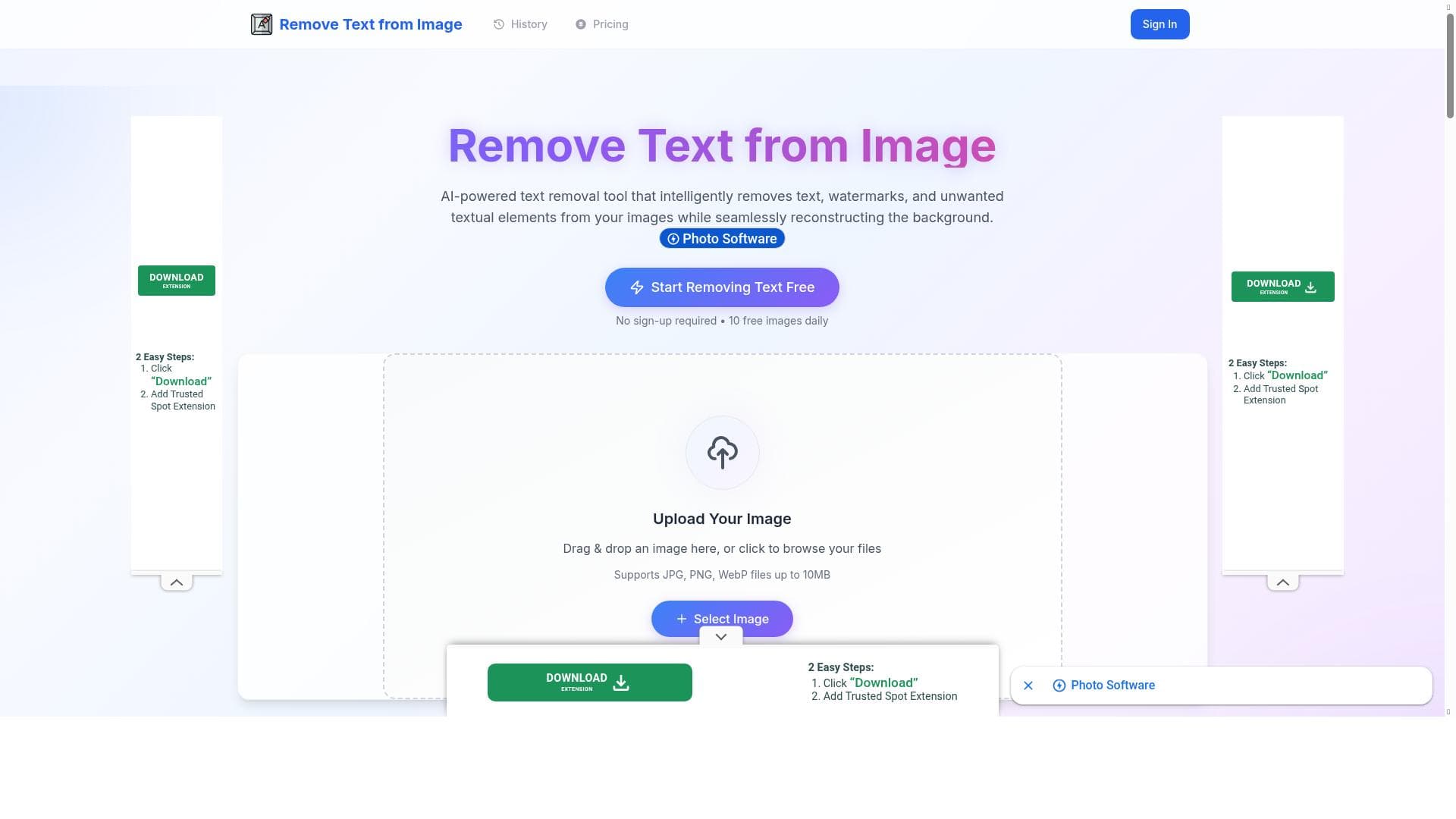


Remove Text from Image is a fast, AI-powered tool that effortlessly erases watermarks, captions, and logos from images with natural-looking results. Ideal for creators and marketers seeking clean visuals without complex editing, it offers a free, no-sign-up experience with daily credits to get started instantly.

描述
Need to remove text from your images without using complex photo editing tools? Remove Text from Image is an AI-powered solution that lets you erase watermarks, captions, logos, and any textual elements in seconds. Just upload your image, mark the area you want to clean up, and download the final result with a naturally reconstructed background. No sign-up required, no design skills needed. Perfect for creators, marketers, and anyone who wants clean, professional visuals. Try it free—get 10 daily credits!
详细描述
Remove Text from Image is an AI-powered online tool designed to effortlessly remove text elements from images without the need for complex photo editing software or advanced design skills. Its core purpose is to provide users with a quick, intuitive way to erase watermarks, captions, logos, or any unwanted textual content embedded in images, restoring the background naturally and seamlessly. By leveraging advanced AI technology, the tool reconstructs the image areas where text once appeared, maintaining the visual integrity and producing clean, professional results in seconds. Users simply upload their image, highlight the text area they want removed, and download the processed image without any cumbersome steps or sign-up requirements. One of the standout features of Remove Text from Image is its ease of use. The interface is straightforward and user-friendly, allowing anyone from beginners to professionals to navigate the tool effortlessly. The AI-driven processing is fast and accurate, ensuring that the text removal is clean without leaving obvious traces or distortions. This makes it ideal for removing watermarks that might otherwise detract from the image's appeal, or for clearing out captions and logos when repurposing images for presentations, marketing materials, or social media posts. Additionally, the tool supports multiple types of textual content removal, providing flexibility for various image editing needs. Remove Text from Image is particularly well-suited for creators, marketers, social media managers, and anyone who frequently works with visual content and requires polished, text-free images quickly. For example, content creators can use it to clean up images before publishing, marketers can remove distracting watermarks from promotional visuals, and designers can prepare images for further editing without the hassle of manual retouching. Its no-sign-up model and free daily credits make it accessible for casual users, while those needing more frequent or bulk processing can explore premium options. The pricing model is freemium, offering users 10 free daily credits to try the service without any commitment. This allows users to test the tool’s capabilities and determine if it fits their workflow. For heavier users or professionals, paid plans likely provide additional credits and possibly enhanced features or faster processing, although specific premium tier details are not outlined on the website. This flexible approach makes Remove Text from Image accessible to a wide range of users, from occasional to professional. Compared to traditional photo editing software like Photoshop or GIMP, Remove Text from Image offers a much simpler and faster alternative focused solely on text removal. While professional software provides extensive editing capabilities, they require skill and time. This tool’s AI-driven automation and minimal interface lower the barrier to entry and speed up the process significantly. Compared to other AI-based text removal tools, Remove Text from Image stands out with its no sign-up requirement, free daily credits, and emphasis on natural background reconstruction, which helps maintain image quality. However, users should consider that AI-based removal tools may have limitations with very complex backgrounds or overlapping text, where perfect reconstruction might be challenging. The tool is optimized for typical use cases but might not replace professional manual editing for highly detailed or critical projects. Additionally, as a web-based tool, it requires an internet connection and may have file size or format restrictions. Overall, Remove Text from Image is a powerful, accessible solution for anyone needing quick and clean text removal from images without the steep learning curve or cost of traditional editing software.
工具功能
- Remove text from images
- Remove watermarks
- Remove unwanted textual elements
- Fast processing
- Accurate AI technology
- Easy to use interface
- Clean and professional results
描述
Remove Text from Image is a fast, AI-powered tool that effortlessly erases watermarks, captions, and logos from images with natural-looking results. Ideal for creators and marketers seeking clean visuals without complex editing, it offers a free, no-sign-up experience with daily credits to get started instantly.
Need to remove text from your images without using complex photo editing tools? Remove Text from Image is an AI-powered solution that lets you erase watermarks, captions, logos, and any textual elements in seconds. Just upload your image, mark the area you want to clean up, and download the final result with a naturally reconstructed background. No sign-up required, no design skills needed. Perfect for creators, marketers, and anyone who wants clean, professional visuals. Try it free—get 10 daily credits!
详细描述
Remove Text from Image is an AI-powered online tool designed to effortlessly remove text elements from images without the need for complex photo editing software or advanced design skills. Its core purpose is to provide users with a quick, intuitive way to erase watermarks, captions, logos, or any unwanted textual content embedded in images, restoring the background naturally and seamlessly. By leveraging advanced AI technology, the tool reconstructs the image areas where text once appeared, maintaining the visual integrity and producing clean, professional results in seconds. Users simply upload their image, highlight the text area they want removed, and download the processed image without any cumbersome steps or sign-up requirements. One of the standout features of Remove Text from Image is its ease of use. The interface is straightforward and user-friendly, allowing anyone from beginners to professionals to navigate the tool effortlessly. The AI-driven processing is fast and accurate, ensuring that the text removal is clean without leaving obvious traces or distortions. This makes it ideal for removing watermarks that might otherwise detract from the image's appeal, or for clearing out captions and logos when repurposing images for presentations, marketing materials, or social media posts. Additionally, the tool supports multiple types of textual content removal, providing flexibility for various image editing needs. Remove Text from Image is particularly well-suited for creators, marketers, social media managers, and anyone who frequently works with visual content and requires polished, text-free images quickly. For example, content creators can use it to clean up images before publishing, marketers can remove distracting watermarks from promotional visuals, and designers can prepare images for further editing without the hassle of manual retouching. Its no-sign-up model and free daily credits make it accessible for casual users, while those needing more frequent or bulk processing can explore premium options. The pricing model is freemium, offering users 10 free daily credits to try the service without any commitment. This allows users to test the tool’s capabilities and determine if it fits their workflow. For heavier users or professionals, paid plans likely provide additional credits and possibly enhanced features or faster processing, although specific premium tier details are not outlined on the website. This flexible approach makes Remove Text from Image accessible to a wide range of users, from occasional to professional. Compared to traditional photo editing software like Photoshop or GIMP, Remove Text from Image offers a much simpler and faster alternative focused solely on text removal. While professional software provides extensive editing capabilities, they require skill and time. This tool’s AI-driven automation and minimal interface lower the barrier to entry and speed up the process significantly. Compared to other AI-based text removal tools, Remove Text from Image stands out with its no sign-up requirement, free daily credits, and emphasis on natural background reconstruction, which helps maintain image quality. However, users should consider that AI-based removal tools may have limitations with very complex backgrounds or overlapping text, where perfect reconstruction might be challenging. The tool is optimized for typical use cases but might not replace professional manual editing for highly detailed or critical projects. Additionally, as a web-based tool, it requires an internet connection and may have file size or format restrictions. Overall, Remove Text from Image is a powerful, accessible solution for anyone needing quick and clean text removal from images without the steep learning curve or cost of traditional editing software.
常见问题
What is Remove Text from Image?
Remove Text from Image is an AI-driven online tool that allows users to remove text elements such as watermarks, captions, and logos from images quickly and easily, producing clean, natural-looking results without requiring advanced photo editing skills.
How much does Remove Text from Image cost?
Remove Text from Image operates on a freemium model, offering 10 free daily credits for users to try the service. For higher usage or additional features, paid plans are available, though specific pricing details should be checked on their website.
Who is Remove Text from Image best for?
This tool is best suited for content creators, marketers, social media managers, and anyone needing to quickly remove unwanted text from images to create clean, professional visuals without complex editing software.
What are the main features of Remove Text from Image?
Key features include the ability to remove text, watermarks, and logos from images; fast AI-powered processing; an easy-to-use interface; accurate text removal with natural background reconstruction; and no sign-up required for initial use.
Does Remove Text from Image offer a free trial?
Yes, the tool offers 10 free daily credits that allow users to try its text removal capabilities without signing up or paying, effectively serving as a free trial.
What integrations does Remove Text from Image support?
Remove Text from Image is a standalone web-based tool and does not currently advertise integrations with other platforms or software.
How does Remove Text from Image work?
Users upload an image, mark the text area they want to remove, and the AI processes the image to erase the text and reconstruct the background naturally. The final image can then be downloaded directly from the website.
评价
暂无评价。成为第一个分享使用体验的人。




















































