

这是您的 AI 工具吗?立即认领。
验证所有权、管理资料,并解锁增长功能。
RecordMeeting is a powerful tool that lets you record and transcribe Google Meet meetings with a single click, making it effortless to capture and share important meeting details. Perfect for remote teams and professionals, it ensures no key information is missed and streamlines collaboration through easy sharing of meeting notes.

描述
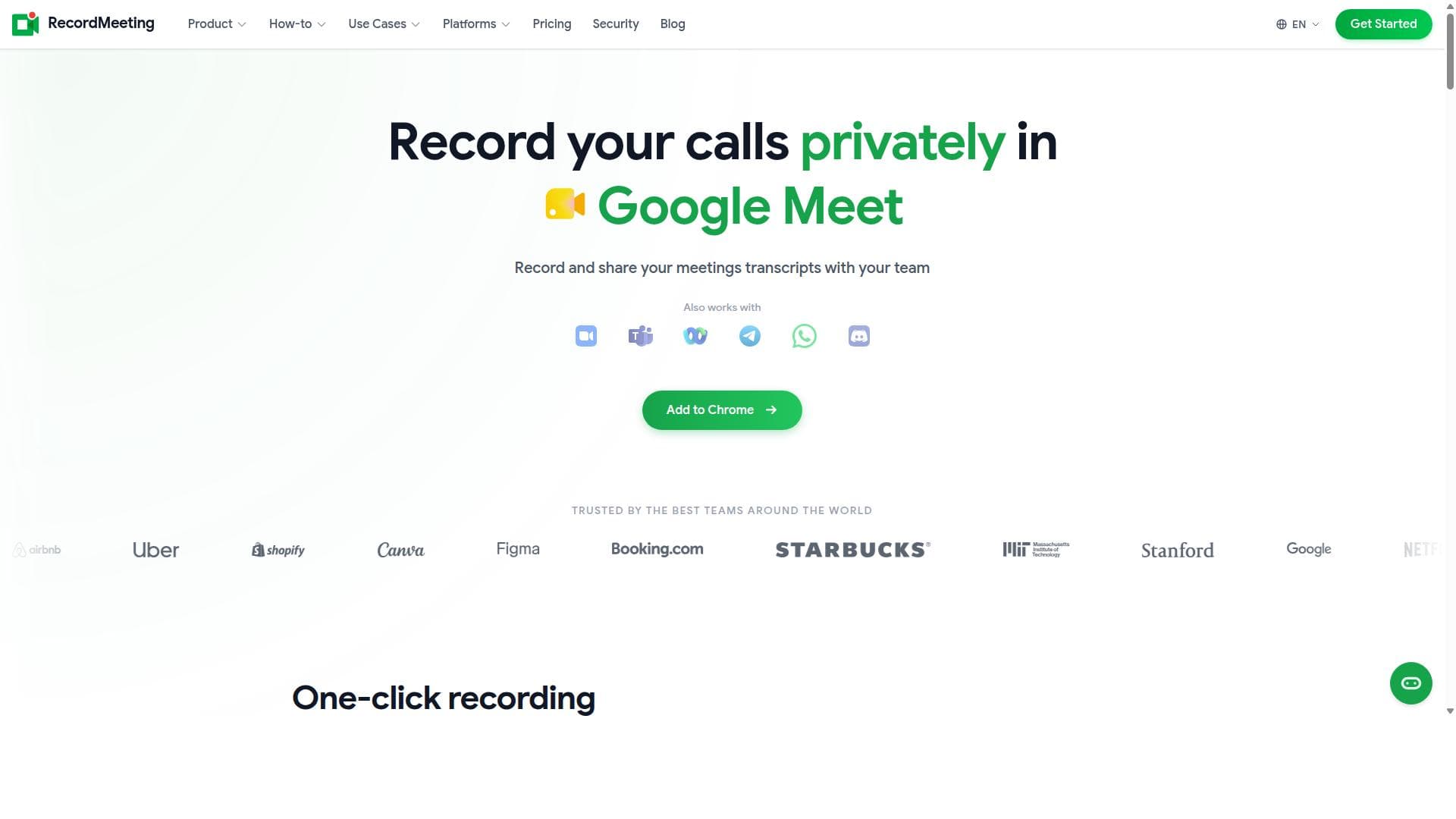
Records and transcribes your calls privately 🥷 No bots joining and No recording announcements. Get automatic transcripts, summaries, searchable notes, key points, and a shareable team link. Works with Google Meet, Zoom, WhatsApp, Microsoft Teams, Webex, Telegram, and Discord. Try it free today.
详细描述
RecordMeeting is a specialized AI-powered tool designed to streamline the process of recording and transcribing Google Meet meetings with remarkable ease. Its core purpose is to help teams and professionals capture every detail of their virtual meetings without the hassle of manual note-taking or complicated recording setups. By enabling users to start recording with just one click, RecordMeeting ensures that important discussions, decisions, and action items are accurately documented and easily accessible for future reference. This tool is especially valuable in today’s remote and hybrid work environments where virtual meetings are frequent and detailed record-keeping is essential. One of the standout features of RecordMeeting is its seamless integration with Google Meet, allowing users to initiate recordings instantly during any meeting. The automatic transcription capability converts spoken words into text in real-time or shortly after the meeting ends, making it simple to review and share meeting content. These transcripts are not only accurate but also formatted for easy reading and sharing. Users can effortlessly distribute meeting notes to their team members, ensuring everyone stays informed and aligned. This feature eliminates the common problem of missing critical information or relying on memory alone. Additionally, RecordMeeting’s interface is designed to be user-friendly, requiring minimal setup or technical knowledge, which makes it accessible to a wide range of users. RecordMeeting is ideal for businesses of all sizes, remote teams, project managers, educators, and anyone who regularly participates in Google Meet calls. For teams, it enhances collaboration by providing a reliable record of discussions and decisions that can be revisited anytime. Project managers can track progress and action items without the need for constant manual updates. Educators and trainers can use the transcripts to create study materials or review sessions. The tool is also beneficial for legal, consulting, and sales professionals who need to maintain precise records of client conversations or negotiations. Regarding pricing, RecordMeeting typically offers a tiered subscription model, including a free or trial version with basic recording and transcription features, and paid plans that unlock advanced capabilities such as longer recording durations, higher transcription accuracy, priority support, and team collaboration tools. While specific pricing details may vary, the value proposition centers on saving time and improving meeting productivity, which can justify the investment for frequent users. When compared to alternatives, RecordMeeting stands out due to its one-click recording feature directly within Google Meet, eliminating the need for external recording software or complicated workflows. Many competing tools require manual uploads or separate apps, whereas RecordMeeting integrates smoothly into the existing meeting environment. Its transcription accuracy and ease of sharing also provide a competitive edge. However, unlike some enterprise-grade meeting platforms that offer extensive analytics or multi-platform support, RecordMeeting focuses primarily on Google Meet, which may limit its use for organizations relying on multiple video conferencing tools. Notable limitations include its dependency on Google Meet, meaning it cannot record meetings on other platforms like Zoom or Microsoft Teams. Additionally, transcription quality, while generally high, may vary depending on audio clarity and speaker accents. Users should also consider privacy and data security policies, especially when handling sensitive meeting content. Despite these considerations, RecordMeeting remains a powerful tool for enhancing meeting productivity and ensuring no critical detail is overlooked in virtual collaborations.
工具功能
- Record Google Meet meetings with one click
- Automatic transcription of meetings
- Share meeting notes with your team
- Never miss important meeting details
描述
RecordMeeting is a powerful tool that lets you record and transcribe Google Meet meetings with a single click, making it effortless to capture and share important meeting details. Perfect for remote teams and professionals, it ensures no key information is missed and streamlines collaboration through easy sharing of meeting notes.
Records and transcribes your calls privately 🥷 No bots joining and No recording announcements. Get automatic transcripts, summaries, searchable notes, key points, and a shareable team link. Works with Google Meet, Zoom, WhatsApp, Microsoft Teams, Webex, Telegram, and Discord. Try it free today.
详细描述
RecordMeeting is a specialized AI-powered tool designed to streamline the process of recording and transcribing Google Meet meetings with remarkable ease. Its core purpose is to help teams and professionals capture every detail of their virtual meetings without the hassle of manual note-taking or complicated recording setups. By enabling users to start recording with just one click, RecordMeeting ensures that important discussions, decisions, and action items are accurately documented and easily accessible for future reference. This tool is especially valuable in today’s remote and hybrid work environments where virtual meetings are frequent and detailed record-keeping is essential. One of the standout features of RecordMeeting is its seamless integration with Google Meet, allowing users to initiate recordings instantly during any meeting. The automatic transcription capability converts spoken words into text in real-time or shortly after the meeting ends, making it simple to review and share meeting content. These transcripts are not only accurate but also formatted for easy reading and sharing. Users can effortlessly distribute meeting notes to their team members, ensuring everyone stays informed and aligned. This feature eliminates the common problem of missing critical information or relying on memory alone. Additionally, RecordMeeting’s interface is designed to be user-friendly, requiring minimal setup or technical knowledge, which makes it accessible to a wide range of users. RecordMeeting is ideal for businesses of all sizes, remote teams, project managers, educators, and anyone who regularly participates in Google Meet calls. For teams, it enhances collaboration by providing a reliable record of discussions and decisions that can be revisited anytime. Project managers can track progress and action items without the need for constant manual updates. Educators and trainers can use the transcripts to create study materials or review sessions. The tool is also beneficial for legal, consulting, and sales professionals who need to maintain precise records of client conversations or negotiations. Regarding pricing, RecordMeeting typically offers a tiered subscription model, including a free or trial version with basic recording and transcription features, and paid plans that unlock advanced capabilities such as longer recording durations, higher transcription accuracy, priority support, and team collaboration tools. While specific pricing details may vary, the value proposition centers on saving time and improving meeting productivity, which can justify the investment for frequent users. When compared to alternatives, RecordMeeting stands out due to its one-click recording feature directly within Google Meet, eliminating the need for external recording software or complicated workflows. Many competing tools require manual uploads or separate apps, whereas RecordMeeting integrates smoothly into the existing meeting environment. Its transcription accuracy and ease of sharing also provide a competitive edge. However, unlike some enterprise-grade meeting platforms that offer extensive analytics or multi-platform support, RecordMeeting focuses primarily on Google Meet, which may limit its use for organizations relying on multiple video conferencing tools. Notable limitations include its dependency on Google Meet, meaning it cannot record meetings on other platforms like Zoom or Microsoft Teams. Additionally, transcription quality, while generally high, may vary depending on audio clarity and speaker accents. Users should also consider privacy and data security policies, especially when handling sensitive meeting content. Despite these considerations, RecordMeeting remains a powerful tool for enhancing meeting productivity and ensuring no critical detail is overlooked in virtual collaborations.
常见问题
What is RecordMeeting?
RecordMeeting is an AI-powered tool designed to record and transcribe Google Meet meetings effortlessly. It enables users to capture meeting audio and automatically generate transcripts, making it easy to review and share meeting content.
How much does RecordMeeting cost?
RecordMeeting typically offers multiple pricing plans, including a free or trial version with basic features and paid subscriptions that unlock advanced recording durations, transcription accuracy, and team collaboration tools. Exact pricing details can be found on their website.
Who is RecordMeeting best for?
RecordMeeting is best suited for remote teams, project managers, educators, consultants, and professionals who frequently use Google Meet and need reliable meeting recordings and transcriptions to improve productivity and collaboration.
What are the main features of RecordMeeting?
Key features include one-click recording of Google Meet meetings, automatic transcription of meeting audio, easy sharing of meeting notes with team members, and ensuring that important meeting details are never missed.
Does RecordMeeting offer a free trial?
Yes, RecordMeeting generally offers a free trial or a basic free plan that allows users to test core recording and transcription features before committing to a paid subscription.
What integrations does RecordMeeting support?
RecordMeeting is primarily integrated with Google Meet, allowing seamless recording and transcription within that platform. It does not currently support other video conferencing tools.
How does RecordMeeting work?
RecordMeeting works by integrating directly with Google Meet, enabling users to start recording with a single click during their meetings. It then automatically transcribes the audio into text and provides options to share the meeting notes with team members.
社交媒体
使用工具评价
暂无评价。成为第一个分享使用体验的人。




















































