

这是您的 AI 工具吗?立即认领。
验证所有权、管理资料,并解锁增长功能。
Prompt Library is a Mac-exclusive tool that lets users save, tag, and organize AI prompts into collections, then instantly insert them into any app with a simple keyboard shortcut. Ideal for professionals and creatives working across multiple AI platforms like ChatGPT, Claude, and Gemini, it dramatically boosts productivity by eliminating repetitive prompt entry.

描述
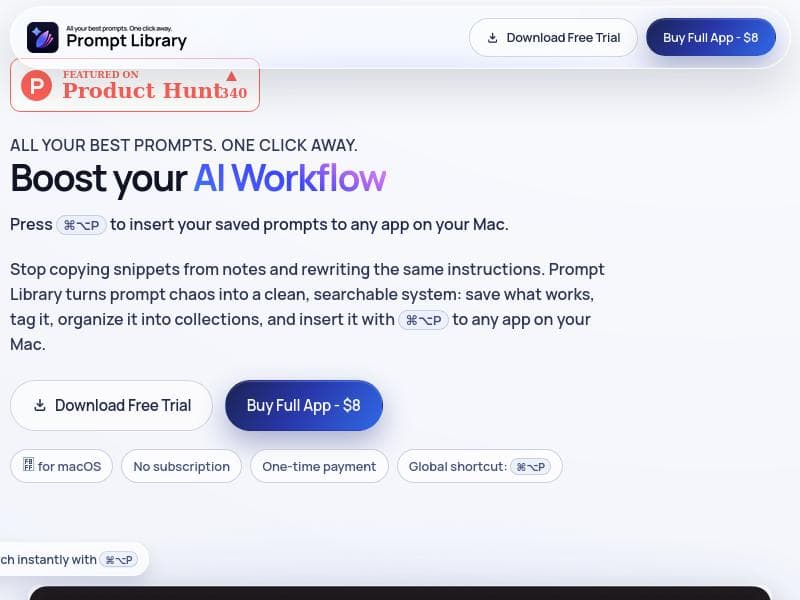
Save, tag, and organize prompts in collections, then press ⌘⌥P to instantly insert them into any app on your Mac.
详细描述
Prompt Library is a specialized productivity tool designed to help users save, tag, and organize AI prompts efficiently, enabling seamless reuse across multiple AI platforms. Its core purpose is to streamline the workflow of anyone who frequently interacts with AI language models by providing a centralized repository for prompts that can be instantly inserted into any application on a Mac. By pressing the keyboard shortcut ⌘⌥P, users can quickly access their curated prompt collections and deploy them without interrupting their creative or professional flow. This tool is particularly valuable for those who rely on AI models like ChatGPT, Claude, and Gemini, as it bridges the gap between prompt creation and practical application, reducing repetitive typing and enhancing productivity. The key features of Prompt Library focus on prompt management and accessibility. Users can save their best prompts in a well-organized system, tagging them for easy retrieval and grouping them into collections based on themes, projects, or use cases. This organizational structure ensures that prompts are not lost in clutter and can be found instantly when needed. The standout capability is the instant insertion feature, activated by a simple keyboard shortcut, which works across any app on a Mac. This means whether you are writing an email, coding, or creating content in a document editor, your saved prompts are just a keystroke away. Additionally, Prompt Library supports multiple AI platforms, making it versatile for users who work with different AI models or switch between them depending on the task. Prompt Library is best suited for professionals, content creators, developers, marketers, and AI enthusiasts who regularly engage with AI text generation tools. For example, content writers can store various prompt templates for blog ideas, outlines, or social media captions and insert them instantly while working. Developers can save code generation prompts or debugging queries to speed up their coding sessions. Marketers can organize prompts for ad copy, customer engagement scripts, or product descriptions, ensuring consistency and efficiency. The tool is also valuable for educators and researchers who use AI to generate educational content or analyze text, as it simplifies managing diverse prompt sets. The pricing model for Prompt Library is freemium, allowing users to start using the core features at no cost. This approach makes it accessible for casual users and those wanting to test the tool’s capabilities before committing financially. While the free tier covers essential prompt saving and insertion functions, premium plans likely offer expanded storage, advanced organizational features, or priority support, although specific details on paid tiers are not provided. This pricing strategy aligns with many productivity tools, encouraging adoption while monetizing power users who require more robust features. Compared to alternatives, Prompt Library stands out due to its native Mac integration and universal app compatibility. Many prompt management tools are web-based or limited to specific AI platforms, whereas Prompt Library’s system-wide accessibility via a keyboard shortcut provides unmatched convenience. Its support for multiple AI models like ChatGPT, Claude, and Gemini also offers flexibility that some competitors lack. However, unlike some AI prompt marketplaces or collaborative platforms, Prompt Library focuses primarily on personal prompt organization rather than community sharing or marketplace functionalities. Notable limitations include its exclusivity to Mac users, which restricts accessibility for Windows or Linux users. Additionally, while the freemium model is attractive, the lack of detailed information on premium features may leave potential users uncertain about the value of paid plans. Since the tool relies on keyboard shortcuts for prompt insertion, users unfamiliar with Mac shortcuts or those who prefer mouse-driven interfaces might face a learning curve. Lastly, the tool’s effectiveness depends on users actively curating and tagging their prompts; without disciplined organization, the benefits may diminish over time. Despite these considerations, Prompt Library offers a powerful, streamlined solution for anyone looking to maximize their productivity with AI-generated content on Mac devices.
工具功能
- Save your best prompts
- Organize prompts efficiently
- Instantly reuse prompts across multiple AI platforms including ChatGPT, Claude, and Gemini
描述
Prompt Library is a Mac-exclusive tool that lets users save, tag, and organize AI prompts into collections, then instantly insert them into any app with a simple keyboard shortcut. Ideal for professionals and creatives working across multiple AI platforms like ChatGPT, Claude, and Gemini, it dramatically boosts productivity by eliminating repetitive prompt entry.
Save, tag, and organize prompts in collections, then press ⌘⌥P to instantly insert them into any app on your Mac.
详细描述
Prompt Library is a specialized productivity tool designed to help users save, tag, and organize AI prompts efficiently, enabling seamless reuse across multiple AI platforms. Its core purpose is to streamline the workflow of anyone who frequently interacts with AI language models by providing a centralized repository for prompts that can be instantly inserted into any application on a Mac. By pressing the keyboard shortcut ⌘⌥P, users can quickly access their curated prompt collections and deploy them without interrupting their creative or professional flow. This tool is particularly valuable for those who rely on AI models like ChatGPT, Claude, and Gemini, as it bridges the gap between prompt creation and practical application, reducing repetitive typing and enhancing productivity. The key features of Prompt Library focus on prompt management and accessibility. Users can save their best prompts in a well-organized system, tagging them for easy retrieval and grouping them into collections based on themes, projects, or use cases. This organizational structure ensures that prompts are not lost in clutter and can be found instantly when needed. The standout capability is the instant insertion feature, activated by a simple keyboard shortcut, which works across any app on a Mac. This means whether you are writing an email, coding, or creating content in a document editor, your saved prompts are just a keystroke away. Additionally, Prompt Library supports multiple AI platforms, making it versatile for users who work with different AI models or switch between them depending on the task. Prompt Library is best suited for professionals, content creators, developers, marketers, and AI enthusiasts who regularly engage with AI text generation tools. For example, content writers can store various prompt templates for blog ideas, outlines, or social media captions and insert them instantly while working. Developers can save code generation prompts or debugging queries to speed up their coding sessions. Marketers can organize prompts for ad copy, customer engagement scripts, or product descriptions, ensuring consistency and efficiency. The tool is also valuable for educators and researchers who use AI to generate educational content or analyze text, as it simplifies managing diverse prompt sets. The pricing model for Prompt Library is freemium, allowing users to start using the core features at no cost. This approach makes it accessible for casual users and those wanting to test the tool’s capabilities before committing financially. While the free tier covers essential prompt saving and insertion functions, premium plans likely offer expanded storage, advanced organizational features, or priority support, although specific details on paid tiers are not provided. This pricing strategy aligns with many productivity tools, encouraging adoption while monetizing power users who require more robust features. Compared to alternatives, Prompt Library stands out due to its native Mac integration and universal app compatibility. Many prompt management tools are web-based or limited to specific AI platforms, whereas Prompt Library’s system-wide accessibility via a keyboard shortcut provides unmatched convenience. Its support for multiple AI models like ChatGPT, Claude, and Gemini also offers flexibility that some competitors lack. However, unlike some AI prompt marketplaces or collaborative platforms, Prompt Library focuses primarily on personal prompt organization rather than community sharing or marketplace functionalities. Notable limitations include its exclusivity to Mac users, which restricts accessibility for Windows or Linux users. Additionally, while the freemium model is attractive, the lack of detailed information on premium features may leave potential users uncertain about the value of paid plans. Since the tool relies on keyboard shortcuts for prompt insertion, users unfamiliar with Mac shortcuts or those who prefer mouse-driven interfaces might face a learning curve. Lastly, the tool’s effectiveness depends on users actively curating and tagging their prompts; without disciplined organization, the benefits may diminish over time. Despite these considerations, Prompt Library offers a powerful, streamlined solution for anyone looking to maximize their productivity with AI-generated content on Mac devices.
常见问题
What is Prompt Library?
Prompt Library is a Mac application that allows users to save, tag, and organize AI prompts into collections, enabling quick and easy insertion of these prompts into any app on their Mac via a keyboard shortcut.
How much does Prompt Library cost?
Prompt Library offers a freemium pricing model, providing basic features for free with the option to upgrade to premium plans for additional capabilities, though specific pricing details are not publicly detailed.
Who is Prompt Library best for?
It is best suited for professionals, content creators, developers, marketers, educators, and AI enthusiasts who frequently use AI language models and want to streamline their prompt management and reuse.
What are the main features of Prompt Library?
Key features include saving and tagging prompts, organizing them into collections, and instantly inserting prompts into any Mac app using the ⌘⌥P keyboard shortcut. It supports multiple AI platforms like ChatGPT, Claude, and Gemini.
Does Prompt Library offer a free trial?
Prompt Library operates on a freemium model, allowing users to access core features for free without a time-limited trial, enabling ongoing use at no cost with optional premium upgrades.
What integrations does Prompt Library support?
Prompt Library integrates seamlessly with any application on a Mac by enabling prompt insertion via a keyboard shortcut, and it supports multiple AI platforms including ChatGPT, Claude, and Gemini.
How does Prompt Library work?
Users save and tag their favorite AI prompts within the app, organize them into collections, and then use the keyboard shortcut ⌘⌥P to instantly insert any saved prompt into the active application on their Mac, facilitating quick reuse across different AI tools.
评价
暂无评价。成为第一个分享使用体验的人。




















































