🚀 Zaprep: Your Socials on Steroids. 免费开始 — 每月自动发送 1,000 条私信,将互动转化为潜在客户。 ,每月 1,000 条自动私信。

Pawtograph
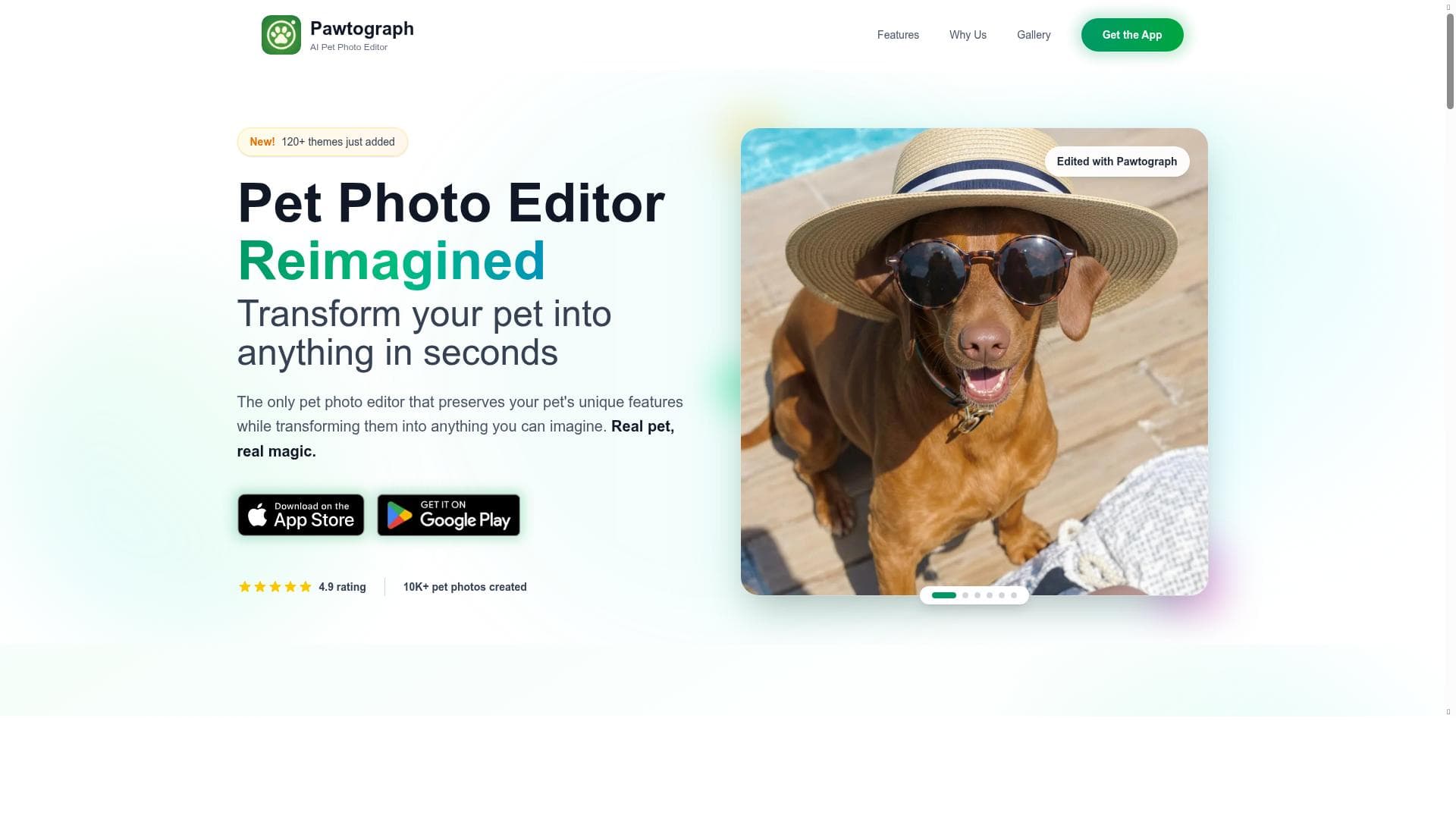


Pawtograph is a cutting-edge AI-powered pet photo editor that preserves your pet’s unique features while applying over 250 themed, studio-quality transformations. Perfect for pet owners and photographers alike, it delivers fast, realistic edits with options to share, print, or upscale to 4K, all on iOS and Android.

描述
Pawtograph is an AI-powered pet photo editor app that preserves your pet’s unique features while applying themed, studio-quality transformations (one-tap themes or a freeform “Creative Mode”) to produce instant HD results you can share or print, with the option to upscale to 4k. Available on iOS and Android with 250++ fun themes and fast, realistic edits. First image is free.
详细描述
Pawtograph is an innovative AI-powered pet photo editor app designed to transform ordinary pet photos into stunning, high-quality images while preserving the unique features that make each pet special. Its core purpose is to provide pet owners and enthusiasts with an easy-to-use platform that applies themed, studio-quality transformations to pet photos with just one tap or through a more customizable “Creative Mode.” This app leverages advanced AI technology to ensure that every edit maintains the authenticity of the pet’s appearance, resulting in realistic and visually appealing images that can be instantly shared or printed. Additionally, users have the option to upscale their photos to 4K resolution, ensuring crisp and vibrant results suitable for a variety of uses, from social media sharing to professional prints. One of the standout features of Pawtograph is its extensive library of over 250 themes tailored specifically for dogs, cats, and other pets. These themes range from playful and whimsical to elegant and artistic, allowing users to transform their pets into anything imaginable—from fantasy characters to stylish portraits. The app’s AI algorithms intelligently detect and preserve the pet’s unique facial features and expressions, ensuring that the edits look natural and true to life. Users can choose between quick one-tap themes for instant results or dive into the Creative Mode for more control and customization, making it suitable for both casual users and those seeking more artistic freedom. The app is available on both iOS and Android platforms, making it accessible to a wide audience. Pawtograph is ideal for pet owners who want to celebrate their furry friends with beautiful photos, professional photographers specializing in pet portraits, social media influencers looking to create engaging pet content, and even pet-related businesses aiming to enhance their marketing materials. The app’s ease of use and fast processing times make it perfect for users of all skill levels, from beginners to experienced editors. Whether you want to create a fun themed photo for a holiday card, a memorable keepsake, or eye-catching content for your pet’s social media profile, Pawtograph offers a versatile and enjoyable solution. In terms of pricing, Pawtograph is free to download and use, with the first image edit offered at no cost. This allows users to try out the app’s capabilities without any financial commitment. While the details on additional paid plans or in-app purchases are not explicitly stated, the free access to a large number of themes and features provides significant value. Users interested in higher resolution upscaling to 4K or other premium features may need to explore in-app options, but the baseline offering is robust enough for casual use. Compared to other pet photo editing apps, Pawtograph stands out due to its AI-driven approach that focuses specifically on preserving pet features while offering a vast array of creative themes. Many generic photo editors lack the specialized AI models that understand pet anatomy and expressions, which can result in less realistic or less flattering edits. Pawtograph’s dedicated pet-centric design and the option to upscale images to ultra-high definition make it a superior choice for pet photography enthusiasts. However, users seeking comprehensive photo editing beyond pet-specific themes might find it less versatile than general-purpose photo editors. Notable limitations include the current availability only on mobile platforms (iOS and Android), which may not suit users who prefer desktop editing environments. Additionally, while the app offers over 250 themes, users looking for highly specialized or niche themes might find the selection limiting. The reliance on AI means that in rare cases, the app might misinterpret certain pet features, especially with unusual breeds or mixed animals, potentially requiring manual adjustments. Overall, Pawtograph is a powerful and user-friendly tool that brings professional-quality pet photo editing to the fingertips of pet lovers worldwide.
工具功能
- AI-powered pet photo editing
- Preserves unique features of pets
- 250+ themes for dogs, cats, and all pets
- Transforms pets into anything imaginable
- Available on iOS and Android
描述
Pawtograph is a cutting-edge AI-powered pet photo editor that preserves your pet’s unique features while applying over 250 themed, studio-quality transformations. Perfect for pet owners and photographers alike, it delivers fast, realistic edits with options to share, print, or upscale to 4K, all on iOS and Android.
Pawtograph is an AI-powered pet photo editor app that preserves your pet’s unique features while applying themed, studio-quality transformations (one-tap themes or a freeform “Creative Mode”) to produce instant HD results you can share or print, with the option to upscale to 4k. Available on iOS and Android with 250++ fun themes and fast, realistic edits. First image is free.
详细描述
Pawtograph is an innovative AI-powered pet photo editor app designed to transform ordinary pet photos into stunning, high-quality images while preserving the unique features that make each pet special. Its core purpose is to provide pet owners and enthusiasts with an easy-to-use platform that applies themed, studio-quality transformations to pet photos with just one tap or through a more customizable “Creative Mode.” This app leverages advanced AI technology to ensure that every edit maintains the authenticity of the pet’s appearance, resulting in realistic and visually appealing images that can be instantly shared or printed. Additionally, users have the option to upscale their photos to 4K resolution, ensuring crisp and vibrant results suitable for a variety of uses, from social media sharing to professional prints. One of the standout features of Pawtograph is its extensive library of over 250 themes tailored specifically for dogs, cats, and other pets. These themes range from playful and whimsical to elegant and artistic, allowing users to transform their pets into anything imaginable—from fantasy characters to stylish portraits. The app’s AI algorithms intelligently detect and preserve the pet’s unique facial features and expressions, ensuring that the edits look natural and true to life. Users can choose between quick one-tap themes for instant results or dive into the Creative Mode for more control and customization, making it suitable for both casual users and those seeking more artistic freedom. The app is available on both iOS and Android platforms, making it accessible to a wide audience. Pawtograph is ideal for pet owners who want to celebrate their furry friends with beautiful photos, professional photographers specializing in pet portraits, social media influencers looking to create engaging pet content, and even pet-related businesses aiming to enhance their marketing materials. The app’s ease of use and fast processing times make it perfect for users of all skill levels, from beginners to experienced editors. Whether you want to create a fun themed photo for a holiday card, a memorable keepsake, or eye-catching content for your pet’s social media profile, Pawtograph offers a versatile and enjoyable solution. In terms of pricing, Pawtograph is free to download and use, with the first image edit offered at no cost. This allows users to try out the app’s capabilities without any financial commitment. While the details on additional paid plans or in-app purchases are not explicitly stated, the free access to a large number of themes and features provides significant value. Users interested in higher resolution upscaling to 4K or other premium features may need to explore in-app options, but the baseline offering is robust enough for casual use. Compared to other pet photo editing apps, Pawtograph stands out due to its AI-driven approach that focuses specifically on preserving pet features while offering a vast array of creative themes. Many generic photo editors lack the specialized AI models that understand pet anatomy and expressions, which can result in less realistic or less flattering edits. Pawtograph’s dedicated pet-centric design and the option to upscale images to ultra-high definition make it a superior choice for pet photography enthusiasts. However, users seeking comprehensive photo editing beyond pet-specific themes might find it less versatile than general-purpose photo editors. Notable limitations include the current availability only on mobile platforms (iOS and Android), which may not suit users who prefer desktop editing environments. Additionally, while the app offers over 250 themes, users looking for highly specialized or niche themes might find the selection limiting. The reliance on AI means that in rare cases, the app might misinterpret certain pet features, especially with unusual breeds or mixed animals, potentially requiring manual adjustments. Overall, Pawtograph is a powerful and user-friendly tool that brings professional-quality pet photo editing to the fingertips of pet lovers worldwide.
常见问题
What is Pawtograph?
Pawtograph is an AI-powered pet photo editor app that transforms your pet’s photos using themed, studio-quality effects while preserving their unique features. It offers over 250 creative themes and options to share, print, or upscale images to 4K resolution.
How much does Pawtograph cost?
Pawtograph is free to download and use, with the first image edit offered at no cost. Additional premium features or upscaling options may require in-app purchases, but the core functionality is available for free.
Who is Pawtograph best for?
Pawtograph is ideal for pet owners, pet photographers, social media influencers, and pet businesses who want to create high-quality, creative images of pets quickly and easily on mobile devices.
What are the main features of Pawtograph?
Key features include AI-powered pet photo editing that preserves unique pet features, over 250 themed transformations for various pets, one-tap themes and a freeform Creative Mode, instant HD results, 4K upscaling, and availability on iOS and Android.
Does Pawtograph offer a free trial?
Yes, the first image edit on Pawtograph is free, allowing users to try out the app’s features without any initial cost.
What integrations does Pawtograph support?
Pawtograph primarily functions as a standalone mobile app on iOS and Android. Specific third-party integrations are not detailed, but users can easily share edited images via social media or messaging apps on their devices.
How does Pawtograph work?
Pawtograph uses AI algorithms to analyze pet photos, detect unique features, and apply themed transformations that maintain realism. Users can select from one-tap themes or customize edits in Creative Mode, then share, print, or upscale their images.
社交媒体
使用工具评价
暂无评价。成为第一个分享使用体验的人。
赞助工具











































推荐工具
及时了解最新 AI 工具
获取最新资讯,订阅我们的新闻通讯
已有 50,000+ 位读者阅读并信赖
加入最大的 AI 社区
我们的社区和团队随时为您提供帮助!
您的反馈将帮助 Alice AI 在未来版本中不断改进。









