
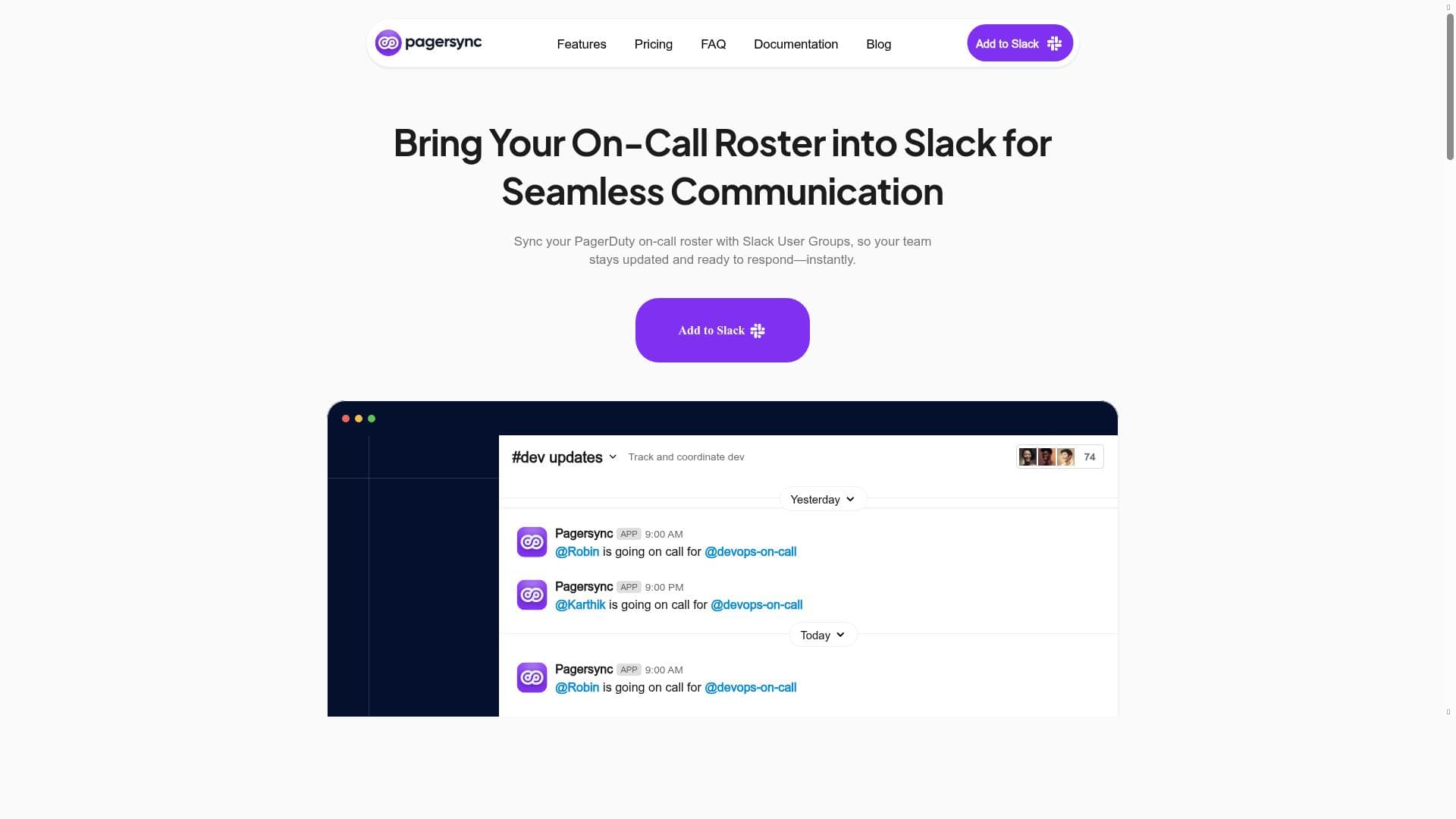


PagerSync uniquely automates the synchronization of Slack User Groups with PagerDuty schedules, ensuring your on-call teams are always accurately reflected in Slack. Ideal for IT and DevOps teams, it streamlines communication and reduces manual errors, making incident response faster and more reliable.

描述
PagerSync is a tool designed to synchronize your Slack User Group with your PagerDuty Schedule, enabling seamless coordination and communication between your team members and on-call schedules. It helps automate the process of keeping your Slack groups updated according to your PagerDuty schedules, improving operational efficiency and reducing manual errors.
详细描述
PagerSync is a specialized synchronization tool designed to bridge the gap between Slack and PagerDuty, two critical platforms widely used in modern IT operations and incident management. Its core purpose is to automatically sync Slack User Groups with PagerDuty schedules, ensuring that communication channels within Slack accurately reflect the current on-call rotations managed in PagerDuty. This seamless integration eliminates the need for manual updates, reducing human error and streamlining operational workflows. By automating the synchronization process, PagerSync helps teams maintain real-time awareness of who is on call, facilitating faster response times and better coordination during incidents. The key features of PagerSync revolve around its ability to keep Slack User Groups dynamically updated based on PagerDuty schedules. This means that whenever an on-call schedule changes in PagerDuty, PagerSync automatically updates the corresponding Slack User Group membership to reflect those changes. This automation removes the tedious and error-prone task of manually updating Slack groups, which is especially valuable for teams with complex or frequently changing schedules. Additionally, PagerSync enhances team communication by ensuring that notifications, alerts, and discussions in Slack are always directed to the right people who are currently on call. This capability improves operational efficiency by reducing missed alerts and ensuring that the appropriate responders are engaged promptly. PagerSync is best suited for IT operations teams, DevOps engineers, incident response teams, and any organizations that rely heavily on PagerDuty for on-call management and Slack for team communication. It is particularly valuable for teams that experience frequent schedule rotations or have multiple on-call groups, as it automates a critical aspect of incident readiness and communication. Use cases include ensuring that incident alerts sent through Slack reach the correct on-call personnel, maintaining accurate team rosters for on-call duties, and simplifying the management of on-call schedules across distributed teams. By automating these processes, PagerSync helps reduce operational overhead and improves the reliability of incident response workflows. Regarding pricing, PagerSync operates on a paid model, although specific pricing details are typically available upon request or through direct consultation with the vendor. This approach suggests that PagerSync targets professional teams and organizations that require robust, enterprise-grade synchronization capabilities and are willing to invest in tools that enhance operational efficiency. Potential customers should contact PagerSync directly via their website to obtain detailed pricing plans tailored to their team size and integration needs. When compared to alternative solutions, PagerSync stands out due to its focused functionality on syncing Slack User Groups with PagerDuty schedules specifically. While other tools may offer broader incident management or communication features, PagerSync’s niche focus ensures a high level of reliability and automation in this critical integration. Alternatives might require manual updates or offer less seamless synchronization, which can lead to errors or delays in incident response. PagerSync’s automation reduces these risks and saves valuable time for operations teams. However, there are some considerations to keep in mind. Since PagerSync is a paid service, smaller teams or startups with limited budgets might find the cost a barrier unless the operational benefits justify the investment. Additionally, PagerSync’s functionality is tightly coupled with Slack and PagerDuty, so organizations not using both platforms will not benefit from this tool. Finally, as with any integration tool, initial setup and configuration may require some technical expertise to ensure proper syncing and permissions are established. In summary, PagerSync is a powerful, automation-driven tool that enhances operational efficiency by synchronizing Slack User Groups with PagerDuty schedules. It is ideal for teams that need accurate, real-time on-call communication and want to eliminate manual updates, thereby improving incident response and team coordination.
工具功能
- Sync Slack User Group with PagerDuty Schedule
- Automates on-call schedule updates
- Enhances team communication and coordination
描述
PagerSync uniquely automates the synchronization of Slack User Groups with PagerDuty schedules, ensuring your on-call teams are always accurately reflected in Slack. Ideal for IT and DevOps teams, it streamlines communication and reduces manual errors, making incident response faster and more reliable.
PagerSync is a tool designed to synchronize your Slack User Group with your PagerDuty Schedule, enabling seamless coordination and communication between your team members and on-call schedules. It helps automate the process of keeping your Slack groups updated according to your PagerDuty schedules, improving operational efficiency and reducing manual errors.
详细描述
PagerSync is a specialized synchronization tool designed to bridge the gap between Slack and PagerDuty, two critical platforms widely used in modern IT operations and incident management. Its core purpose is to automatically sync Slack User Groups with PagerDuty schedules, ensuring that communication channels within Slack accurately reflect the current on-call rotations managed in PagerDuty. This seamless integration eliminates the need for manual updates, reducing human error and streamlining operational workflows. By automating the synchronization process, PagerSync helps teams maintain real-time awareness of who is on call, facilitating faster response times and better coordination during incidents. The key features of PagerSync revolve around its ability to keep Slack User Groups dynamically updated based on PagerDuty schedules. This means that whenever an on-call schedule changes in PagerDuty, PagerSync automatically updates the corresponding Slack User Group membership to reflect those changes. This automation removes the tedious and error-prone task of manually updating Slack groups, which is especially valuable for teams with complex or frequently changing schedules. Additionally, PagerSync enhances team communication by ensuring that notifications, alerts, and discussions in Slack are always directed to the right people who are currently on call. This capability improves operational efficiency by reducing missed alerts and ensuring that the appropriate responders are engaged promptly. PagerSync is best suited for IT operations teams, DevOps engineers, incident response teams, and any organizations that rely heavily on PagerDuty for on-call management and Slack for team communication. It is particularly valuable for teams that experience frequent schedule rotations or have multiple on-call groups, as it automates a critical aspect of incident readiness and communication. Use cases include ensuring that incident alerts sent through Slack reach the correct on-call personnel, maintaining accurate team rosters for on-call duties, and simplifying the management of on-call schedules across distributed teams. By automating these processes, PagerSync helps reduce operational overhead and improves the reliability of incident response workflows. Regarding pricing, PagerSync operates on a paid model, although specific pricing details are typically available upon request or through direct consultation with the vendor. This approach suggests that PagerSync targets professional teams and organizations that require robust, enterprise-grade synchronization capabilities and are willing to invest in tools that enhance operational efficiency. Potential customers should contact PagerSync directly via their website to obtain detailed pricing plans tailored to their team size and integration needs. When compared to alternative solutions, PagerSync stands out due to its focused functionality on syncing Slack User Groups with PagerDuty schedules specifically. While other tools may offer broader incident management or communication features, PagerSync’s niche focus ensures a high level of reliability and automation in this critical integration. Alternatives might require manual updates or offer less seamless synchronization, which can lead to errors or delays in incident response. PagerSync’s automation reduces these risks and saves valuable time for operations teams. However, there are some considerations to keep in mind. Since PagerSync is a paid service, smaller teams or startups with limited budgets might find the cost a barrier unless the operational benefits justify the investment. Additionally, PagerSync’s functionality is tightly coupled with Slack and PagerDuty, so organizations not using both platforms will not benefit from this tool. Finally, as with any integration tool, initial setup and configuration may require some technical expertise to ensure proper syncing and permissions are established. In summary, PagerSync is a powerful, automation-driven tool that enhances operational efficiency by synchronizing Slack User Groups with PagerDuty schedules. It is ideal for teams that need accurate, real-time on-call communication and want to eliminate manual updates, thereby improving incident response and team coordination.
常见问题
What is PagerSync?
PagerSync is a tool that automatically synchronizes your Slack User Groups with your PagerDuty on-call schedules, ensuring seamless communication and coordination between team members and on-call personnel.
How much does PagerSync cost?
PagerSync operates on a paid pricing model. Specific pricing details are typically provided upon request or consultation with the vendor, depending on team size and integration requirements.
Who is PagerSync best for?
PagerSync is best suited for IT operations teams, DevOps engineers, incident response teams, and organizations that use both Slack and PagerDuty to manage communication and on-call schedules.
What are the main features of PagerSync?
The main features include automatic synchronization of Slack User Groups with PagerDuty schedules, automation of on-call schedule updates, and enhanced team communication and coordination.
Does PagerSync offer a free trial?
Information about a free trial is not explicitly provided. Interested users should contact PagerSync directly via their website to inquire about trial options or demos.
What integrations does PagerSync support?
PagerSync specifically integrates Slack User Groups with PagerDuty schedules, focusing on these two platforms to automate on-call communication.
How does PagerSync work?
PagerSync works by automatically updating Slack User Group memberships to match the current on-call schedules defined in PagerDuty, ensuring that Slack channels always have the correct on-call personnel listed without manual intervention.
社交媒体
使用工具评价
暂无评价。成为第一个分享使用体验的人。




















































